1. Увод
This manual provides comprehensive instructions for the ShanWan Bluetooth Gamepad Keychain Sized Mini Controller. Please read this manual carefully before use to ensure proper operation and to maximize your gaming experience. This device is designed for use with Android phones and tablets, PS4/Slim/Pro, iPhone, iPad, Nintendo Switch, and Windows PCs.
2. Производ је готовview
The ShanWan Mini Controller is a compact and versatile gamepad designed for portability and multi-platform compatibility. It features 17 buttons and a D-Pad, all within a keychain-sized form factor.
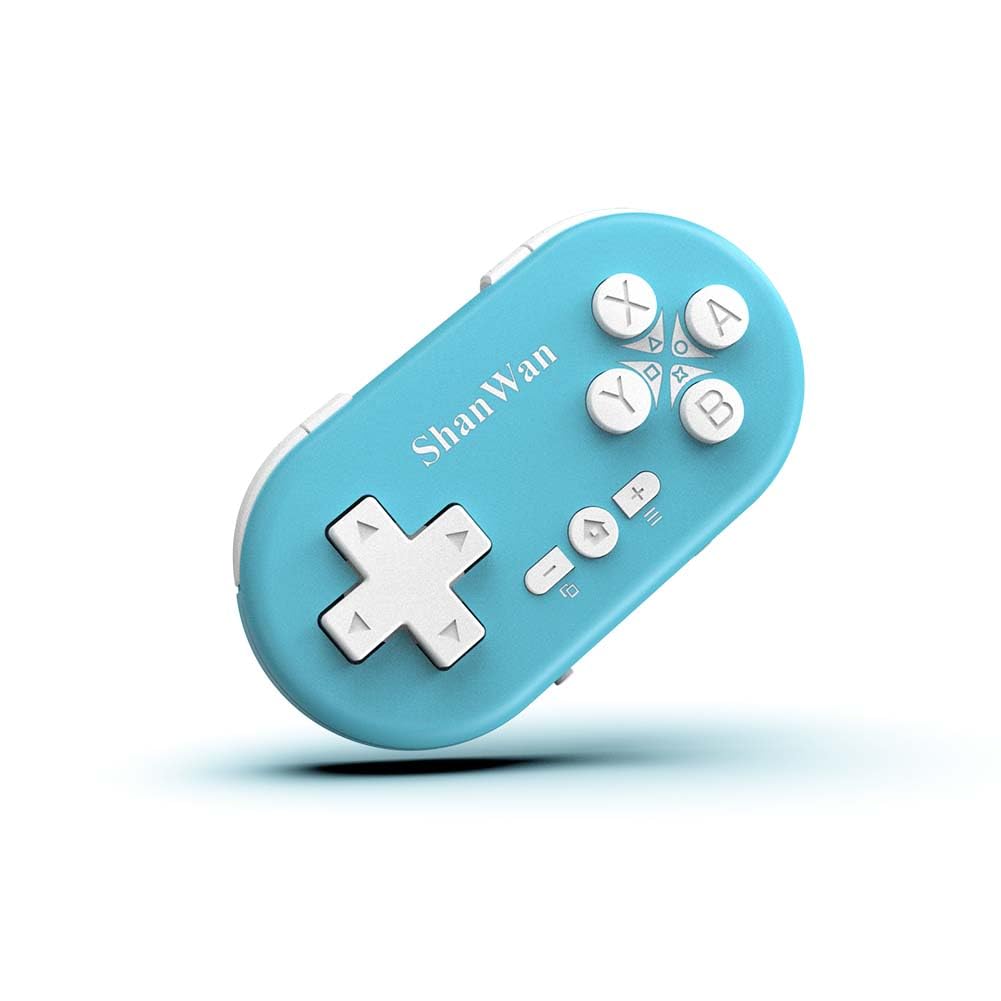
Figure 2.1: ShanWan Mini Bluetooth Gamepad, showcasinњегов компактан дизајн и распоред дугмади.

Figure 2.2: Dimensions of the ShanWan Mini Bluetooth Gamepad, measuring 2.83 inches in length, 1.57 inches in width, and 0.55 inches in thickness.
2.1 Садржај пакета
- ShanWan Bluetooth Gamepad Keychain Sized Mini Controller
- УСБ кабл за пуњење
- Кориснички приручник (овај документ)
3. Спецификације
| Феатуре | Детаљ |
|---|---|
| Број модела | Q36-XPS-KABRILAN |
| Повезивање | Блуетоотх бежични |
| Компатибилност | Android, iOS, Windows, Nintendo Switch, PlayStation 4 |
| Капацитет батерије | Литијум-полимерска батерија од 180 mAh (укључена) |
| Време пуњења | Отприлике 1 сат |
| Оперативно време | До 5-6 сати |
| Домет | До 10 метара (33 стопе) |
| Димензије производа | 2.83 к 1.57 к 0.55 инча |
| Тежина артикла | 1.44 унце (приближно 41 грама) |
| Посебне карактеристике | Gyroscope motion sensing, One-button wake-up function |
4. Подешавање и упаривање
4.1 Пуњење контролера
Before first use, fully charge the controller. Connect the provided USB charging cable to the controller's charging port and the other end to a USB power source (e.g., computer, USB wall adapter). The charging indicator light will show the charging status and turn off when fully charged. A full charge typically takes about 1 hour.
4.2 Укључивање/искључивање
- Укључено: Press and hold the Home button (usually the button with a house icon) for a few seconds until the indicator lights turn on.
- Искључивање: Press and hold the Home button for approximately 5 seconds until the indicator lights turn off. The controller will also automatically power off after a period of inactivity to conserve battery.
4.3 Bluetooth Pairing Instructions
The controller supports multiple platforms. Ensure the mode switch on the controller is set to the correct platform before pairing.
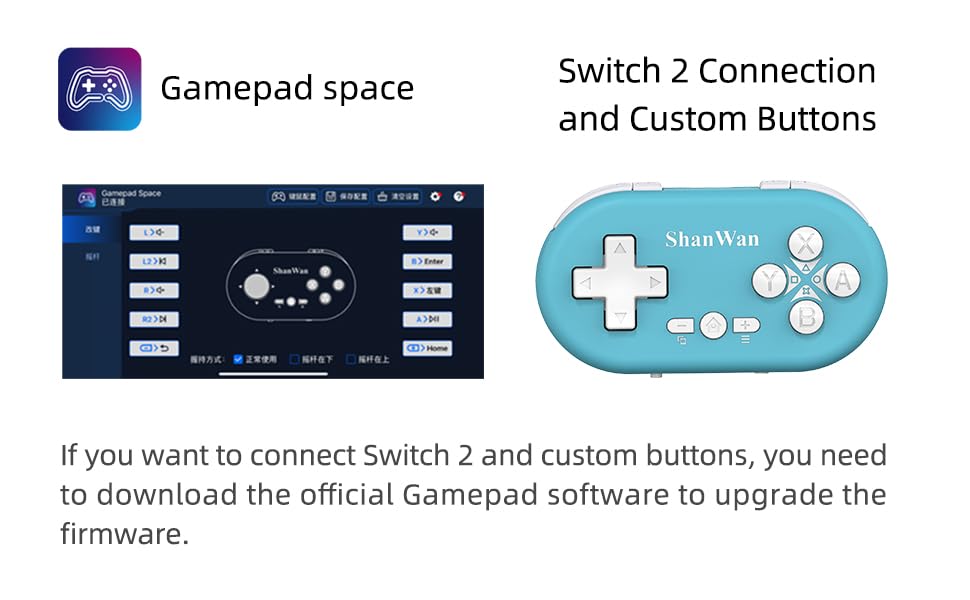
Figure 4.1: The mode switch on the controller, allowing selection between X (Xbox/PC), S (Switch), and P (PlayStation) modes for multi-device compatibility.
4.3.1 Упаривање са Nintendo Switch-ом
- On your Nintendo Switch, navigate to the HOME Menu.
- Select "Controllers" then "Change Grip/Order".
- Set the controller's mode switch to "S" (Switch mode).
- Press and hold the "Pair" button on the controller until the indicator lights begin to blink rapidly.
- The Switch will detect the controller. Once paired, the LED indicator on the controller will remain solid, and the controller will be displayed on the Switch host screen.

Figure 4.2: Visual guide for connecting the controller to a Nintendo Switch, showing menu navigation and the pairing button location.
4.3.2 Pairing with Android/iOS Devices
- Set the controller's mode switch to the appropriate mode (e.g., "X" for Android, or a specific iOS mode if available, refer to device-specific instructions).
- On your Android or iOS device, go to Bluetooth settings.
- Уверите се да је Блуетоотх омогућен.
- Press and hold the "Pair" button on the controller until the indicator lights blink rapidly.
- Select "ShanWan Controller" or a similar name from the list of available devices on your phone/tablet.
- Једном када се повеже, индикаторска лампица на контролеру ће почети да светли континуирано.
4.3.3 Pairing with PS4
- Set the controller's mode switch to "P" (PlayStation mode).
- On your PS4, go to "Settings" > "Devices" > "Bluetooth Devices".
- Press and hold the "Pair" button on the controller until the indicator lights blink rapidly.
- Select "ShanWan Controller" or a similar name from the list of available devices on your PS4.
- Једном када се повеже, индикаторска лампица на контролеру ће почети да светли континуирано.
4.3.4 Pairing with Windows PC
- Set the controller's mode switch to "X" (Xbox/PC mode).
- На Windows рачунару идите на „Подешавања“ > „Уређаји“ > „Bluetooth и други уређаји“.
- Ensure Bluetooth is enabled and click "Add Bluetooth or other device".
- Select "Bluetooth".
- Press and hold the "Pair" button on the controller until the indicator lights blink rapidly.
- Select "ShanWan Controller" or a similar name from the list of available devices.
- Једном када се повеже, индикаторска лампица на контролеру ће почети да светли континуирано.
5. Упутство за употребу
5.1 Функције дугмета
The controller features standard gamepad buttons. Their specific function may vary slightly depending on the platform and game.
- Д-Пад: Усмерени унос.
- Дугмад A, B, X, Y: Дугмад за акције.
- L1, L2, R1, R2 Buttons: Дугмад за раме и окидач.
- Хоме дугме: Power on/off, return to home screen (platform dependent).
- Дугмад Плус (+) / Минус (-): Start/Select or menu functions.
- Дугме за упаривање: Покреће Bluetooth упаривање.
5.2 посебних карактеристика
5.2.1 One-Button Wake-Up Function
After initial pairing, you can wake up the controller and reconnect it to the last paired device by simply pressing the Home button. This feature allows for quick resumption of gameplay.
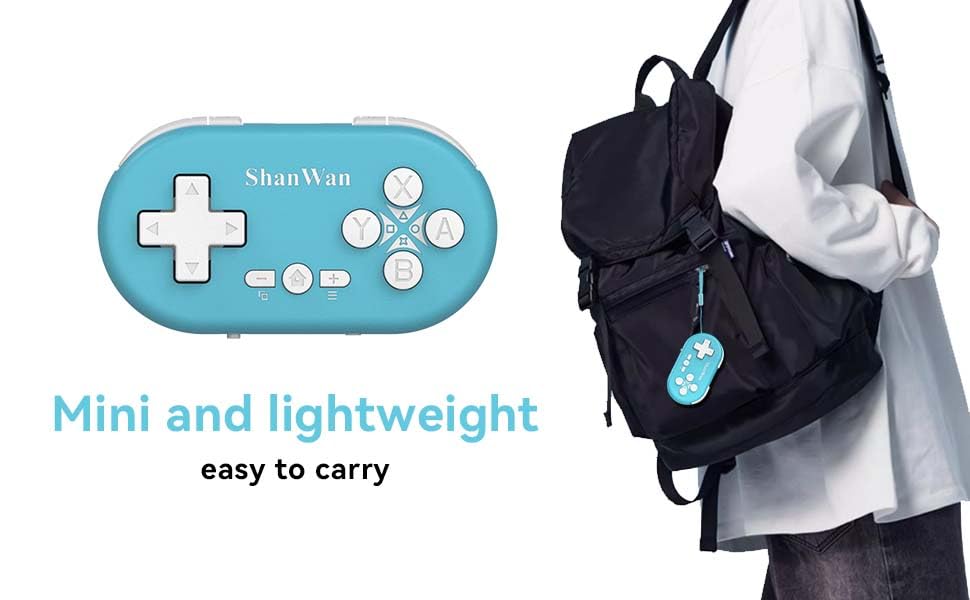
Figure 5.1: Illustration of the one-button wake-up function, highlighting the Home button used to quickly reactivate the controller.
5.2.2 Gyroscope Motion Sensing
The controller is equipped with a gyroscope for motion sensing effects, providing an immersive gaming experience in supported games, particularly on platforms like Nintendo Switch.
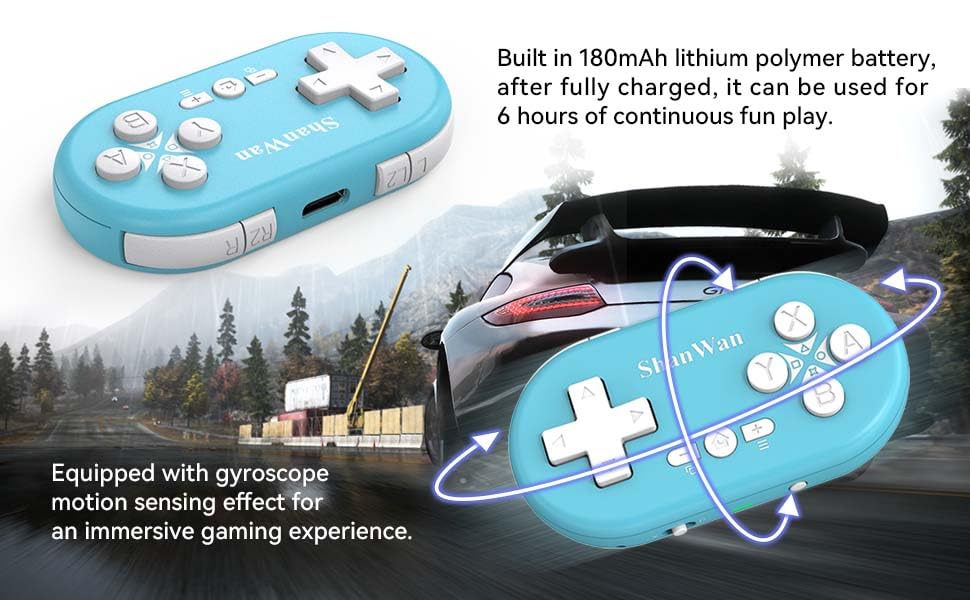
Figure 5.2: Visual representation of the gyroscope motion sensing effect, showing the controller being tilted to influence in-game actions.
5.2.3 Firmware Upgrade for Switch 2 and Custom Buttons
For compatibility with Switch 2 and to customize button mappings, it may be necessary to download the official Gamepad software and upgrade the controller's firmware. Refer to the manufacturer's official webсајт за најновији софтвер и упутства.

Figure 5.3: Screenshot illustrating the "Gamepad Space" software interface, used for firmware upgrades and custom button configurations, particularly for Switch 2 compatibility.
6. Одржавање
- Чишћење: Користите меку, суву крпу за чишћење контролера. Избегавајте употребу јаких хемикалија или абразивних материјала.
- Складиштење: Чувајте контролер на хладном и сувом месту, даље од директне сунчеве светлости и екстремних температура.
- Одржавање батерије: Да бисте продужили век трајања батерије, избегавајте често потпуно пражњење батерије. Редовно пуните контролер, чак и ако се не користи дуже време.
- Избегавајте утицај: Do not drop or subject the controller to strong impacts, as this may damage internal components.
КСНУМКС. Решавање проблема
7.1 Controller Does Not Power On
- Уверите се да је контролер потпуно напуњен. Повежите га са извором напајања и оставите га да се пуни најмање 15 минута пре него што га поново покушате укључити.
- Проверите да ли кабл за пуњење и извор напајања исправно функционишу.
7.2 Није могуће упарити контролер
- Ensure the controller is in pairing mode (indicator lights blinking rapidly).
- Check that the mode switch on the controller is set to the correct platform (S for Switch, X for Android/Windows, P for PS4).
- Make sure Bluetooth is enabled on your device (Switch, phone, PC, PS4).
- Move the controller closer to the device you are trying to pair with.
- Уклоните сва претходна упаривања контролера из Bluetooth подешавања уређаја и покушајте поново да га упарите.
- Поново покрените и контролер и уређај.
7.3 Кашњење или прекиди уноса
- Ensure the controller is within the 10-meter wireless range of your device.
- Минимизирајте сметње од других бежичних уређаја (Wi-Fi рутера, других Bluetooth уређаја).
- Уверите се да је контролер потпуно напуњен. Слаба батерија може утицати на стабилност везе.
- Покушајте поново да упарите контролер са својим уређајем.
- Update the controller's firmware if available (refer to Section 5.2.3).
7.4 Buttons Not Responding Correctly
- Test the controller on a different game or application to determine if the issue is game-specific.
- Уверите се да је фирмвер контролера ажуриран.
- Perform a factory reset if possible (refer to manufacturer's support for specific instructions, as this model may not have a dedicated reset button).
8. Гаранција и подршка
ShanWan products are designed for reliability and performance. For warranty information, technical support, or further assistance, please visit the official ShanWan webсајт или контактирајте њихову корисничку службу. Сачувајте рачун као доказ о куповини за потребе гаранције.
Official ShanWan Store: ShanWan Store on Amazon
9. Додатне информације
The ShanWan Mini Controller's compact and lightweight design makes it highly portable, allowing users to carry it easily and enjoy gaming on the go.

Figure 9.1: The ShanWan Mini Bluetooth Gamepad attached to a backpack, illustrating its keychain-sized portability and ease of transport.

Figure 9.2: The ShanWan Mini Bluetooth Gamepad being used outdoors with a portable screen, demonstrating its ease of transport and use anywhere.


