1. Увод
Овај приручник пружа битне информације за безбедан и ефикасан рад вашег ViewSonic PX700HDH 1080p Home Theater Projector. The PX700HDH is designed to deliver a high-quality home theater experience with Full HD (1920x1080p) resolution, 3,700 ANSI lumens of brightness, and SuperColor™ technology for vibrant visuals. It features a 1.1x optical zoom, 22,000:1 contrast ratio, dual HDMI inputs, and vertical keystone correction for flexible setup.
2. Безбедносне информације
Please read all safety instructions before operating the projector. Keep this manual for future reference.
- вентилација: Ensure adequate ventilation around the projector. Do not block ventilation openings.
- Извор напајања: Use only the power cord and adapter supplied with the projector. Connect to a properly grounded outlet.
- топлота: Пројектор лamp generates heat. Do not touch the lamp area immediately after use.
- Влага: Не излажите пројектор киши, влази или прекомерној влажности.
- Чишћење: Unplug the projector before cleaning. Use a soft, dry cloth.
- Lamp Замена: Refer to the maintenance section for lamp replacement instructions. Allow the projector to cool completely before attempting.
- Безбедност ока: Не гледајте директно у сочиво пројектора када је укљученоamp је укључен.
3. Садржај пакета
Проверите да ли су све ставке присутне у кутији:
- ViewSonic PX700HDH Projector
- Ремоте Цонтрол
- Повер Цорд
- Водич за брзи почетак
- Батерије за даљински управљач
видео: Unboxing the ViewSonic PX700HDH 3,700 ANSI Lumens 1080p Projector. This video demonstrates the contents of the product packaging and initial setup steps.
4. Подешавање
4.1 Постављање
The PX700HDH is a standard throw projector suitable for ceiling or table mounting. For optimal viewинг, размотрите следеће:
- Величина екрана: Projects screen sizes from 80" to 150".
- Удаљеност бацања: A 100" image can be displayed from approximately 10.8 ft (3.3m) away. The throw distance ranges from 8.7 ft (2.6m) to 16.2 ft (4.9m).
- Монтажа: The projector is ceiling mountable. Compatible with ViewSonic mount PJ-WMK-007 (sold separately).
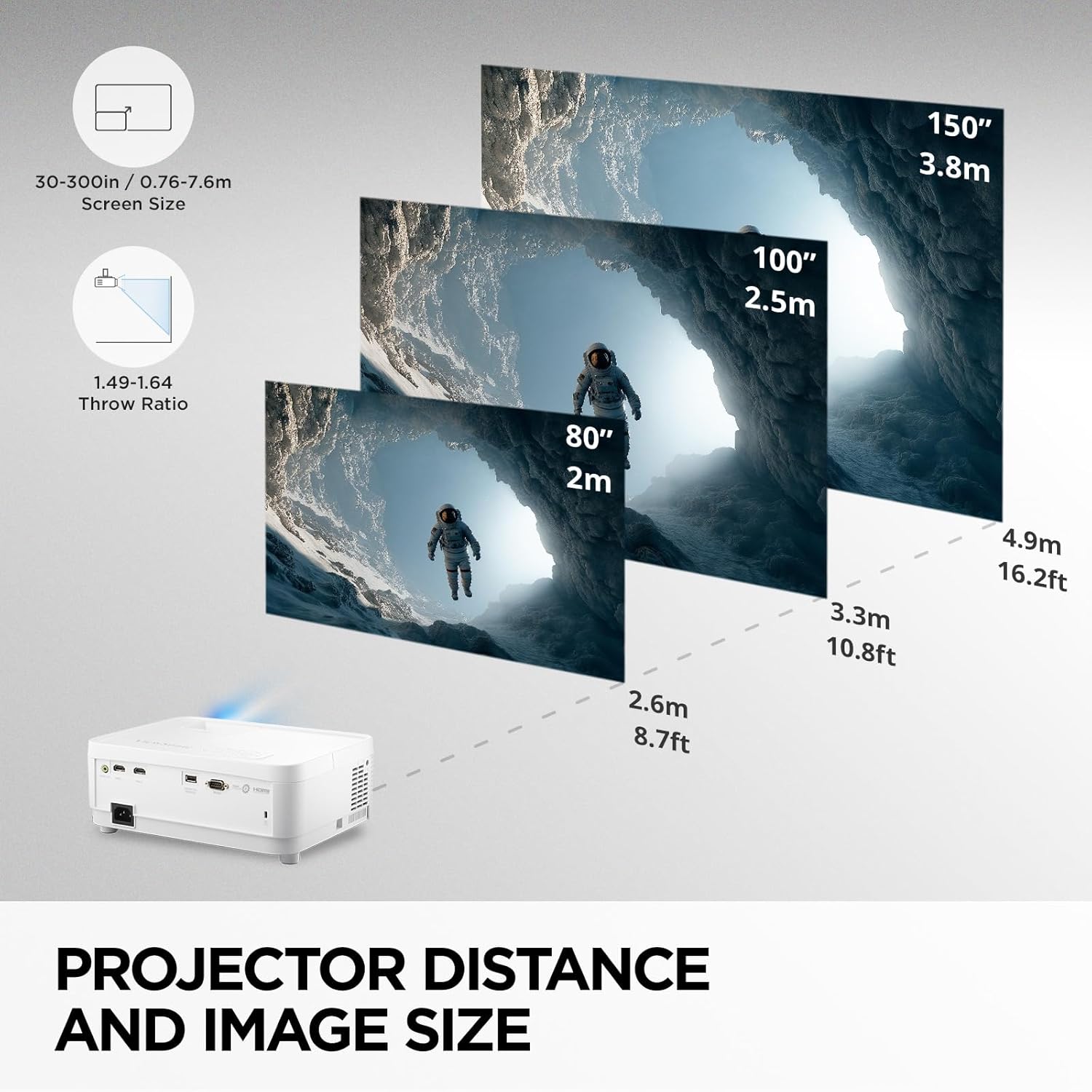
слика: Projector Distance and Image Size. This diagram illustrates recommended throw distances for various screen sizes.

слика: Standard Throw Projector. This image shows a typical setup for a ceiling-mounted projector.
4.2 Повезивање
The PX700HDH offers versatile connectivity options:
- Dual HDMI Inputs: Connect multiple devices such as Blu-ray players, gaming consoles, PCs, and streaming sticks.
- УСБ тип-А: Provides 5V/1.5A power for streaming dongles.
- 3.5 мм аудио излаз: Повежите екстерне аудио системе.
- РС-232: For remote control in corporate or educational environments.
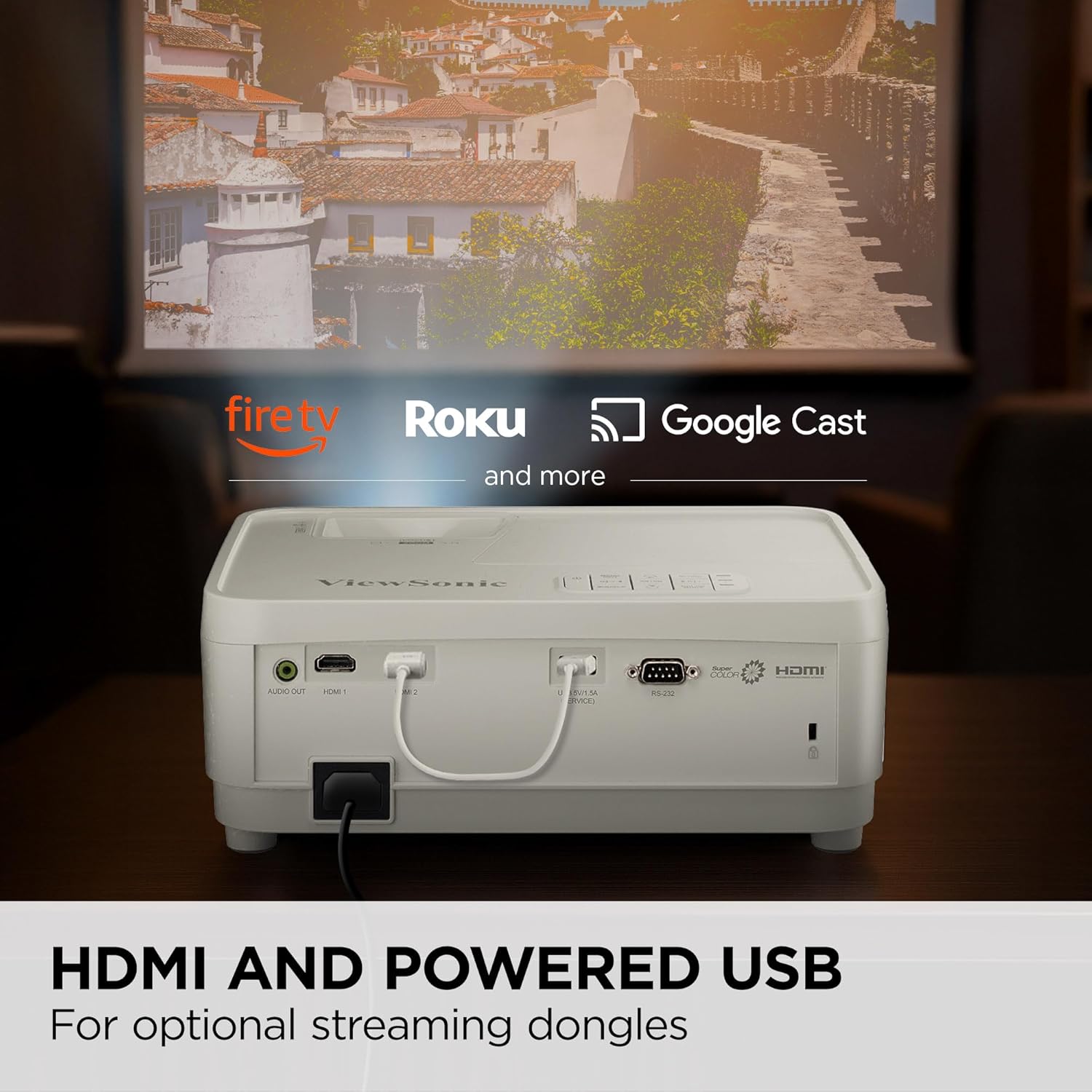
слика: HDMI and Powered USB. This image highlights the dual HDMI and powered USB ports for connecting various devices.

слика: Flexible Connectivity. This diagram details the available ports for connecting your devices.
4.3 Подешавање слике
Fine-tune your projected image for clarity and alignment:
- 1.1к оптички зум: Подесите величину слике без померања пројектора.
- 0.8x-2.0x Digital Zoom: Further adjust the image size digitally.
- Вертикални кључ: Correct trapezoidal distortion if the projector is not perfectly perpendicular to the screen.
5. Упутство за употребу
5.1 Основне контроле
The projector can be operated using the on-device control panel or the included remote control.
- Дугме за напајање: Укључује/искључује пројектор.
- Дугме менија: Приступа менију на екрану (OSD).
- Дугмад за навигацију: Користи се за навигацију кроз опције менија и подешавање подешавања.
- Дугме извора: Selects the input source (HDMI 1, HDMI 2, etc.).
- Color Mode Button: Cycles through various display modes (e.g., Bright, Movie, Gaming, SuperEco).
5.2 Image Quality Settings
Оптимизујте своје viewискуство са следећим карактеристикама:
- Full HD (1920x1080p) Resolution: Пружа оштре и детаљне слике.
- 3,700 ANSI лумена: Provides bright and clear pictures, even in rooms with ambient light.
- SuperColor™ Technology: Побољшава тачност и живост боја.
- 22,000:1 Dynamic Contrast Ratio: Offers deep blacks and bright whites for improved image depth.
- Low 16ms Input Latency & 120Hz Refresh Rate: Ideal for fast-paced content and gaming, ensuring smooth action with minimal delay.
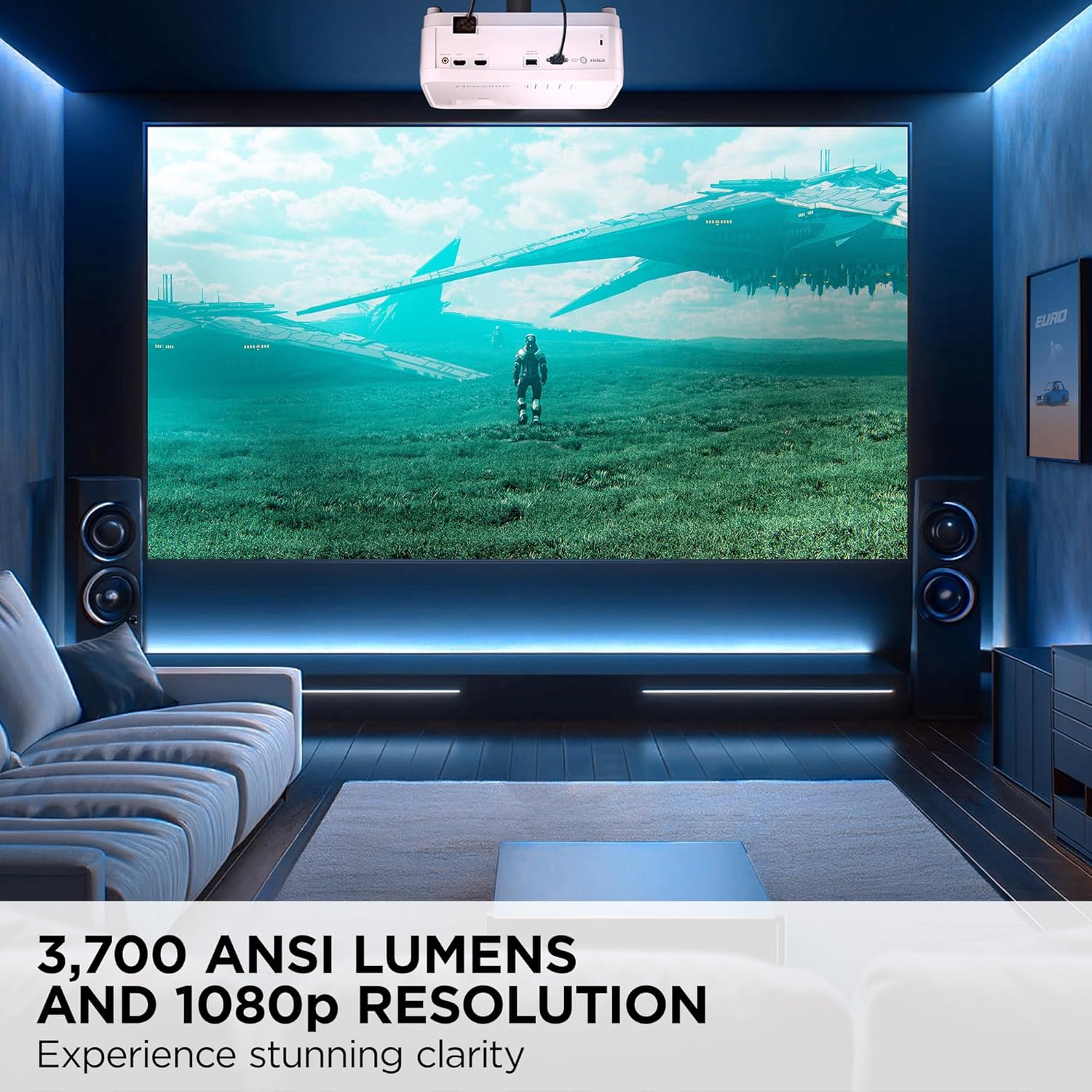
слика: 3,700 ANSI Lumens and 1080p Resolution. This image demonstrates the clarity and brightness of the projected image.

слика: SuperColor™ Technology. This image illustrates the enhanced color accuracy provided by SuperColor technology.
видео: PX700HDH Enhance-Image Settings!!! This video provides a demonstration of adjusting image settings for optimal viewинг.
6. Одржавање
6.1 Лamp Живот
Пројектор лamp has a long lifespan of up to 20,000 hours in SuperEco+ Mode. Regular maintenance can help maximize lamp дуговечност.

слика: Проширено Лamp Life. This image highlights the impressive lamp lifespan of the projector.
6.2 Чишћење
- Објектив: Use a soft, lint-free cloth specifically designed for optical lenses. Avoid abrasive materials.
- Екстеријер: Wipe the projector's exterior with a soft, dry cloth. Do not use harsh chemicals or solvents.
- Вентилациони отвори: Periodically check and clean the air vents to prevent dust buildup, which can affect performance and lamp живот.
КСНУМКС. Решавање проблема
Ако наиђете на проблеме са пројектором, погледајте следеће уобичајене проблеме и решења:
| Проблем | Могући узрок | Решење |
|---|---|---|
| Нема приказане слике | Изабран је погрешан улазни извор, лабава кабловска веза, уређај није укључен. | Verify input source, check all cable connections (HDMI, power), ensure connected device is on. |
| Слика је мутна | Focus not adjusted, projector too far/close to screen. | Adjust the focus wheel on the projector. Ensure projector is within recommended throw distance. |
| Слика је трапезоидног облика | Пројектор није постављен нормално у односу на платно. | Adjust the vertical keystone correction. |
| Нема звука | Јачина звука је прениска, екстерни аудио систем није повезан/изабран. | Increase projector volume. Check external audio connections and ensure it's selected as output. |
For more detailed troubleshooting, refer to the full user manual or contact ViewСониц подршка.
8. Спецификације
| Феатуре | Спецификација |
|---|---|
| Бранд | ViewСониц |
| Назив модела | ПКС700ХДХ |
| Резолуција екрана | 1920 к 1080 (Фулл ХД) |
| Осветљеност | КСНУМКС АНСИ Луменс |
| Однос контраста | 22000:1 |
| Технологија повезивања | ХДМИ, УСБ |
| Посебне карактеристике | Built-In Speaker, Dual HDMI, High Brightness, High Native Contrast Ratio, Wide Color Gamut |
| Оптицал Зоом | 1.1к |
| Дигитални зум | 0.8к-2.0к |
| Вертицал Кеистоне | Да |
| Максимална величина слике | 300 инча |
| Радни век извора светлости | 6000 Hours (up to 20,000 hours in SuperEco+ Mode) |
| Димензије артикла Д к Ш к В | 11.5 cm D x 8.7 cm Š x 4.5 cm V |
| Тежина артикла | 5.3 фунти |
9. Гаранција и подршка
9.1 Информације о гаранцији
Тхе ViewSonic PX700HDH projector comes with a 3-годишња ограничена гаранција on parts and labor, and a 1-годишња ограничена гаранција на лamp. Additionally, it includes 1st year free Express Exchange® service.
9.2 Корисничка подршка
For technical assistance, product registration, or warranty claims, please visit the official ViewСониц website or contact their customer support directly. Keep your purchase receipt and product serial number handy.