1. Производ је готовview
The llano CS2 18W PD USB-C Fast Charger is designed for efficient and safe charging of Nikon EN-EL14 and EN-EL14a camera batteries. This compact charger features a digital display for real-time battery status, multiple safety protections, and versatile charging options, making it an ideal accessory for photographers.

2. Кључне карактеристике
- 18В ПД брзо пуњење: Provides up to 50% faster charging for Nikon EN-EL14/EN-EL14a batteries compared to standard USB chargers.
- Dual Battery Slots: Charges two batteries simultaneously.
- Advanced Digital Display: Real-time monitoring of battery charge levels and charging status.
- Свеобухватна заштита: Incorporates 10-layer protection against over-voltage, overheating, short-circuiting, and more, ensuring battery longevity and safety.
- Ултра преносиви дизајн: Compact and lightweight, ideal for travel and on-the-go use.
- Versatile Power Input: Supports charging via wall adapters, car chargers, and portable power banks using a USB-C connection.
- Integrated SD Card Storage: Includes a dedicated slot for storing one SD card.
- Magnetic Flip-Open Lid: Ensures secure closure and protects batteries from dust and damage.

3. Компатибилност
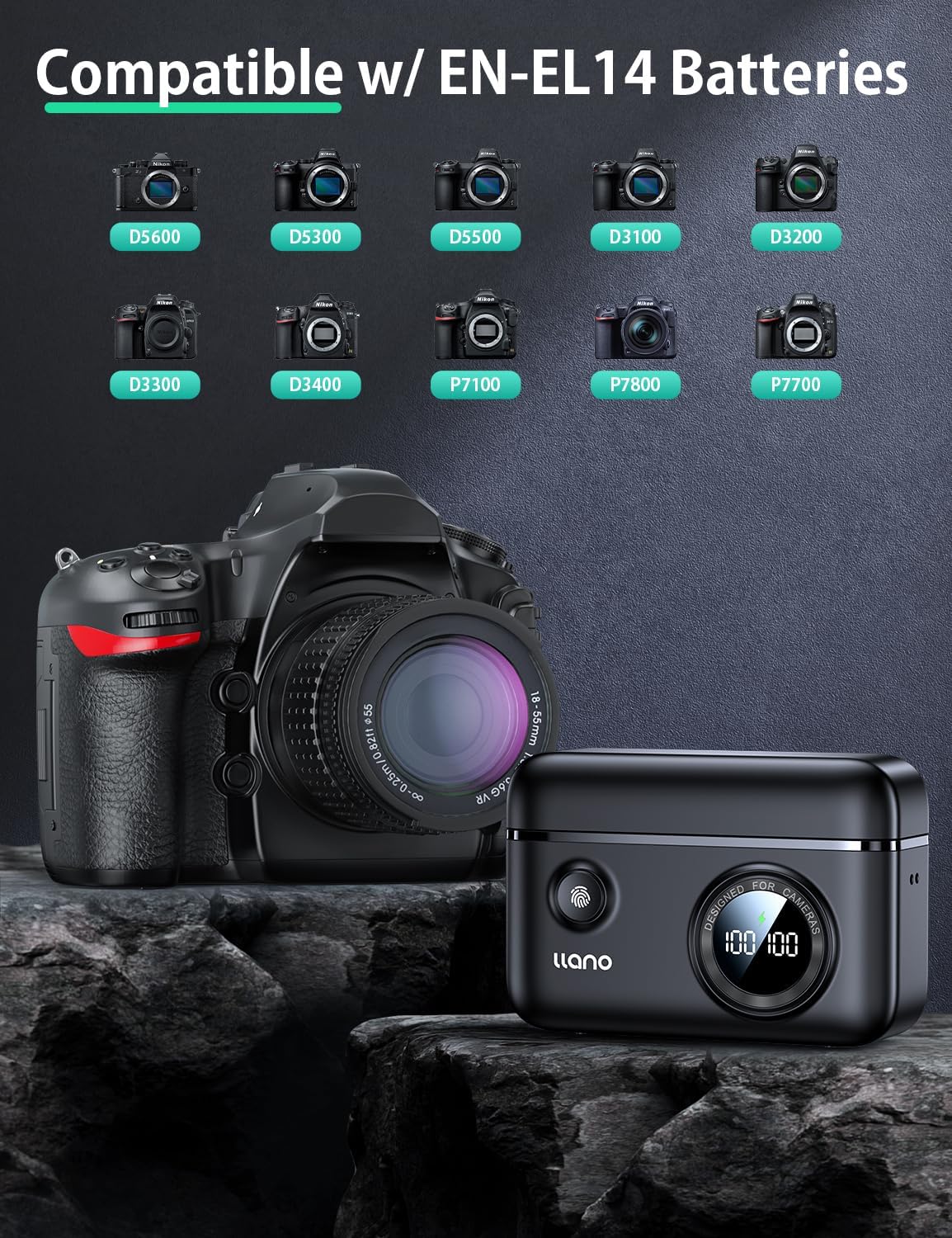
The llano CS2 charger is compatible with Nikon EN-EL14 and EN-EL14a batteries, used in various Nikon camera models, including:
- Nikon D3200, D3300, D3400, D3500
- Nikon D5100, D5200, D5300, D5500, D5600
- Nikon Coolpix P7000, P7100, P7700, P7800
4. Шта је у кутији
- llano CS2 18W PD USB-C Fast Charger
- Ланиард
- УСБ-Ц на УСБ-Ц кабл
- Дравстринг Баг
5. Упутства за подешавање
- Прикључите напајање: Connect the provided USB-C cable to the charger's input port and to a compatible 18W PD (Power Delivery) USB-C power source (e.g., wall adapter, car charger, power bank). The digital display will illuminate.
- Уметните батерије: Open the magnetic lid. Insert one or two Nikon EN-EL14/EN-EL14a batteries into the designated charging slots (CH1 and CH2), ensuring correct orientation. The digital display will show the current charge percentage for each inserted battery.
- Optional SD Card Storage: If desired, place an SD card into the dedicated storage slot on the side of the charger. This slot is for storage only and does not function as a card reader.

6. Упутство за употребу
- Почетна наплата: Once batteries are inserted and the charger is connected to a power source, charging will begin automatically. The digital display will show the charging icon and the increasinг процентаtagе за сваку батерију.
- Monitoring Charge Status: The digital display provides real-time battery percentage. A lightning bolt icon indicates active charging. When a battery reaches 100%, the charging process for that slot will stop automatically.
- Checking Battery Level (Unplugged): Press the button on the front of the charger to view the current charge level of inserted batteries without being connected to a power source.
- Уклањање батерија: Once charging is complete, or if you need to remove a battery, gently pull it out from its slot.

7. Одржавање
- Чишћење: Use a soft, dry cloth to clean the charger's exterior. Avoid using liquid cleaners or solvents. Ensure no debris enters the charging slots or USB-C port.
- Складиштење: Store the charger in a cool, dry place away from direct sunlight and extreme temperatures. Utilize the magnetic lid to protect the battery slots and the included drawstring bag for scratch resistance during transport.
- Руковање: Avoid dropping the charger or subjecting it to strong impacts. Ensure batteries are inserted and removed gently to prevent damage to the contacts.

КСНУМКС. Решавање проблема
| Проблем | Могући узрок | Решење |
|---|---|---|
| Charger display is off / No power | No power connection or faulty cable/adapter. | Ensure the USB-C cable is securely connected to both the charger and a working power source. Try a different USB-C cable or power adapter. |
| Батерија се не пуни | Battery not properly inserted; battery is damaged or incompatible; charger contacts are dirty. | Re-insert the battery, ensuring it clicks into place. Verify the battery is an EN-EL14/EN-EL14a type. Clean charger and battery contacts with a dry cloth. |
| Спора брзина пуњења | Power source does not support 18W PD; cable is not PD compatible. | Use an 18W (or higher) Power Delivery (PD) compatible USB-C power adapter and a PD-compatible USB-C cable for optimal charging speed. |
| Digital display shows incorrect percentage | Temporary display glitch; battery calibration needed. | Remove and re-insert the battery. Allow the battery to fully charge and discharge a few times to recalibrate. |
9. Спецификације
| Спецификација | Детаљ |
|---|---|
| Број модела | LJN-CS004 |
| Бранд | ллано |
| Димензије производа | 11.18 цм x 4.32 цм x 8.38 цм |
| Тежина артикла | 0.4 фунти (приближно 181 грама) |
| Улазни волtage | 8.4 Волтс |
| Оутпут Волtage | 7.4 Волтс |
| Време пуњења батерије | Approx. 1.45 Hours (with 18W PD charger) |
| Тип конектора | УСБ-Ц |
| Број портова | 1 (USB-C input) |
| Боја | Црно |
| Цертификати | ФЦЦ |
10. Гаранција и подршка
This llano CS2 Fast Charger comes with an 18-месечна гаранција from the date of purchase. For warranty claims, technical support, or any inquiries regarding your product, please contact llano customer service through the retailer where the product was purchased or visit the official llano webсајт за контакт информације за подршку.
Молимо вас да сачувате доказ о куповини ради потврде гаранције.