Увод
Thank you for choosing the KLIM K7 Cassette Tape Player and MP3 Converter. This device allows you to enjoy your classic cassette tapes and convert them into digital MP3 files for modern playback. It features a built-in microphone for recording, an integrated speaker, and a rechargeable battery for portability. This manual provides detailed instructions for setup, operation, and maintenance of your KLIM K7.
Производ је завршенview
Кључне карактеристике
- Cassette to MP3 Converter: Effortlessly convert cassette tapes to digital MP3 files directly onto an SD card.
- Преносиви дизајн: Lightweight and compact for on-the-go listening.
- Уграђени микрофон: Record audio directly to the SD card.
- Уграђени звучник: Share your audio without external devices.
- Пуњива батерија: Integrated 1000mAh battery provides extended playback.
- SD Card Player: Пусти МП3 fileс сачуване на СД картици.
- 3.5 мм прикључак за слушалице: For private listening with included earphones.
Компоненте и контроле уређаја
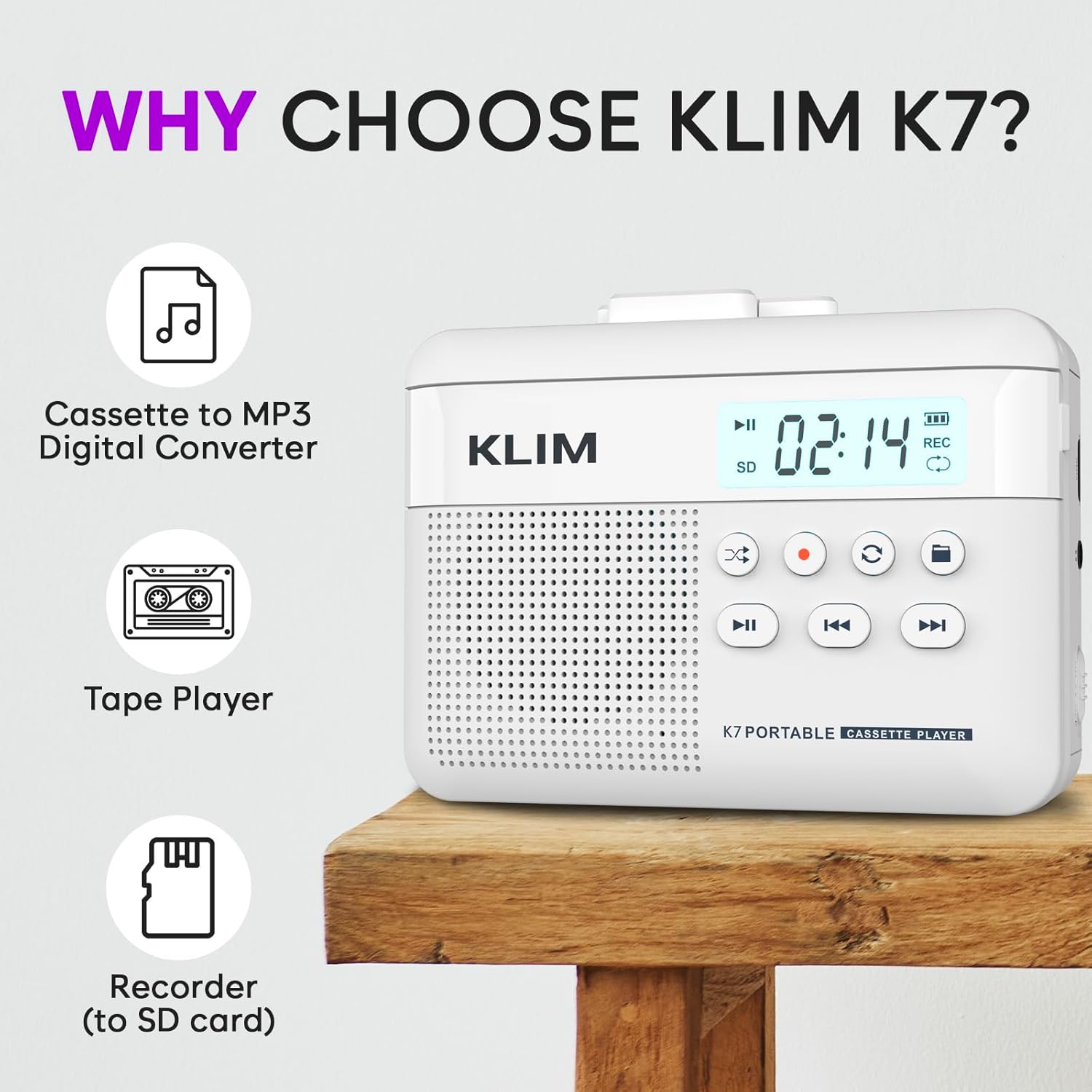
Слика 1: Фронт view of the KLIM K7 Cassette Player, showing the speaker grille, LCD display, and control buttons (Play/Pause, Rewind, Fast Forward, Stop, Record, Mode, Folder, Loop).
- ЛЦД екран: Shows track number, recording status, and battery level.
- говорник: Интегрисани звучник за аудио репродукцију.
- Play/Pause Button (►▮): Покреће или паузира репродукцију.
- Rewind Button (◀◀): Rewinds the cassette tape or navigates backward through MP3 tracks.
- Fast Forward Button (►►): Fast forwards the cassette tape or navigates forward through MP3 tracks.
- Дугме за заустављање (■): Зауставља репродукцију или снимање.
- Record Button (●): Покреће или зауставља снимање.
- Дугме за режим (↻): Switches between cassette playback and SD card MP3 playback.
- Folder Button (🖿): Navigates through folders on the SD card.
- Loop Button (⟳): Понавља тренутну нумеру или све нумере.

Слика 2: Сиде view of the KLIM K7 Cassette Player, highlighting the SD card slot, 3.5mm headphone jack, and On/Off switch.
- Слот за СД картицу: Insert your Micro SD card here for recording and MP3 playback.
- 3.5 мм прикључак за слушалице: Connect the included earphones or other standard headphones.
- Прекидач за укључивање/искључивање: Укључује или искључује уређај.
- Контрола јачине звука: Подешава ниво аудио излаза.

Слика 3: Врх view of the KLIM K7 Cassette Player with the cassette compartment open, showing the tape mechanism.
- Cassette Compartment: Insert your cassette tapes here.
- Cassette Door Release: Opens the cassette compartment.
Сетуп
1. Пуњење батерије
Before first use, fully charge the KLIM K7. The device comes with a 1000mAh rechargeable battery.
- Locate the Type-C USB charging port on the side of the device.
- Connect the included Type-C USB cable to the charging port and the other end to a USB power adapter (not included) or a computer's USB port.
- The charging indicator on the LCD display will show charging status. A full charge typically takes approximately 2 hours.

Слика 4: The KLIM K7 connected to a Type-C USB cable for charging.
2. Уметање SD картице
An SD card (16GB included) is required for converting tapes to MP3 and for recording with the built-in microphone.
- Locate the SD card slot on the side of the device (refer to Figure 2).
- Gently insert the Micro SD card into the slot with the gold contacts facing down until it clicks into place.
- To remove, push the SD card inward until it clicks, then release, and it will eject.

Слика 5: Inserting the Micro SD card into the KLIM K7.
3. Уметање касете
- Press the Cassette Door Release button to open the cassette compartment.
- Insert your cassette tape with the open side facing upwards and the tape reels aligned with the player's mechanism.
- Close the cassette compartment door firmly until it clicks.
Упутство за употребу
1. Репродукција касета
- Ensure the device is powered on using the On/Off switch.
- Insert a cassette tape as described in the Setup section.
- Притисните тастер Play/Pause (►▮) дугме за почетак репродукције.
- Подесите јачину звука помоћу контроле јачине звука.
- Користите Rewind (◀◀) и Fast Forward (►►) дугмад за навигацију по траци.
- Притисните тастер Стоп (■) дугме за завршетак репродукције.
2. Конвертовање касета у MP3
The KLIM K7 allows direct conversion of cassette audio to MP3 files on the inserted SD card, without needing a computer or additional software.
- Ensure an SD card is inserted and the device is powered on.
- Insert the cassette tape you wish to convert.
- Притисните тастер Play/Pause (►▮) button to start playing the tape.
- Дуги притисак тхе Record (●) button. The 'REC' indicator on the LCD display will illuminate, indicating that recording has started.
- Da biste zaustavili snimanje, pritisnite Record (●) button again. The 'REC' indicator will turn off. The recorded audio will be saved as an MP3 file на СД картици.
- You can then remove the SD card and use the included SD card reader to transfer the MP3 files to a computer or other device.

Слика 6: Visual guide for converting cassette audio to MP3 files.
3. Using the Built-in Microphone for Recording
The KLIM K7 can also record audio directly from its built-in microphone to the SD card.
- Ensure an SD card is inserted and the device is powered on.
- Притисните тастер Mode (↻) button until the device is in SD card mode (no cassette playing).
- Дуги притисак тхе Record (●) button. The 'REC' indicator will light up, and the device will start recording audio from its microphone.
- Da biste zaustavili snimanje, pritisnite Record (●) button again. The 'REC' indicator will turn off, and the recording will be saved as an MP3 file.

Слика 7: Using the KLIM K7's built-in microphone for recording.
4. Playing MP3 Files from SD Card
- Ensure an SD card with MP3 files is inserted and the device is powered on.
- Притисните тастер Mode (↻) button to switch to SD card playback mode. The LCD display will show track information.
- Притисните тастер Play/Pause (►▮) дугме за почетак репродукције.
- Користите Rewind (◀◀) и Fast Forward (►►) дугмад за прескакање нумера.
- Тхе Folder (🖿) button allows navigation through different folders on the SD card.
- Тхе Loop (⟳) button can be used to repeat the current track or all tracks.
- Подесите јачину звука помоћу контроле јачине звука.
- Притисните тастер Стоп (■) дугме за завршетак репродукције.

Слика 8: Enjoying audio with the KLIM K7 and included earphones.
Одржавање
Proper maintenance ensures the longevity and optimal performance of your KLIM K7.
- Чишћење: Користите меку, суву крпу за чишћење спољашњости уређаја. Не користите течна средства за чишћење или раствараче.
- Cassette Compartment: Periodically clean the tape heads and pinch rollers with a cotton swab lightly dampened with isopropyl alcohol to prevent audio quality degradation. Ensure the device is off and dry before use.
- Складиштење: Уређај чувајте на хладном и сувом месту, даље од директне сунчеве светлости и екстремних температура.
- Одржавање батерије: For long-term storage, charge the battery to about 50% every few months to maintain battery health.
Решавање проблема
If you encounter any issues with your KLIM K7, please refer to the following common solutions:
| Проблем | Могући узрок | Решење |
|---|---|---|
| Уређај се не укључује. | Батерија је празна. | Charge the device using the provided Type-C USB cable. |
| No sound during cassette playback. | Volume is too low or headphones are not connected properly. | Increase the volume. Ensure headphones are fully plugged into the 3.5mm jack. |
| Recording to MP3 fails or produces no file. | SD card is full, not inserted correctly, or corrupted. | Check SD card insertion. Ensure sufficient space on the SD card. Try reformatting the SD card (this will erase all data). |
| Poor audio quality from cassette. | Dirty tape heads or worn-out cassette tape. | Clean the tape heads and pinch rollers. Try a different cassette tape to determine if the issue is with the tape itself. |
| Уређај се замрзава или престаје да реагује. | Привремени софтверски квар. | Turn the device off and then on again. If the issue persists, allow the battery to fully discharge and then recharge. |
Спецификације
- Димензије производа: 4.76 к 3.61 к 1.56 инча
- Тежина артикла: 9.9 унци
- батерија: 1 литијум-јонска батерија (укључена), 1000 mAh
- Време пуњења: Отприлике 2 сата
- Складиштење: Supports Micro SD card (16GB included)
- Аудио излаз: Built-in speaker, 3.5mm headphone jack
- Формат снимања: МП3

Слика 9: Dimensions of the KLIM K7 Cassette Player.
Гаранција и подршка
KLIM is committed to producing quality electronics. The KLIM K7 Cassette Tape Player comes with a Једногодишња гаранција. If you encounter any problems with your device, please contact KLIM customer support for assistance.
Додатни планови заштите могу бити доступни за куповину:
- Двогодишњи план заштите: $3.99 (one-time)
- Двогодишњи план заштите: $5.99 (one-time)
- NEW Complete Protect: $16.99 (monthly)
За додатну подршку посетите KLIM продавница на Амазону.


