1. Увод
Welcome to the Haylou Solar Neo Smartwatch user manual. This guide provides essential information for setting up, operating, maintaining, and troubleshooting your new smartwatch. Please read this manual thoroughly to ensure optimal performance and longevity of your device.
2. Производ је готовview
The Haylou Solar Neo is a feature-rich smartwatch designed to enhance your daily life with health monitoring, fitness tracking, and communication capabilities. It features a vibrant 1.53-inch HD display and a durable design.
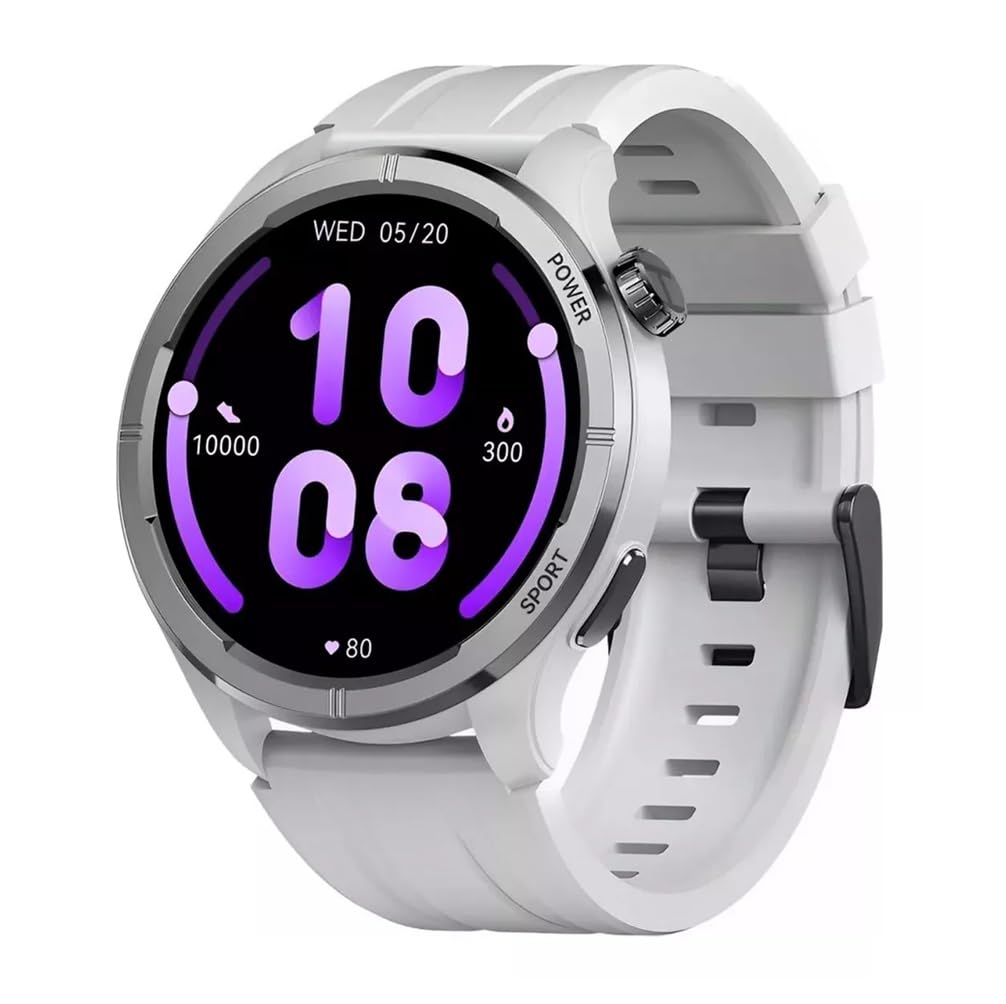
Слика 2.1: Фронт view of the Haylou Solar Neo Smartwatch. This image displays the watch's round face, white strap, and a digital-analog hybrid display with green accents, indicating various metrics.
Кључне карактеристике:
- 1.53-inch HD Display for clear visuals.
- Up to 30 days battery life in basic mode, 7 days in daily use.
- Bluetooth calling functionality.
- Comprehensive health tracking: heart rate, SpO2, sleep, stress, female health, respiratory training.
- Over 100 sports modes for diverse fitness activities.
- Smart message notifications.
- Прилагодљиви бројчаници сата.
3. Подешавање
3.1 Пуњење паметног сата
Before first use, fully charge your Haylou Solar Neo Smartwatch. Connect the magnetic charging cable to the charging contacts on the back of the watch and plug the USB end into a power adapter (5V/1A recommended).
3.2 Инсталација и упаривање апликације
- Download the official Haylou Fun app from your smartphone's app store (iOS or Android).
- Отворите апликацију и креирајте налог или се пријавите.
- Уверите се да је Блуетоотх омогућен на вашем паметном телефону.
- In the Haylou Fun app, navigate to 'Device' and select 'Add Device'.
- Select 'Haylou Solar Neo' from the list of available devices.
- Follow the on-screen prompts in the app and on your watch to complete the pairing process. Confirm the pairing request on both devices.
4. Упутство за употребу
4.1 Основна навигација
- Превуците нагоре/надоле: Приступите брзим подешавањима или обавештењима.
- Превуците лево/десно: Navigate through widgets (e.g., heart rate, weather, activity data).
- Притисните дугме за напајање: Wake/sleep screen, return to watch face, or access the app list.
- Press Sport Button: Quickly launch workout modes.
Слика 4.1: Сиде view of the smartwatch highlighting the power button (rotating crown) and the sport shortcut button.
4.2 Прилагођавање изгледа сата
The Haylou Solar Neo offers hundreds of watch face options. To change the watch face:
- On the watch face screen, long-press the display.
- Swipe left or right to browse through pre-installed watch faces.
- Tap to select your desired watch face.
- More watch faces can be downloaded and customized via the Haylou Fun app.

Слика 4.2: A selection of customizable watch faces available for the Haylou Solar Neo Smartwatch.
5. Функције праћења здравља
The smartwatch provides comprehensive health tracking to help you monitor your well-being.
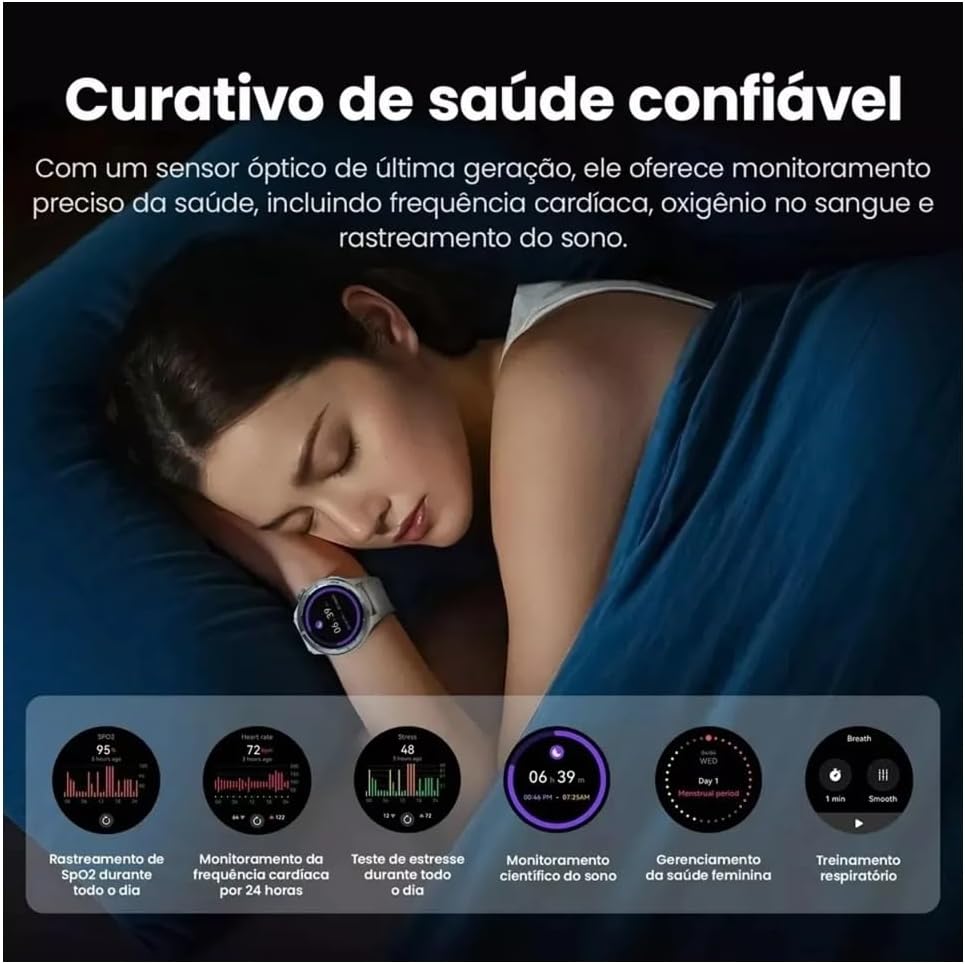
Слика 5.1: Health monitoring features in action, showing sleep tracking and various health data points.
5.1 Праћење откуцаја срца
Сат континуирано прати ваш откуцај срца. View your real-time heart rate on the watch or detailed historical data in the Haylou Fun app.
5.2 Blood Oxygen (SpO2) Tracking
Measure your blood oxygen saturation levels directly from your wrist. For accurate readings, ensure the watch is snug on your wrist and remain still during measurement.
5.3 Надгледање спавања
Wear the watch to bed to track your sleep patterns, including deep sleep, light sleep, and awake times. Detailed analysis is available in the app.
5.4 Stress Monitoring and Respiratory Training
The watch can estimate your stress levels throughout the day. Utilize the guided respiratory training feature to help manage stress.
5.5 Female Health Tracking
For female users, the watch supports tracking of menstrual cycles and provides predictive reminders when configured in the Haylou Fun app.
6. Праћење физичке спремности
The Haylou Solar Neo supports over 100 sports modes to accurately track your workouts.
Слика 6.1: Smartwatch displaying workout data and various sports mode options during physical activity.
6.1 Почетак тренинга
- Press the 'Sport' button on the side of the watch to quickly access the sports mode list.
- Alternatively, navigate to the 'Workout' app from the main menu.
- Select your desired activity (e.g., Outdoor Running, Cycling, Walking).
- Tap to start the workout. The watch will begin recording data such as duration, calories burned, and heart rate.
6.2 Ending a Workout
During a workout, swipe right to pause or end the activity. Confirm your choice on the screen.
7. Позиви и обавештења путем Bluetooth-а
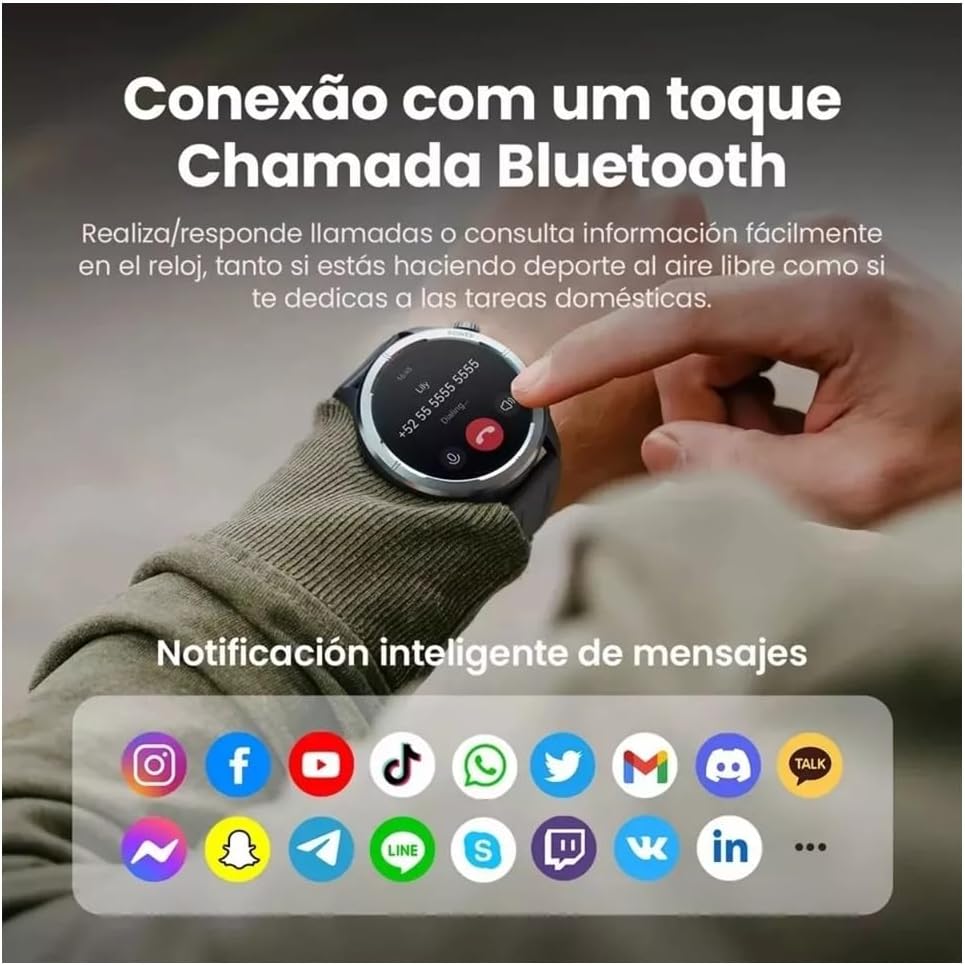
With its built-in microphone and speaker, the Haylou Solar Neo allows you to make and receive calls directly from your wrist when connected to your smartphone.

Слика 7.1: Smartwatch displaying a Bluetooth call and various app notification icons.
7.1 Упућивање и примање позива
- Да бисте упутили позив: Access the 'Phone' app on your watch, dial a number, or select a contact from your synced phonebook.
- Да бисте примили позив: Када примите позив, сат ће приказати идентификацију позиваоца. Додирните зелену икону да бисте одговорили или црвену икону да бисте одбили позив.
7.2 Паметна обавештења
Once paired with your smartphone, the watch will display notifications from various apps (e.g., messages, social media, emails). Ensure notification permissions are enabled in both your phone's settings and the Haylou Fun app.
8. Одржавање
8.1 Чишћење паметног сата
Regularly clean your watch and strap to prevent skin irritation and maintain device hygiene. Use a soft, lint-free cloth. For stubborn dirt, dampБлаго натопите крпу водом. Избегавајте употребу јаких хемикалија или абразивних материјала.
8.2 Отпорност на воду
The Haylou Solar Neo is designed with a certain level of water resistance. Refer to the specifications for details (e.g., IP68). Avoid prolonged exposure to water, hot water, or steam, and do not press buttons underwater.
8.3 Одржавање батерије
To prolong battery life, avoid extreme temperatures. Charge the watch fully before long periods of inactivity. Do not let the battery completely drain frequently.
КСНУМКС. Решавање проблема
9.1 Сат се не укључује
- Уверите се да је сат потпуно напуњен. Повежите га са пуњачем најмање 30 минута.
- Притисните и држите дугме за напајање 10-15 секунди да бисте поново покренули рачунар.
9.2 Није могуће упарити се са телефоном
- Уверите се да је Bluetooth омогућен на вашем телефону и сату.
- Уверите се да је сат у домету вашег телефона.
- Рестартујте и телефон и сат.
- Clear the Bluetooth cache on your phone (Android) or forget the device and try pairing again.
- Ensure the Haylou Fun app is updated to the latest version.
9.3 Нетачни здравствени подаци
- Уверите се да сат чврсто приања на зглоб, отприлике ширину једног прста изнад кости зглоба.
- Keep the sensor clean and free from sweat or dirt.
- Избегавајте прекомерно кретање током мерења.
9.4 Обавештења се не појављују
- Check if notification permissions are granted for the Haylou Fun app in your phone's settings.
- Ensure the Haylou Fun app is running in the background and not being closed by your phone's power-saving features.
- Verify that 'Do Not Disturb' mode is not active on either your watch or phone.
10. Спецификације
| Произвођач | Хаилоу |
| Број модела | НЕОС |
| Величина екрана | 1.53 инча |
| Технологија повезивања | Блуетоотх |
| Стандард бежичне комуникације | Блуетоотх |
| Посебне карактеристике | Гласовни позив |
| Састав батерије батерије | Литхиум Полимер |
| ГПС | Уграђен ГПС |
| Облик предмета | Роунд |
| Капацитет складиштења | 32 ГБ |
| Димензије испоруке | 17.5 к 9.9 к 3.2 цм |
| Тежина артикла | 30 грама |
11. Безбедносне информације
- Не покушавајте да раставите или модификујете уређај.
- Држите уређај даље од екстремних температура, директне сунчеве светлости и отвореног пламена.
- Избегавајте излагање уређаја јаким ударцима или падовима.
- Консултујте се са лекаром пре него што започнете било који нови режим вежбања, посебно ако имате постојећа здравствена стања.
- If you experience skin irritation or discomfort from wearing the watch, discontinue use and consult a doctor.
12. Гаранција и подршка
Your Haylou Solar Neo Smartwatch comes with a standard manufacturer's warranty. For detailed warranty terms and conditions, please refer to the warranty card included in the product packaging or visit the official Haylou website. For technical support or service inquiries, please contact Haylou customer service through their official channels.


