Увод
Thank you for choosing the Defender ARGA GM-049 Gaming Mouse. This manual provides detailed instructions for setting up, operating, maintaining, and troubleshooting your new gaming mouse. Please read this manual carefully before use to ensure optimal performance and longevity of your device.
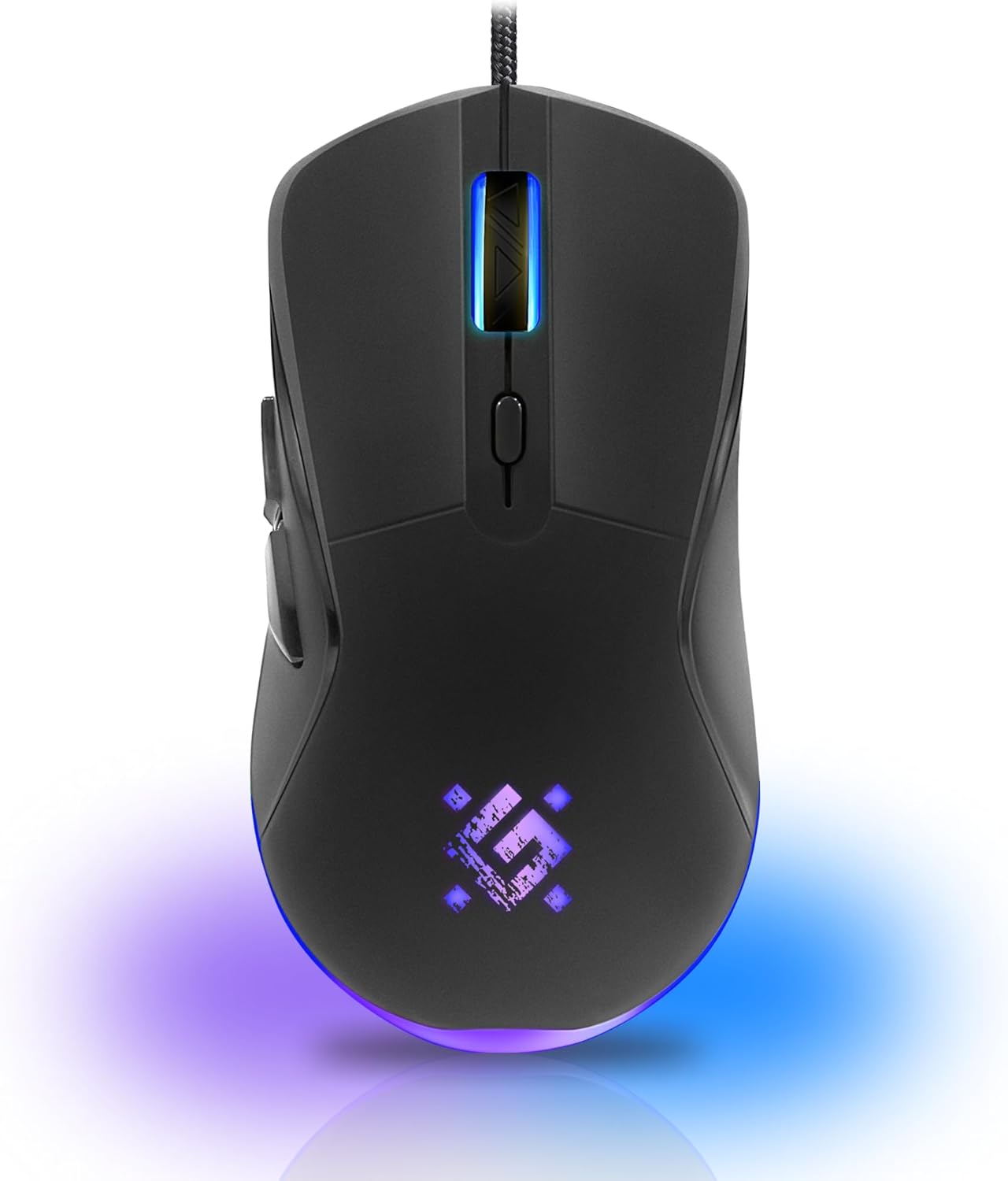
Слика: Фронт view of the Defender ARGA GM-049 Gaming Mouse, showcasing its ergonomic design and customizable RGB lighting.
Сетуп
1. Повезивање миша
- Пронађите слободан УСБ порт на рачунару.
- Plug the gold-plated USB connector of the Defender ARGA GM-049 mouse into the USB port.
- Оперативни систем ће аутоматски открити и инсталирати потребне драјвере. Овај процес може потрајати неколико тренутака.
2. Инсталација софтвера (опционо)
For advanced customization, including macro programming and button remapping, install the Defender Game Center Software.
- Visit the official Defender website to download the latest version of the Defender Game Center Software.
- Пратите упутства на екрану да бисте довршили инсталацију.
- Након инсталације, покрените софтвер да бисте конфигурисали подешавања миша.

Image: Diagram illustrating the Defender Game Center Software, macro editor, optical sensor, and compatibility with Windows 2000/XP/Vista/7/8/10+ and macOS X10+.
Упутство за употребу
1. Основне функције
- Леви клик: Примарна акција.
- Десни клик: Secondary action, typically opens context menus.
- Точак за померање: Scroll up/down documents or web pages. Pressing the scroll wheel often acts as a middle click.
2. Подешавање DPI-ја
The Defender ARGA GM-049 features adjustable DPI (Dots Per Inch) settings, allowing you to change mouse sensitivity on the fly. The available DPI levels are 1200, 1800, 2400, and 3600.
- Press the dedicated DPI button (usually located behind the scroll wheel) to cycle through the preset DPI levels.
- Each DPI level may correspond to a different LED lighting color for easy identification (refer to software for customization).
3. Програмабилни тастери
The mouse is equipped with 6 buttons, 5 of which are programmable using the Defender Game Center Software. These include the two main clicks, the scroll wheel click, and two side buttons.
- Launch the Defender Game Center Software.
- Navigate to the button assignment section.
- Select a button and assign a desired function, macro, or key combination.
4. RGB осветљење
The ARGA GM-049 features customizable RGB lighting. The lighting effects and colors can be configured through the Defender Game Center Software to match your preferences or current DPI setting.

Image: Visual representation of the mouse's features including 10 million clicks lifespan, 5 programmable buttons, RGB lighting, and DPI settings (1200/1800/2400/3600).
Одржавање
Правилно одржавање осигурава дуготрајност и оптималне перформансе вашег играчког миша.
1. Чишћење
- Искључите миш из рачунара пре чишћења.
- Користите меку, суву крпу која не оставља влакна да обришете површину миша.
- За тврдокорну прљавштину, благо дampОперите крпу водом или благим, неабразивним средством за чишћење. Избегавајте јаке хемикалије.
- Use a cotton swab or compressed air to clean around the buttons and scroll wheel.
- Не дозволите да течности уђу у миш casing.
2. Општа нега
- Avoid dropping the mouse or subjecting it to strong impacts.
- Keep the mouse away from extreme temperatures and direct sunlight.
- Do not attempt to disassemble the mouse, as this may void your warranty.
Решавање проблема
If you encounter issues with your Defender ARGA GM-049 mouse, refer to the following common solutions:
| Проблем | Могуће решење |
|---|---|
| Миш не реагује |
|
| Неправилно кретање курсора |
|
| Дугмад или точкић за скроловање не раде |
|
| ЛЕД осветљење не ради |
|
Спецификације
| Феатуре | Детаљ |
|---|---|
| Бранд | Дефендер |
| Модел | ARGA GM-049 |
| Технологија повезивања | Wired USB (Gold-plated connector) |
| Технологија детекције покрета | Оптицал |
| ДПИ Левелс | 1200 / 1800 / 2400 / 3600 |
| Број дугмади | 6 (5 програмабилних) |
| Посебне карактеристике | RGB LED lighting, Programmable buttons, Macro editor, Durable rubberized surface, Teflon feet, Ferrite noise filter |
| Цабле Ленгтх | 1.5 meters (Braided cable structure) |
| Буттон Лифеспан | До 10 милиона кликова |
| Компатибилност | Windows 2000/XP/Vista/7/8/10+, macOS X10+ |
| Укључен прибор | Mouse Pad (220 x 180 mm) |

Image: Product packaging highlighting key features such as rainbow backlight, 2 thumb buttons, 4 resolution modes up to 3600 DPI, wide rubberized backlit scroll wheel, 5 customizable buttons, durable Teflon feet, ferrite noise filter, gold-plated USB connector, and bonus mouse pad.

Image: The Defender ARGA GM-049 Gaming Mouse shown alongside its included mouse pad, indicating dimensions of 220mm by 180mm.
Гаранција и подршка
Информације о гаранцији
For detailed warranty information regarding your Defender ARGA GM-049 Gaming Mouse, please refer to the warranty card included with your product or consult the retailer from whom you purchased the device. Warranty terms and conditions may vary by region and retailer.
Техничка подршка
If you require further assistance or encounter issues not covered in this manual, please visit the official Defender website for support resources, FAQs, and contact information for technical support.


