Увод
This manual provides essential information for setting up, operating, maintaining, and troubleshooting your HP 27-cr100 All-in-One Desktop. Please read these instructions carefully before using your device.
Шта је у кутији
Проверите да ли су сви предмети присутни у паковању:
- HP 27-cr100 All-in-One Desktop
- Повер Цорд
- HP 310 Black Wired Keyboard
- HP Black Wired Mouse
- Documentation (this manual, safety guide, etc.)
- УСБ диск од 32 ГБ
Сетуп
1. Распакивање и постављање
Carefully remove the All-in-One desktop and its components from the packaging. Place the desktop on a stable, flat surface with adequate ventilation around the unit.
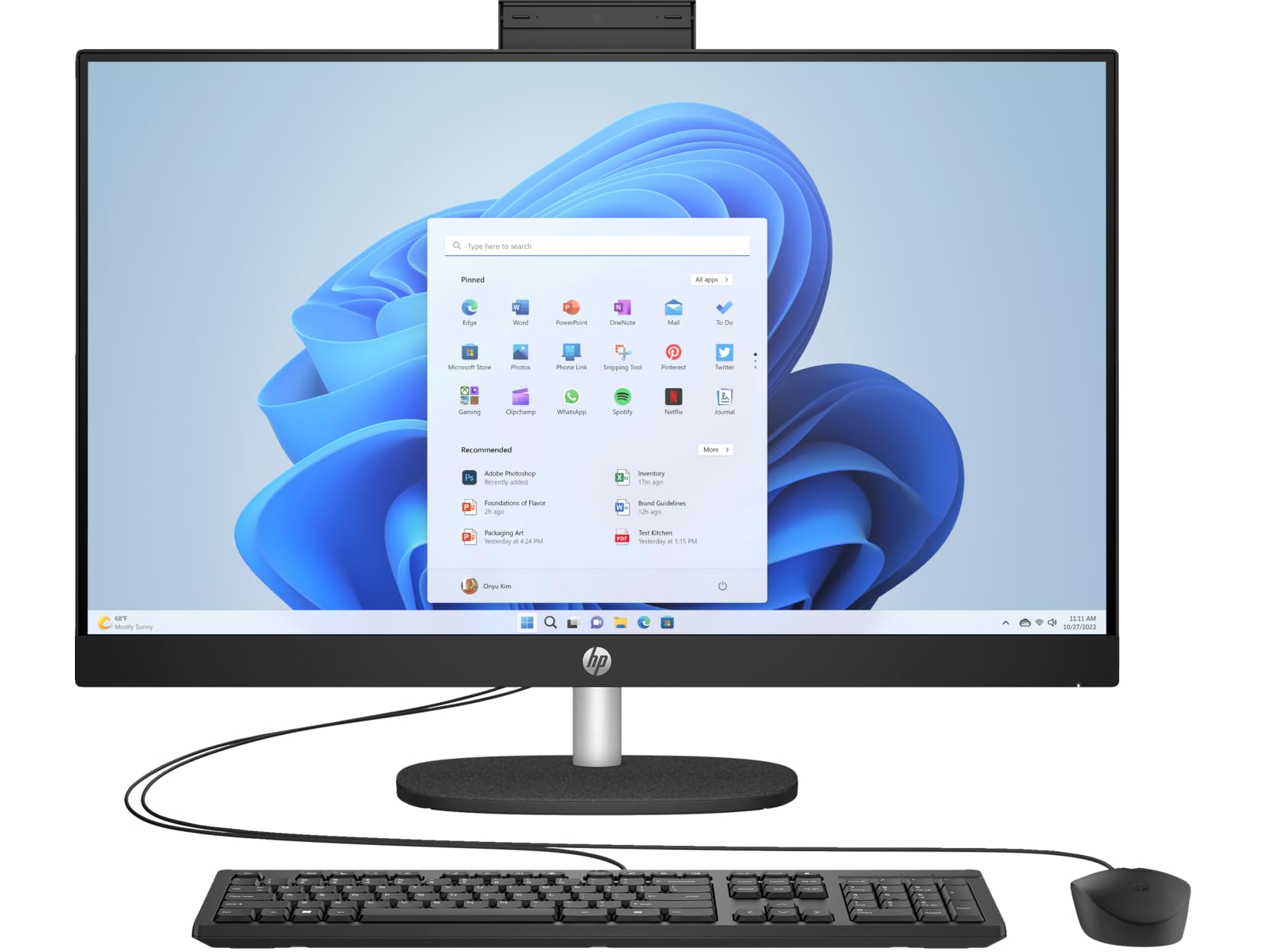
Figure 1: HP 27-cr100 All-in-One Desktop with included keyboard and mouse.
2. Повезивање периферних уређаја
- Connect the wired keyboard to an available USB port on the back of the desktop.
- Connect the wired mouse to another available USB port.

Слика 2: Задња страна view of the desktop highlighting the various ports for peripheral connections.
3. Прикључак за напајање
- Connect the power cord to the power input on the back of the desktop.
- Укључите други крај кабла за напајање у уземљену електричну утичницу.
4. Почетно покретање система
- Притисните дугме за напајање, које се обично налази на бочној или доњој ивици екрана.
- Follow the on-screen instructions to complete the Windows 10 Pro setup process. This may include setting up your user account, network connection, and other preferences.

Figure 3: The desktop display showing the Windows operating system interface.
Упутство за употребу
Основе система Windows 10 Pro
Your HP All-in-One Desktop comes pre-installed with Windows 10 Pro. Familiarize yourself with the operating system's interface, Start Menu, taskbar, and file explorer for efficient use.
Повезивање
- Ви-Фи: Да бисте се повезали на бежичну мрежу, кликните на икону Wi-Fi на траци задатака, изаберите своју мрежу и унесите лозинку.
- Блуетоотх: Enable Bluetooth in Windows settings to pair with compatible devices like headphones or speakers.
- УСБ портови: Use the available USB 3.2 Gen 1 Type-C, USB 3.2 Gen 1 Type-A, and USB 2.0 Type-A ports for connecting external devices such as USB drives, printers, or other accessories.
- ДВИ: The HDMI v1.4 port allows you to connect an external display or projector.
- ЛАН: For a wired network connection, connect an Ethernet cable to the 10/100/1000Mbps LAN port.
Коришћење камере
The integrated 720p HD camera features a privacy shutter. To use the camera, slide the shutter open. Close it when not in use for privacy and security.
Аудио
The desktop includes dual 2W speakers for audio output. You can also connect headphones or external speakers to the Headphone/Microphone Combo Jack.
Одржавање
Чишћење
- Екран: Лагано користите меку крпу која не оставља длачице дampводом или раствором за чишћење екрана. Избегавајте јаке хемикалије.
- Шасија: Wipe the exterior surfaces with a soft, dry cloth. Ensure ventilation openings are clear of dust.
- Тастатура и миш: Use compressed air to remove debris from between keys. Wipe surfaces with a slightly damp тканина.
Ажурирања софтвера
Regularly check for and install Windows updates to ensure system stability, security, and performance. HP also provides driver updates through its support website or HP Support Assistant software.
Резервна копија података
Препоручује се да редовно правите резервне копије важних података на екстерни диск или у облаку како бисте спречили губитак података.
Решавање проблема
If you encounter issues with your HP 27-cr100 All-in-One Desktop, refer to the following common solutions:
- Нема напајања: Ensure the power cord is securely connected to both the desktop and the electrical outlet. Test the outlet with another device.
- Без приказа: Check all cable connections. If using an external monitor, ensure it is powered on and correctly connected. Try restarting the computer.
- Нема интернет везе: Verify Wi-Fi is enabled and connected to the correct network. For wired connections, ensure the Ethernet cable is properly seated. Restart your router/modem if necessary.
- Периферни уређаји не раде: Ensure the keyboard and mouse are correctly plugged into the USB ports. Try different USB ports.
- Споре перформансе: Затворите непотребне апликације. Проверите позадинске процесе који троше много ресурса. Обезбедите довољно слободног простора на SSD-у.
For more complex issues or further assistance, please visit the official HP Support webсајт или контактирајте HP корисничку службу.
Спецификације
| Феатуре | Детаљ |
|---|---|
| Назив модела | 27-cr100 |
| Процесор | Intel Core Ultra 7 155U 12-Core (Up to 4.8 GHz) |
| Графика | Intel Iris Xe графика (интегрисана) |
| Дисплаи | 27" LED-backlit IPS (1920 x 1080) 60Hz, 300 nits, Anti-glare |
| Меморија | 64GB DDR5 SDRAM 4800 MHz |
| Складиштење | 4TB M.2 SSD |
| Оперативни систем | Виндовс 10 Про |
| Камера | 720p HD камера са затварачем за приватност |
| Аудио | Двоструки звучник од 2В |
| Бежично повезивање | Ви-Фи 6 (2x2), Блутут 5.3 |
| Портс | 1x USB-C 3.2 Gen 1, 2x USB 3.2 Gen 1 Type-A, 2x USB 2.0 Type-A, 1x HDMI v1.4, 1x Headphone/Microphone Combo Jack, 1x RJ-45 LAN |
| Димензије (В к Ш к Д) | 20.35 к 24.11 к 7.34 инча |
| Тежина | 14.81 лбс |
| Боја | Јет Блацк |
Гаранција и подршка
Your HP 27-cr100 All-in-One Desktop includes 1 Year Support from HP within the US. For warranty claims, technical assistance, or additional support resources, please visit the official HP Support website or contact their customer service department. Keep your purchase receipt and product serial number readily available when seeking support.
За више информација посетите: ХП подршка