Увод
This manual provides detailed instructions for the operation and maintenance of your CNBRO Fitness Tracker, model US-X-W5VP. Please read this manual thoroughly before using the device to ensure proper function and to maximize its features. This fitness tracker is designed to monitor various health and activity metrics, including steps, calories burned, distance, and sleep patterns.
Шта је у кутији
Након отварања пакета, проверите да ли су сви састојци присутни:
- 1 x CNBRO Fitness Tracker (US-X-W5VP)
- 1 к Упутство за употребу
Сетуп
1. Пуњење уређаја
Before initial use, fully charge your fitness tracker. The device features a USB direct charging design.
- Locate the USB charging port on the device. This is typically integrated into one end of the strap.
- Insert the USB end of the tracker directly into a standard USB port (e.g., computer, USB wall adapter).
- The screen will indicate charging status. A full charge takes approximately 0.5 hours.
- A fully charged device provides 3-5 days of use and up to 7 days of standby time.
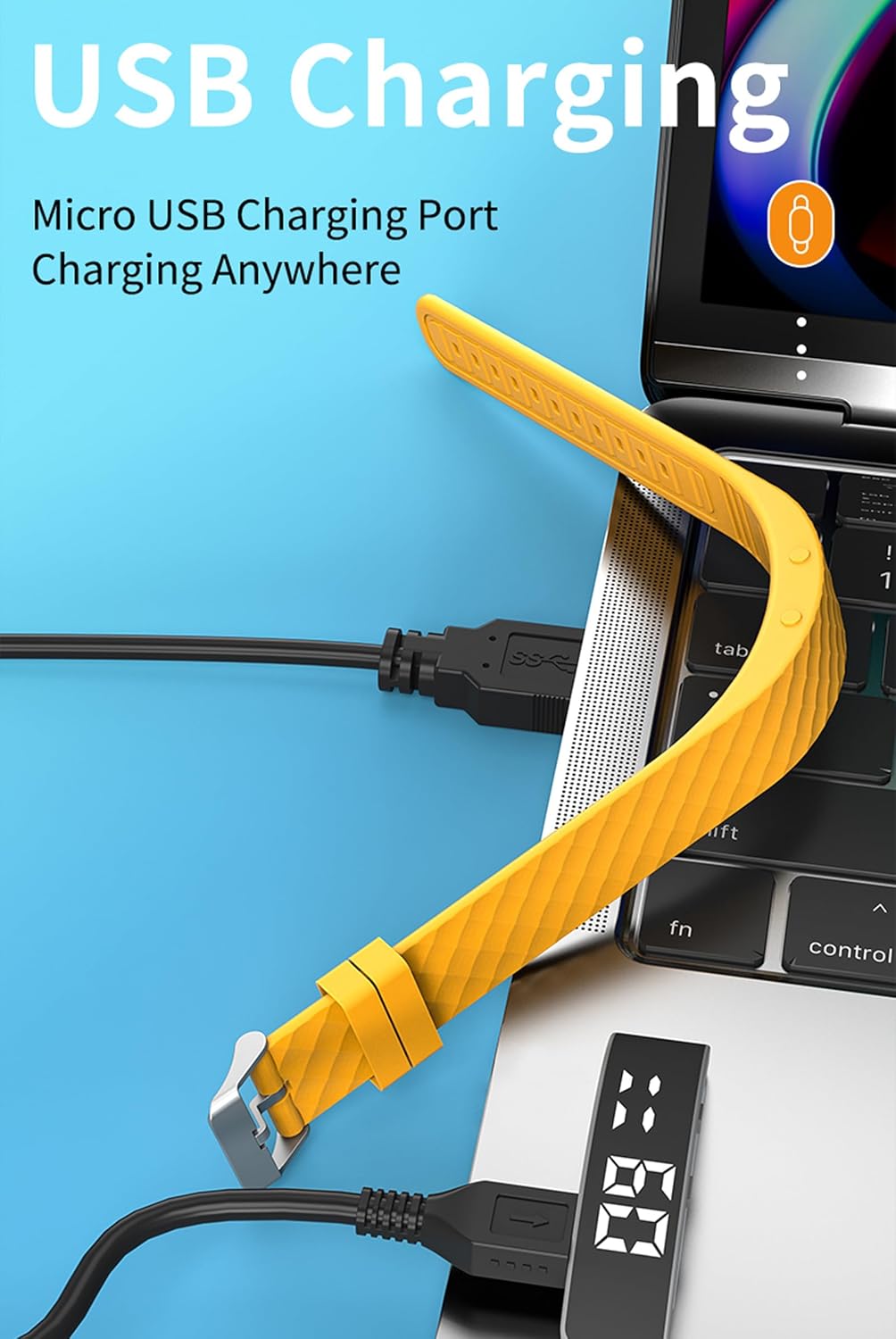
слика: The fitness tracker's USB end plugged into a laptop's USB port for charging, illustrating the direct USB charging method.
2. Basic Device Operation
The fitness tracker operates using a combination of a Display Button and a Function Button, typically located on the side or bottom of the device body.
- Raise Wrist to Light Up Screen: The screen will automatically illuminate when you raise your wrist to view време.
- Функције дугмета: Specific functions for the Display and Function buttons are detailed in the "Operating Instructions" section.

слика: A yellow fitness tracker highlighting the positions of the 'Display Button' and 'Function Button' on its side.
Упутство за употребу
1. Time and Date Display
То view the current time and date:
- Press the Function Button once to display the time.
- Press the Function Button twice to display the date.

слика: Two fitness trackers, one showing "6 20" (date) and another showing "09:00" (time), demonstrating the time and date display function.
2. Праћење активности
The tracker automatically records your daily activity metrics.
- Бројање корака: Monitors the number of steps taken throughout the day.
- Сагореле калорије: Estimates the calories consumed based on your activity level.
- Удаљеност: Calculates the total distance covered.
These data points can be viewed directly on the tracker's display by cycling through the screens using the Function Button.
3. Праћење спавања
Wear the fitness tracker while sleeping to monitor your sleep patterns.
- The device automatically detects when you fall asleep and wake up.
- It records different sleep stages: Deep Sleep (H1), General Sleep (C2), and Light Sleep (L3).
- То view sleep data, press the Display Button 6 times.

слика: A yellow fitness tracker displaying "H1" for good sleep, with text indicating sleep monitoring from 23:00 PM to 7:00 AM, and a person sleeping in the background.
4. Подешавања аларма
The tracker supports setting up to 3 alarms with vibration reminders.
- Refer to the on-screen prompts or specific button combinations (not detailed in provided data) to set alarm times.
- Alarms will vibrate to notify you at the set time.

слика: A grey and a purple fitness tracker, both displaying digital time, with an overlay indicating the capability of setting up to 3 alarms.
5. Vibration Reminders
In addition to alarms, the tracker can provide vibration reminders for various notifications. The specific customization options for vibration melodies are managed through the device's settings (not detailed in provided data).
6. Режими за више спортова
The tracker supports multiple sport modes to accurately track specific activities. These include:
- Трчање
- Бициклизам
- Прескакање ужета
- фитнес
- Моунтаин Цлимбинг
- Јога
- Голф
- Данцинг
To select a sport mode, navigate through the device's menu using the Function Button until the desired mode is displayed, then confirm selection (specific confirmation method not detailed in provided data).
7. Menstrual Cycle Tracking
The device offers menstrual cycle tracking. This feature allows users to log and monitor their cycle directly on the tracker. Specific setup and usage instructions for this feature are typically found within the device's menu options.
Одржавање
Чишћење
Да бисте одржали изглед и функционалност уређаја:
- Wipe the tracker regularly with a soft, damp тканина.
- Avoid using harsh chemicals or abrasive cleaners, as these can damage the device.
- Уверите се да су контакти за пуњење чисти и суви пре пуњења.
Отпорност на воду
The CNBRO Fitness Tracker is designed to be water-resistant. This means it can withstand splashes, rain, and brief immersion in shallow water. However, it is not suitable for diving, hot showers, or prolonged submersion. Always ensure the device is dry before charging.
Решавање проблема
If you encounter issues with your fitness tracker, refer to the following common solutions:
Уређај се не укључује или не реагује
- Проверите батерију: Ensure the device is fully charged. Connect it to a USB power source for at least 30 minutes.
- Поново покрени: If the device is unresponsive, try holding down the Function Button for an extended period (e.g., 10-15 seconds) to force a restart.
Inaccurate Activity Tracking
- Положај ношења: Ensure the tracker is worn snugly on your wrist, about one finger's width above your wrist bone.
- Ажурирање фирмвера: While this model does not require smartphone connection, ensure the device's internal software is up-to-date if an update mechanism is available (consult manufacturer for details).
- Ресетовати: A factory reset (if available) can sometimes resolve persistent tracking issues. Note that this will erase all data.
Screen Not Lighting Up
- Raise Wrist Gesture: Ensure you are performing the "raise wrist" gesture correctly.
- Ниво батерије: A very low battery might prevent the screen from lighting up. Charge the device.
Ако ови кораци не реше проблем, обратите се корисничкој подршци.
Спецификације
| Назив модела | US-X-W5VP |
| Бранд | CNBRO |
| Димензије производа | 0.28 к 0.59 к 0.14 инча |
| Тежина артикла | 4.9 унци |
| Величина екрана | 1 инча |
| Тип батерије | 1 литијум-јонска батерија (укључена) |
| Састав батерије батерије | Литхиум Полимер |
| Време пуњења | Отприлике 0.5 сата |
| Време употребе | 3-5 дана |
| Време приправности | До 7 дана |
| Компатибилност оперативног система | Android 6.0 and above, iOS 12.0 and above (Note: This product does not require smartphone connection for basic functions) |
| Технологија повезивања | Bluetooth (for potential future features or advanced settings, though not required for basic operation) |
| Посебна карактеристика | Activity Tracker, Sleep Monitor, Pedometer, Calorie Counter, Alarm Clock, Raise Wrist to Light Up Screen |
| Отпорност на воду | Yes (Splash and rain resistant, not for swimming or hot showers) |
Информације о гаранцији
Specific warranty details for the CNBRO Fitness Tracker US-X-W5VP are not provided in this manual. Please refer to the product packaging or the retailer's website for information regarding warranty coverage and terms. Keep your purchase receipt as proof of purchase for any warranty claims.
Корисничка подршка
For any questions, technical assistance, or support regarding your CNBRO Fitness Tracker, please contact the seller directly through the platform where you made your purchase.
To contact support via Amazon (if purchased there):
- Go to your Amazon account and click on "Orders" у горњем десном углу.
- Locate your order for the CNBRO Fitness Tracker.
- Кликните на "Sold by Fusong US" (or the relevant seller name) below the product name.
- Click the yellow button "Ask a question".
- Изаберите "I need assistance with an order I placed".
- Click the yellow button "Write message" and send your inquiry.
Customer support aims to respond within 24 hours.


