Увод
This manual provides essential information for the safe and efficient installation, operation, and maintenance of your GIGABYTE AORUS Elite P1000W Ice Power Supply. Please read this manual thoroughly before using the product and retain it for future reference.

Слика 1: Под углом view of the GIGABYTE AORUS Elite P1000W Ice Power Supply, highlighting the 1000W rating.
Безбедносне информације
Увек се придржавајте следећих мера предострожности како бисте спречили повреде и оштећења ваше опреме:
- Уверите се да је напајање искључено из утичнице пре инсталације или руковања.
- Не отварајте јединицу за напајање. Висока јачина звукаtagУнутра су присутни делови и нема делова које корисник може да поправи.
- Инсталирајте напајање у добро проветреном простору, даље од извора топлоте и директне сунчеве светлости.
- Користите само модуларне каблове који се испоручују са овим напајањем. Коришћење некомпатибилних каблова може проузроковати оштећења.
- Избегавајте излагање напајања влази или екстремним температурама.
Садржај пакета
Проверите да ли су све ставке присутне у пакету:
- GIGABYTE AORUS Elite P1000W Ice Power Supply Unit
- Modular Cable Set (including ATX 24-pin, EPS/CPU 8-pin, PCIe 6+2-pin, 12VHPWR, SATA, Peripheral)
- AC Power Cord (EU Plug)
- Монтажни завртњи
- Кориснички приручник (овај документ)
Карактеристике производа
- ATX 3.0 and PCIe Gen 5.0 ready (ATX 3.1 compatible)
- Certified 80 PLUS Platinum efficiency
- 100% Japanese Capacitors for enhanced reliability
- 120mm Dynamic Fluid Ball Bearing (FDB) Fan for quiet and efficient cooling
- Compact design for easier installation
- Fully modular design for improved cable management
- Powerful single rail +12V output
- Comprehensive protection features: OVP (Over Voltage Protection), OPP (Over Power Protection), SCP (Short Circuit Protection), UVP (Under Voltagзаштита), OCP (заштита од превелике струје), OTP (заштита од прегревања)
Подешавање и инсталација
Follow these steps to install your power supply:
- Припремите свој систем: Ensure your computer case is open and all existing power supply cables are disconnected.
- Монтирајте напајање: Carefully place the GIGABYTE AORUS Elite P1000W into the power supply bay of your computer case. Secure it with the provided mounting screws.

Слика 2: Свеукупно view of the GIGABYTE AORUS Elite P1000W Ice Power Supply. This image shows the main unit with its fan grill and modular cable ports.
- Повежите модуларне каблове: Identify the necessary cables for your motherboard and components (CPU, GPU, storage drives). Connect the appropriate modular cables to the power supply's output ports.

Слика 3: Детаљно view of the modular cable connectors on the GIGABYTE AORUS Elite P1000W Ice Power Supply. This image illustrates the clearly labeled ports for M/B, CPU/PCI-E, Peripheral, and 12VHPWR connections.
- 24-пински ATX кабл: Connect to the motherboard's main power connector.
- 8-pin EPS/CPU Cable: Connect to the motherboard's CPU power connector.
- PCIe 6+2-pin Cables: Connect to your graphics card(s) if they require additional power.
- 12VHPWR Cable: Connect to PCIe Gen 5.0 graphics cards that utilize this connector.
- САТА каблови: Connect to SSDs, HDDs, and optical drives.
- Периферни (Molex) каблови: Connect to other components requiring Molex power.
- Повежите се са компонентама: Route the connected modular cables neatly to their respective components and plug them in securely.
- Повежите наизменичну струју: Ensure the power supply's main switch is in the OFF (0) position. Connect the AC power cord to the power supply and then to a wall outlet.
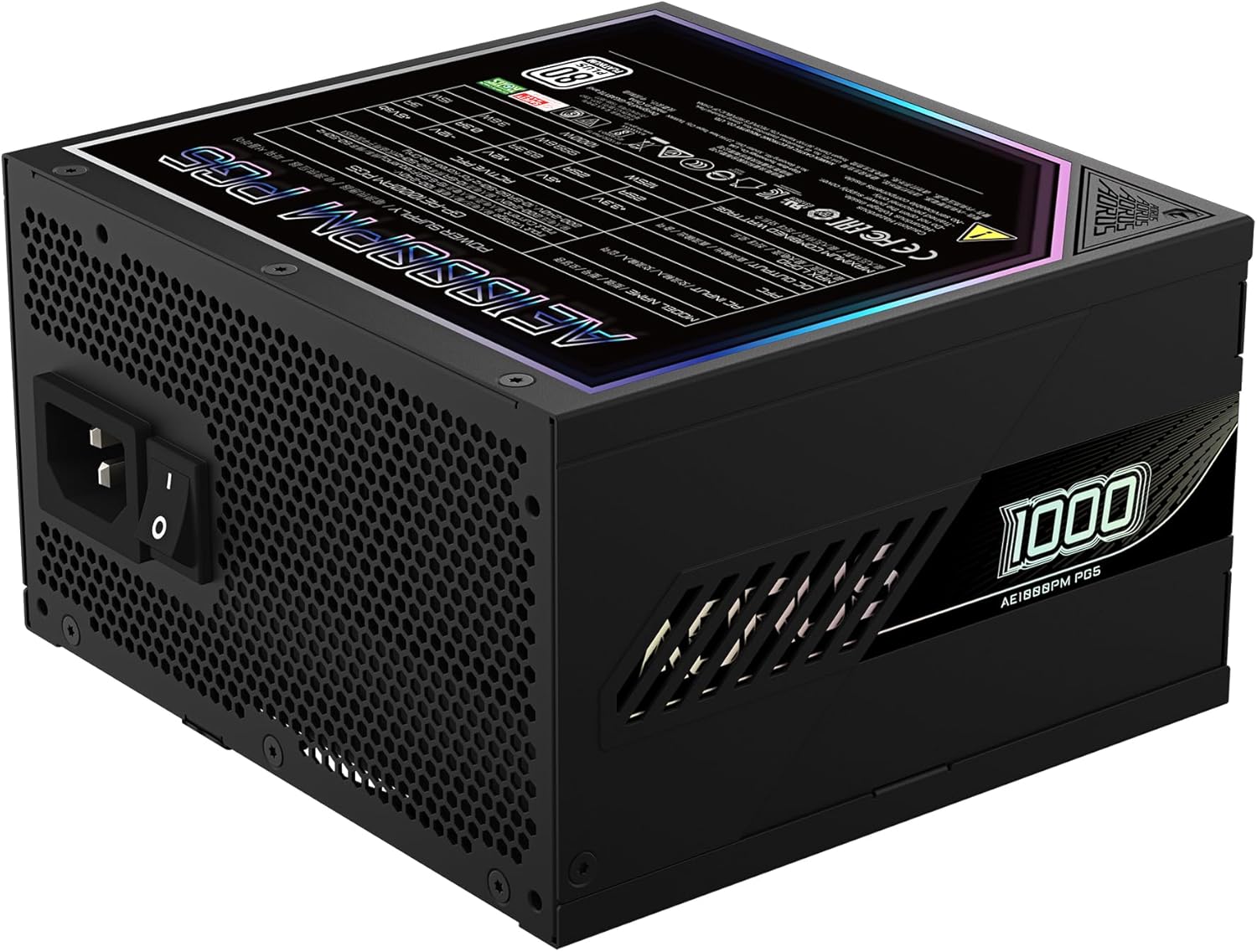
Figure 4: Rear panel of the GIGABYTE AORUS Elite P1000W Ice Power Supply, showing the AC power input and power switch. Ensure the switch is set to '0' before connecting the AC cord.
Упутство за употребу
After installation, follow these steps to power on your system:
- Укључено: Flip the main power switch on the rear of the power supply to the ON (I) position.
- Покретање система: Притисните дугме за напајање на кућишту рачунара да бисте покренули систем.
- Искључивање: To shut down your system, perform a proper shutdown through your operating system. Once the system is off, you may flip the power supply's main switch to the OFF (0) position for complete power disconnection.

Слика 5: Одозго надоле view of the 120mm fan with the AORUS logo on the GIGABYTE AORUS Elite P1000W Ice Power Supply. The fan provides active cooling during operation.
Одржавање
Редовно одржавање помаже у обезбеђивању дуготрајности и оптималних перформанси вашег напајања:
- Чишћење прашине: Periodically clean dust from the power supply's fan grill and vents using compressed air. Ensure the power supply is turned off and unplugged before cleaning.
- Управљање кабловима: Ensure cables are neatly routed and do not obstruct airflow within the computer case.
- Услови животне средине: Maintain a cool, dry, and well-ventilated environment for your computer system.
Решавање проблема
Ако наиђете на проблеме, погледајте следеће уобичајене кораке за решавање проблема:
- Нема напајања:
- Проверите да ли је кабл за напајање наизменичном струјом безбедно повезан и са извором напајања и са зидном утичницом.
- Ensure the power supply's main switch is in the ON (I) position.
- Verify that all modular cables are correctly seated in both the power supply and the components.
- Тестирајте зидну утичницу другим уређајем да бисте потврдили да има струју.
- System Shuts Down Unexpectedly:
- This could indicate an overload or overheating. Ensure your system's power requirements do not exceed the PSU's 1000W capacity.
- Check for proper ventilation and clear any dust buildup.
- Verify that all power connections are secure.
- Необични звуци:
- A clicking sound might indicate a protective mechanism engaging. Disconnect power and recheck all connections.
- If the fan is making excessive noise, ensure it is free from obstructions.
If issues persist after following these steps, contact GIGABYTE customer support.
Спецификације

Figure 6: Product label on the GIGABYTE AORUS Elite P1000W Ice Power Supply, displaying electrical specifications and certifications. Refer to this label for detailed electrical ratings.
| Феатуре | Детаљ |
|---|---|
| Назив модела | AORUS ELITE P1000W |
| Број модела ставке | GP-AE1000PM PG5 EU |
| Оутпут Ватtage | 1000 Ваттс |
| 80 ПЛУС сертификат | Платинум |
| Форм Фацтор | АТКС |
| ATX Version Compatibility | ATX 3.0 (ATX 3.1 compatible) |
| PCIe Version Compatibility | ПЦИе Ген 5.0 |
| Величина вентилатора | 120мм |
| Тип вентилатора | Dynamic Fluid Ball Bearing (FDB) |
| кондензатори | 100% јапански кондензатори |
| Модуларни дизајн | Фулли Модулар |
| Заштите | OVP, OPP, SCP, UVP, OCP, OTP |
| Димензије производа (Д к Ш к В) | 5.51 к 5.91 к 3.39 инча |
| Тежина артикла | 6.79 фунти (3080 грама) |
Информације о гаранцији
The GIGABYTE AORUS Elite P1000W Ice Power Supply comes with a 10 година гаранције from the date of purchase. This warranty covers defects in materials and workmanship under normal use. Please retain your proof of purchase for warranty claims. For full warranty terms and conditions, refer to the official GIGABYTE webсајту или контактирајте корисничку подршку.
Подршка
For technical assistance, troubleshooting beyond this manual, or warranty inquiries, please visit the official GIGABYTE support website or contact their customer service department. You can typically find contact information on the GIGABYTE webсајту или на паковању производа.
Званични GIGABYTE Webсајт: ввв.гигабите.цом


