1. Увод
This manual provides essential information for the safe and efficient operation of your Xiaomi Toaster BHR8811EU. Please read these instructions carefully before first use and retain them for future reference. This 2-slice toaster features 6 browning settings, a defrost function, and a removable crumb tray for easy cleaning.
2. Безбедносна упутства
- Always ensure the toaster is placed on a stable, heat-resistant surface, away from flammable materials.
- Не додирујте вруће површине. Користите ручке или дугмад.
- Unplug the toaster from the outlet when not in use and before cleaning. Allow it to cool completely before handling or cleaning.
- Да бисте се заштитили од електричних опасности, не урањајте кабл, утикач или тостер у воду или друге течности.
- Не стављајте превелике намирнице, паковања од металне фолије или прибор за јело у тостер јер то може изазвати опасност од пожара или струјног удара.
- Do not operate the toaster if the cord or plug is damaged, or if the appliance malfunctions or has been damaged in any manner.
- Никада не остављајте тостер без надзора док је у употреби.
- Do not use abrasive cleaners or sharp objects to clean the toaster.
- Овај уређај је само за употребу у домаћинству.
3. Компоненте производа

Слика 1: Фронт view of the Xiaomi Toaster BHR8811EU. This image displays the control panel with the browning control knob, defrost button, and cancel button, along with the bread slots.
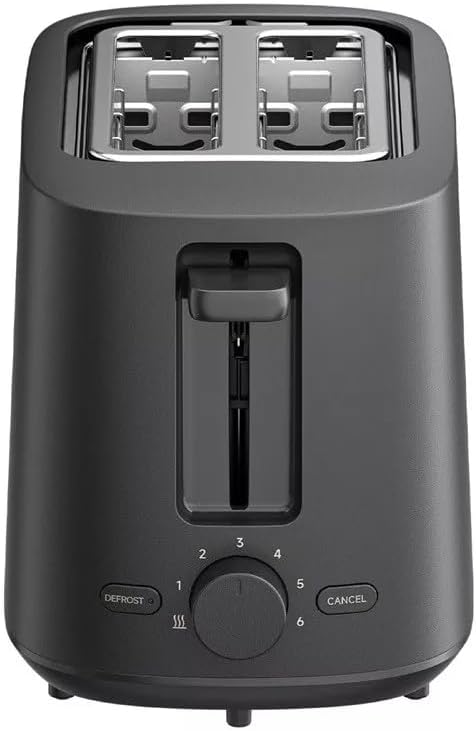
Слика 2: Врх view of the Xiaomi Toaster BHR8811EU. This image highlights the two wide bread slots designed to accommodate various bread types.

Слика 3: Сиде view of the Xiaomi Toaster BHR8811EU. This image shows the side of the toaster, featuring the pull-out handle for the removable crumb tray at the bottom.
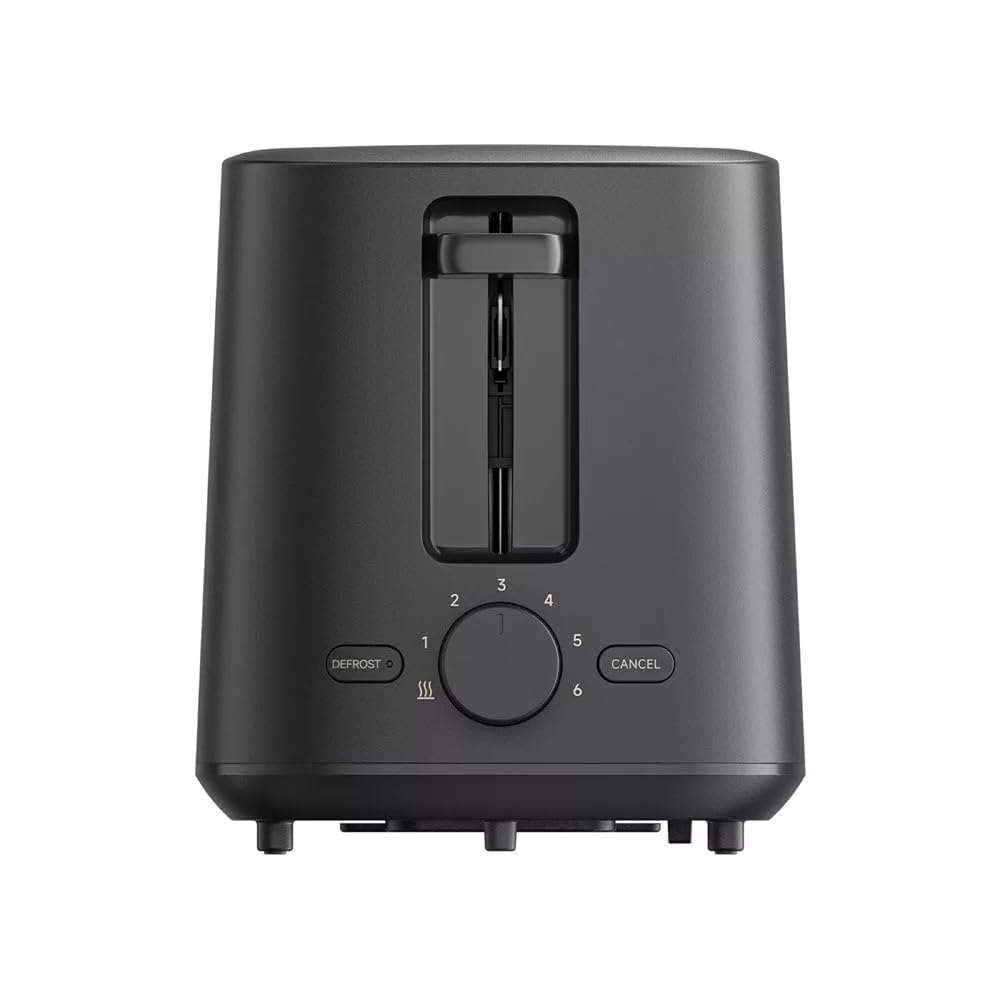
Слика 4: Позади view of the Xiaomi Toaster BHR8811EU. This image displays the back of the appliance, featuring the Xiaomi brand logo.
- Прорези за хлеб: Two wide slots for bread slices.
- Toasting Lever: Lowers bread into the slots and initiates the toasting cycle.
- Browning Control Knob: Adjusts the desired level of browning from 1 (lightest) to 6 (darkest).
- Дугме за одмрзавање: Activates the defrost function for frozen bread.
- Дугме за отказивање: Stops the toasting cycle at any time.
- Уклоњива посуда за мрвице: Collects crumbs for easy cleaning.
4. Подешавање
- Распакивање: Carefully remove the toaster and all packaging materials. Ensure all components are present and undamaged.
- Пласман: Place the toaster on a flat, stable, and heat-resistant surface. Ensure there is adequate space around the toaster for ventilation.
- Прва употреба: Before toasting bread for the first time, operate the toaster without bread for a few cycles at the highest browning setting. This will burn off any manufacturing residues and eliminate initial odors. A slight smell or smoke is normal during this process. Ensure the area is well-ventilated.
5. Упутство за употребу
- Прикључите напајање: Укључите кабл за напајање у одговарајућу електричну утичницу од 220-240V, 60Hz.
- Убаците хлеб: Place one or two slices of bread into the bread slots. The toaster features automatic bread centering for even toasting.
- Изаберите ниво запечености: Turn the browning control knob to your desired setting, from 1 (lightest) to 6 (darkest).
- Почните са тостирањем: Press the toasting lever down until it locks into place. The indicator light will illuminate, and the toasting cycle will begin.
- Defrost Function (for frozen bread): If toasting frozen bread, insert the bread, select your desired browning level, press the toasting lever down, and then press the ОДМРЗАВАЊЕ button. The defrost indicator light will illuminate.
- Функција отказивања: Да бисте зауставили циклус тостирања у било ком тренутку, притисните дугме ЦАНЦЕЛ button. The bread will automatically pop up.
- Завршетак: Once the selected browning cycle is complete, the bread will automatically pop up, and the toaster will switch off.
6. Одржавање и чишћење
Редовно чишћење обезбеђује оптималне перформансе и продужава век трајања вашег тостера.
- Увек искључите из струје: Before cleaning, always unplug the toaster from the power outlet and allow it to cool completely.
- Чиста посуда за мрвице: Pull out the removable crumb tray from the bottom of the toaster. Dispose of accumulated crumbs. Wipe the tray with a damp cloth and dry thoroughly before reinserting it. Ensure the crumb tray is fully inserted before using the toaster.
- Спољно чишћење: Обришите спољашњост тостера меком,amp cloth. Do not use abrasive cleaners, metal scouring pads, or harsh chemicals, as these can damage the surface.
- Унутрашње чишћење: Do not attempt to clean the inside of the toaster with any tools or objects. If bread becomes jammed, unplug the toaster and carefully remove the bread after it has cooled.
КСНУМКС. Решавање проблема
- Toaster does not turn on: Ensure the power cord is securely plugged into a working outlet. Check if the toasting lever is fully pressed down and locked.
- Bread is unevenly toasted: Ensure bread slices are not too thick or irregularly shaped. The automatic centering mechanism works best with standard bread slices.
- Smoke or burning smell: This can occur if crumbs accumulate in the toaster or if food is jammed. Immediately press the ЦАНЦЕЛ button, unplug the toaster, and allow it to cool. Clean the crumb tray and remove any jammed food.
- Bread does not pop up: Притисните тастер ЦАНЦЕЛ button. If the bread still does not pop up, unplug the toaster and carefully remove the bread once it has cooled.
8. Спецификације
| Бранд | Ксиаоми |
| Број модела | БХР8811ЕУ |
| Боја | Црно |
| Снага/Ватtage | 930 Ваттс |
| Волtage | 220-240 волти |
| Фреквенција | 60 Хз |
| Материјал | Метал, алуминијум |
| Број слотова | 2 |
| Посебне карактеристике | Defrost function, 6 browning settings, Removable crumb tray, Automatic bread centering |
| Димензије производа (Д x Ш x В) | 15 цм x 28 цм x 26 цм (приближно) |
| Тежина артикла | 1.7 килограма |
9. Гаранција и подршка
Your Xiaomi Toaster BHR8811EU is covered by a manufacturer's warranty. Please refer to the warranty card included with your purchase for specific terms and conditions, including warranty duration and coverage details. For technical support, service, or inquiries, please visit the official Xiaomi webсајт или контактирајте њихову службу за кориснике у вашем региону. Сачувајте доказ о куповини за потребе гаранције.