1. Увод
This manual provides essential instructions for the safe operation and maintenance of your SuperRC L500 Pro 4K GPS Drone. Please read this manual thoroughly before operating the drone to ensure proper usage and to prevent damage or injury. Keep this manual for future reference.
2. Безбедносне смернице
Operating a drone requires responsibility. Adhere to all local regulations and guidelines for drone usage. Failure to do so may result in legal penalties or property damage.
- Провера пре лета: Always inspect the drone, remote controller, and batteries for any damage before each flight. Ensure propellers are securely attached.
- Летна средина: Fly in open areas, away from people, animals, buildings, and power lines. Avoid flying in strong winds, rain, or fog. Maintain a clear line of sight with the drone.
- Безбедност батерије: Користите само одобрене батерије и пуњаче. Немојте препунити или пробушити батерије. Прекините употребу ако батерије показују знаке отицања или оштећења.
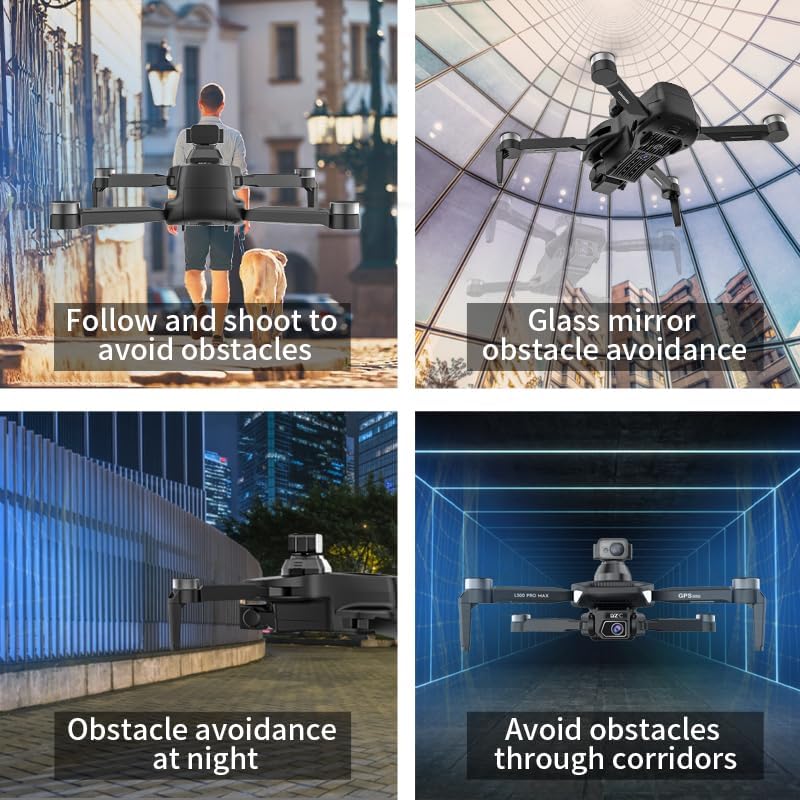
- Избегавање препрека: While the drone features 360° laser obstacle avoidance, it is not foolproof. Always exercise caution and maintain awareness of your surroundings.
- Препорука за узраст: This product is intended for adults.
3. Садржај пакета
Проверите да ли су све ставке присутне у вашем пакету:
- SuperRC L500 Pro Drone
- Даљински управљач
- Торбица за ношење
- Пропелери (резервни сет укључен)
- Сцревс
- Шрафцигер
- УСБ Типе-Ц кабл
- Литијум-јонске батерије (2 укључене)
- Упутство за употребу (овај документ)

4. Drone Components
Familiarize yourself with the key parts of your SuperRC L500 Pro drone:
- Foldable Arms: За компактно складиштење и транспорт.
- Мотори без четкица: Provide stable and quiet flight.
- Пропелери: Generate lift for flight.
- 4K HD Dual Cameras: Front-facing and downward-facing cameras for aerial photography and video. Electrically adjustable shooting angles.
- 360° Laser Obstacle Avoidance Sensor: Detects obstacles in all directions.
- ГПС модул: Enables precise outdoor positioning and intelligent flight modes.
- Оптички сензор протока: Provides stable hovering for indoor flight.
- Модуларна батерија: Лако се инсталира и замењује.


5. Даљински управљач
The remote controller allows you to operate the drone and access its features. It features a smartphone holder for live video feed and app control.
Refer to the included quick start guide for a detailed diagram of the remote controller buttons and their functions.

6. Инсталација и пуњење батерије
6.1 Батерија за дрон
- Insert the modular battery into the drone's battery compartment until it clicks into place.
- Да бисте уклонили, притисните дугме за отпуштање (ако постоји) и извуците батерију.
- Charge the battery using the provided USB Type-C cable and a compatible USB power adapter (not included). The charging indicator will show the charging status.
6.2 Remote Controller Battery
The remote controller typically uses internal rechargeable batteries or standard AA batteries. Refer to the remote controller's specific instructions for battery type and charging/installation procedures.
7. Почетно подешавање
- Пуњење батерија: Уверите се да су батерије дрона и даљинског управљача потпуно напуњене.
- Unfold Drone: Carefully unfold the drone arms until they lock into position.
- Инсталирајте пропелере: If not pre-installed, attach propellers according to the markings (A/B) on the propellers and motor arms. Ensure they are secure.
- Укључено: Place the drone on a flat, level surface. Power on the drone, then power on the remote controller.
- Упаривање: The drone and remote controller should automatically pair. If not, follow the pairing instructions in the quick start guide.
- Веза са апликацијом: Download the SuperRC drone app to your smartphone. Connect your phone to the drone's Wi-Fi network (usually named "SuperRC-XXXX"). Open the app to view the live feed and access advanced features.
- GPS калибрација: For outdoor flights, ensure the drone acquires sufficient GPS satellites before takeoff. Perform compass calibration as instructed by the app or quick start guide.
8. Упутство за употребу
8.1 Основни лет
- Полетање/слетање једним тастером: Press the dedicated button on the remote or in the app for automatic takeoff and landing.
- Ручна контрола: Use the joysticks on the remote controller to control altitude, direction, and rotation.
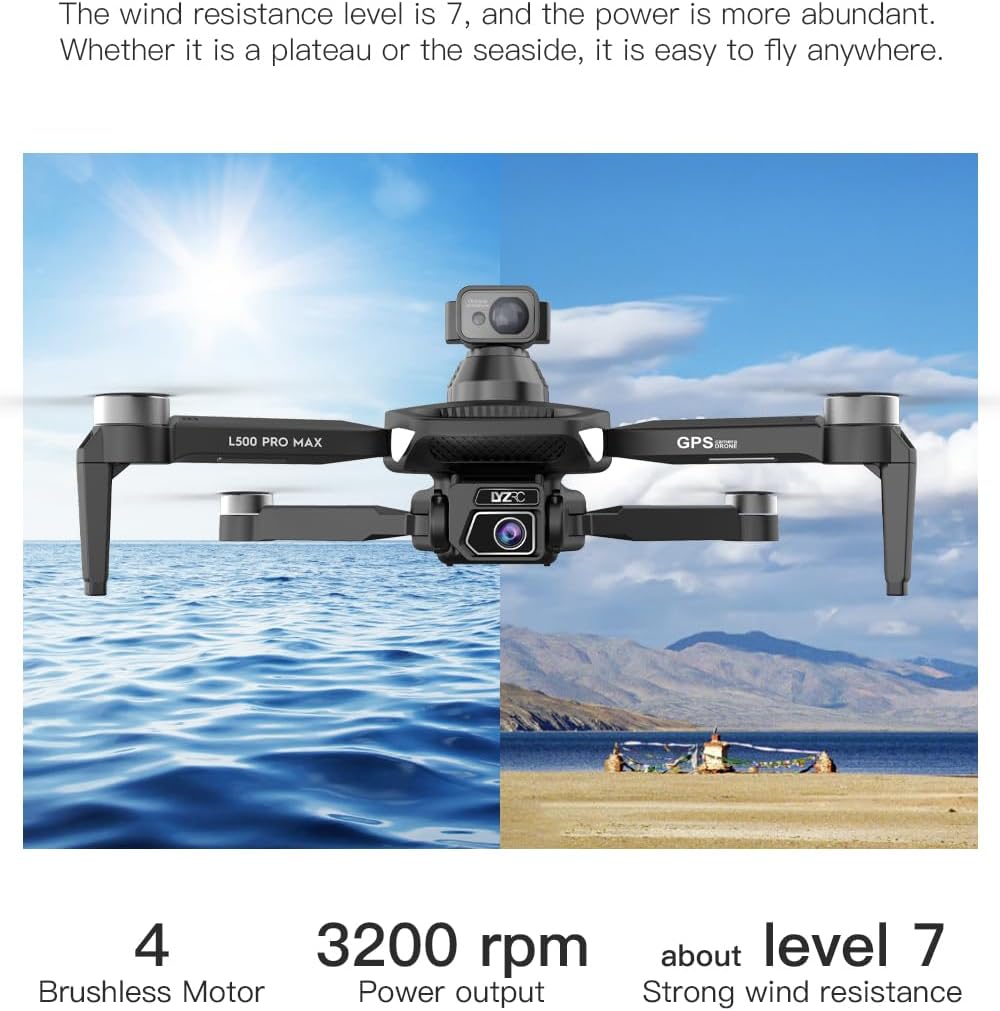
- GPS Mode (Outdoor): Provides stable flight and precise positioning, resisting wind.
- Optical Flow Mode (Indoor): Uses a downward-facing camera for stable hovering in environments without GPS signal.
8.2 Избегавање препрека
The 360° laser obstacle avoidance system helps prevent collisions by detecting objects in front, rear, left, and right directions. The drone will automatically adjust its flight path to avoid detected obstacles.
8.3 Рад камере
- 4K HD Dual Cameras: Switch between the front and bottom cameras via the remote controller or app.
- Electrically Adjustable Angles: Adjust the camera's tilt angle remotely for optimal shots.
- Снимање фотографија/видеа: Use the dedicated buttons on the remote or in the app to take photos or start/stop video recording.
8.4 Интелигентни режими летења
- Waypoint Navigation: Plan a custom flight path by tapping points on the map in the app. The drone will follow the designated route.
- GPS Follow/Smart Follow: The drone can automatically follow a moving subject (e.g., a person or vehicle) using GPS and visual tracking.
- Orbit Flight: The drone will circle a designated point or subject, capturing 360° footage.
- Image Track: Similar to follow mode, but focuses on tracking a specific image or object.
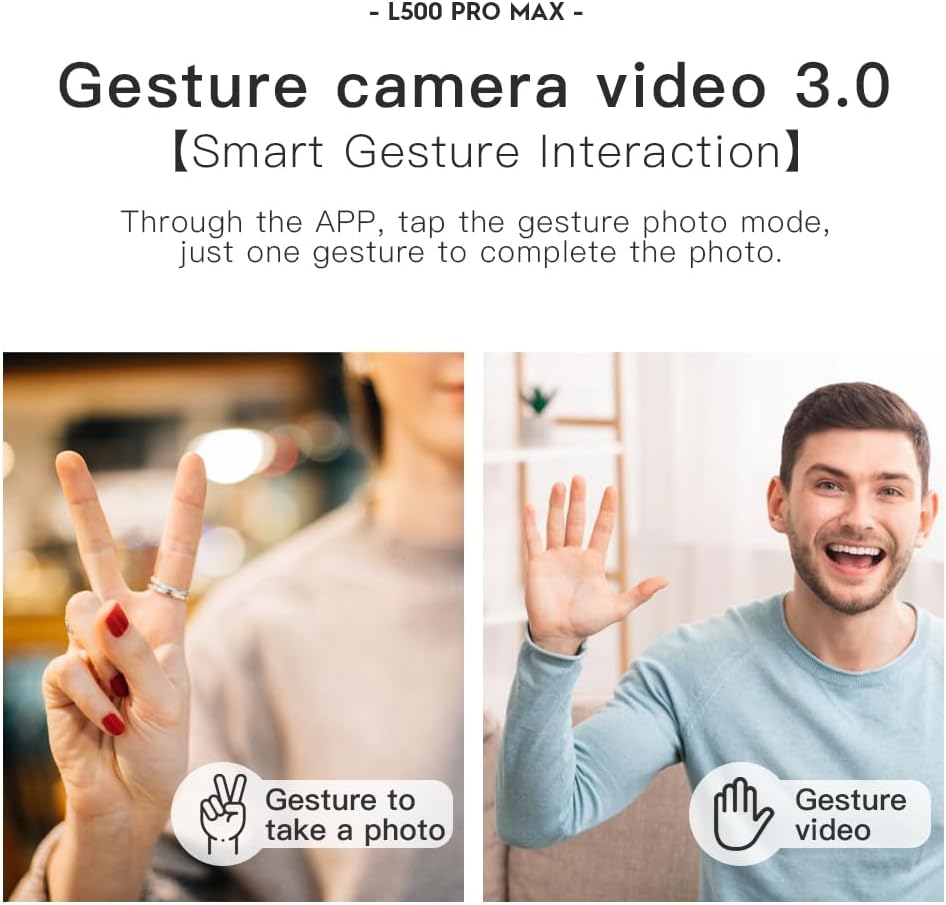
- Контрола покретима: Use specific hand gestures to trigger photo or video capture.
- 4 Intelligent Return Modes:
- Lost Signal Return: Drone returns to takeoff point if signal is lost.
- Low Battery Return: Drone returns automatically when battery is low.
- Over-Distance Return: Drone returns if it flies beyond the set range.
- One-Tap Return: Manually initiate return to home with a single button press.
9. Одржавање
- Чишћење: Use a soft, dry cloth to clean the drone and remote controller. Avoid water or harsh chemicals.
- Инспекција пропелера: Regularly check propellers for cracks, bends, or damage. Replace damaged propellers immediately using the provided screwdriver and spare parts.
- Складиштење: Store the drone and accessories in the carrying case in a cool, dry place, away from direct sunlight. Remove batteries if storing for extended periods.
- Одржавање батерије: Do not store batteries fully charged or completely depleted. Charge them to about 50-60% for long-term storage.
КСНУМКС. Решавање проблема
| Проблем | Могући узрок | Решење |
|---|---|---|
| Дрон се не укључује. | Батерија није напуњена или је неправилно инсталирана. | Уверите се да је батерија потпуно напуњена и правилно уметнута. |
| Дрон не реагује на даљински управљач. | Not paired, low remote battery, or interference. | Re-pair drone and remote. Charge remote battery. Move to an area with less interference. |
| Unstable flight/Drifting. | Improper calibration, strong wind, or damaged propellers. | Perform compass calibration. Fly in calm conditions. Check and replace damaged propellers. |
| No live video feed. | Phone not connected to drone Wi-Fi, or app issue. | Connect phone to drone's Wi-Fi. Restart app and drone. |
| Избегавање препрека не функционише. | Sensor blocked or system malfunction. | Ensure sensors are clean and unobstructed. Contact support if issue persists. |
11. Спецификације
| Феатуре | Детаљ |
|---|---|
| Бранд | SuperRC |
| Назив модела | Л500 Про |
| Резолуција снимања видео записа | 1080p (Output), 4K HD (Camera) |
| Технологија повезивања | Wi-Fi (5G Intelligent System) |
| Тип контроле | Даљински управљач, контрола апликација |
| Посебне карактеристике | 360° Laser Obstacle Avoidance, Dual Camera, Brushless Motor, GPS Auto Return, Optical Flow Positioning |
| Тежина артикла | 211.6 грама (7.5 унци) |
| Капацитет батерије | 2200 Милиamp Сати (литијум-јонска) |
| Време лета | До 25 минута (приближно) |
| Димензије производа | 12.5 cm D x 11.4 cm Š x 3.9 cm V |
| Материјал | Пластика |
12. Гаранција и подршка
For warranty information, technical support, or service inquiries, please refer to the contact information provided with your purchase or visit the official SuperRC webсајт. Сачувајте доказ о куповини за потребе гаранције.
Такође можете посетити SuperRC Store on Amazon за додатне информације о производу и ресурсе за подршку.