Увод
This manual provides detailed instructions for the GOBOULT Mirage Smart Watch. Please read this guide thoroughly to ensure proper setup, operation, and maintenance of your device. This smartwatch features a 1.39-inch HD display, Bluetooth calling, comprehensive health monitoring, and various sports modes.
Шта је у кутији
- GOBOULT Mirage Smart Watch
- Кабл за пуњење
- Упутство за употребу
- Гарантни лист
Сетуп
1. Пуњење уређаја
Before initial use, fully charge your GOBOULT Mirage Smart Watch. Connect the provided charging cable to the charging port on the back of the watch and to a standard USB power adapter (not included). The watch typically charges within 120 minutes.

Image: GOBOULT Mirage Smart Watch displaying its features, including charging capability.
2. Упаривање са вашим паметним телефоном
- Download the official GOBOULT companion app from your smartphone's app store (available for iOS and Android).
- Уверите се да је Блуетоотх омогућен на вашем паметном телефону.
- Open the app and follow the on-screen instructions to search for and connect to your GOBOULT Mirage Smart Watch.
- Потврдите захтев за упаривање и на сату и на паметном телефону.
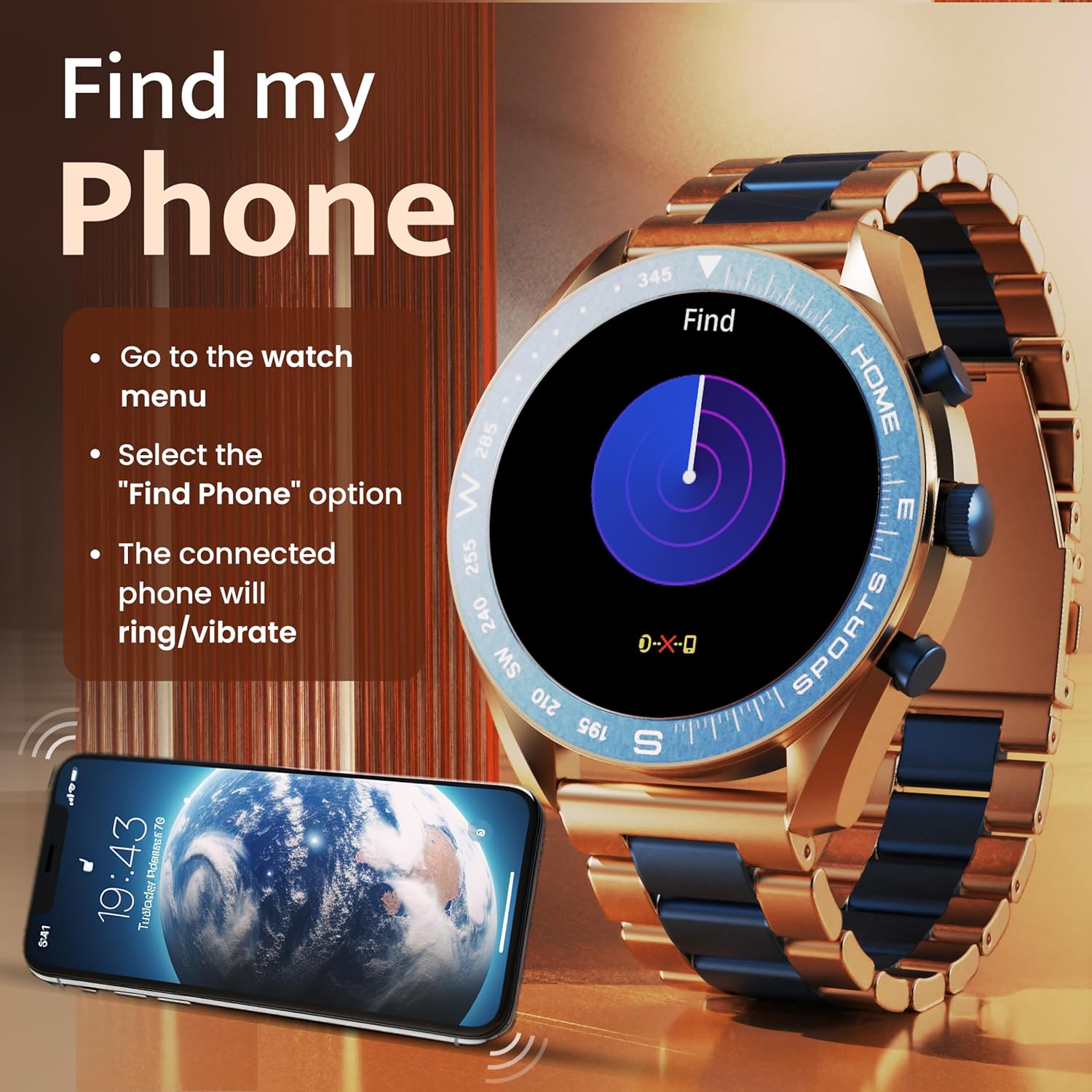
Image: The GOBOULT Mirage Smart Watch connected to a smartphone, illustrating connectivity.
Упутство за употребу
1. Приказ и навигација
The GOBOULT Mirage features a 1.39-inch HD display with 360x360 pixels resolution and 500 nits peak brightness for clear visibility. Navigate the watch interface using touch gestures and the digital crown.
- Дигитална круна: Press to power on/off, switch UIs, and navigate menus. Rotate to scroll through options.
- Бочна дугмад: Use for quick access to specific functions, such as launching sports modes.

Image: GOBOULT Mirage Smart Watch highlighting the digital crown and its various functions.
2. Позивање преко Bluetooth-а
With the built-in speaker and microphone, you can make and receive calls directly from your wrist once paired with your smartphone via Bluetooth 5.3.
- To answer a call, tap the green icon on the watch screen.
- To reject a call, tap the red icon.
- To make a call, access the dial pad or contacts through the watch menu.
Image: GOBOULT Mirage Smart Watch showing an incoming call notification.
3. Праћење здравља
The GOBOULT Mirage provides comprehensive health tracking features:
- SpO2 Blood Oxygen Monitor: Мери ниво кисеоника у крви.
- Монитор пулса: 24/7 heart rate tracking.
- Монитор спавања: Прати обрасце и квалитет спавања.
- Breath Training Mode: Води вас кроз вежбе дисања.
- Подсетник за пиће воде: Подстиче вас да останете хидрирани.
- Седентарни подсетник: Alerts you after periods of inactivity.
- Праћење активности: Бележи кораке, пређену удаљеност и потрошене калорије.
- Праћење менструалног циклуса: Helps monitor menstrual cycles.

Image: GOBOULT Mirage Smart Watch showcasing its complete health suite on the display.
4. Спортски режими
Track your performance across over 120 sports modes. Access these modes quickly using the shortcut buttons.
- Examples include Running, Cycling, Yoga, Cricket, Badminton, and Basketball.

Image: GOBOULT Mirage Smart Watch showing the selection of over 120 sports modes.
5. Бројчаници сата
Personalize your watch with over 300 cloud-based watch faces. You can also customize the dial to match your style.

Image: GOBOULT Mirage Smart Watch illustrating the variety of 300+ cloud watch faces.
6. Паметна обавештења
Receive SMS and other smart notifications directly on your watch. Ensure your watch is connected to your phone via Bluetooth for this feature to function.

Image: GOBOULT Mirage Smart Watch showing a push notification from a messaging app.
7. АИ гласовни асистент
Access an intelligent AI voice assistant for hands-free control. Long press the designated button or use the voice assistant icon on the screen to activate.
8. Финд Ми Пхоне
If you misplace your connected smartphone, use the 'Find My Phone' feature on your watch:
- Go to the watch menu.
- Select the "Find Phone" option.
- The connected phone will ring or vibrate, helping you locate it.
Image: GOBOULT Mirage Smart Watch showing the 'Find My Phone' interface.
9. Отпорност на воду
The GOBOULT Mirage Smart Watch is IP67 water-resistant, offering protection against dust and temporary immersion in water. It is suitable for daily wear and activities like hand washing or light rain.

Image: GOBOULT Mirage Smart Watch demonstrating its IP67 water resistance.
10. Mini Games
The watch includes several mini-games for entertainment during leisure time.
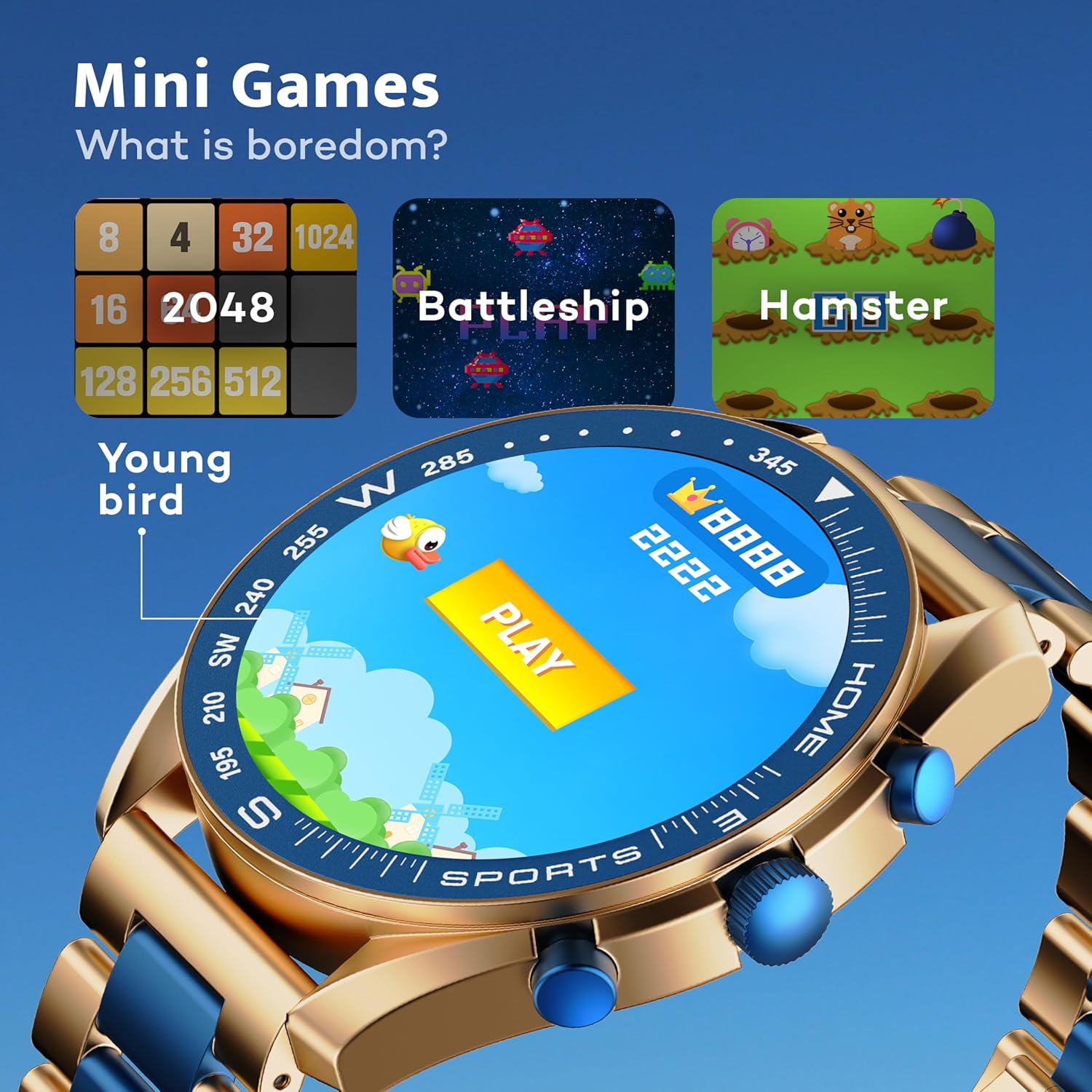
Image: GOBOULT Mirage Smart Watch showing the selection of mini-games.
Одржавање
1. Чишћење
- Wipe the watch screen and body with a soft, dry cloth.
- За тврдокорну прљавштину користите мало дamp cloth and immediately dry the watch.
- Avoid using harsh chemicals or abrasive materials, as these can damage the finish.
2. Смернице за водоотпорност
- The IP67 rating means the watch is protected from dust and can withstand immersion in water up to 1 meter for 30 minutes.
- Do not use the watch for swimming, showering with hot water, or diving.
- Избегавајте излагање сата води или пари под високим притиском.
- If the watch gets wet, dry it thoroughly before charging or using any buttons.
Решавање проблема
- Сат се не укључује: Уверите се да је сат потпуно напуњен. Повежите га са пуњачем најмање 30 минута.
- Не могу да упарим телефон: Уверите се да је Bluetooth омогућен на вашем телефону и да је сат у домету. Рестартујте оба уређаја и поново покушајте да упарите.
- Нетачни здравствени подаци: Уверите се да сат чврсто приања на зглоб, ни превише стегнут ни превише лабав. Редовно чистите сензоре.
- Kratko trajanje baterije: Смањите осветљеност екрана, онемогућите непотребна обавештења и ограничите континуирано праћење откуцаја срца ако није потребно.
- Проблеми са приказом: Restart the watch. If the problem persists, contact customer support.
Спецификације
| Феатуре | Детаљ |
|---|---|
| Бранд | ГОБУЛТ |
| Број модела | 8906133853464 |
| Величина екрана | 1.39 инча |
| Осветљеност | 500 гњида |
| Материјал оквира | Легура цинка |
| Вирелесс Типе | Блуетоотх 5.3 |
| Оперативни систем | иОС, Андроид |
| Отпорност на воду | ИП67 |
| Време пуњења батерије | 120 минута |
| Тип батерије | Литхиум Полимер |
| Тежина артикла | 106 г |
Гаранција и подршка
Your GOBOULT Mirage Smart Watch comes with a warranty card included in the box. Please refer to this card for details regarding warranty coverage and terms.
For technical support, troubleshooting assistance, or warranty claims, please contact GOBOULT customer service through their official webсајт или контакт информације наведене на вашем гарантном листу.