Увод
This manual provides detailed instructions for the safe and effective use of your Picun B8 Bluetooth Headphones. Please read this manual thoroughly before using the product and retain it for future reference.

Image: Picun B8 Bluetooth Headphones, showcasing their sleek black over-ear design with metallic earcups and a visible blue indicator light.
Шта је у кутији
- 1 x Picun B8 Headphone
- 1 к 3.5 мм аудио кабл
- 1 к УСБ кабл за пуњење
- 1 к Упутство за употребу
Карактеристике производа
- Ултра дуго трајање батерије: Equipped with a 1000mAh battery, providing up to 120 hours of playtime on a single charge. Supports wired mode via 3.5mm audio cable for continuous use.

Image: Headphones next to a smartphone, highlighting the 120-hour battery life for extended music, movie, and meeting playback.
- Hi-Fi Sound & 3 EQ Modes: Features 40mm dynamic drivers for high-resolution stereo sound. Includes Pop, Rock, and Bass Boost EQ modes for customized audio experience.

Image: A woman enjoying music with the headphones, demonstrating the availability of Pop, Bass-Boost, and Rock equalizer modes.
- Целодневна удобност и склопиви дизајн: Constructed with skin-friendly PU leather and high-elastic memory cotton for breathable comfort. Adjustable headband and ergonomic design ensure a pressure-free fit. Foldable for easy storage.

Слика: Детаљна view of the headphones' comfort features, including 60-degree adjustable earcups, an adjustable headband, and a foldable design for portability.
- Bluetooth 5.4 & Smart Control: Equipped with a Bluetooth 5.4 chip for fast and stable connections up to 33 feet. Features touch controls and a built-in microphone for hands-free calls and voice assistant activation. Supports dual-device connectivity.

Image: A visual representation of the advanced Bluetooth 5.4 chip, highlighting its benefits of lower latency and extended battery life.
- Уграђени микрофон: Омогућава јасну комуникацију без употребе руку.
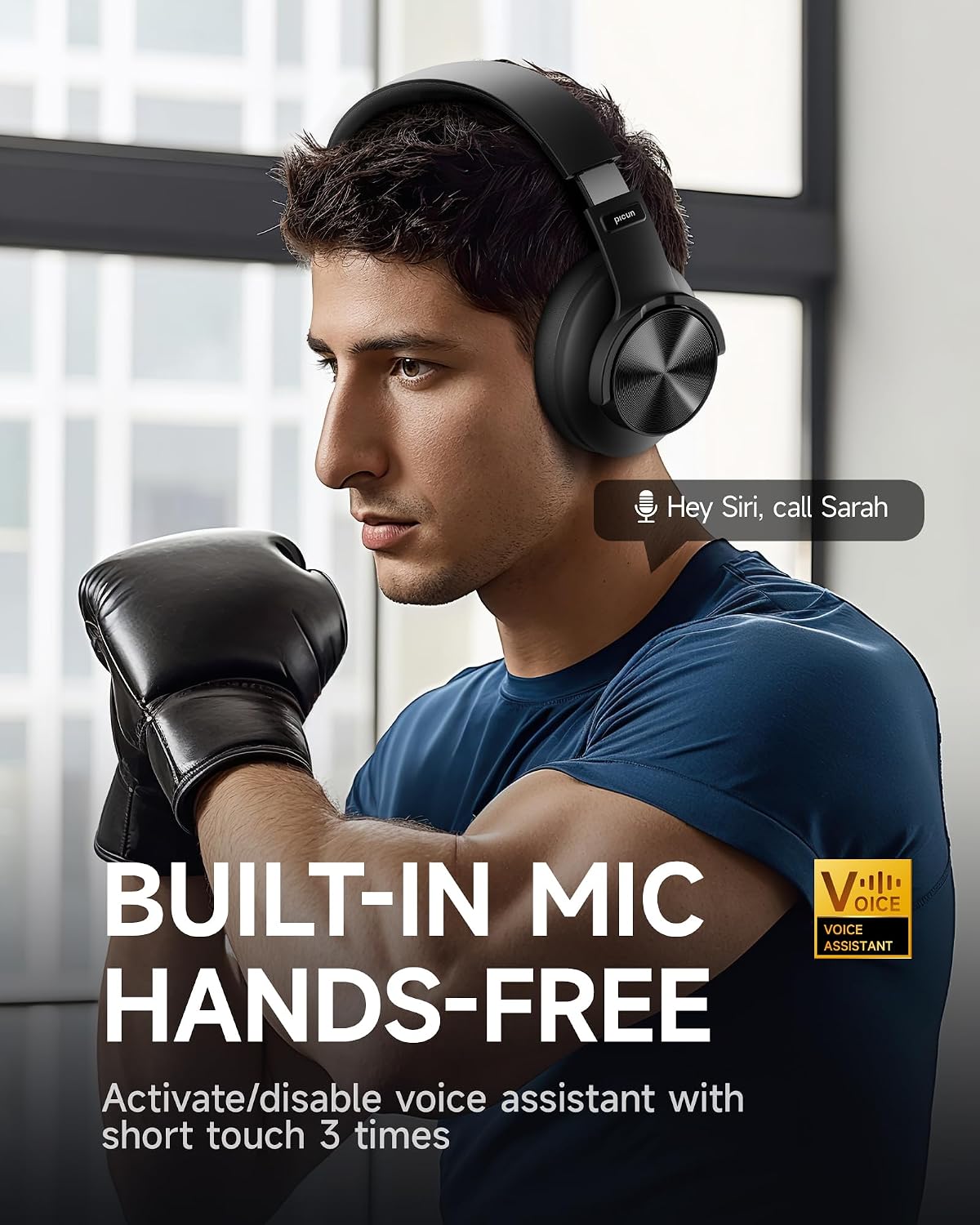
Image: A man using the headphones, demonstrating the built-in microphone and hands-free voice assistant capabilities.
- Режим мале кашњења: Offers 50ms ultra-low latency for a smoother gaming and video experience.

Image: Headphones depicted with a gaming theme, emphasizing the 50ms ultra-low latency for an enhanced gaming and video experience.
Сетуп
1. Пуњење слушалица
Before first use, fully charge your Picun B8 headphones. Connect the provided USB charging cable to the USB-C charging port on the headphones and the other end to a compatible USB power source (e.g., computer USB port, wall adapter). The indicator light will show charging status and turn off when fully charged.
2. Укључивање/искључивање
- Укључено: Press and hold the Power/EQ button for approximately 3 seconds until the indicator light illuminates.
- Искључивање: Press and hold the Power/EQ button for approximately 3 seconds until the indicator light turns off.
3. Блуетоотх упаривање
- Уверите се да су слушалице искључене.
- Press and hold the Power/EQ button for approximately 5 seconds until the indicator light flashes blue and red, indicating pairing mode.
- На свом уређају (паметном телефону, таблету, лаптопу) омогућите Блутут и потражите доступне уређаје.
- Изаберите „Picun B8“ са листе пронађених уређаја.
- Once connected, the indicator light on the headphones will turn solid blue.
4. Жична веза
To use the headphones in wired mode, connect one end of the provided 3.5mm audio cable to the 3.5mm audio port on the headphones and the other end to the audio output jack of your device. The headphones will automatically switch to wired mode, and Bluetooth will be disabled.
Упутство за употребу

Image: A detailed diagram illustrating the location and function of all controls on the Picun B8 headphones, including touch controls, ports, and buttons.
Контроле репродукције музике
- Пусти/паузирај: Tap the Touch Area once.
- Следећа песма: Swipe forward on the Touch Area or press the 'Next Song' button.
- Претходна песма: Swipe backward on the Touch Area or press the 'Previous Song' button.
- Појачавање звука: Притисните дугме за јачину звука +.
- Смањивање јачине звука: Притисните дугме за јачину звука.
Управљање позивима
- Одговори/заврши позив: Tap the Touch Area once.
- Одбиј позив: Press and hold the Touch Area for 3 seconds.
Пребацивање ЕК режима
Double-tap the Power/EQ button to cycle through the 3 available EQ modes: Pop, Rock, and Bass Boost. Select the mode that best suits your audio preference.
Активирање гласовног помоћника
Triple-tap the Touch Area to activate your device's voice assistant (e.g., Siri, Google Assistant).
Повезивање са два уређаја
The Picun B8 headphones can connect to two Bluetooth devices simultaneously. After pairing with the first device, put the headphones back into pairing mode and connect to the second device. The headphones will intelligently switch between devices for calls and audio playback.

Image: Headphones shown connected to both a smartphone and a tablet, illustrating simultaneous Bluetooth connectivity.
Одржавање
- Чишћење: Користите меку, суву крпу за чишћење слушалица. Не користите абразивна средства за чишћење или раствараче.
- Складиштење: When not in use, store the headphones in a cool, dry place, away from direct sunlight and extreme temperatures. Utilize the foldable design for compact storage.
- Одржавање батерије: Да бисте продужили век трајања батерије, избегавајте често потпуно пражњење слушалица. Редовно их пуните, чак и ако их не користите стално.
- Избегавајте влагу: The headphones are not water-resistant. Avoid exposure to water, rain, or excessive humidity.
Решавање проблема
| Проблем | Могући узрок | Решење |
|---|---|---|
| Слушалице се не укључују. | Ниска батерија. | У потпуности напуните слушалице. |
| Упаривање са уређајем није могуће. | Слушалице нису у режиму упаривања; Блутут је искључен на уређају; уређај је предалеко. | Ensure headphones are in pairing mode (flashing blue/red). Turn on Bluetooth on your device. Move device closer to headphones (within 33 feet). |
| Нема звука или је јачина звука ниска. | Јачина звука је прениска; погрешан извор звука; слушалице нису повезане. | Increase volume on headphones and connected device. Ensure headphones are properly paired or 3.5mm cable is fully inserted. Check audio output settings on your device. |
| Лош квалитет позива. | Weak signal; microphone obstruction. | Move closer to your connected device. Ensure the microphone is not covered. |
Спецификације
| Феатуре | Детаљ |
|---|---|
| Назив модела | PC-B8 PRO |
| Технологија повезивања | Жично, бежично (Блутут) |
| Блуетоотх верзија | 5.4 |
| Блуетоотх домет | 33 стопа (приближно 10 метара) |
| Трајање батерије | 120 сата |
| Капацитет батерије | 1000мАх |
| Величина аудио драјвера | 40мм динамички драјвери |
| Фреквенцијски одзив | 20 Hz - 20000 Hz (20 kHz) |
| Осетљивост | 42 дБ |
| Импеданса | 32 Охм |
| Јацк за слушалице | 3.5 мм прикључак |
| Контрола буке | Звучна изолација |
| Тип контроле | Контрола јачине звука, контрола додиром |
| Материјал | Acrylonitrile Butadiene Styrene (ABS), Stainless Steel, PU Leather, Memory Cotton |
| Тежина артикла | 0.34 килограма (12 унци) |
| Ниво отпорности на воду | Није водоотпоран |
Гаранција и подршка
Picun offers the following support for your B8 Bluetooth Headphones:
- Политика поврата у року од 30 дана: За повраћај у року од 30 дана од куповине.
- 1-годишња гаранција: Покрива производне недостатке годину дана од датума куповине.
- Lifetime Worry-Free User Support: For any product-related questions or assistance, please contact Picun customer service. They aim to reply within 12 hours.
For support, please refer to the contact information provided in the packaging or visit the official Picun webсајту.


