1. Увод
This manual provides detailed instructions for the setup, operation, and maintenance of your THOMSON 8-inch Digital Photo Frame (Model: TRDF-8001C). Please read this manual thoroughly before using the device to ensure proper functionality and to maximize your enjoyment of its features. This digital photo frame is designed to display your cherished photos and videos with an 8-inch IPS HD screen, offering a clear and vibrant viewинг искуство.
2. Шта је у кутији
Приликом распакивања, молимо вас да се уверите да су све доле наведене ставке присутне и у добром стању:
- THOMSON 8-inch Digital Photo Frame
- Ремоте Цонтрол
- Повер Адаптер
- Photo Frame Stand
- Упутство за употребу

Figure 2.1: Contents of the THOMSON Digital Photo Frame package.
3. Подешавање
3.1 Прикључак за напајање
- Connect the power adapter to the DC-IN port on the back of the digital photo frame.
- Укључите адаптер за напајање у стандардну електричну утичницу.
- The frame will automatically power on.
3.2 Почетно подешавање
- Upon first startup, you will be prompted to select your preferred language. Use the navigation buttons on the remote control or the physical buttons on the back of the frame to select and confirm.
- Подесите тренутни датум и време.
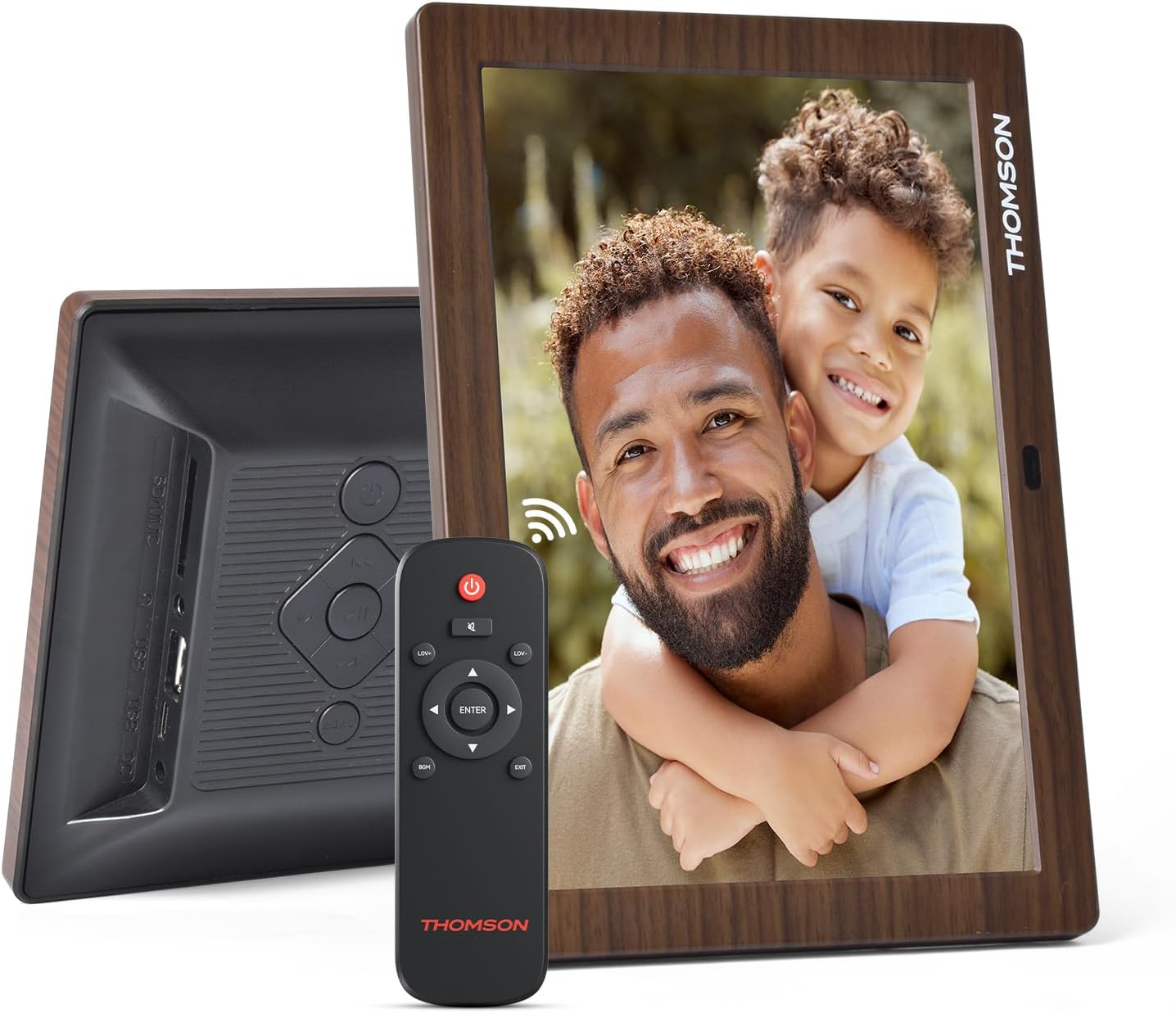
Слика 3.1: Задња страна view of the frame with power input and physical controls.
3.3 Инсталирање постоља
The digital photo frame can be placed on a flat surface using the included stand. Insert the stand into the designated slot on the back of the frame. The frame also supports wall mounting using the integrated mounting holes.
4. Упутство за употребу
4.1 Карактеристике екрана
- 8-inch IPS HD Screen: Enjoy clear and vibrant images with a 1280x800 resolution from various viewинг углова.
- Аутоматска ротација: The built-in gravity sensor automatically adjusts the photo orientation (landscape or portrait) for optimal viewинг.

Figure 4.1: The 8-inch IPS HD screen provides a high-quality display for your memories.
4.2 Репродукција медија
The frame supports playback of photos, music, and videos. You can navigate through your media using the remote control or the physical buttons.
- Photo Slideshow: Configure slideshow intervals and transition effects in the settings.
- Репродукција музике: Пуштајте музику у позадини док viewинг пхотос.
- Видео репродукција: Enjoy your favorite video clips directly on the frame.

Figure 4.2: User interface for media selection and playback options.
4.3 Remote Control and Physical Buttons
Control your digital photo frame conveniently using the included remote control or the physical buttons located on the back of the frame.
- Функције даљинског управљача: Power on/off, adjust volume, navigate images, control background music, and access menus.
- Физичка дугмад: Provide direct control for essential functions, useful for elderly users.

Figure 4.3: Remote control for convenient operation of the frame.
4.4 Expansion Modes
The frame supports various expansion options for storing your media:
- SD/SDHC/MMC Card: Expand storage up to 32 GB.
- USB-A/Type-C/U-disk: Connect USB drives for additional media.
- Напомена: This frame does not have built-in storage. An external memory card or USB drive is required for media storage.

Figure 4.4: Memory expansion slots on the back of the frame.
4.5 Automatic Power On/Off
You can set a customized automatic start and stop time for the frame to conserve energy and manage display times.

Figure 4.5: Setting automatic power on/off times for convenience.
5. Одржавање
- Чишћење екрана: Use a soft, dry, lint-free cloth to gently wipe the screen. For stubborn marks, slightly dampОперите крпу водом или раствором за чишћење екрана. Избегавајте јаке хемикалије.
- Чишћење оквира: Wipe the frame with a soft, dry cloth.
- Складиштење: When not in use for extended periods, disconnect the power adapter and store the frame in a cool, dry place away from direct sunlight.
КСНУМКС. Решавање проблема
| Проблем | Могући узрок | Решење |
|---|---|---|
| Рам се не укључује. | Адаптер за напајање није повезан или је неисправан. | Уверите се да је адаптер за напајање безбедно повезан са оквиром и исправном утичницом. Покушајте са другом утичницом. |
| No images/videos displayed. | No memory card/USB drive inserted or media files are corrupted/unsupported. | Insert a memory card or USB drive with supported media files. Check file formats (JPEG for photos, MP4 for videos). Ensure the memory card/USB drive is properly inserted. |
| Даљински управљач не ради. | Слаба батерија или препрека. | Replace the remote control battery. Ensure there are no obstructions between the remote and the frame's IR receiver. |
| Images are distorted or incorrect orientation. | Incorrect display settings or disabled auto-rotation. | Check display settings in the menu. Ensure the auto-rotation feature is enabled if desired. |
7. Спецификације
- Број модела: TRDF-8001C
- Величина екрана: 8 инча
- Резолуција: 1280x800 (WXGA)
- Размера: 16:10
- Технологија приказа: IPS HD
- Повезивање: DC-4.0, USB-A, Type-C, SD Card, 3.5MM earphone jack
- Проширење меморије: SD/SDHC/MMC card up to 32GB, U-disk
- Извор напајања: Цордед Елецтриц
- User Interface Input: Buttons, Remote Control
- Материјал оквира: Пластика
- Димензије производа: 24.4 к 18 к 2.51 цм
- Тежина производа: 240 грама
8. Гаранција и подршка
For warranty information and customer support, please refer to the documentation included in your product packaging or visit the official Thomson webсајт. Сачувајте рачун као доказ о куповини за евентуалне рекламације по гаранцији.


