1. Увод
Хвала вам на куповиниasing the Sharp KI-TX75-W Humidifying Air Purifier. This appliance is designed to improve your indoor air quality through advanced air purification and humidification technologies. It features Plasmacluster NEXT for high-density ion emission, AI AUTO mode for intelligent operation, Coanda flow for efficient dust collection, an AI monitor for real-time air quality feedback, and COCORO AIR for smart control via a smartphone app.
This manual provides essential information for the safe and efficient use, maintenance, and troubleshooting of your air purifier. Please read it thoroughly before use and keep it for future reference.
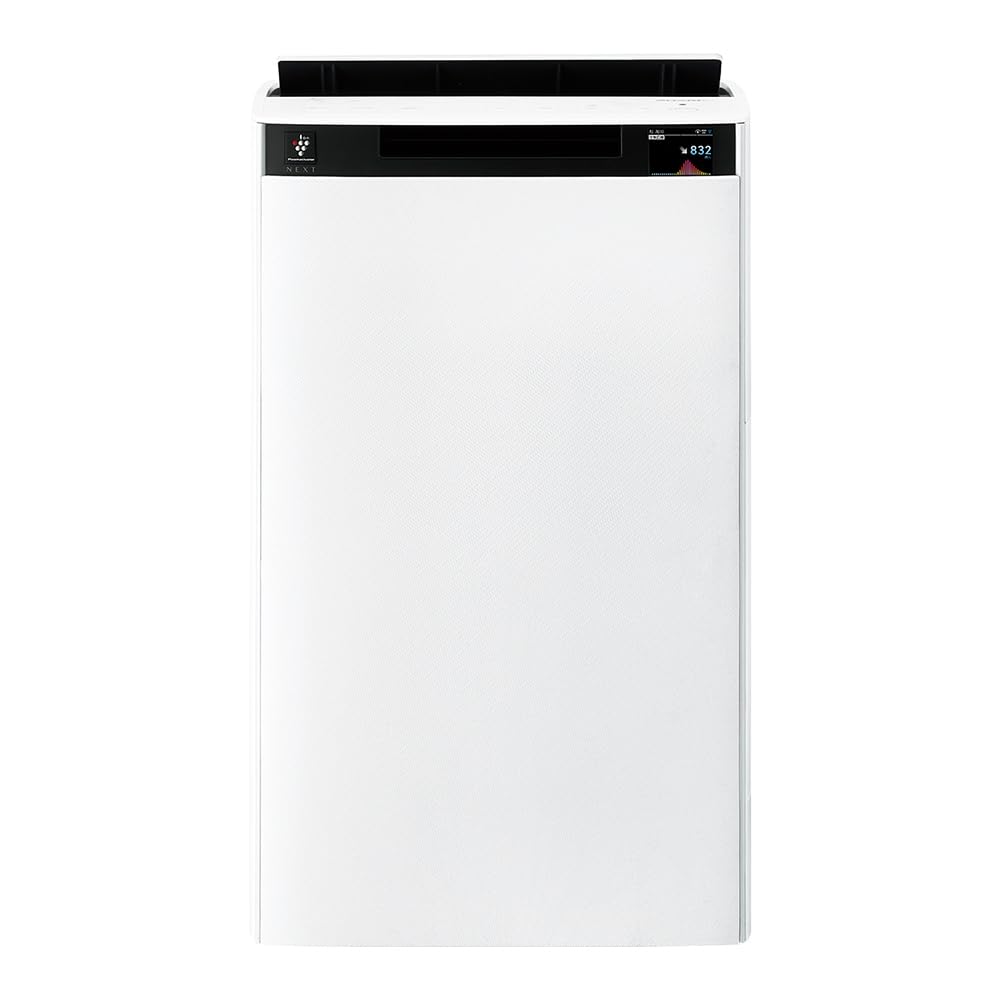
Фронт view of the Sharp KI-TX75-W Humidifying Air Purifier.
2. Безбедносне информације
Да бисте осигурали безбедан рад и спречили оштећења, молимо вас да се придржавате следећих мера безбедности:
- Увек користите уређај са исправном јачиномtagе као што је наведено на етикети са оценама.
- Не блокирајте отворе за усис или излаз ваздуха.
- Keep the appliance away from water and moisture. Do not operate with wet hands.
- Unplug the power cord before cleaning or performing any maintenance.
- Не дозволите деци да користе уређај без надзора.
- Ако је кабл за напајање оштећен, мора га заменити произвођач, његов сервисер или слично квалификоване особе како би се избегла опасност.
- Не убацивати стране предмете у отворе.
- Поставите јединицу на стабилну, равну површину.
3. Подешавање
3.1 Распакивање и постављање
- Пажљиво извадите пречистач ваздуха из паковања.
- Choose a location with adequate space around the unit for optimal airflow. Avoid placing it directly against walls or furniture.
- Ensure the unit is placed on a flat, stable surface. The built-in casters with stoppers allow for easy movement and secure positioning.

The unit features casters with stoppers for convenient movement and secure placement.
3.2 Инсталација филтера
The unit comes with pre-installed filters. Verify they are correctly seated before first use.
- Open the back panel of the air purifier.
- Ensure the HEPA filter, deodorizing filter, and pre-filter are securely in place.
- Затворите задњи панел.

The air purifier utilizes a three-layer filter system: pre-filter, deodorizing filter, and HEPA filter.
3.3 Пуњење резервоара за воду
For humidification, fill the water tank with clean tap water.
- Remove the water tank from the side of the unit.
- Open the water tank cap and fill it with fresh tap water.
- Securely close the cap and reinsert the water tank into the unit.

Remove the water tank from the side of the unit to fill it with water.
3.4 Initial Power-On and Network Connection
- Укључите кабл за напајање у зидну утичницу.
- Притисните дугме за напајање на контролној табли.
- To utilize smart features, download the COCORO AIR app on your smartphone and follow the in-app instructions to connect the air purifier to your wireless LAN network.
4. Упутство за употребу
4.1 Контролна табла прекоview

The control panel allows selection of various modes and settings.
4.2 Режими рада
- AI AUTO Mode: This intelligent mode automatically adjusts operation based on detected air quality, aiming for a cleanroom Class 8 level environment. It optimizes airflow to effectively collect pollen, dust, and fine particles.
- Режим пречишћавања ваздуха: Operates solely as an air purifier, removing airborne particles and odors.
- Режим влажења: Adds moisture to the air while purifying. The unit can deliver up to 900 mL/h of humidification.
- Plasmacluster NEXT: This technology generates high-density Plasmacluster ions (50,000 ions/cm³) to suppress airborne and adhering viruses, allergens, and odors.

AI AUTO mode significantly reduces airborne particles to maintain a clean environment.
4.3 AI Monitor
The AI Monitor visualizes the number of particles in the room and provides feedback on air quality. It displays real-time particle counts and indicates when the air is clean or needs purification.

The AI Monitor provides a visual representation of airborne particle levels.
The AI Monitor also provides notifications for humidification status, maintenance timing, and estimated electricity costs.

Notifications include humidification status, maintenance alerts, and electricity usage.
4.4 COCORO AIR App
Connect your air purifier to the COCORO AIR app via Wi-Fi for enhanced control and monitoring. The app allows you to:
- Monitor air quality and operating status remotely.
- Customize operation schedules and settings.
- Receive notifications for filter replacement and maintenance.
- Access special operating modes, such as pet-specific modes.

The COCORO AIR app provides remote control and monitoring capabilities.
5. Одржавање
Редовно одржавање обезбеђује оптималне перформансе и продужава век трајања вашег пречистача ваздуха.
5.1 Чишћење и замена филтера
- Предфилтер: Clean regularly (e.g., once a month) by vacuuming or washing with water.
- HEPA Filter & Deodorizing Filter: These filters are not washable. Replace them according to the recommended schedule (typically every 1-2 years, depending on usage and environment). The COCORO AIR app will notify you when replacement is due.
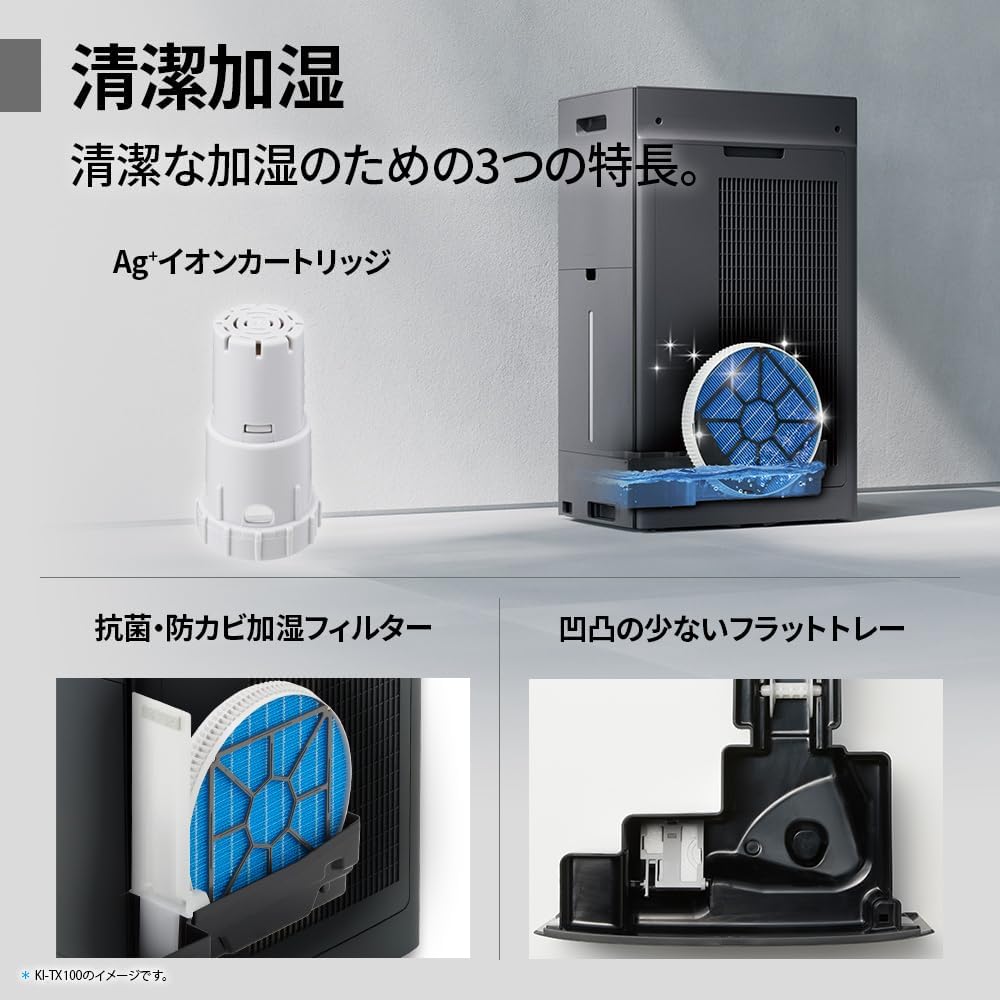
Regularly clean the pre-filter to maintain air purification efficiency.
5.2 Humidifying Filter Maintenance
The humidifying filter can be automatically cleaned using the unit's internal cleaning function. This helps prevent scale buildup.
- Remove the water tank and humidifying filter assembly.
- Add a small spoon of citric acid (commercially available) to the water tank and fill with water.
- Press the internal humidification cleaning button on the unit.
- After the cleaning cycle, rinse the tank and filter thoroughly.

The humidifying filter can be automatically cleaned using citric acid and water.
5.3 Ag+ Ion Cartridge Replacement
The Ag+ ion cartridge helps keep the water in the tank clean. Replace it approximately once a year.

Replace the Ag+ ion cartridge annually for optimal water tank hygiene.
КСНУМКС. Решавање проблема
Ако наиђете на проблеме са пречистачем ваздуха, погледајте следеће уобичајене проблеме и решења:
| Проблем | Могући узрок | Решење |
|---|---|---|
| Јединица се не укључује. | Кабл за напајање није правилно повезан. Нема струје из утичнице. | Проверите везу кабла за напајање. Тестирајте утичницу са другим уређајем. |
| Слаб проток ваздуха или лоше пречишћавање. | Filters are dirty or clogged. Air intake/outlet blocked. | Clean or replace filters. Ensure vents are clear. |
| No humidification or low humidity output. | Water tank is empty. Humidifying filter is dirty. | Refill water tank. Clean the humidifying filter. |
| Необична бука током рада. | Unit not on a level surface. Foreign object in fan. | Ensure unit is stable. Check for obstructions (unplug first). |
| AI Monitor shows high particle count despite operation. | Filters need cleaning/replacement. Room size exceeds recommended area. | Perform filter maintenance. Consider unit placement or additional units for larger spaces. |
Ако проблем и даље постоји након што сте испробали ова решења, обратите се корисничкој подршци.
7. Спецификације
| Феатуре | Спецификација |
|---|---|
| Број модела | KI-TX75-W |
| Бранд | Схарп |
| Димензије (Ш к Д к В) | 39.5 цм к 26.5 цм к 65 цм |
| Тежина | 12 кг |
| Извор напајања | Цордед Елецтриц |
| Ниво буке | 20-52 дБ |
| Recommended Room Size (Plasmacluster) | Up to 18 tatami (~29.7 m²) |
| Recommended Room Size (Air Purification) | Up to 34 tatami (~56.1 m²) |
| Maximum Humidification Capacity | 900 мЛ/х |
| Air Purification Time (8 tatami) | КСНУМКС минута |
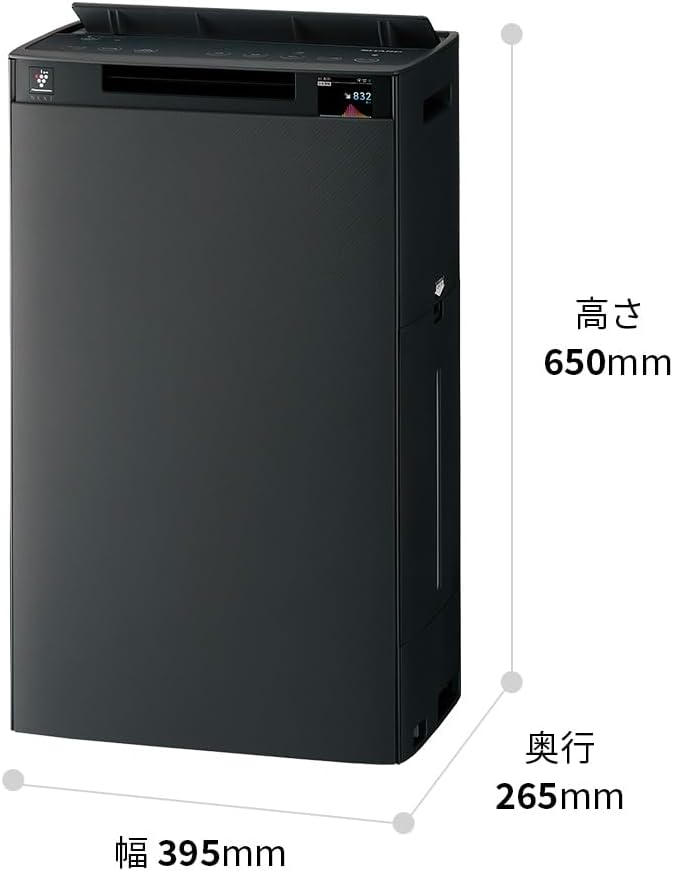
Detailed dimensions of the Sharp KI-TX75-W.
8. Гаранција и подршка
8.1 Гаранција произвођача
This Sharp KI-TX75-W Humidifying Air Purifier comes with a Двогодишња гаранција произвођача од датума куповине. Ова гаранција покрива недостатке у материјалу и изради при нормалној употреби. Молимо вас да сачувате доказ о куповини за потребе подношења захтева за гаранцију.
The warranty does not cover damage caused by misuse, accident, unauthorized modification, or failure to follow the instructions in this manual.
8.2 Корисничка подршка
For technical assistance, warranty service, or inquiries about replacement parts, please contact Sharp customer support.
You can find additional support resources and FAQs on the official Sharp webсајт:


