1. Увод
This manual provides comprehensive instructions for the installation, operation, and maintenance of your Lloyd's LC-1388 4MP Indoor/Outdoor IP Camera Set. This intelligent security camera system offers remote monitoring and full control via your smartphone, featuring 180° horizontal movement, an integrated LED light, and a 4MP resolution for clear video and images. Designed for both indoor and outdoor use with an IP65 rating, it includes advanced detection capabilities, color night vision, two-way communication, and an integrated siren. Please read this manual thoroughly before use to ensure proper functionality and safety.
2. Садржај пакета
Проверите да ли су све ставке наведене испод присутне и у добром стању након отварања пакета.
- 2 x Lloyd's LC-1388 4MP IP Cameras
- 2 к УСБ каблови
- 2 x AC/DC Adapters
- 2 к носачи за монтирање
- Screws and Wall Plugs (for mounting)
- Упутство за употребу (овај документ)
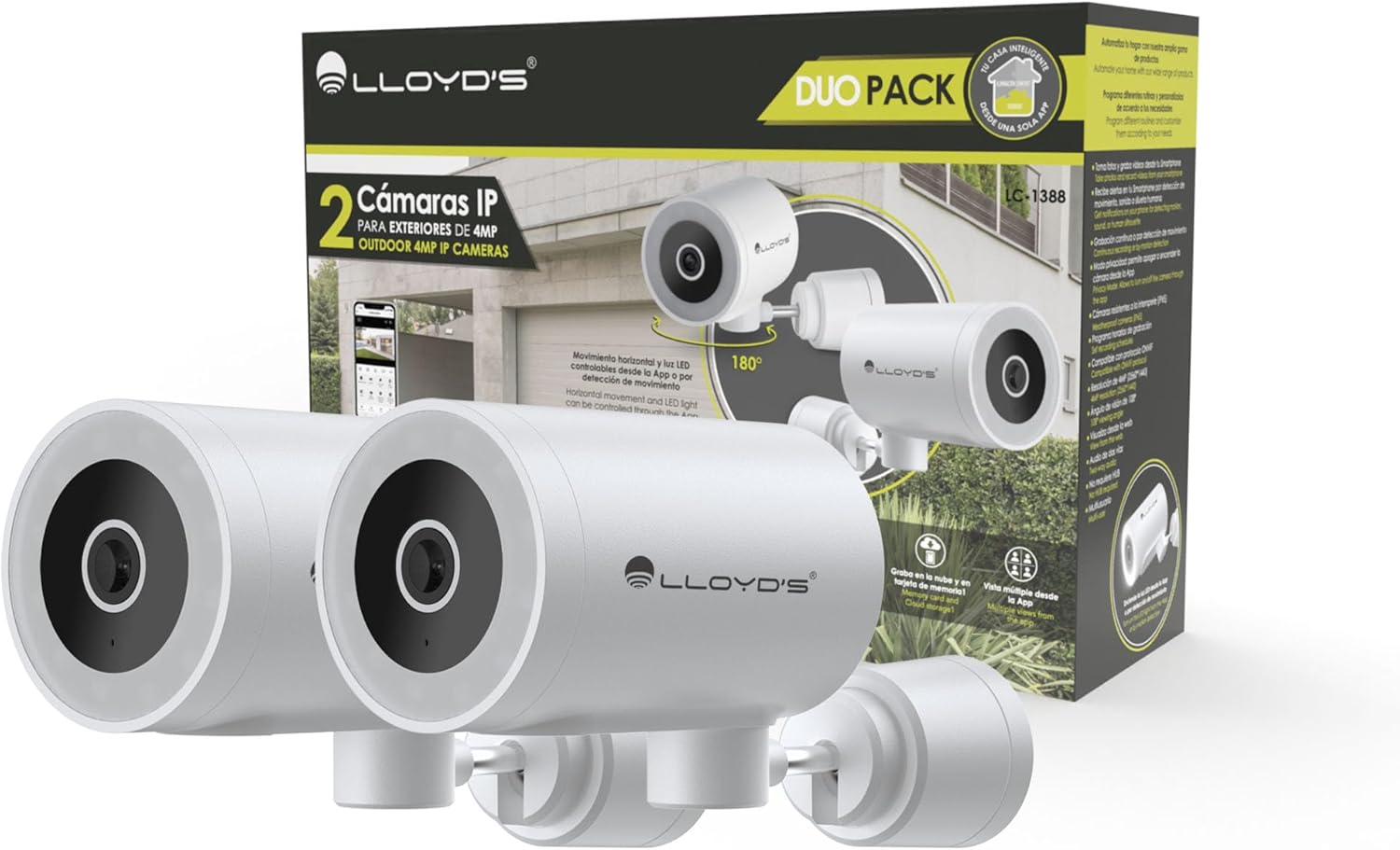
Image: The Lloyd's LC-1388 IP Camera Set, showing the product packaging and the two included cameras.
3. Безбедносне информације
- Уверите се да је напајање волtage matches the camera's requirements (5V DC).
- Do not expose the camera to extreme temperatures, humidity, or direct sunlight for prolonged periods.
- Избегавајте постављање камере у близини јаких електромагнетних поља.
- For outdoor installation, ensure all connections are properly sealed to maintain the IP65 weather resistance.
- Чувати ван домашаја деце.
- Не покушавајте сами да расклапате или поправљате камеру. Обратите се квалификованом сервисеру.
4. Подешавање
4.1 Инсталација
The Lloyd's LC-1388 camera is designed for wall mounting and can be used both indoors and outdoors (IP65 rated).
- Изаберите локацију: Изаберите локацију која пружа жељено viewing angle and is within range of your 2.4 GHz Wi-Fi network. For outdoor use, ensure the location offers adequate protection from direct impact and extreme weather conditions.
- Монтажа:
- Use the included mounting bracket as a template to mark drill holes on the wall.
- Избушите рупе и уметните типлове у зид.
- Причврстите носач за монтажу на зид помоћу приложених вијака.
- Attach the camera to the mounting bracket. Adjust the camera angle as needed.
- Прикључак за напајање: Connect the USB cable to the camera and the AC/DC adapter, then plug the adapter into a power outlet. The camera will power on.

Слика: Са стране view of the camera, showing its compact design.
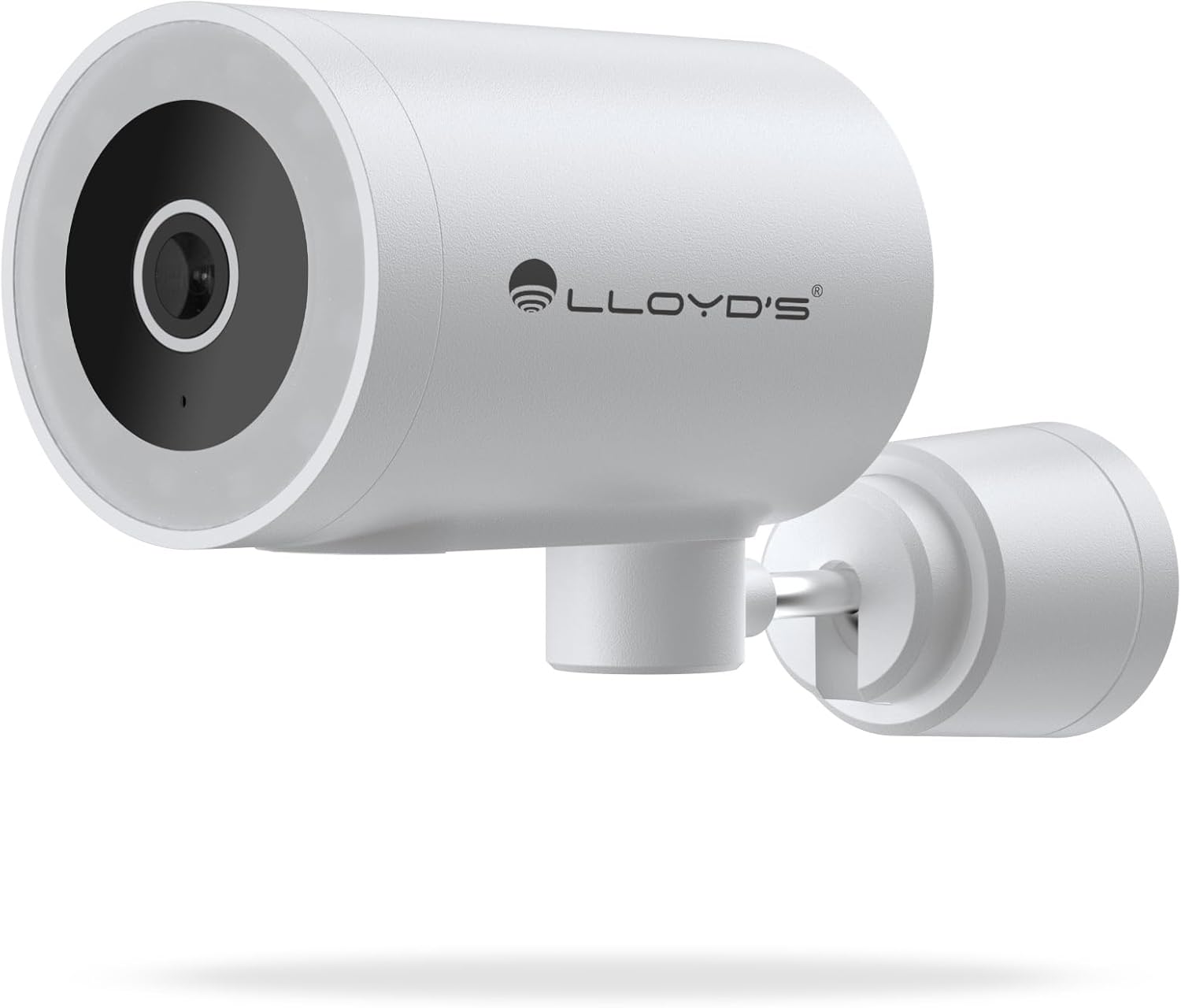
Слика: Фронт view of the camera, highlighting the lens and sensor.

Image: Icons indicating the camera's suitability for both outdoor and indoor environments.
4.2 Преузимање и упаривање апликације
The camera operates via a dedicated smartphone application. Ensure your smartphone is connected to a 2.4 GHz Wi-Fi network.
- Преузмите апликацију: Тражи "Lloyd's Smart" or similar in your device's app store (compatible with iOS 11.0+ and Android 5.0+).
- Креирајте налог: Отворите апликацију и пратите упутства на екрану да бисте регистровали нови налог или се пријавили ако га већ имате.
- Додај уређај:
- Tap the "+" icon or "Add Device" in the app.
- Select "Security Camera" or the specific camera model (LC-1388).
- Follow the app's instructions to put the camera into pairing mode (usually indicated by a flashing LED).
- Enter your 2.4 GHz Wi-Fi network details when prompted.
- Scan the QR code displayed on your phone screen with the camera lens, or follow alternative pairing methods if provided by the app.
- Када се повежете, дајте назив камери и завршите подешавање.

Image: The Lloyd's app interface demonstrating multiple camera views, customizable detection zones, push notifications, and integration with voice assistants.
5. Руковање камером
5.1 Уживо View и Контрола
- Даљинско праћење: Access live video feed from your smartphone app, web browser, or compatible smart TV (requires Chromecast / Fire TV Stick with voice remote).
- Хоризонтално кретање: Control the camera's 180° horizontal pan directly from the app to adjust the viewинг ареа.
- Контрола ЛЕД светла: Turn the integrated LED light on or off via the app. The light can also be configured to activate upon motion detection.
- Двосмерна комуникација: Use the built-in microphone and speaker to communicate with individuals near the camera from your smartphone.

Image: The camera illustrating its 180-degree horizontal tracking function, suitable for indoor or outdoor use (IP65), with two-way audio and multiple viewс из апликације.

Image: A smartphone screen showing the "Multiple views from the App" feature, allowing simultaneous monitoring of several cameras.

Image: A user monitoring the camera feed on a television, demonstrating compatibility with smart assistants for voice control and viewинг.
5.2 Режими ноћног вида
The camera offers three night vision modes up to 10 meters:
- Аутоматски режим: The camera automatically switches between infrared and color night vision based on ambient light conditions.
- Инфрацрвени режим: Provides clear black and white video in complete darkness using infrared LEDs.
- Режим боје: Utilizes the integrated LED lights to provide full-color night vision, even in low-light environments.

Image: Icons representing the camera's night vision capabilities and 4MP image resolution.
5.3 Detection and Alerts
- Детекција покрета: Receive alerts on your smartphone when motion is detected.
- Детекција звука: Get notifications for unusual sounds.
- Human Body Detection: Advanced detection to specifically identify human presence, reducing false alarms.
- Прилагодљиве зоне детекције: Дефинишите одређене области унутар камере view to monitor and receive alerts for.
- Интегрисана сирена: The 90 dB siren can be activated manually via the app or automatically upon detection of an event.

Image: Icons illustrating the camera's notification system, integrated siren, and motion detection capabilities.
5.4 Опције снимања
- Континуирано снимање: Record video continuously.
- Event-Based Recording: Record only when motion, sound, or human detection is triggered.
- Складиштење:
- МицроСД картица: Supports up to 128GB microSD cards (not included) for local storage.
- Цлоуд Стораге: Cloud recording is available with a subscription (sold separately).
- Заказивање: Program specific recording schedules and alert reception times via the app.
5.5 Интеграција паметног дома
- Гласовни асистенти: Compatible with Amazon Echo Show and Google Nest Hub. Supports Siri Shortcuts via routines created in the app.
- Lloyd's Smart Ecosystem: Create routines to trigger actions with other Lloyd's smart products.
- ОНВИФ компатибилност: Integrate the 4MP camera with various video surveillance equipment such as NVRs and hybrid DVRs using the ONVIF protocol.
6. Одржавање
- Чишћење: Нежно обришите објектив и кућиште камере меком, сувом крпом. Не користите јаке хемикалије или абразивна средства за чишћење.
- Ажурирања фирмвера: Regularly check the app for available firmware updates to ensure optimal performance and security.
- Циклус напајања: Ако камера има проблема, покушајте да је искључите из извора напајања на 10 секунди, а затим је поново укључите.
КСНУМКС. Решавање проблема
| Проблем | Могући узрок | Решење |
|---|---|---|
| Камера се не повезује на Ви-Фи | Incorrect Wi-Fi password; Camera too far from router; Only 5 GHz Wi-Fi network available. | Verify password; Move camera closer to router; Ensure you are connecting to a 2.4 GHz Wi-Fi network. |
| Нема видео фида | Камера је ван мреже; Проблем са напајањем; Проблем са мрежом. | Check power connection; Restart camera; Verify Wi-Fi connection; Check internet connectivity. |
| Упозорења о кретању нису примљена | Motion detection disabled; App notifications turned off; Detection zone not configured. | Enable motion detection in app; Allow app notifications; Configure detection zones. |
| Лош квалитет слике | Dirty lens; Low light conditions (in non-color night vision mode); Network bandwidth issues. | Clean the lens; Switch to Color Night Vision if applicable; Ensure stable Wi-Fi connection. |
8. Спецификације
| Феатуре | Детаљ |
|---|---|
| Број модела | ЛЦ-1388 |
| Бранд | Lloyd's |
| Резолуција снимања видео записа | 4MP (2560x1440p) |
| Ефективна видео резолуција | 16.9 |
| Фраме Рате | 15 кадрова у секунди |
| Технологија повезивања | Wireless (Wi-Fi 2.4 GHz), ONVIF |
| Ви-Фи протокол | 2.4 ГХз |
| Тип монтаже | Wall Mount (Screw-in) |
| Усаге Енвиронмент | Indoor, Outdoor (IP65 Water Resistant) |
| Ноћни вид | До 10 метара |
| Viewинг Англе | 108 степени |
| Посебне карактеристике | Two-way audio, Motion detector, Local recording, Built-in light, HD resolution, Night vision, Horizontal tracking, Integrated siren |
| Компатибилни уређаји | Smartphone, Tablet, Web |
| Тип контролера | Amazon Alexa, Android, Google Assistant, Tuya, iOS |
| Извор напајања | Corded Electric (5V DC, 5 Watts) |
| Материјал | акрилонитрил бутадиен стирен (АБС) |
| Димензије (ДкШкВ) | 8.48 к 6.2 к 15.98 цм |
| Тежина | 596 г |
| Земља порекла | Кина |
9. Гаранција и подршка
For warranty information, please refer to the documentation provided with your purchase or contact Lloyd's customer support. For technical assistance or further inquiries, please visit the official Lloyd's webсајту или се обратите њиховом одељењу за корисничку подршку.
Произвођач: Zutto Technologies S.A. de C.V.