Увод
Thank you for choosing the Blaupunkt 24WGC5500S 24-inch HD Ready Google Smart TV. This manual provides essential information for the safe and efficient use of your new television. Please read these instructions thoroughly before operating the device and retain them for future reference.
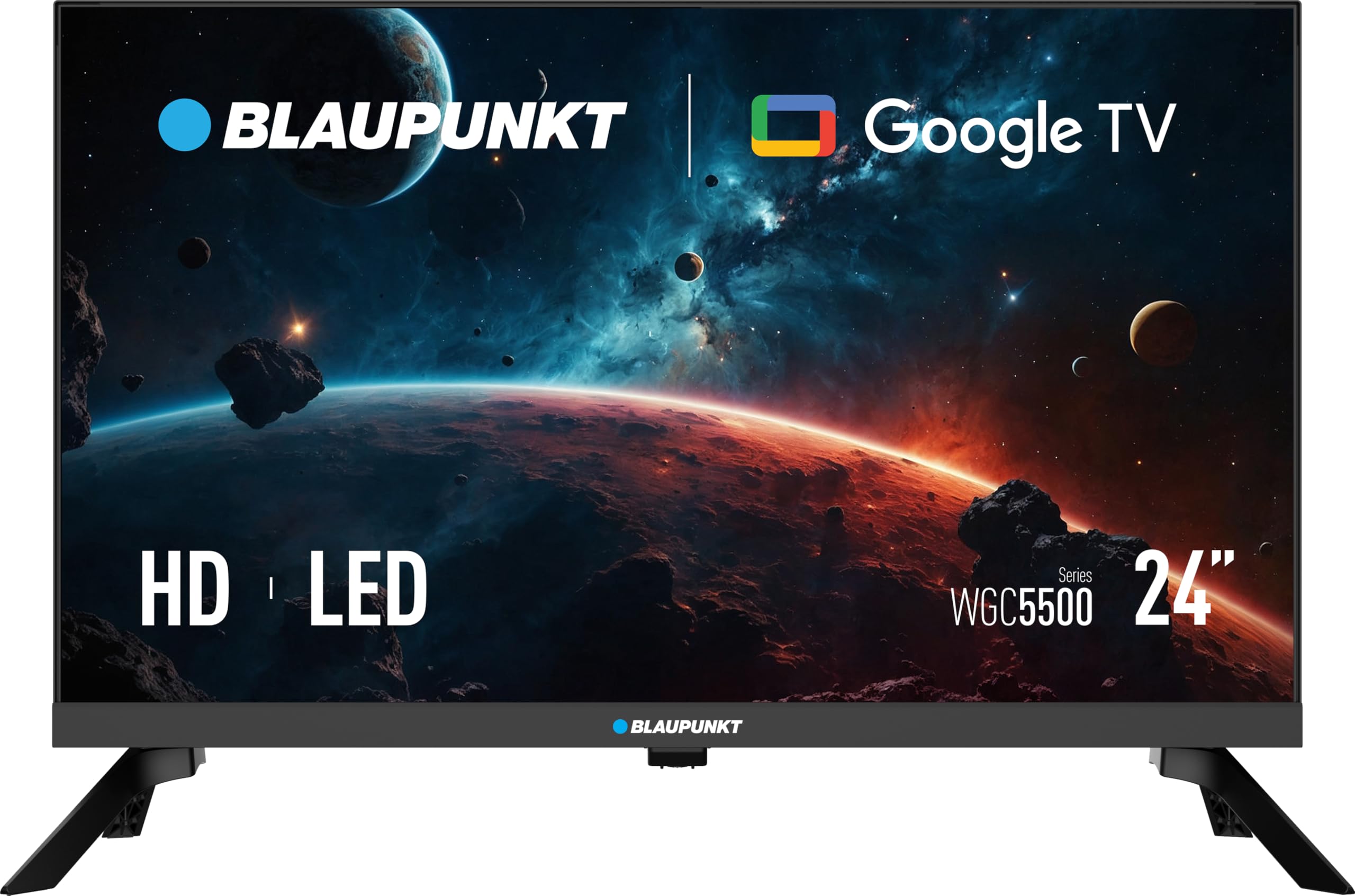
Слика 1: Предња страна view of the Blaupunkt 24WGC5500S Smart TV.
1. Подешавање
1.1 Распакивање и садржај
Carefully remove the television from its packaging. Ensure all components are present. The package should contain:
- Blaupunkt 24WGC5500S Smart TV
- Ремоте Цонтрол
- Кориснички приручник (овај документ)
- Table Stand components (if not pre-assembled)
- Повер Цабле
Ако неке ставке недостају или су оштећене, обратите се продавцу.
1.2 Физичка инсталација
Your TV can be installed on a table stand or mounted on a wall.
1.2.1 Table Stand Installation
- Поставите ТВ екран лицем надоле на меку, чисту површину да бисте спречили огреботине.
- Attach the stand components to the bottom of the TV using the provided screws. Ensure they are securely fastened.
- Пажљиво подигните телевизор и поставите га на стабилну, равну површину.
1.2.2 Монтажа на зид (опционо)
The Blaupunkt 24WGC5500S is compatible with VESA 200x100 wall mounts. Follow the instructions provided with your wall mount kit. Ensure the wall can support the weight of the TV and the mount.
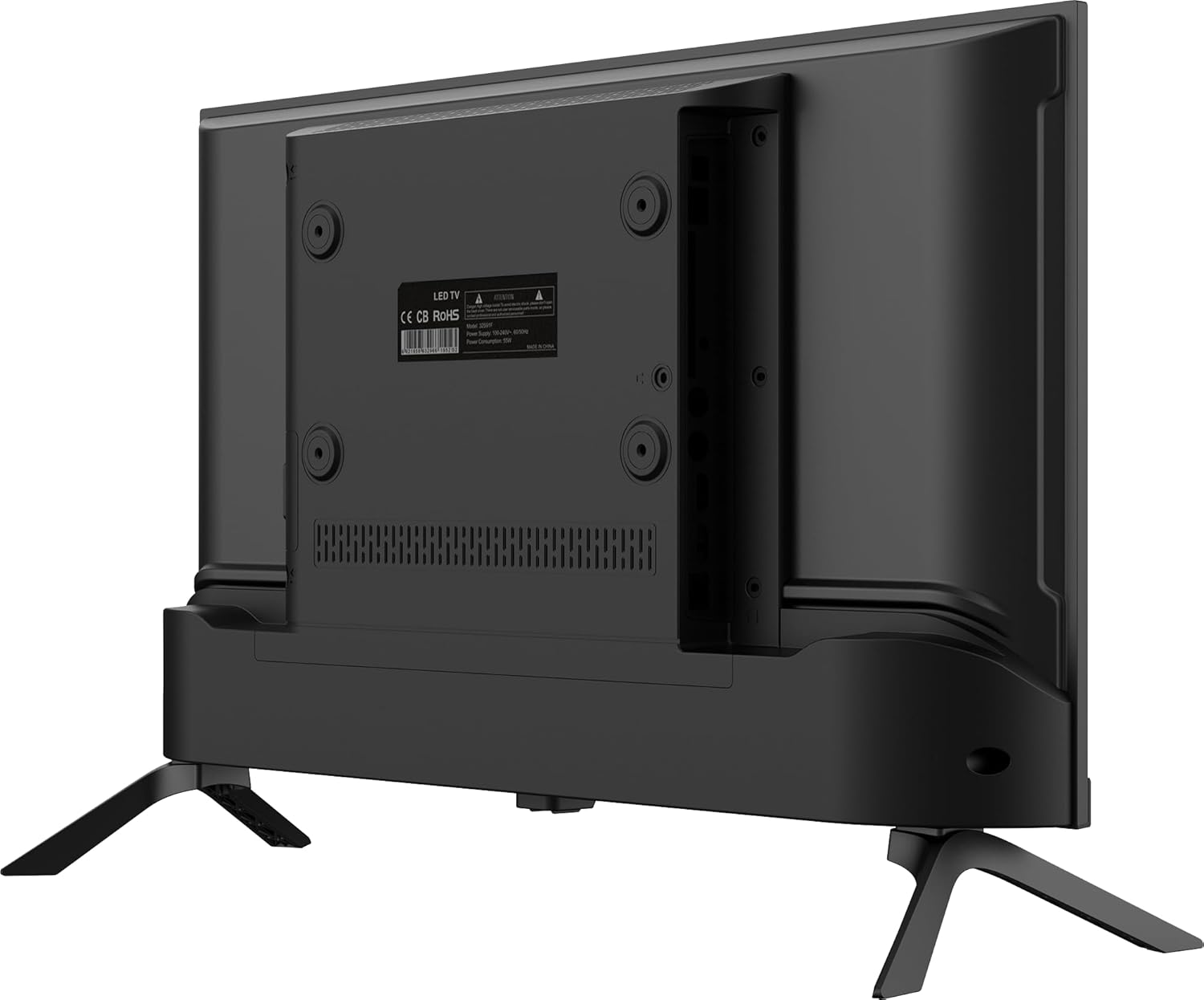
Слика 2: Задња страна view of the TV, highlighting VESA mounting points and connectivity ports.
1.3 Повезивање периферних уређаја
Connect your external devices such as set-top boxes, gaming consoles, or sound systems to the TV's ports.
- ДВИ: Use HDMI cables for high-definition audio and video connections. This TV has 3 HDMI ports.
- УСБ: Connect USB storage devices for media playback. This TV has 2 USB ports.
- ЛАН: За жичану интернет везу, повежите Етернет кабл са ЛАН портом.
- Аудио излаз: Use the 3.5mm audio output for external speakers or headphones.
1.4 Почетно укључивање и подешавање Google TV-а
- Прикључите кабл за напајање на телевизор, а затим на утичницу.
- Притисните дугме за напајање на даљинском управљачу или на телевизору.
- Пратите упутства на екрану да бисте завршили почетно подешавање, које укључује:
- Избор језика.
- Connecting to a Wi-Fi network (supports Wi-Fi 2T2R) or using a wired Ethernet connection.
- Signing in with your Google account to access Google TV features, apps, and voice control.
- Scanning for available TV channels (if connecting an antenna).

Figure 3: The Google TV interface, showing various streaming applications.
2. Оперативни
2.1 Основне функције телевизора
- Укључивање/искључивање: Користите дугме за напајање на даљинском управљачу или телевизору.
- Контрола јачине звука: Користите дугмад за појачавање/стишавање јачине звука на даљинском управљачу.
- Избор канала: Користите дугмад за пребацивање канала горе/доле или нумеричку тастатуру на даљинском управљачу.
- Извор уноса: Press the "Input" or "Source" button on the remote to switch between HDMI, USB, and other inputs.
2.2 Функције Google TV-а
Your Blaupunkt Smart TV runs on Google TV, providing access to a wide range of entertainment and smart features.
- Апликације за стримовање: Access popular services like Netflix, YouTube, and Google Play Store to download more applications.
- Контрола гласом: Use the integrated Google Assistant via the remote control to search for content, control playback, and manage smart home devices.
- Уграђен Цхромецаст: Преносите садржај директно са компатибилног паметног телефона, таблета или рачунара на ТВ екран.
- Блуетоотх КСНУМКС: Connect Bluetooth-enabled devices such as headphones or soundbars wirelessly.

Figure 4: Enjoying content on the Blaupunkt Smart TV with Google TV features.
3. Одржавање
3.1 Чишћење телевизора
- Увек искључите телевизор из утичнице пре чишћења.
- Користите меку, суву крпу која не оставља влакна да бисте обрисали екран и кућиште.
- За тврдокорне трагове, лагано дampОчистите крпу водом или благим, неабразивним средством за чишћење екрана. Никада не прскајте средство за чишћење директно на екран.
- Избегавајте употребу алкохола, бензена, разређивача или других испарљивих супстанци, јер могу оштетити телевизор.
3.2 Општа нега
- Не блокирајте вентилационе отворе на задњој страни телевизора.
- Избегавајте излагање телевизора директној сунчевој светлости, високим температурама или високој влажности.
- Држите телевизор даље од извора јаких електромагнетних сметњи.
КСНУМКС. Решавање проблема
Ако наиђете на проблеме са телевизором, погледајте следеће уобичајене проблеме и решења.
| Проблем | Могући узрок | Решење |
|---|---|---|
| Нема струје | Power cable disconnected; power outlet not working. | Проверите везу кабла за напајање; тестирајте утичницу са другим уређајем. |
| Нема слике, али је звук присутан | Изабран је погрешан улазни извор; проблем са подешавањима екрана. | Press the "Input" button on the remote to cycle through sources; check display settings. |
| Нема звука, али је слика присутна | Јачина звука је искључена или прениска; проблем са спољним аудио уређајем. | Increase volume; check mute status; ensure external audio devices are connected correctly. |
| Проблеми са Ви-Фи везом | Router too far; incorrect password; temporary network glitch. | Move TV closer to router or use Ethernet; re-enter Wi-Fi password; restart router and TV. |
| Даљински управљач не ради | Batteries depleted; obstruction between remote and TV. | Replace batteries; remove any obstructions; ensure remote is pointed at the TV's IR sensor. |
Ако проблем и даље постоји након што сте испробали ова решења, обратите се корисничкој подршци.
5. Спецификације
| Феатуре | Детаљ |
|---|---|
| Бранд | БЛАУПУНКТ |
| Модел | 24WGC5500S |
| Модел Иеар | 2024 |
| Величина екрана | 24 инча |
| Дисплаи Тецхнологи | ЛЕД ЛЦД |
| Резолуција екрана | 1366 x 768 Pixels (HD Ready) |
| Омјер слике | 16:9 |
| Рефресх Рате | 60 Хз |
| Оперативни систем | Гоогле ТВ |
| Повезивање | Wi-Fi (2T2R), Bluetooth 5.0, Ethernet |
| ХДМИ портови | 3 |
| УСБ портови | 2 |
| Аудио излаз | 3.5 мм прикључак |
| Аудио излазна снага | 12 Watts (2x6W stereo) |
| Посебне карактеристике | Chromecast Built-in, Voice Control with Google Assistant |
| Потрошња енергије | 17 Watts (Energy Class E) |
| Волtage | 240 Волтс |
| Димензије производа (Ш к В к Д) | 53.6 x 36 x 15.6 цм (са постољем) |
| Тежина производа | 2.2 кг |
| Компатибилност монтаже | VESA 200x100 (Wall mount, Table stand) |
6. Гаранција и подршка
6.1 Информације о гаранцији
Your Blaupunkt TV comes with a standard manufacturer's warranty. Please refer to the warranty card included in your product packaging for specific terms, conditions, and duration. Keep your proof of purchase for warranty claims.
6.2 Корисничка подршка
For technical assistance, troubleshooting beyond this manual, or warranty inquiries, please contact Blaupunkt customer support. Contact details can typically be found on the official Blaupunkt webсајту или на гарантном листу.
When contacting support, please have your TV model number (24WGC5500S) and serial number ready.


