
Увод
This manual provides comprehensive instructions for the assembly, operation, maintenance, and troubleshooting of your FLEXISPOT One-Piece Electric Standing Desk. Please read this manual thoroughly before assembly and use to ensure proper function and safety. Keep this manual for future reference.

Image: The FLEXISPOT One-Piece Electric Standing Desk, featuring a black desktop and black frame, set up with a laptop and monitor.
Подешавање и монтажа
Your FLEXISPOT Electric Standing Desk is designed for straightforward assembly. The desk ships in two separate packages, which may arrive at different times. Please ensure all components are present before beginning assembly.
Потребни алати (нису укључени):
- Electric drill (recommended for faster assembly)
Кораци склапања:
- Unpack all components and verify against the parts list provided in the separate assembly guide.
- Attach the desk legs to the desktop frame. The main bracket and motor are pre-attached for convenience.
- Secure the desktop to the frame. The desktop is a single, seamless piece, 1 inch thick, providing enhanced stability.
- Connect the control panel and power cables according to the wiring diagram in the assembly guide.
- Install any optional accessories, such as the headphone hooks, if desired.
Важно: Always follow the detailed assembly instructions included in your product packaging. Ensure all screws are tightened securely to prevent instability. Do not exceed the maximum weight recommendation of 132 pounds.

Слика: Крупни план view highlighting the seamless, one-piece desktop with rounded edges, emphasizing its solid construction.
Упутство за употребу
The FLEXISPOT Electric Standing Desk features an intuitive control panel for easy height adjustment and memory presets.
Подешавање висине:
- Користите Up и Доле arrow buttons on the control panel to adjust the desk height.
- Сто се може подесити од минималне висине од 28.1 инча до максималне висине од 45.7 инча.
- The motor operates quietly, under 50 dB, ensuring minimal disruption to your workspace.
Меморијска подешавања:
The desk includes four programmable memory height presets, allowing you to save and recall your preferred sitting and standing positions instantly.
- Подесите сто на жељену висину помоћу дугмади горе/доле.
- Притисните тастер М button (or similar memory set button, refer to your control panel diagram).
- Одмах притисните једно од нумерисаних унапред подешених дугмади (1, 2, 3 или 4) да бисте сачували тренутну висину на тој позицији.
- Да бисте позвали сачувану висину, једноставно притисните одговарајуће нумерисано дугме за унапред подешену вредност. Сто ће се аутоматски померити на сачувану позицију.

Слика: Детаљна view of the smart control panel, showing the LED display for height, up/down buttons, and four memory preset buttons.

Image: A visual representation of the desk's height adjustment range, indicating minimum (28.1 inches) and maximum (45.7 inches) heights.
Одржавање
Редовно одржавање осигурава дуготрајност и оптималне перформансе вашег стола за стајање.
- Чишћење: Обришите радну површину и оквир меком крпомamp крпом. Избегавајте абразивна средства за чишћење или јаке хемикалије које би могле оштетити завршну обраду.
- Управљање кабловима: Periodically check and organize cables to prevent tangles and ensure smooth operation during height adjustments.
- Ограничење тежине: Do not exceed the maximum weight capacity of 132 pounds. Overloading can strain the motor and frame.
- Услови животне средине: Држите сто даље од директних извора топлоте и прекомерне влаге.
- Провера причвршћивача: Occasionally check all screws and fasteners to ensure they remain tight. Retighten if necessary.
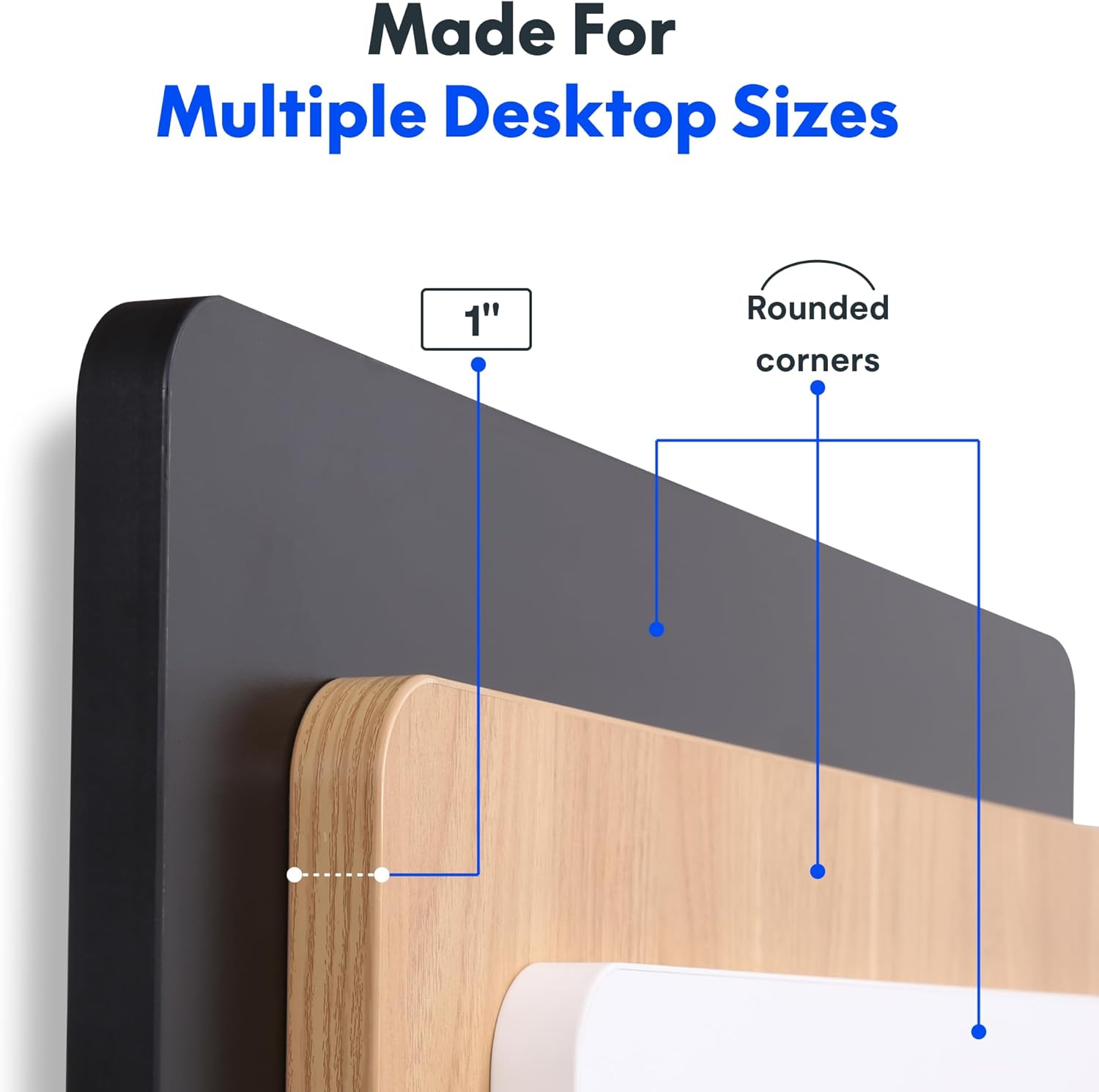
Image: The desk in operation, illustrating its smooth and quiet movement, ideal for maintaining concentration.
Решавање проблема
If you encounter issues with your FLEXISPOT Electric Standing Desk, refer to the following common problems and solutions.
Сто се не подешава по висини:
- Прикључак за напајање: Ensure the power cord is securely plugged into both the desk and a working electrical outlet.
- Кабловске везе: Check all cables connecting the control panel to the motor and power supply for secure connections.
- Преоптерећење: Verify that the weight on the desk does not exceed the maximum capacity of 132 pounds. Remove excess weight and try again.
- Процедура ресетовања: Consult your specific assembly guide for any factory reset procedures for the control panel.
Необични звуци током подешавања:
- Звук клика: A clicking sound, particularly when lowering, may indicate an issue with the motor or leg mechanism. Ensure the desk is not overloaded. If the issue persists, contact customer support.
- колебање: Ensure all assembly screws are tightly secured. Check that the desk is on a level surface.
Ако ови кораци не реше проблем, погледајте одељак о гаранцији и подршци за додатну помоћ.
Спецификације
Detailed specifications for the FLEXISPOT One-Piece Electric Standing Desk (48x24 inch model).

Image: A diagram illustrating the key dimensions of the desk: 48 inches in width, 24 inches in depth, and a 1-inch desktop thickness.
| Феатуре | Детаљ |
|---|---|
| Бранд | ФЛЕКСИСПОТ |
| Модел | One-Piece Electric Standing Desk 48x24 |
| Desktop Dimensions (W x D) | 48 инча к 24 инча |
| Десктоп Тхицкнесс | 1 инча |
| Опсег подешавања висине | 28.1 инча (мин.) до 45.7 инча (макс.) |
| Ниво буке мотора | Испод 50 dB |
| Мемори Пресетс | 4 |
| Максимални капацитет тежине | 132 фунти |
| Материјал оквира | легирани челик |
| Материјал за радну површину | Енгинееред Воод |
| Боја | Black Top + Black Frame |
| Посебне карактеристике | One-Piece Desktop, Headphone Hook |
| Обавезна монтажа | Да |

Слика: Крупни план view of the desk's underside, highlighting the two convenient headphone hooks for storage.
Информације о гаранцији
FLEXISPOT provides the following warranty for your Electric Standing Desk:
- Frame, Motor, and Mechanical Parts: 5-годишња ограничена гаранција.
- Електронске компоненте: 2-годишња ограничена гаранција.
This warranty covers defects in materials and workmanship under normal use. Please retain your proof of purchase for warranty claims. For specific terms and conditions, refer to the warranty documentation included with your product or visit the official FLEXISPOT webсајту.
Корисничка подршка
For further assistance, technical support, or warranty claims, please contact FLEXISPOT customer service. You can typically find contact information on the official FLEXISPOT webсајту или преко продавца где сте купили производ.
Када контактирате подршку, припремите следеће информације:
- Product Model: One-Piece Electric Standing Desk 48x24
- ASIN: B0DRFZWN7X
- Датум куповине
- Детаљан опис проблема
Посетите FLEXISPOT Store on Amazon за више информација о производу и ресурсе за подршку.