Увод
This manual provides detailed instructions for the setup, operation, and maintenance of your Speedlink CONUX RGB Gaming Headset. Please read this manual carefully before using the product to ensure proper functionality and longevity.
The CONUX RGB stereo gaming headset features powerful 50mm driver units for precise audio reproduction, from deep bass to high treble. It includes multi-coloured RGB illumination for an enhanced gaming atmosphere. Designed for comfort, it features ultra-soft padding and a robust metal frame. The headset offers variable size adjustment and a detachable, sensitive microphone with a flexible arm. An integrated cable remote control allows for quick volume adjustment and microphone muting. Universal compatibility is provided via a 3.5mm jack plug and a supplied Y-adapter, supporting PC, PS5, PS4, Xbox, and Switch platforms.
Садржај пакета
Уверите се да су све ставке присутне у пакету:
- CONUX RGB Gaming Headset
- 3.5mm Y-Adapter (2 x 3.5mm TRS 3-pin)
- USB-A Cable (for RGB lighting power)
- Кориснички приручник (овај документ)
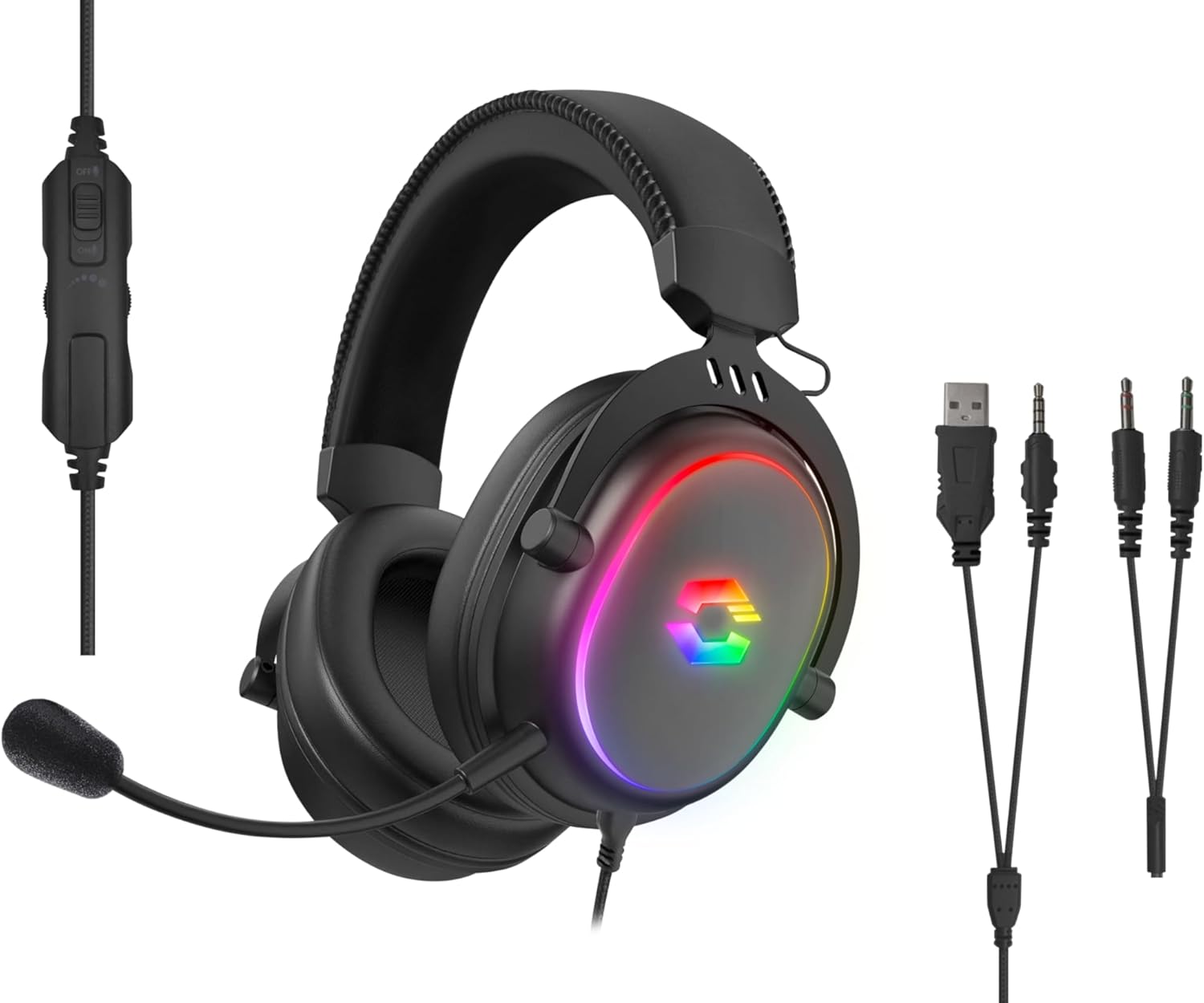
Image: The CONUX RGB Gaming Headset shown with its integrated cable remote, detachable microphone, 3.5mm jack, USB-A cable for RGB, and the included Y-adapter.
Сетуп
Повезивање слушалица
- For PC/Laptop (with separate audio/mic ports):
- Connect the headset's 3.5mm jack to the supplied 2 x 3.5mm Y-adapter.
- Plug the green connector of the Y-adapter into your computer's audio output (headphone) jack.
- Plug the pink connector of the Y-adapter into your computer's microphone input jack.
- For PC/Laptop/Gaming Console (with combined 3.5mm TRRS jack):
- Directly plug the headset's 3.5mm 4-pin (TRRS) jack into the combined audio/microphone port of your device (e.g., PS5, PS4, Xbox Series X/S, Switch, mobile phone, laptop with single jack).
- Powering RGB Lighting:
- Connect the USB-A cable from the headset to any available USB-A port on your PC, console, or a USB power adapter. This cable is solely for powering the RGB LED lighting.

Слика: Компатибилност прекоview showing support for PC, PS5, PS4, Xbox One, Xbox Series X/S, Nintendo Switch/OLED/Lite.
Упутство за употребу
Ношење слушалица
- Adjust the headband to ensure a comfortable and secure fit. The headband is designed for variable size adjustment.
- Position the earcups over your ears so they fully enclose them, utilizing the ultra-soft padding for maximum comfort during extended use.
Употреба микрофона
- The microphone is detachable. To attach, align the microphone jack with the port on the left earcup and insert firmly.
- Adjust the flexible arm of the microphone to position it optimally near your mouth for clear voice capture.
- Use the integrated cable remote control to mute/unmute the microphone. A switch or button on the remote will control this function.
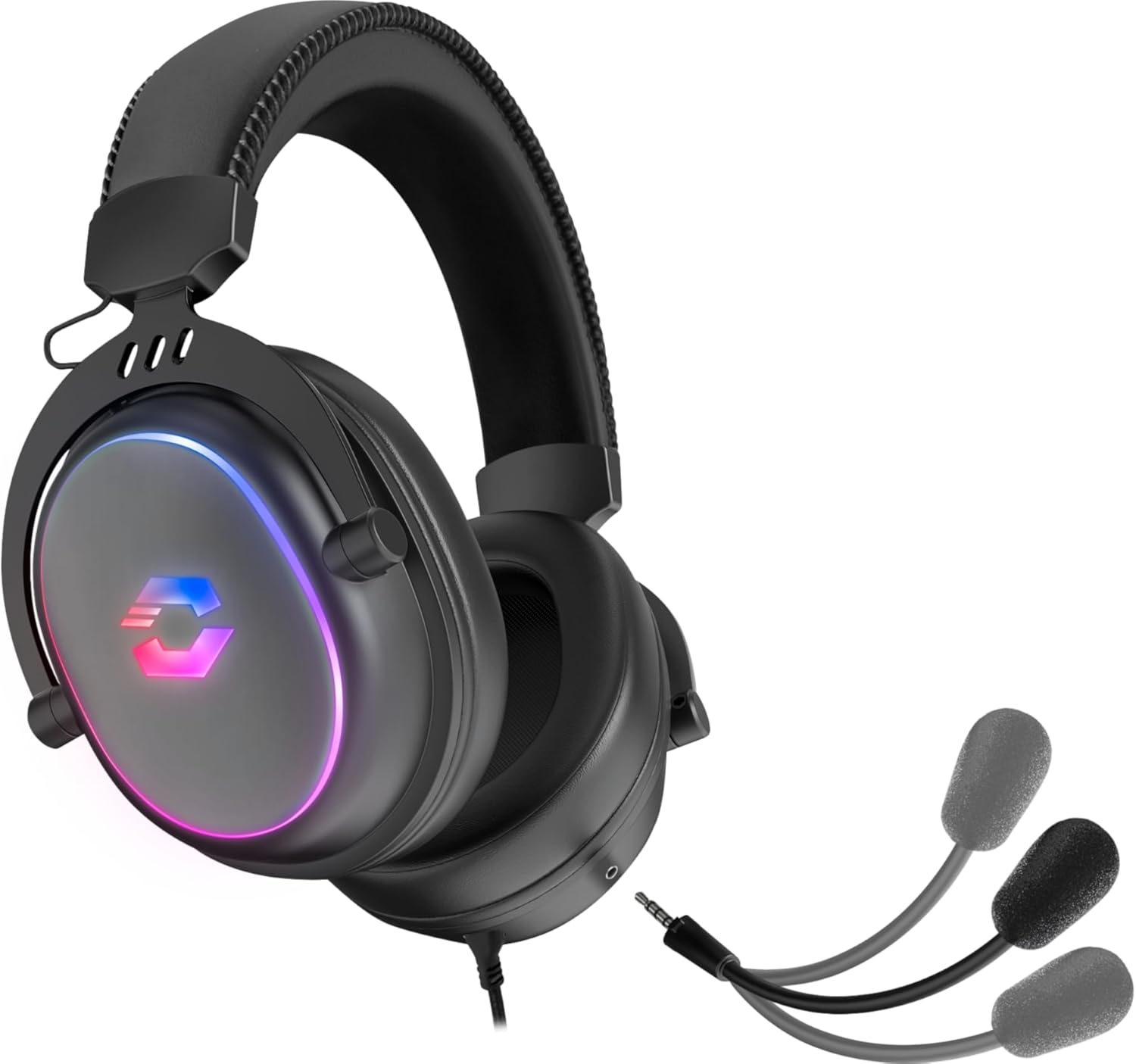
Image: The CONUX headset demonstrating its detachable microphone feature.
Контрола јачине звука
- The integrated cable remote control features a volume wheel or slider. Rotate or slide it to increase or decrease the audio volume.
РГБ осветљење
- The multi-coloured RGB lighting on the earcups will illuminate automatically when the USB-A cable is connected to a powered USB port.
- Осветљење пружа естетски ефекат и не утиче на звучне перформансе.

Image: The CONUX headset illuminated with its multi-colored RGB lighting effect.
Одржавање
- Чишћење: Use a soft, dry cloth to clean the headset. Do not use abrasive cleaners or solvents.
- Складиштење: Store the headset in a cool, dry place away from direct sunlight and extreme temperatures.
- Руковање: Avoid dropping the headset or subjecting it to strong impacts. Do not expose to liquids, heat, or cold.
- Каблови: Do not pull on the cables when disconnecting. Always grasp the plug firmly.
Решавање проблема
| Проблем | Могући узрок | Решење |
|---|---|---|
| Нема звука из слушалица |
|
|
| Микрофон не ради |
|
|
| РГБ осветљење не ради |
|
|
Спецификације
| Феатуре | Детаљ |
|---|---|
| Назив модела | Speedlink Conux (SL-860017-BK) |
| Технологија повезивања | Wired (3.5mm Jack, USB-A for RGB) |
| Јацк за слушалице | 3.5 mm Jack (TRRS 4-pin) |
| Укључене компоненте | Headset Cable, 3.5mm Y-Adapter |
| Материјал | Пластика, метал |
| Постављање уха | Преко уха |
| Форм Фацтор | Преко уха |
| Боја | Црно |
| Тежина артикла | 265 грама (приближно 9.3 унци) |
| Димензије производа | 162 x 208 x 87 mm (W×H×D) / 6.38 x 8.19 x 3.43 inches |
| Тип аудио драјвера | Динамички возач |
| Величина аудио драјвера | 50 милиметара |
| Фреквенцијски одзив (слушалице) | 20Хз-20кХз |
| Импеданса (слушалице) | 32Ω |
| Ниво звучног притиска | 106дБ ± 3дБ |
| Осетљивост микрофона | -42дБ ± 3дБ |
| Контрола буке | Звучна изолација |
| Цабле Ленгтх | 1.8 метара |
| Компатибилни уређаји | Gaming Consoles, Tablets, Mobile phones, Laptops, Desktops (PC, PS5, PS4, Xbox Series X/S, Switch) |
Safety Instructions and Conformity
Please observe the following important safety instructions to prevent damage, explosion, fire, or electric shock:
- Користите уређаје само онако како је наведено у упутству за употребу.
- Do not open or repair the device.
- Не излажите уређај течностима, топлоти или хладноћи.
- Не користите уређај у огласуamp животне средине.
- Очистите уређај сувом крпом.
- Држите уређај и све слободне делове даље од деце, кућних љубимаца и неовлашћених особа.
- Only use the device with the appropriate provided accessories.
- Disconnect cables from the devices if they will not be used for a long time. When disconnecting the cables, do not pull on the cord but on the plug.
- Don't use the cables in any way other than mentioned in the user guide; don't bend, cut, extend, knot or step on them.
- Не стављајте стране предмете у отворе уређаја.
- Ако су уређаји на било који начин оштећени или се превише загреју, одмах престаните да их користите.
- Будите опрезни када користите уређаје који емитују радио сигнале ако имате пејсмејкер или зависите од других осетљивих електронских помагала за живот.

Image: Detailed safety instructions, warning symbols, and conformity notices, including CE, UKCA, and WEEE markings.
Warning Symbols and Markings
The product bears the following symbols:
- ⚠: Warning symbol, indicating important safety information.
- ♻: WEEE (Waste Electrical and Electronic Equipment) symbol, indicating separate collection for electrical and electronic equipment. Do not dispose of with household waste.
- CE: CE marking, indicating conformity with European Union directives.
- УКЦА: UK Conformity Assessed marking, indicating conformity with applicable UK legislation.
Обавештење о усклађености
Рад уређаја (уређаја) може бити погођен јаким статичким, електричним или високофреквентним пољима (радио инсталације, мобилни телефони, микроталаси, електростатичка пражњења). Ако се то догоди, покушајте да повећатеasing удаљеност од уређаја који изазивају сметње. Обавештење о усаглашености на другим језицима: ввв.спеедлинк.цом
The product complies with the following directives: EMC 2014/30/EU, RoHS 2011/65/EU.
Гаранција и подршка
For warranty information and technical support, please visit the official Speedlink website or contact their customer service. Details can typically be found at ввв.спеедлинк.цом.
Manufacturer: Speedlink (Zeitfracht Medien GmbH, Im Dorf 5, 27404 Heeslingen, GERMANY)


