1. Увод
This manual provides comprehensive instructions for the installation, operation, maintenance, and troubleshooting of your NIVIAN Professional WiFi SuperHD Surveillance Camera Kit. This system is designed to provide reliable and efficient security monitoring for your home or business.
Please read this manual carefully before using the product to ensure proper setup and optimal performance. Keep this manual for future reference.
2. Производ је готовview
The NIVIAN CCTV Kit is a professional 2K SuperHD WiFi surveillance system featuring 6 IP cameras and a 10-channel Network Video Recorder (NVR) with a pre-installed 1TB hard drive. Key features include:
- 2K SuperHD Image Resolution: Пружа јасан и детаљан видео записtage (3MP).
- АИ детекција људи: Intelligent motion detection to reduce false alarms.
- Двосмерни аудио: Уграђени микрофон и звучник за комуникацију у реалном времену.
- Двоструки ноћни вид: Infrared mode for discreet monitoring and white LED mode for full-color night vision activated by motion.
- WiFi-6 Long Range Connectivity: Stable wireless connection up to 250 meters with repeater function.
- IP66 Weatherproof Cameras: Издржљив метал цasing suitable for outdoor use.
- Професионално снимање: Continuous or event-based recording to the included 1TB hard drive.
- ХДМИ излаз: Connect to a monitor or TV for live viewинг.
- Апликација EseeCloud: Remote access and control from mobile devices.
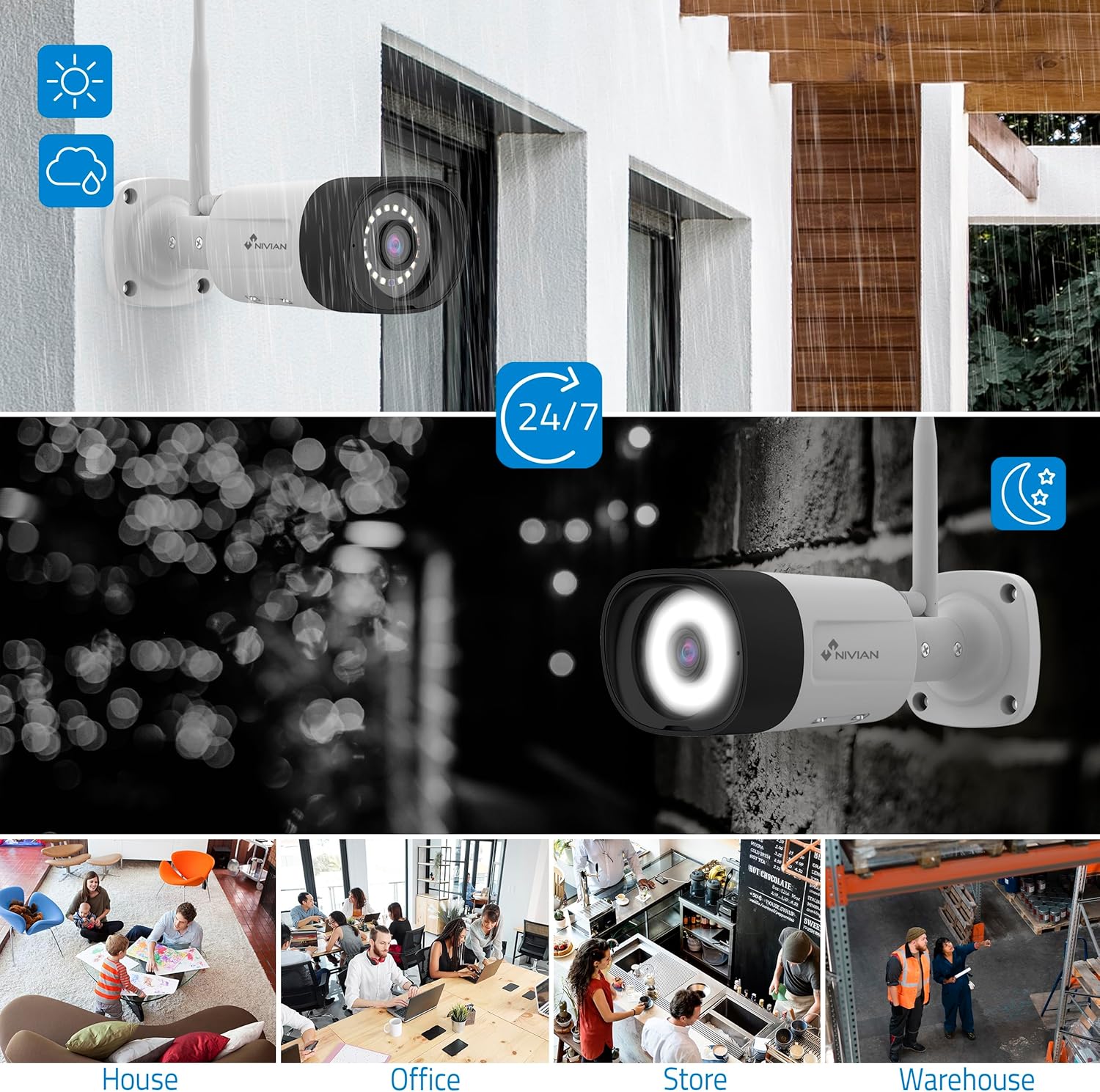
Image: NIVIAN CCTV Camera with day and night vision capabilities, showing weatherproof design and application in various environments like house, office, store, and warehouse.

Image: Comparison of 1080p Full HD video quality versus 2K Super HD video quality, demonstrating enhanced detail with 2K resolution.
3. Садржај пакета
Проверите да ли су све ставке присутне у вашем пакету:
- 1x 10-Channel NVR (Network Video Recorder) with 1TB Hard Drive
- 6x NIVIAN 2K SuperHD WiFi IP Cameras
- Адаптери за напајање за NVR и камере
- УСБ миш
- Етхернет Цабле
- Монтажни вијци и типлови
- Кратки водич (погледајте овај приручник за детаљна упутства)
4. Подешавање
4.1. NVR Installation
- Повежите НВР:
- Повежите NVR са електричном утичницом помоћу приложеног адаптера за напајање.
- Повежите НВР са монитором или ТВ-ом преко ХДМИ порта за локалну viewинг.
- Connect the USB mouse to the NVR's USB port.
- For internet access, connect the NVR to your router using the Ethernet cable.
- Укључено: Turn on the NVR. Follow the on-screen prompts for initial setup, including language selection and network configuration.
4.2. Инсталација камере
- Локација монтаже: Choose suitable locations for your cameras, ensuring they have a clear field of view and are within range of the NVR's WiFi signal. The IP66 rating allows for outdoor installation.
- Напајање камера: Повежите сваку камеру са електричном утичницом користећи њен наменски адаптер за напајање.
- Pairing (Automatic): The cameras are pre-paired with the NVR. Once powered on, they should automatically connect to the NVR's WiFi network. You will see the camera feeds appear on the connected monitor.
- Signal Repetition Function: If a camera is too far from the NVR, you can use another camera as a repeater to extend the WiFi range up to 250m. Refer to the NVR's on-screen menu for configuring this feature.

Image: Diagram illustrating various connection options for the NIVIAN CCTV system, including direct WiFi-6 connection to NVR, HDMI output to a monitor, and NVR connection to a router via LAN for remote access via Eseecloud app. Also shows signal repetition function.
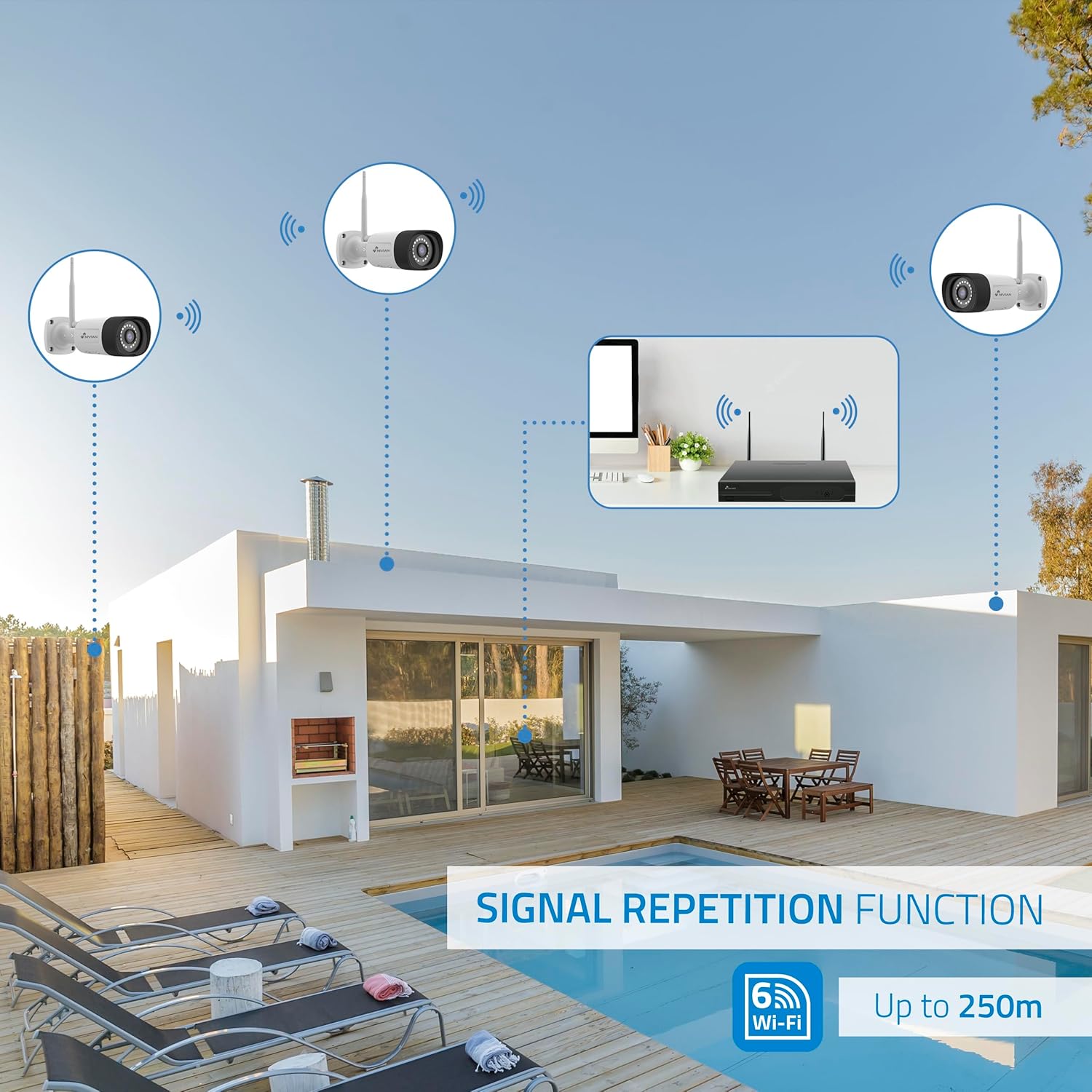
Image: Diagram showing the signal repetition function of the NIVIAN WiFi CCTV system, where cameras can extend the WiFi range up to 250 meters from the NVR.
4.3. Подешавање апликације EseeCloud
- Преузми апликацију: Download the "EseeCloud" app from your mobile device's app store (available for iOS, Android).
- Региструјте налог: Отворите апликацију и региструјте нови налог или се пријавите ако га већ имате.
- Додај уређај: Follow the in-app instructions to add your NVR system. This typically involves scanning a QR code displayed on the NVR's monitor or entering the device ID manually.
- Ремоте Viewинг: Када се дода, можете view live feeds, access recordings, and configure settings remotely.

Image: Smartphone screen displaying the EseeCloud app interface for managing the security system, showing live camera feeds and control options, with NIVIAN cameras and a laptop in the background.
5. Упутство за употребу
5.1. Ливе View
Access live camera feeds through the NVR connected to a monitor or via the EseeCloud mobile app. The NVR interface allows you to switch between single-camera view и мрежа са више камера view.
5.2. Снимање
- Континуирано снимање: The system is configured for continuous recording by default to the 1TB hard drive.
- Снимање детекције покрета: Configure cameras to record only when motion is detected. This can be scheduled via the NVR settings or EseeCloud app.
- H.265+ Codec: The system uses H.265+ video compression to optimize storage space while maintaining video quality.
5.3. Репродукција
Приступ снимљен фооtage through the NVR's playback menu or the EseeCloud app. You can search recordings by date, time, and event type (e.g., motion detection).
5.4. Детекција људи помоћу вештачке интелигенције
The cameras feature advanced AI human detection to differentiate human movement from other objects, significantly reducing false alarms. When human motion is detected, the system can trigger recordings, send notifications, and activate the white LED night vision for color footage.

Image: NIVIAN camera detecting a person at night, with the white LED light activated for color night vision, and a mobile notification indicating motion detection.
5.5. Двосмерни аудио
Use the EseeCloud app to utilize the two-way audio feature. This allows you to listen to audio from the camera's location and speak through the camera's built-in speaker.
5.6. Режими ноћног вида
- Инфрацрвени (ИЦ) режим: Provides black and white video in low-light conditions for discreet surveillance.
- Режим белог ЛЕД-а: When motion is detected in low light, the camera's white LEDs activate, providing full-color video and acting as a deterrent.
6. Одржавање
- Чишћење камере: Regularly clean the camera lenses with a soft, damp крпом како бисте осигурали јасан квалитет слике. Не користите јаке хемикалије.
- Ажурирања фирмвера: Check for firmware updates for the NVR and cameras through the EseeCloud app or NVR settings. Keep your system updated for optimal performance and security.
- Управљање чврстим диском: The 1TB hard drive will automatically overwrite the oldest recordings when full. If you need to preserve specific footage, back it up to an external device.
- Провера напајања: Уверите се да су сви адаптери за напајање безбедно повезани и да нису оштећени.
КСНУМКС. Решавање проблема
7.1. No Camera Feed
- Проверите снагу: Ensure the camera is powered on and its adapter is working.
- WiFi сигнал: Verify the camera is within the NVR's WiFi range. Use the signal repetition function if necessary.
- Re-pair Camera: If issues persist, try re-pairing the camera with the NVR through the NVR's menu.
7.2. Лош квалитет слике
- Чиста сочива: Очистите објектив камере од прљавштине или мрља.
- Осветљење: Ensure adequate lighting for optimal image quality, especially at night.
- WiFi Interference: Reduce potential WiFi interference by moving the camera or NVR, or by using the signal repetition function.
7.3. Remote Access Issues (EseeCloud App)
- Интернет веза: Ensure both your NVR and mobile device have a stable internet connection.
- NVR Network Settings: Verify the NVR is correctly connected to your router and has internet access.
- Верзија апликације: Ensure your EseeCloud app is updated to the latest version.
7.4. Hard Drive Full / Recording Issues
- Проверите складиште: Verify the hard drive status in the NVR settings.
- Распоред снимања: Уверите се да су распореди снимања правилно конфигурисани.
- Здравље чврстог диска: If issues persist, the hard drive may need to be checked or replaced.
8. Спецификације
| Бранд | НИВИАН |
| Број модела | NV-KIT830W-8CAM |
| Димензије производа (Д к Ш к В) | 23 к 12 к 8 цм; 6.2 килограма |
| Технологија повезивања | Бежични (Wi-Fi-6) |
| Резолуција снимања видео записа | 2К (3МП) |
| Број канала | 10 (NVR) |
| Број камера | 6 |
| Капацитет складиштења | 1 TB Hard Drive (included) |
| Карактеристике камере | IP Cameras SuperHD with PTZ, Night Vision, AI Human Detection, Two-Way Audio |
| Фраме Рате | 15 фпс, 24 фпс, 30 фпс |
| Компатибилни уређаји | Television (via HDMI) |
| Тип прикључка за напајање | Валл Моунт |
| Земља порекла | Кина |
9. Гаранција и подршка
NIVIAN offers technical support to all customers. If you have any questions, suggestions, or encounter any issues with your WiFi surveillance camera kit, please do not hesitate to contact us.
You can reach us through Amazon messages or via any official NIVIAN brand channel. Please refer to your purchase documentation for specific warranty terms and contact details.


