1. Увод
Welcome to the DOOGEE Tab A9 Pro user manual. This guide provides essential information to help you set up, operate, and maintain your new Android tablet. Please read this manual thoroughly before using the device to ensure proper functionality and safety.
2. Шта је у кутији
The DOOGEE Tab A9 Pro package includes the following items:
- 1 x DOOGEE Tab A9 Pro Tablet
- 1 к УСБ Типе-Ц кабл
- 1 к пуњач
- 1 x SIM Ejector Pin
- 1 к кутија за паковање
- 1 к Упутство за употребу
- 1 к Гарантни лист
- КСНУМКС к заштитник екрана (унапред примењен)
3. Производ је готовview
The DOOGEE Tab A9 Pro features a sleek design and powerful components for an optimal user experience.
Кључне карактеристике:
- Приказ: 10.1-inch IPS HD Ultra-Clear Display (1280x800 pixels, 16.7 million colors, 16:10 aspect ratio, 1200:1 contrast, 2.5D cover glass).
- процесор: Unisoc T310 Quad-core, 2 GHz.
- Меморија и складиштење: 20GB RAM (4GB base + 16GB virtual), 128GB ROM, expandable up to 2TB with microSD.
- батерија: 6580 mAh Lithium battery for extended use.
- камере: Задња камера од 8 МП, предња камера од 5 МП.
- Оперативни систем: Андроид 15.
- Повезивање: Wi-Fi (2.4G/5G), Bluetooth 5.0.
- аудио: Dual 1217 BOX Speakers, 3.5mm Audio Jack.
- безбедност: Откључавање лицем.
- Димензије: 24.53 x 16.33 x 0.99 cm; 478 grams.
Физичке компоненте:
Familiarize yourself with the tablet's physical layout.
Слика 3.1: Предња и задња страна view of the DOOGEE Tab A9 Pro Tablet.

Слика 3.2: Страна view showing power button, volume controls, and ports.

Figure 3.3: Available color options for the DOOGEE Tab A9 Pro Tablet.
4. Подешавање
4.1 Почетно укључивање
- Притисните и држите дугме за напајање које се налази са стране таблета док се не појави DOOGEE лого.
- Пратите упутства на екрану да бисте изабрали језик, повезали се са Wi-Fi мрежом и подесили свој Google налог.
4.2 Пуњење батерије
Before first use, fully charge the tablet's battery.
- Повежите USB Type-C кабл са портом за пуњење таблета.
- Connect the other end of the cable to the provided charger, then plug the charger into a power outlet.
- Индикатор пуњења ће се појавити на екрану.

Figure 4.1: Illustration of the 6580 mAh high-capacity battery.
4.3 Уметање MicroSD картице
To expand storage, insert a microSD card (sold separately).
- Пронађите лежиште за SIM/microSD картицу са стране таблета.
- Уметните иглу за избацивање СИМ картице у мали отвор поред лежишта да бисте га отворили.
- Place the microSD card into the designated slot on the tray.
- Пажљиво гурните лежиште назад у таблет док не кликне на своје место.

Figure 4.2: Storage capacity details, including expandable memory.
5. Упутство за употребу
5.1 Навигација кроз Андроид 15
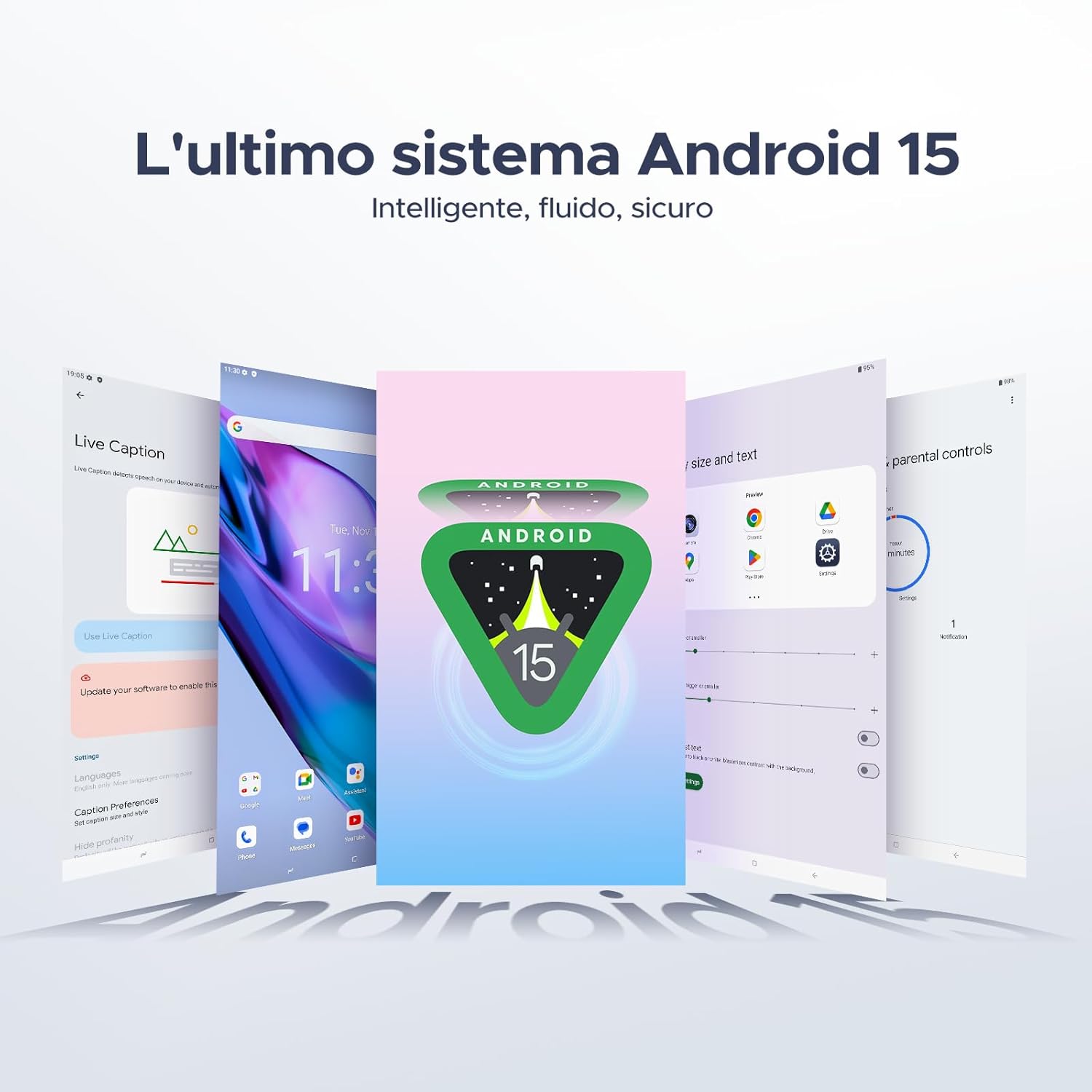
Your tablet runs on the latest Android 15 system, offering an intelligent, fluid, and secure experience.

Figure 5.1: The Android 15 operating system interface.
5.2 Карактеристике екрана
The 10.1-inch IPS HD display provides a wide visual field. Utilize features like Eye-Caring Mode and Dark Mode for enhanced viewин удобност.

Figure 5.2: Details of the 10.1-inch IPS HD Ultra-Clear Display.

Figure 5.3: Eye-Caring Mode and Dark Mode for visual comfort.
5.3 Употреба камере
Capture moments with the 8MP main camera and take clear selfies or video calls with the 5MP front camera. The tablet also supports Beauty Mode and Google Smart Camera features.

Figure 5.4: The 8MP main camera for clear photos.

Figure 5.5: The 5MP front camera for selfies and video calls.

Figure 5.6: Beauty Mode for enhancing photos.

Figure 5.7: Google Smart Camera features for enhanced photography.
5.4 Аудио и повезивање
Enjoy clear audio through the dual 1217 BOX speakers or connect headphones via the 3.5mm audio jack. The tablet supports Wi-Fi 5 (2.4G/5G) for stable and fast internet access.

Figure 5.8: Dual 1217 BOX speakers for crystal clear audio.

Figure 5.9: Standard 3.5mm audio jack for stable, distortion-free transmission.

Figure 5.10: Wi-Fi 5 for seamless connectivity.
5.5 Безбедност и приватност
Unlock your tablet effortlessly using Face Unlock. Android 15 also provides enhanced privacy features, including precise permission control, robust data encryption, and proactive app screening.

Figure 5.11: Face recognition unlock for easy access.

Figure 5.12: Enhanced privacy shield features of Android 15.
5.6 Функције продуктивности
The tablet supports efficient split-screen multitasking and comes with WPS Office integrated for productivity on the go.

Figure 5.13: Efficient split-screen multitasking.

Figure 5.14: WPS Office integrated for PC-level productivity.
5.7 Додатне функције
The tablet offers Sleep Mode, Multi-user System, and Parental Control features for a versatile user experience.

Figure 5.15: Discover more with Android 15 features.
5.8 Видео снимци производа
Watch these official videos for a visual guide to the DOOGEE Tab A9 Pro's features.
Video 5.1: DOOGEE Tab A9 Pro product overview (Преview).
Video 5.2: DOOGEE Tab A9 Pro features highlight (Preview).
Video 5.3: DOOGEE Tab A9 Pro design and performance (Preview).
6. Одржавање
6.1 Чишћење таблета
- Користите меку крпу која не оставља влакна да бисте очистили екран и кућиште таблета.
- Избегавајте употребу јаких хемикалија или абразивних материјала, јер могу оштетити површину.
6.2 Одржавање батерије
- Избегавајте излагање таблета екстремним температурама.
- За оптималан век трајања батерије, избегавајте често потпуно пражњење батерије.
6.3 Ажурирања софтвера
Regularly check for and install software updates to ensure your tablet has the latest features and security enhancements. Go to Подешавања > Систем > Ажурирање система да проверите ажурирања.
КСНУМКС. Решавање проблема
If you encounter issues with your DOOGEE Tab A9 Pro, refer to the following common solutions:
| Проблем | Решење |
|---|---|
| Таблет се не укључује | Ensure the battery is charged. Connect the charger and wait a few minutes before attempting to power on again. If it still doesn't turn on, press and hold the power button for 10-15 seconds to force a restart. |
| Екран не реагује | Поново покрените таблет. Ако проблем и даље постоји, извршите враћање на фабричка подешавања (напомена: ово ће обрисати све податке). |
| Проблеми са Ви-Фи везом | Рестартујте Wi-Fi рутер и таблет. Заборавите мрежу у подешавањима таблета и поново се повежите. Уверите се да сте у домету Wi-Fi сигнала. |
| Апликације се руше или замрзавају | Clear the cache and data for the problematic app (Settings > Apps > [App Name] > Storage > Clear Cache/Clear Data). If the issue continues, uninstall and reinstall the app. Ensure your tablet's software is up to date. |
| Батерија се брзо празни | Reduce screen brightness, close unused apps running in the background, disable Wi-Fi/Bluetooth when not in use, and check for power-intensive apps in battery usage settings. |
Ако ова решења не реше проблем, обратите се корисничкој подршци.
8. Спецификације
Detailed technical specifications for the DOOGEE Tab A9 Pro:
| Феатуре | Спецификација |
|---|---|
| Бранд | ДООГЕЕ |
| Број модела | Tab A9 PRO |
| Оперативни систем | Андроид 15 |
| Процесор | Unisoc T310 Quad-core, 2 GHz |
| РАМ | 20 GB (4GB base + 16GB virtual) |
| Интерна меморија (РОМ) | 128 ГБ |
| Екпандабле Стораге | Up to 2 TB via microSD card (sold separately) |
| Величина екрана | 10.1 инча |
| Резолуција екрана | 1280 к 800 пиксела |
| Задња камера | 8 МП |
| Предња камера | 5 МП |
| Повезивање | Wi-Fi (802.11ac, 2.4G/5G), Bluetooth 5.0 |
| Капацитет батерије | 6580 Милиampер-сат (mAh) |
| Димензије производа | 24.53 к 16.33 к 0.99 цм |
| Тежина артикла | 478 грама |
| Боја | BLACK (also available in Glacier Blue, Meteorite Gray) |
9. Гаранција и подршка
Your DOOGEE Tab A9 Pro comes with a manufacturer's warranty. Please refer to the included Warranty Card for details on coverage and terms. For technical support, troubleshooting assistance beyond this manual, or warranty claims, please contact DOOGEE customer service through their official webсајт или продавницу где је производ купљен.
За више информација посетите DOOGEE продавница на Амазону.


