1. Увод
Хвала вам на куповиниasing the LEKATO FP-10 88-Key Foldable Digital Piano. This portable digital piano is designed for musicians of all levels, offering a full 88-key experience in a compact, travel-friendly design. This manual provides essential information for setting up, operating, and maintaining your instrument to ensure optimal performance and longevity.
Молимо вас да пажљиво прочитате ово упутство пре употребе производа и сачувате га за будуће потребе.
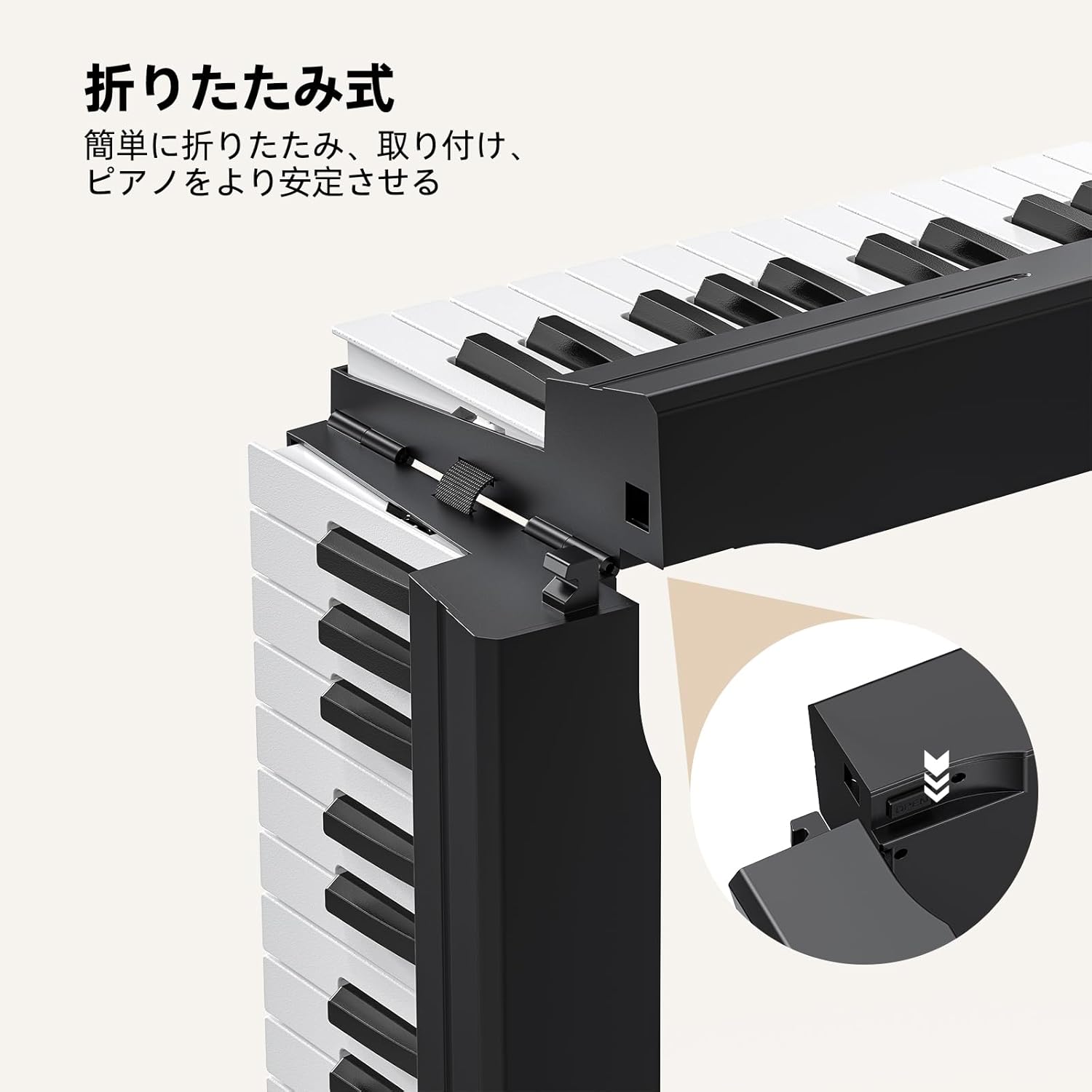
Figure 1: LEKATO FP-10 88-Key Foldable Digital Piano Overview
2. Садржај пакета
Уверите се да су све ставке присутне у пакету:
- LEKATO FP-10 88-Key Foldable Digital Piano
- Мусиц Станд
- Protective Carry Bag
- Повер Адаптер
- УСБ кабл
- Сустаин Педал
- Кориснички приручник (овај документ)
- Стицкерс

Слика 2: Укључена додатна опрема
3. Карактеристике производа
- 88-Key Foldable Design: Lightweight (2.9kg / 6.3 lbs) and easily folds for portability. Extended length: 125.5cm (49.4 inches), folded length: 62.5cm (24.6 inches).
- Свестрано повезивање: Integrated Bluetooth for music applications and USB-MIDI for Digital Audio Workstations (DAW). Supports audio input and external headphones.
- Rich Sound and Functions: Features 128 rhythms, 128 tones, 21 demo songs, automatic chord, transpose, recording, metronome, and dual keyboard mode.
- Реактивни тастери: Wood grain design with high-speed rebound keys for an authentic playing feel.
- Интерфејс прилагођен кориснику: Quick function buttons for convenient mode adjustment and function switching.
- Дуг век трајања батерије: Approximately 10 hours of operation on a full charge.

Слика 3: Кључне карактеристике изнадview
4. Подешавање
4.1 Расклапање клавира
- Поставите склопљени клавир на равну, стабилну површину.
- Gently unfold the two halves of the keyboard until they are fully extended and locked into place. Ensure the locking mechanism is secure.

Figure 4: Unfolding Mechanism
4.2 Power Connection and Initial Charge
Connect the power adapter to the DC IN port on the piano and plug it into a wall outlet. For the first use, charge the piano for at least 6 hours. Subsequent full charges typically take about 4 hours.

Figure 5: Power and Connectivity Ports
4.3 Connecting the Sustain Pedal
Plug the included sustain pedal into the dedicated sustain pedal input port on the piano.
5. Упутство за употребу
5.1 Укључивање/искључивање
Locate the power switch on the piano. Slide it to the "ON" position to power on the instrument. Slide it to "OFF" to power off.
5.2 Контролна табла прекоview
The control panel features various buttons for selecting tones, rhythms, demo songs, and adjusting other functions. Refer to the detailed diagram below for button identification.

Слика 6: Контролна табла
5.3 Подешавање јачине звука
Use the dedicated volume buttons (usually labeled "Vol+" and "Vol-") on the control panel to adjust the master volume of the piano.
5.4 Key Touch Sensitivity
The keys are designed with touch sensitivity, meaning the volume and timbre change based on how hard you press them. This allows for expressive playing. The piano features a wood grain design and high-speed rebound keys for an authentic feel.

Figure 7: Key Touch Sensitivity
6. Повезивање
6.1 Блуетоотх веза
The FP-10 features integrated Bluetooth for wireless connection to music applications on your smartphone, tablet, or computer. This allows for interactive learning and practice.
- Turn on the piano and activate Bluetooth on your device.
- Тражи "GZUT-MUSIC" or "GZUT-MIDI" in your device's Bluetooth settings and connect. "GZUT-MUSIC" connects the piano as a Bluetooth speaker, while "GZUT-MIDI" connects it for MIDI data transfer with music apps.
- Once connected, you can use compatible music applications for learning or playback.

Слика 8: Bluetooth повезивање
6.2 USB-MIDI Port
The USB-MIDI port allows you to connect the piano to a computer for use with Digital Audio Workstations (DAW) or other music software. Use the provided USB cable for connection.
6.3 Излаз за слушалице
For silent practice, connect standard headphones to the headphone jack. The piano's internal speakers will be muted automatically.

Figure 9: Headphone Use
7. Функције
The FP-10 offers a variety of functions to enhance your playing and learning experience.
- Tones (128 options): Select from a wide range of instrument sounds. Use the "Tone+" and "Tone-" buttons to cycle through available tones.
- Rhythms (128 options): Choose from various rhythmic accompaniments. Use the "Rhythm+" and "Rhythm-" buttons to select a rhythm.
- Demo Songs (21 options): Play pre-recorded demo songs for enjoyment or learning. Use the "Demo" button to start/stop and cycle through songs.
- Automatic Chord: Engages automatic chord accompaniment based on your playing.
- транспоновање: Adjust the pitch of the entire keyboard up or down.
- Снимање: Record your performances. Consult the control panel for specific record/playback buttons.
- Метрономе: Provides a steady beat for practice. Adjust tempo using dedicated buttons.
- Режим са две тастатуре: Splits the keyboard into two identical sections, allowing two players to play simultaneously or for a teacher and student to play together.

Figure 10: Dual Keyboard Mode

Figure 11: Rich Tones and Rhythms
8. Пуњење и батерија
The LEKATO FP-10 is equipped with a rechargeable battery for portable use. A full charge provides approximately 10 hours of playing time.
- Прво пуњење: For optimal battery health, charge the piano for at least 6 hours before its first use.
- Стандардно пуњење: Subsequent full charges typically take about 4 hours.
- Индикатор пуњења: The display or an indicator light will show the charging status.

Figure 12: 10-Hour Battery Life
9. Одржавање
- Чишћење: Use a soft, dry cloth to clean the surface of the piano. Do not use abrasive cleaners or solvents.
- Складиштење: When not in use, fold the piano and store it in the protective carry bag in a cool, dry place away from direct sunlight and extreme temperatures.
- Руковање: Avoid dropping the piano or subjecting it to strong impacts.
КСНУМКС. Решавање проблема
| Проблем | Могући узрок | Решење |
|---|---|---|
| Нема звука | Volume too low; headphones connected; piano not powered on. | Increase volume; disconnect headphones; ensure piano is powered on. |
| Блуетоотх веза не успева | Bluetooth not enabled on device; piano not in pairing mode; interference. | Ensure Bluetooth is on; restart piano and device; try connecting again. |
| Тастери не реагују | Piano not powered on; internal issue. | Ensure piano is powered on. If problem persists, contact customer support. |
11. Спецификације
- Модел: FP-10 (BC3359)
- Кључеви: 88, semi-weighted with wood grain texture
- Тонови: 128
- Ритмови: 128
- Демо песме: 21
- Повезивање: Bluetooth, USB-MIDI, Audio Input, Headphone Output
- Трајање батерије: Прибл. 10 сата
- Тежина: 2.9 кг (6.3 лбс)
- Продужена дужина: 125.5 цм (49.4 инча)
- Преклопљена дужина: 62.5 цм (24.6 инча)
12. Гаранција и подршка
The LEKATO FP-10 Digital Piano comes with a 1-year warranty from the date of purchase. If you encounter any quality issues with the product, exchanges are possible within the warranty period.
For any questions, concerns, or support needs, please contact our customer service. Refer to your purchase documentation for contact details.
13. Видео презентације производа
Watch this video for a demonstration of the LEKATO FP-10's features and sound capabilities.
Video: Demonstration of LEKATO FP-10 Digital Piano sounds and features.