1. Увод
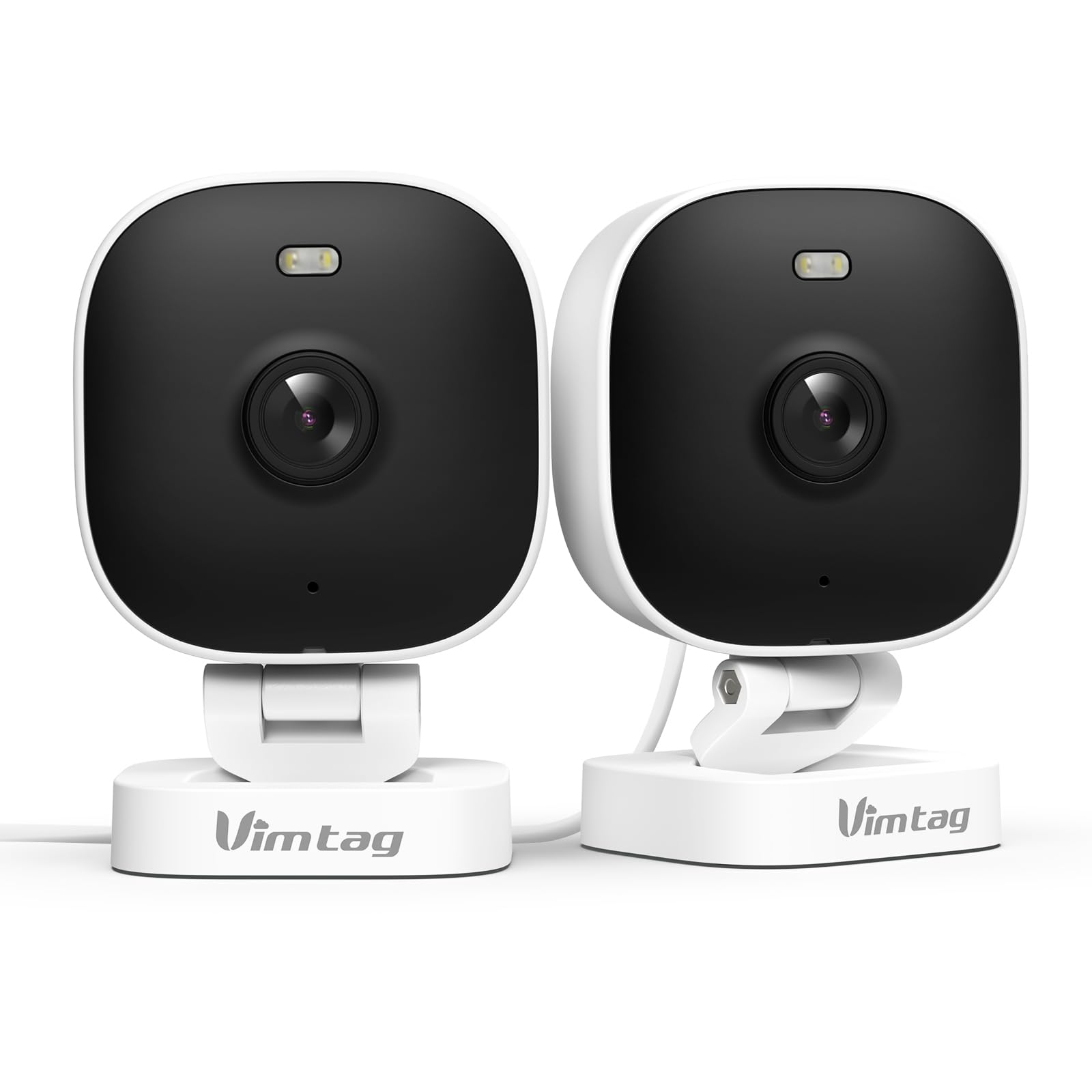
The VIMTAG 8310 2.5K Security Camera is designed to provide comprehensive surveillance for your home, pets, and loved ones. This manual provides detailed instructions for setting up, operating, and maintaining your camera to ensure optimal performance and security.
Кључне карактеристике:
- Континуирани рад: The camera operates 24/7 via a plug-in power cable, eliminating the need for battery charging. It supports 2.4GHz and 5GHz dual-band WiFi, including WiFi 6 technology, for stable connections.
- Видео високе резолуције: Provides 2.5K resolution for clear day and night visibility. Features full-color night vision, enhanced by a built-in LED light, for detailed monitoring in various indoor and outdoor environments.
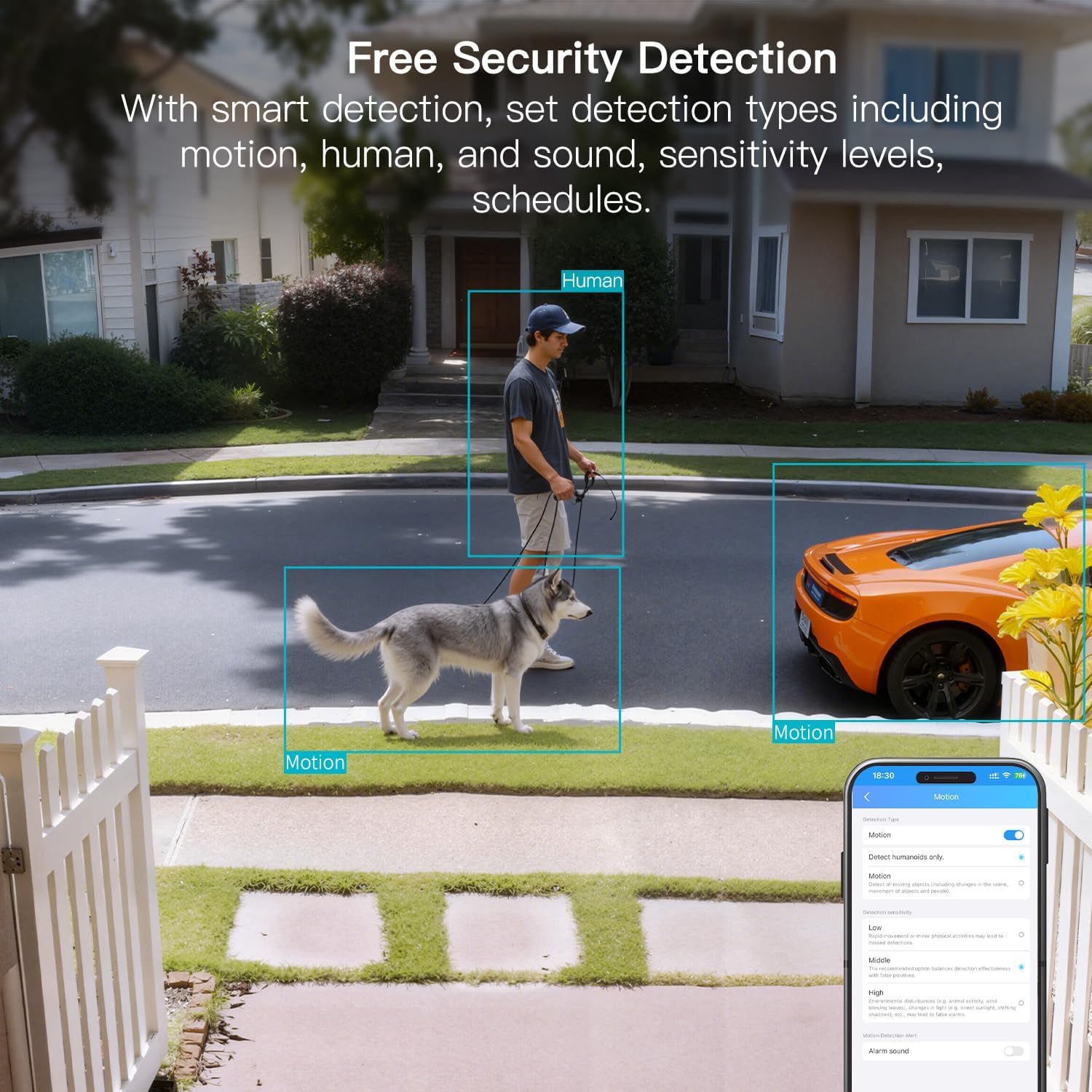
- Паметна детекција: Offers advanced detection capabilities for motion, people, and sound up to 33 feet. Users receive instant alerts for detected activity.
- Отпорност на временске услове: Rated IP65, the camera is designed for outdoor use and can withstand rain, snow, heat, and cold, ensuring continuous operation in various weather conditions.
- Remote Access and Two-Way Audio: The mobile app allows remote access to live video footage and recorded content. Built-in two-way audio enables real-time communication through the camera.
- Централизовано управљање: Up to 32 Vimtag WiFi cameras can be managed within a single application. Features include smart cloud storage (subscription required), motion detection, and event filtering.
2. Шта је у кутији
Молимо вас да проверите садржај пакета како бисте били сигурни да су сви предмети присутни:
- Camera with cable
- Монтажни вијак
- Повер Адаптер
- Упутство за употребу (овај документ)
3. Подешавање
3.1 Почетно подешавање и повезивање апликације
- Преузмите апликацију: Тражи "Canny Cam" in your smartphone's app store (iOS or Android) and download the application.
- Региструјте налог: Open the Canny Cam app and follow the on-screen instructions to register a new user account.
- Укључено: Connect the camera to the power adapter using the provided cable and plug it into an electrical outlet. The camera will power on automatically.
- Додај уређај: In the Canny Cam app, select the option to add a new device. Enable Bluetooth and Wi-Fi on your smartphone as prompted by the app.
- Пратите упутства у апликацији: The app will guide you through the process of connecting the camera to your home Wi-Fi network. Ensure your Wi-Fi network is 2.4GHz or 5GHz compatible.
- Потврда везе: Once successfully connected, the app will confirm the device has been added.

Image: Visual guide showing the steps to download the Canny Cam app, enable Bluetooth and Wi-Fi, and connect the camera.
3.2 Опције монтаже
The VIMTAG 8310 camera offers flexible mounting options to suit various indoor and outdoor locations. Use the provided mounting screws for secure installation.
- Zidni nosač: Securely attach the camera to a wall using the mounting bracket and screws.
- Монтажа на плафон: Install the camera on a ceiling for an overhead view.
- Tabletop Mount/Freestanding: Place the camera on a flat surface such as a table, shelf, or desk.
- Door Mount/Window Mount: Position the camera near doors or windows for specific entry point monitoring.

Image: A hand using a screwdriver to mount the VIMTAG camera to a surface.
Слика: прamples of various mounting positions for the camera, including freestanding, wall-mounted, and ceiling-mounted.
4. Руковање камером
4.1 Уживо View и Снимање
Access the live video feed and recorded footage through the Canny Cam app on your smartphone or tablet.

Image: A comparison demonstrating the enhanced detail of 2.5K QHD resolution compared to 1080p.
4.2 Ноћни вид у боји
The camera features full-color night vision, providing clear and detailed images even in low-light conditions, unlike traditional black-and-white night vision.
Image: A visual comparison illustrating the difference between color night vision and traditional night vision.
4.3 Dual-Band Wi-Fi Connectivity
The camera supports both 2.4GHz and 5GHz Wi-Fi bands, offering flexibility for network connection. 2.4GHz provides a stable connection over longer distances, while 5GHz offers faster speeds for shorter ranges.

Image: Explanation of 2.4GHz and 5GHz Wi-Fi benefits for the camera's connectivity.
4.4 Паметно откривање и упозорења
Configure motion, human, and sound detection settings within the Canny Cam app. The camera can trigger a smart sound and light alarm and send instant notifications to your smartphone upon detecting activity.

Image: Depiction of the smart sound and light alarm feature in action.

Image: App interface showing options for setting detection types and sensitivity levels.
4.5 Двосмерни аудио
Utilize the built-in microphone and speaker for two-way communication. This allows you to speak to visitors, deter intruders, or comfort pets remotely.
Слика: прample of using two-way audio to communicate through the camera.
4.6 Опције складиштења
The camera supports local storage via a MicroSD card (up to 512GB, sold separately) for continuous or event-triggered recording. Cloud storage is also available through a subscription service, offering event recording and multi-device playback.

Image: The camera's recording capabilities to a TF card or cloud storage.

Слика: Прекоview of Canny Cam app features, including those available with and without a cloud subscription.
4.7 Интеграција са Алексом
The VIMTAG 8310 camera is compatible with Alexa, allowing for hands-free control and live streaming to compatible Alexa-enabled devices.

Слика: прample of using Alexa to view феед камере.
5. Одржавање
To ensure the longevity and optimal performance of your VIMTAG 8310 camera, follow these maintenance guidelines:
- Чишћење: Regularly wipe the camera lens and body with a soft, dry cloth to remove dust and smudges. Avoid using harsh chemicals or abrasive materials.
- Ажурирања фирмвера: Check the Canny Cam app periodically for available firmware updates. Keeping your camera's firmware up-to-date ensures you have the latest features and security enhancements.
- Напајање: Ensure the camera is connected to a stable power source. Avoid using damaged cables or adapters.
- Заштита животне средине: While the camera is IP65-rated for weather resistance, avoid direct exposure to extreme conditions or prolonged submersion in water.
КСНУМКС. Решавање проблема
If you encounter any issues with your VIMTAG 8310 camera, please refer to the following common troubleshooting tips or contact support:
- Нема напајања: Ensure the power adapter is securely connected to both the camera and a working electrical outlet.
- Проблеми са Ви-Фи везом: Verify your Wi-Fi network is active and the camera is within range. Try restarting your router and the camera. Ensure you are connecting to the correct 2.4GHz or 5GHz network as supported by your router and camera settings.
- Проблеми са повезивањем апликација: Check if your smartphone has a stable internet connection. Ensure the Canny Cam app is updated to the latest version. Try restarting the app or your phone.
- Лош видео квалитет: Check your internet speed. A slow connection can affect streaming quality. Ensure the camera lens is clean.
- Детекција покрета не ради: Review the motion detection settings in the Canny Cam app to ensure they are configured correctly and sensitivity levels are appropriate.
Note: No relevant product videos with 'creator_type: Seller' were found in the provided data to include in this section.
7. Спецификације
| Феатуре | Детаљ |
|---|---|
| Унутрашња/спољна употреба | У затвореном, на отвореном |
| Компатибилни уређаји | Smartphone, iPhone, iPad, Android Phone, Android Pad |
| Извор напајања | Цордед Елецтриц |
| Цоннецтивити Протоцол | Ви-Фи |
| Тип контролера | АПП |
| Тип монтаже | Wall mount, Ceiling mount, Tabletop Mount, Freestanding, Door mount, Window mount |
| Резолуција снимања видео записа | 1440п (2.5К) |
| Боја | Бела |
| Број ставки | 2 |
| Број канала | 2 |
| Бежична комуникациона технологија | Ви-Фи |
| Форм Фацтор | Цубе |
| Ефективна видео резолуција | 4 МП |
| Viewинг Англе | 130 степени |
| Ноћни вид | 33 стопа |
| Фраме Рате | 25 кадрова у секунди |
| Материјал | Пластика |
| Волtage | 5 Волтс |
| Ватtage | 5 вати |
| Димензије артикла Д к Ш к В | 2.28 к 1.85 к 2.8 инча |
| Ниво отпорности на воду | Водоотпоран (ИПКСНУМКС) |
| Батерије су потребне? | бр |
| Тип флеш меморије | Мицро СД |
| Тежина артикла | 0.19 килограма (6.7 унци) |
| Видео кодирање | H.264 & H.265 |
| Облик | Правоугаона |
| Фоцус Типе | Ауто Фоцус |
| Технологија слабог осветљења | Нигхт Цолор |
| Тип зумирања | Дигитални зум |
| Зоом Ратио | 8 |
| Тип упозорења | Аудио и покрет |
| Тип извора светлости | LED, IR |
| Формат видео снимања | МПЕГ-4 |
| Технологија фото сензора | ЦМОС |
| Ефективна резолуција мировања | 4 МП |
| Оцена међународне заштите | ИП66 |
| Максимум Webцам Резолуција слике | 4 МП |
| Контролни метод | Апликација, даљински |
| Број ИР ЛЕД диода | 2 |
| Максимална подржана величина флеш меморије | 512 ГБ |
| Продуцт Граде | Ресидентиал Ареа |
| Компатибилност паметног дома | Smart Home Compatible |
| Целлулар Тецхнологи | 2.4Г 5Г |
| Audio Visual Recording Capabilities | Audio, Still Image, Video |
| Класа фреквенцијског опсега | Дуал-Банд |

Image: Product dimensions of the VIMTAG 8310 camera.
8. Гаранција и подршка
For expert support with setting up and optimizing your VIMTAG cameras, please contact our support team:
- Телефонска подршка: +1 (978) 437-5767
- Доступност: Monday to Friday, 9:00 AM - 6:00 PM (ET)
ВИМTAG is committed to providing lifetime technical support for its products. For any inquiries or assistance, please reach out to our dedicated support channels.

Image: VIMTAG Free Expert Support contact information.


