Увод
This manual provides essential information for the safe and effective use of your TCL TP300K Portable Bluetooth Party Speaker. Please read this guide thoroughly before operating the device and retain it for future reference. The TCL TP300K is designed to deliver powerful sound with dynamic RGB light shows, an 18-hour battery life, and an IPX4 splash-proof rating, making it suitable for various environments.
Шта је у кутији
Carefully unpack all items from the box. Ensure all components are present before discarding packaging materials.
- TCL TP300K Portable Bluetooth Party Speaker
- Повер Цорд
- Водич за брзи почетак
- Информације о гаранцији и безбедности

Image: The TCL TP300K speaker shown with its dimensions and a list of included accessories.
Производ је завршенview
The TCL TP300K features a robust design with intuitive controls and versatile placement options. It can be positioned horizontally or vertically thanks to its integrated handles.
Компоненте и контроле звучника
Familiarize yourself with the speaker's main components and control panel.

Слика: Угаона view of the TCL TP300K speaker, highlighting its overall design.
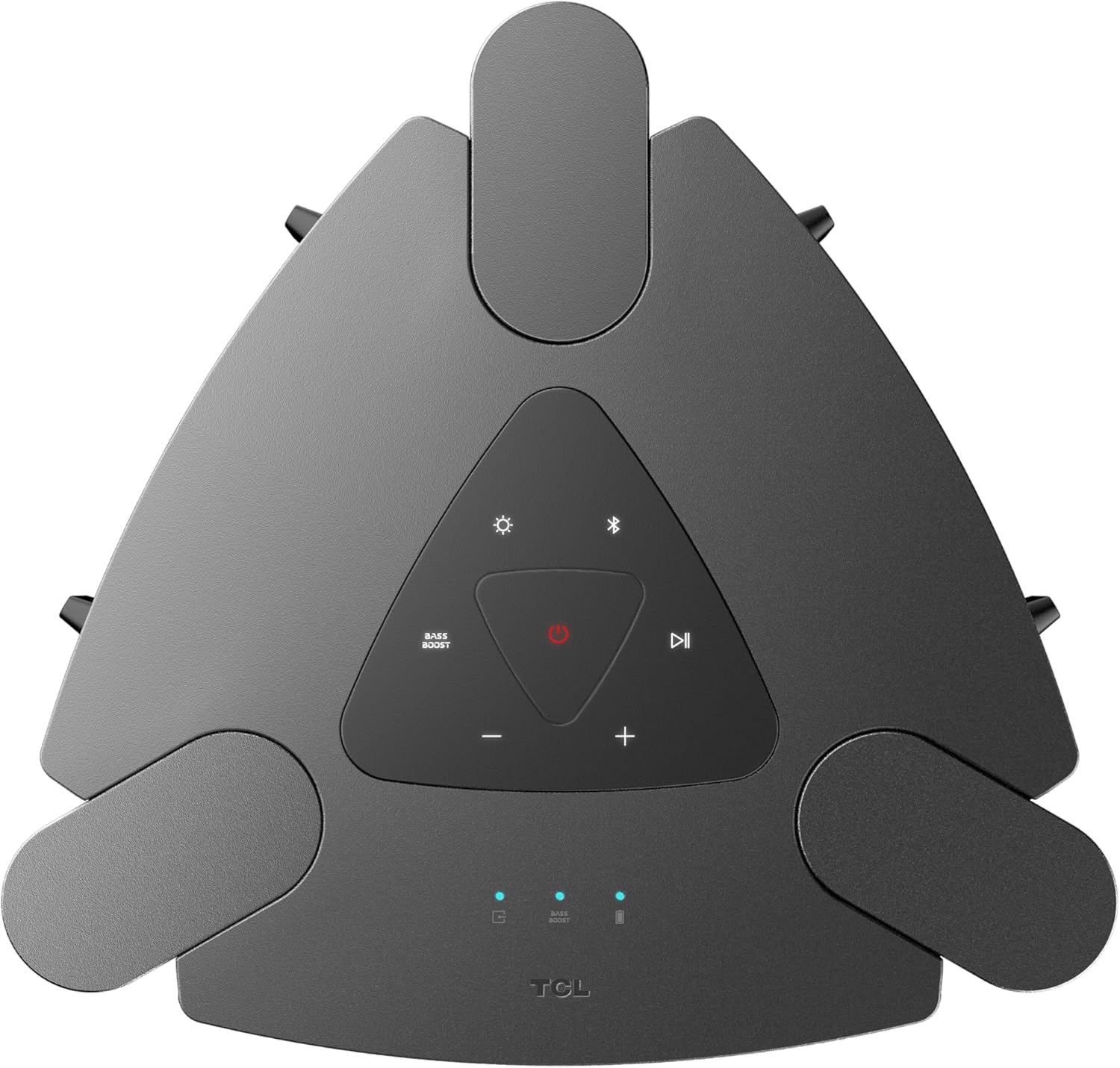
Слика: Крупни план view of the top control panel, showing buttons for power, Bluetooth, light modes, volume, and bass boost.

Слика: Детаљна view of the rear input panel, featuring ports for guitar, microphone, USB, and AUX connections.
Сетуп
Пуњење звучника
- Connect the provided power cord to the speaker's power input.
- Укључите други крај кабла за напајање у одговарајућу утичницу.
- The charging indicator will illuminate. A full charge provides approximately 18 hours of playback (at 25% volume with static light effects).

Image: The speaker shown in a party setting, illustrating its 18-hour battery life.
Укључивање/искључивање
- Да бисте укључили, притисните и држите Повер дугме на контролној табли.
- За искључивање притисните и држите тастер Повер дугме поново.
Упутство за употребу
Блуетоотх веза
- Уверите се да је звучник укључен.
- Притисните тастер Блуетоотх button on the control panel to enter pairing mode. The Bluetooth indicator will flash.
- On your mobile device, enable Bluetooth and search for "TCL TP300K".
- Select the speaker from the list to pair. Once connected, the Bluetooth indicator will glow solid.

Image: Two individuals wirelessly streaming music to the speaker from their mobile devices.
УСБ аудио репродукција
- Уметните УСБ диск који садржи аудио fileу УСБ порт на задњој плочи.
- The speaker will automatically switch to USB mode and begin playing music.
- Користите Пусти/Паузирај и Скип buttons on the control panel to manage playback.
Караоке режим
- Connect a microphone or guitar to the respective input jacks on the rear panel.
- Adjust the microphone/guitar volume and echo effect using the dedicated knobs.
- Play music via Bluetooth or USB and sing along.

Image: Individuals using the speaker for karaoke, demonstrating the microphone and guitar input functionality.
Wireless Party Link (Multi-Speaker Connection)
- Ensure both TCL TP300K speakers are powered on and not connected to any Bluetooth device.
- On one speaker (the primary speaker), press and hold the TWS/LINK button until you hear a confirmation tone.
- On the second speaker (the secondary speaker), press the TWS/LINK дугме накратко.
- The speakers will connect wirelessly. Once connected, pair your mobile device to the primary speaker via Bluetooth. Both speakers will play synchronized audio.

Image: A party scene with multiple TCL TP300K speakers linked together for a synchronized audio experience.
Упаривање Труе Вирелесс Стерео (ТВС)
For a stereo sound experience, you can pair two TP300K speakers.
- Follow the Wireless Party Link instructions to connect two speakers.
- Once linked, the speakers will automatically configure for left and right channel stereo playback.

Image: A visual representation of two speakers configured for True Wireless Stereo pairing, indicating left and right audio channels.
RGB Dynamic Light Shows
- Притисните тастер Лигхт Моде button on the control panel to cycle through 8 different RGB dynamic light show presets.
- Притисните и држите Лигхт Моде дугме да искључите светла.

Слика: Изложба говорникаasing its vibrant RGB dynamic light shows, creating an energetic atmosphere.
Bass Boost Function
- Притисните тастер Басс Боост button on the control panel to enhance low-frequency audio.
- Press the button again to deactivate the Bass Boost.

Слика: Изнад главе view of the speaker in a social setting, illustrating the impact of the Bass Boost feature.
Одржавање
Чишћење
- Ensure the speaker is powered off and unplugged before cleaning.
- Користите меку, суву крпу за брисање спољашњих површина.
- Не користите абразивна средства за чишћење, воскове или раствараче.
Splash-Proof Rating (IPX4)
The speaker has an IPX4 splash-proof rating, meaning it is resistant to splashing water from any direction. This makes it suitable for outdoor use where light splashes may occur. However, it is not designed to be submerged in water or exposed to high-pressure water jets.
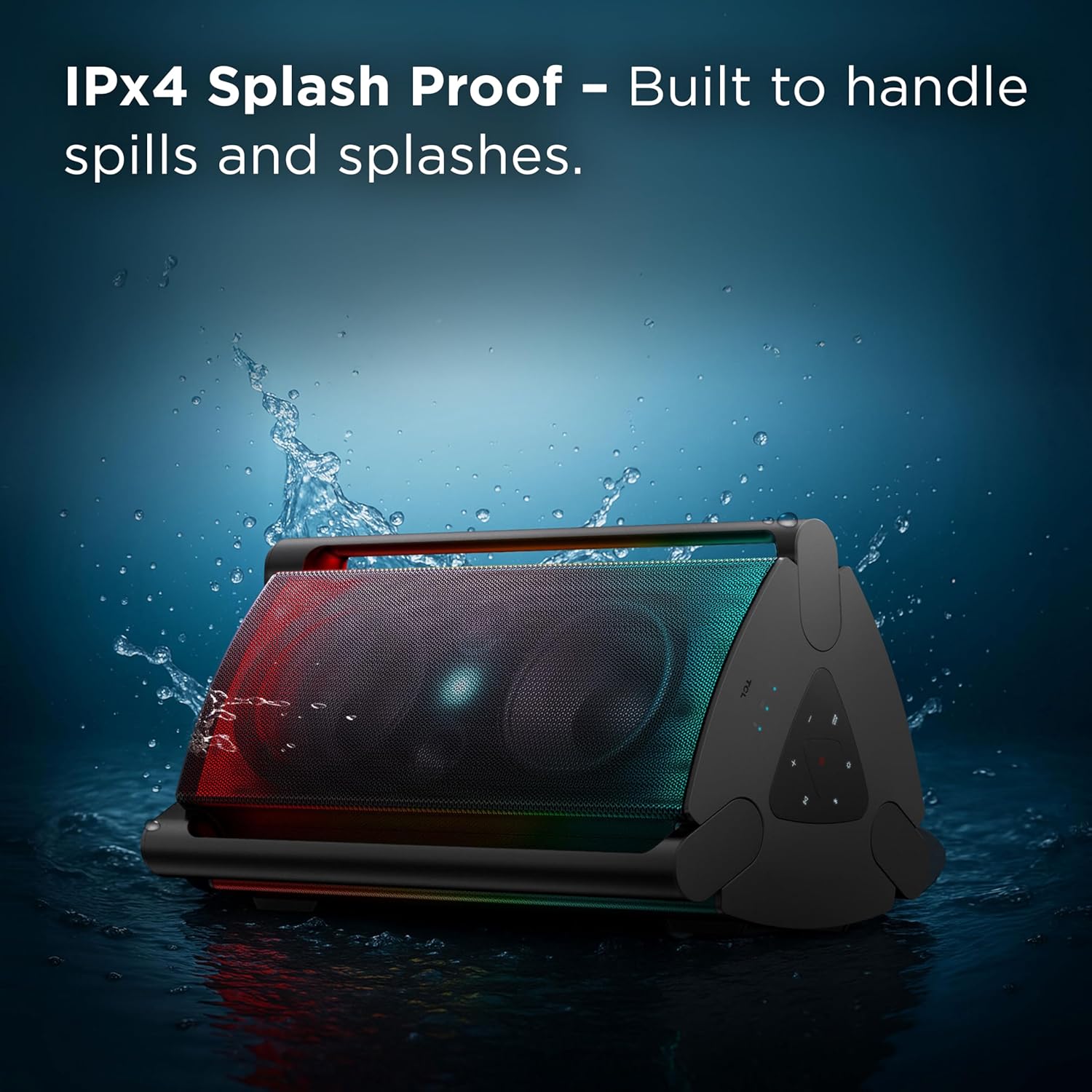
Image: The speaker shown with water splashing on it, illustrating its IPX4 anti-splash protection.
Решавање проблема
| Проблем | Могући узрок | Решење |
|---|---|---|
| Звучник се не укључује. | Слаба батерија или нема прикључка на напајање. | Charge the speaker using the provided power cord. Ensure the power outlet is functional. |
| Нема звука из звучника. | Volume too low, incorrect source selected, or device not paired. | Increase volume on both the speaker and your connected device. Press the Извор button to select the correct input (Bluetooth, USB, AUX). Re-pair your Bluetooth device. |
| Bluetooth connection unstable or failing. | Device too far from speaker, interference, or previous pairing issue. | Move your device closer to the speaker. Avoid obstacles between devices. Forget the speaker from your device's Bluetooth list and re-pair. |
| Microphone/Guitar input not working. | Cable not fully inserted, volume knob too low. | Ensure cables are securely connected. Adjust the microphone/guitar volume knob on the speaker. |
| Wireless Party Link not connecting. | Incorrect pairing procedure or speakers already connected to other devices. | Ensure both speakers are in pairing mode and not connected to any other Bluetooth device. Follow the Wireless Party Link instructions carefully. |
Спецификације
| Феатуре | Детаљ |
|---|---|
| Назив модела | ТП300К |
| Бранд | ТЦЛ |
| Спеакер Типе | Преносиви звучник |
| Технологија повезивања | Блуетоотх, УСБ, помоћни |
| Максимална излазна снага звучника | 340 Ваттс |
| Трајање батерије | Up to 18 hours (at 25% volume with static light effects) |
| Ниво отпорности на воду | ИПКС4 отпоран на прскање |
| Лигхт Сховс | 8 RGB Dynamic Light Show Presets |
| Посебне карактеристике | Bass Boost, Portable, RGB Light Show, Waterproof (Splash-Proof) |
| Димензије производа (Д x Ш x В) | 15.07 cm x 15.63 cm x 26.68 cm |
| Тежина артикла | 34.4 фунти |
| Материјал | Пластика |
| Укључене компоненте | Power Cord, Quick Start Guide |

Image: A diagram illustrating the physical dimensions of the TCL TP300K speaker.
Гаранција и подршка
Your TCL TP300K Portable Bluetooth Party Speaker comes with a limited warranty. Please refer to the included Warranty and Safety Information document for details regarding warranty coverage, terms, and conditions.
For technical support, service, or further inquiries, please visit the official TCL support website or contact their customer service as provided in your warranty documentation.


