1. Увод
This manual provides essential information for setting up, operating, maintaining, and troubleshooting your HP 15.6 inch FHD Touchscreen Laptop. Please read these instructions carefully to ensure proper use and longevity of your device.
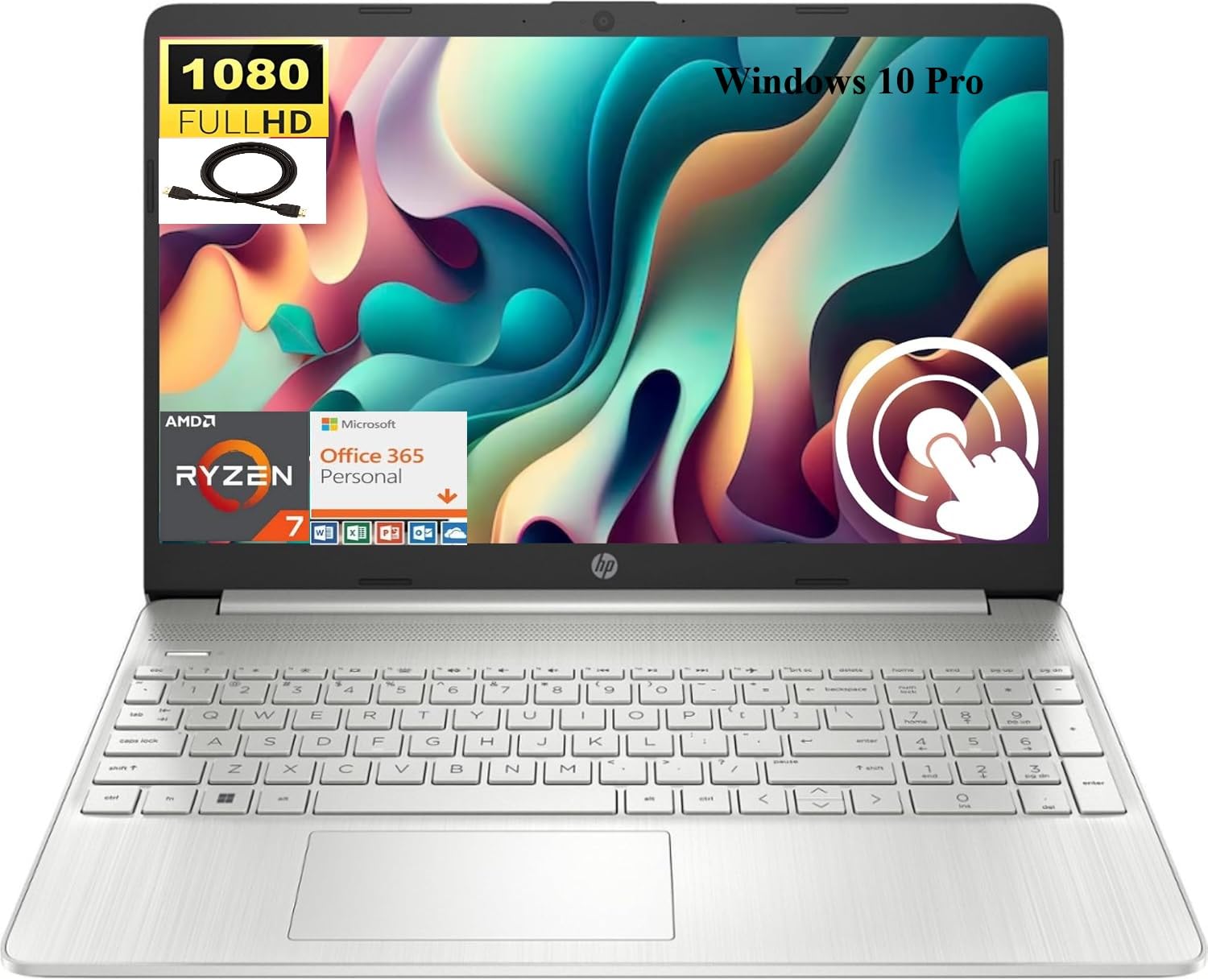
Image 1.1: HP 15.6 inch FHD Touchscreen Laptop, silver finish, open with screen displaying a scenic image.
2. Подешавање
2.1 Распакивање и почетни преглед
Carefully remove your laptop and all accessories from the packaging. Verify that all components are present and undamaged. Retain the packaging for future transport or service needs.
2.2 Повезивање напајања
- Прикључите АЦ адаптер на конектор за напајање на вашем лаптопу.
- Укључите кабл за напајање у електричну утичницу.
- Оставите батерију да се пуни најмање 30 минута пре прве употребе или док индикатор батерије не покаже довољно напуњеност.
2.3 Initial Boot-up and Windows 10 Pro Setup
Press the power button to turn on your laptop. Follow the on-screen instructions to complete the Windows 10 Pro setup process. This includes selecting your region, language, creating a user account, and connecting to a Wi-Fi network.

Image 2.1: HP laptop shown with an HDMI cable, illustrating connectivity options.
3. Упутство за употребу
3.1 Touchscreen and Display
Your laptop features a 15.6 inch Full HD (1920 x 1080) IPS touchscreen display. Use touch gestures for navigation, zooming, and interaction with applications. The micro-edge design maximizes your viewинг ареа.
3.2 Тастатура и тачпед
The full-size, natural silver keyboard includes a numeric keypad for efficient data entry. The integrated touchpad supports multi-touch gestures for precise cursor control.

Image 3.1: HP laptop displaying the Windows Start Menu, showcasing the operating system interface.
3.3 Портови и повезивање
Ваш лаптоп је опремљен разним портовима за повезивање екстерних уређаја:
- 2 x SuperSpeed USB Type-A 5Gbps: За стандардне УСБ уређаје.
- 1 x SuperSpeed USB Type-C 5Gbps: For modern USB-C devices.
- 1 x HDMI 1.4b: Повежите се са екстерним екранима или пројекторима.
- 1 x AC smart pin: За повезивање адаптера за напајање.
- 1 x Multi-format SD media card reader: За читање СД картица.
- 1 x Headphone/microphone combo: За аудио улаз/излаз.
Wireless connectivity includes Realtek RTL8821CE 802.11a/b/g/n/ac (1x1) Wi-Fi and Bluetooth 4.2 combo.

Image 3.2: Detailed diagram highlighting the location and type of ports on the HP laptop, including headphone/microphone combo, SD media card reader, SuperSpeed USB Type-C, SuperSpeed USB Type-A, and HDMI 1.4b.
3.4 Webкамера и аудио
The HP True Vision 720p HD camera with integrated dual array digital microphones allows for clear video conferencing. Enjoy HD Audio with stereo speakers for an enhanced listening experience.

Image 3.3: Visual representation of the HP True Vision HD Camera for video chat and HD Audio with stereo speakers for sound output.
4. Одржавање
4.1 Чишћење лаптопа
Користите меку крпу која не оставља длачицеampened with water or a screen cleaner specifically designed for electronics to clean the display and exterior surfaces. Avoid harsh chemicals or abrasive materials.
4.2 Одржавање батерије
To prolong battery life, avoid extreme temperatures and fully discharging the battery frequently. For optimal performance, keep the laptop connected to power when possible, but also allow occasional discharge cycles.
4.3 Ажурирања софтвера
Редовно проверавајте и инсталирајте ажурирања за Windows и ажурирања за HP драјвере како бисте осигурали стабилност, безбедност и оптималне перформансе система.
КСНУМКС. Решавање проблема
If you encounter issues with your HP laptop, consider the following basic troubleshooting steps:
- Нема напајања: Уверите се да је АЦ адаптер безбедно повезан и са лаптопом и са исправном утичницом. Проверите индикаторску лампицу напајања.
- Проблеми са приказом: If the screen is blank, try connecting an external monitor via HDMI to check if the issue is with the laptop's display. Restart the laptop.
- Проблеми са повезивањем: For Wi-Fi or Bluetooth issues, ensure wireless is enabled. Try restarting your router or the laptop's wireless adapter.
- Споре перформансе: Затворите непотребне апликације, проверите позадинске процесе и обезбедите довољно слободног простора за складиштење.
За сложеније проблеме, обратите се HP подршци website or contact HP customer service for assistance.
6. Спецификације
Below are the detailed technical specifications for your HP 15.6 inch FHD Touchscreen Laptop (Model HP 15):
| Бранд | HP |
| Назив модела | ХП 15 |
| Величина екрана | 15.6 инча |
| Резолуција екрана | 1920x1080 пиксела (FHD) |
| Дисплаи Типе | LED, Touch, IPS, Micro-edge, BrightView |
| Процесор | AMD Ryzen 7 4700U (8 језгара, до 4.1 GHz) |
| Графика | Интегрисана AMD Radeon графика |
| РАМ меморија | 8 ГБ ДДР4 СДРАМ |
| Величина чврстог диска | SSD од 512 GB (PCIe NVMe M.2) |
| Оперативни систем | Виндовс 10 Про |
| Повезивање | Wi-Fi (802.11a/b/g/n/ac), Bluetooth 4.2 |
| Портс | 2x USB-A 5Gbps, 1x USB-C 5Gbps, 1x HDMI 1.4b, 1x AC Smart Pin, 1x SD Card Reader, 1x Headphone/Mic Combo |
| Камера | HP True Vision 720p HD Camera |
| Аудио | HD Audio, Dual Speakers |
| Батерија | 3-ћелије, 41 Вх Ли-ион |
| Димензије (Д к Ш к В) | 14.11 к 9.53 к 0.78 инча |
| Тежина артикла | 3.75 фунти |

Image 6.1: Diagram illustrating the dimensions of the HP laptop: 14.11" W, 9.53" D, and 0.78" H.
7. Гаранција и подршка
Your HP laptop comes with a standard manufacturer's warranty. For detailed warranty information, please refer to the documentation included with your product or visit the official HP support website. For technical assistance, driver downloads, and service inquiries, please visit суппорт.хп.цом.