1. Увод
This manual provides essential information for the safe and efficient use of your Xiaomi TV A Pro 65 inch 2026. Please read it thoroughly before operating the device and retain it for future reference. Your new television features a stunning 4K QLED display, integrated Google TV, and advanced audio technologies for an immersive viewинг искуство.
2. Подешавање
2.1 Распакивање и постављање
Carefully remove the television and all accessories from the packaging. Place the TV on a stable, flat surface or mount it securely to a wall using a compatible VESA mount (300x300mm). Ensure adequate ventilation around the TV.
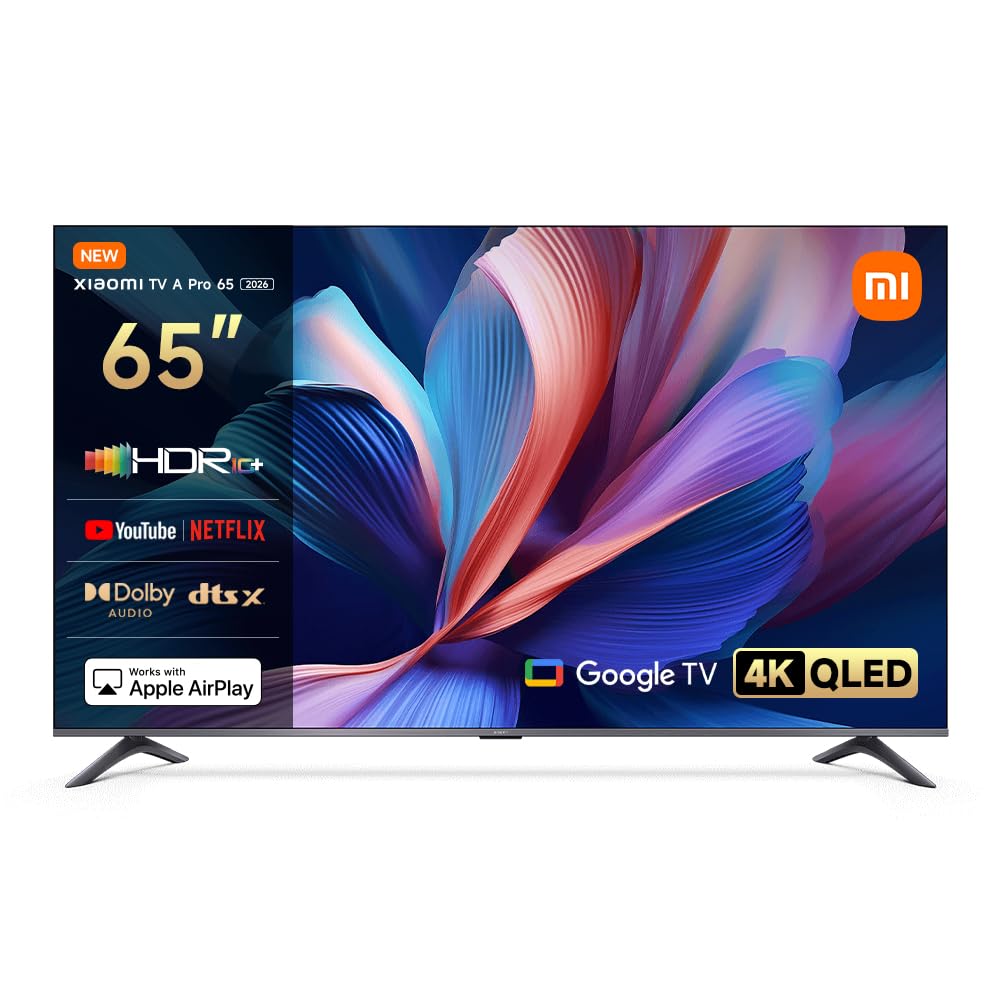
Слика: Фронт view of the Xiaomi TV A Pro 65 inch 2026, showcasinг његов елегантан дизајн.
2.2 Повезивање напајања
Connect the provided power cable to the TV's power input and then to a suitable electrical outlet. Do not force the plug into the outlet.
2.3 Повезивање екстерних уређаја
Use HDMI ports to connect devices such as Blu-ray players, gaming consoles, or set-top boxes. The TV supports HDMI for high-definition video and audio transmission. A single USB port is available for connecting USB storage devices.
2.4 Подешавање даљинског управљача
Insert batteries into the 360° Bluetooth remote control. Follow the on-screen instructions to pair the remote with your TV during the initial setup process.

Image: The 360° Bluetooth remote control for the Xiaomi TV A Pro 65 inch 2026, showing various buttons for navigation and voice control.
3. Упутство за употребу
3.1 Укључивање/искључивање
Press the power button on the remote control or on the TV to turn the device on or off.
3.2 Initial Setup (Google TV)
Upon first power-on, the TV will guide you through the initial setup, including network connection (Wi-Fi), Google account login, and channel scanning. An internet connection is required to access Google TV features.

Image: The Google TV interface displayed on the Xiaomi TV A Pro 65 inch 2026, showing various streaming app icons and content recommendations.
3.3 Избор улазног извора
Press the "Input" button on the remote to select between connected HDMI devices, TV tuner, or other sources.
3.4 Navigation and Settings
Use the directional pad and "OK" button on the remote to navigate menus. Access settings to adjust picture, sound, network, and other TV preferences.
4. Кључне карактеристике
4.1 4K QLED Display with Motion Smoothing
Experience stunning visuals with the 4K QLED display, offering vibrant colors and sharp details. Motion smoothing technology enhances clarity in fast-moving scenes, providing a smoother viewинг искуство.
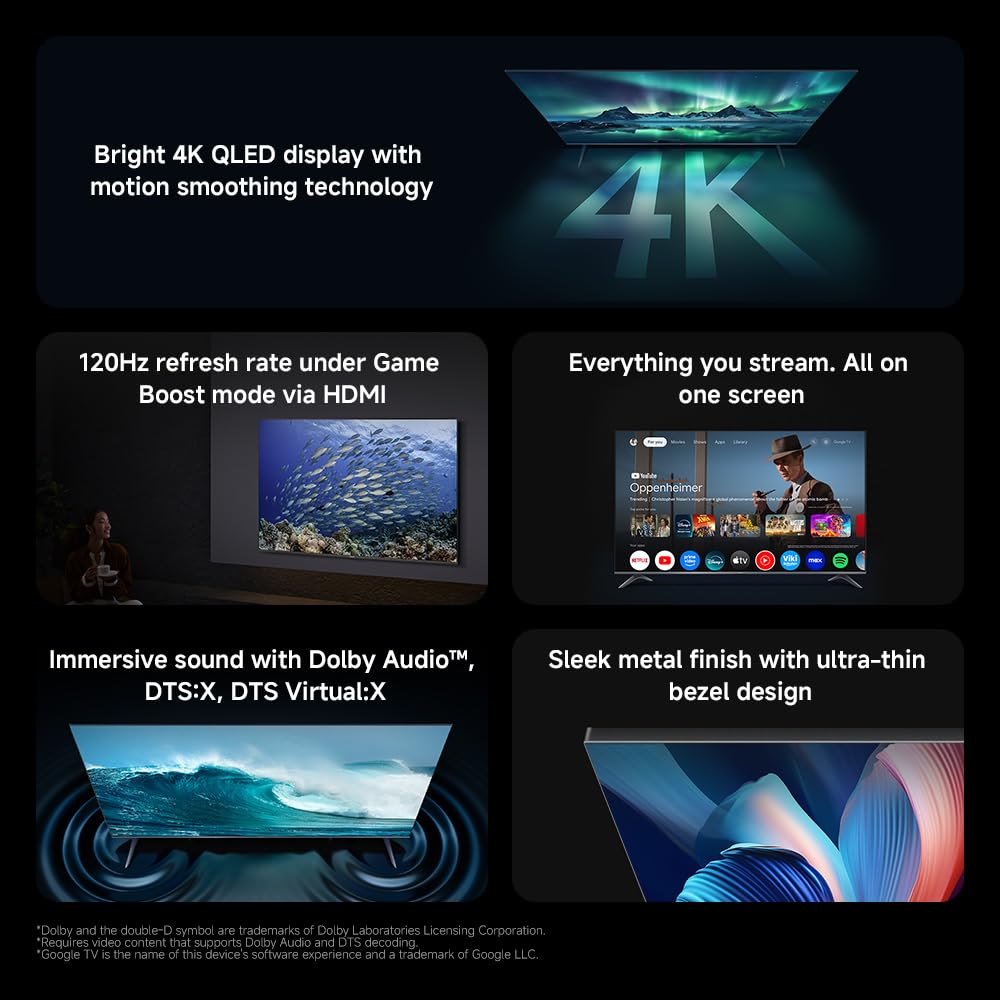
Image: A visual representation of the bright 4K QLED display with motion smoothing technology, showing a vibrant landscape scene.

Image: Diagram illustrating QLED quantum dot technology, highlighting the wide color gamut and precise color adjustment for realistic images.

Image: A scene demonstrating 4K ultra-high definition, emphasizing the ability to see minute details with exceptional clarity.
4.2 Game Boost Mode (120Hz Refresh Rate)
For gamers, the TV offers a 120Hz refresh rate under Game Boost mode via HDMI. This provides quick image processing and improved clarity for smooth visuals during gaming. Note: 120Hz is available only at 1080p resolution.

Image: A dynamic image showing a spaceship in motion, illustrating the quick image processing and smooth visuals provided by Game Boost mode at 120Hz.
4.3 Google TV Integration
Google TV organizes films, shows, and content from your apps and subscriptions. It offers personalized recommendations and access to over 10,000 apps through Google's powerful search engine.

Image: The Google TV home screen, displaying various streaming applications and content suggestions.
4.4 Immersive Audio with Dolby Audio & DTS:X
The TV is equipped with dual high-power speakers that deliver rich bass and clear treble. Enjoy a cinematic audio experience certified by Dolby Audio and DTS:X, with sound effects automatically adjusted based on content.

Image: A visual representation of sound waves emanating from the TV, highlighting the Dolby Audio and DTS:X exceptional dual speakers for immersive sound.

Image: A close-up of an audio mixing board, representing Xiaomi Sound's multi-scenario smart sound tuning for an extraordinary auditory experience.
4.5 Premium Metal Finish and Ultra-thin Bezel
The TV features a sleek metal finish and an ultra-thin bezel design, offering a sophisticated aesthetic that complements any home decor. The full-screen display provides an unrestricted and immersive viewинг искуство.

Слика: Крупни план view of the TV's sleek metal finish and ultra-thin bezel, emphasizing its premium design.

Image: Two TV screens side-by-side, illustrating the full-screen display with an ultra-high screen-to-body ratio for an unrestricted view.

Image: Two close-up shots of the TV's metallic design, showcasing the stand and the slim profile, highlighting its quality craftsmanship.
4.6 HDR Enhance for Exceptional Contrast
HDR Enhance technology improves screen brightness, delivering an upgraded 4K experience with enhanced light and shadow details and improved contrast when playing HDR videos.

Image: A split image demonstrating HDR Enhance, showing a landscape with improved contrast and detail on the right side compared to the left.
4.7 MEMC for Clearer, Smoother Visuals
High-speed motion compensated frame interpolation (MEMC) eliminates lagging and motion blur, providing a smooth, uninterrupted viewing experience for sporting events and films.

Image: A layered image illustrating MEMC technology, showing how frames are interpolated to create clearer and smoother visuals, particularly for fast-moving objects like a bird in flight.
4.8 Low Blue Light for Eye Comfort
Next-generation DC dimming technology smoothly controls screen brightness and eliminates backlight flicker. The available eye comfort mode effectively reduces blue light, allowing for worry-free enjoyment of stunning visuals.

Image: A living room scene with people watching the TV, demonstrating the low blue light mode and DC dimming for enhanced eye comfort.
4.9 Google Assistant Voice Control
Your TV supports Google Assistant, allowing you to find films, stream apps, play music, and control smart home devices using your voice. Simply press the Google Assistant button on the remote to activate.

Image: The Google Assistant interface on the TV screen, showing how users can interact with the TV using voice commands to access apps and content.
4.10 Google Cast and Apple AirPlay
Easily stream movies, shows, photos, and more from your phone or tablet directly to your TV using Google Cast. For Apple users, AirPlay allows streaming content from your iPhone, iPad, or Mac to the television. Note: Requires Google Cast enabled apps and the latest iOS/iPadOS/macOS for AirPlay.

Image: A smartphone displaying content being cast wirelessly to the Xiaomi TV, illustrating the Google Cast feature.

Image: A smartphone and the TV screen showing content being streamed via Apple AirPlay, demonstrating seamless integration with Apple devices.
4.11 Бежично повезивање
The TV supports Bluetooth 5.0 for connecting wireless accessories and dual-band Wi-Fi for stable and fast internet access.

Image: Icons representing Bluetooth 5.0 and Dual-band Wi-Fi, indicating the TV's wireless connectivity options.
4.12 Ultra-large 65" Display
The 65-inch display offers an immersive audiovisual experience with thrilling visuals, making it ideal for movies, sports, and gaming.

Image: A large 65-inch TV screen mounted on a wall in a modern living room, showcasinг његов импресивни приказ.
4.13 Режим филмског ствараоца
Enjoy top-tier quality with Filmmaker Mode, a setting that meets Hollywood certification standards, designed to bring the director's creative vision to life by preserving original aspect ratios, colors, and frame rates.
Image: A TV screen displaying a high-quality, cinematic image, representing the Filmmaker Mode feature.
5. Одржавање
5.1 Чишћење екрана
Нежно обришите екран меком крпом која не оставља влакна. За тврдокорне мрље, благо обришитеampОбришите крпу водом или специјализованим средством за чишћење екрана. Избегавајте употребу јаких хемикалија или абразивних материјала.
5.2 Чишћење кућишта телевизора
Wipe the TV's frame and stand with a soft, dry cloth. Ensure no liquids enter the ventilation openings.
5.3 Вентилација
Keep the ventilation openings on the back of the TV clear to prevent overheating. Do not block them with cloths or other objects.
КСНУМКС. Решавање проблема
| Проблем | Могући узрок | Решење |
|---|---|---|
| Нема струје | Power cable disconnected; power outlet not working. | Уверите се да је кабл за напајање безбедно повезан. Тестирајте утичницу са другим уређајем. |
| Нема слике, али је звук присутан | Incorrect input source selected; external device not powered on or connected properly. | Verify the correct input source. Check connections and power of external devices. |
| Даљински управљач не ради | Batteries are low or incorrectly inserted; remote not paired. | Replace batteries. Re-pair the Bluetooth remote control (refer to setup section). |
| Smart TV apps are slow or lagging | Poor internet connection; too many apps running in background; system cache full. | Check Wi-Fi connection strength. Close unused apps. Restart the TV. Clear app caches in settings. |
| Intermittent popping sounds after turning off TV | Thermal expansion/contraction of components; potential hardware issue. | This can sometimes be normal for TVs as they cool down. If persistent or loud, contact customer support. |
Ако проблем и даље постоји након испробавања ових решења, обратите се корисничкој подршци Xiaomi.
7. Спецификације
Image: Diagram showing the dimensions of the Xiaomi TV A Pro 65 inch 2026, including length, height, and depth, along with VESA mount details.
| Феатуре | Детаљ |
|---|---|
| Бранд | КСИАОМИ |
| Назив модела | Xiaomi TV A Pro 65" 2026 |
| Број модела | ЕЛА5844ГЛ |
| Величина екрана | 65 инча |
| Дисплаи Тецхнологи | 4К УХД КЛЕД |
| Резолуција | 3840 к 2160 (4К) |
| Рефресх Рате | 60 Hz (120Hz in Game Boost mode at 1080p) |
| Аспецт Ратио | 16:9 |
| Аудио технологија | Долби Аудио, ДТС:X, ДТС Виртуал:X |
| Оперативни систем | Гоогле ТВ |
| Капацитет меморије | 8 ГБ |
| Технологија повезивања | Bluetooth 5.0, Dual-band Wi-Fi, HDMI, USB |
| Укупно УСБ портова | 1 |
| Волtage | 240 Волтс |
| Ватtage | 180 Ваттс |
| Димензије производа (ДкШкВ) | 144.5 к 7.5 к 83.3 цм (без постоља) |
| Тежина артикла | 19.9 кг |
| Монтажни хардвер | Power Cable, Remote Control, User Manual, Warranty Card |
| Посебне карактеристике | Bezel-Less Design, Built-In Speaker, Google Assistant, Google Cast, Apple AirPlay, Filmmaker Mode, MEMC, HDR Enhance, Low Blue Light |
8. Гаранција и подршка
8.1 Информације о гаранцији
Your Xiaomi TV A Pro 65 inch 2026 comes with a limited manufacturer's warranty. Please refer to the included Warranty Card for specific terms, conditions, and duration of coverage. Keep your proof of purchase for warranty claims.
8.2 Корисничка подршка
For technical assistance, troubleshooting beyond this manual, or warranty service, please contact Xiaomi customer support. Visit the official Xiaomi webсајт за контакт податке и локације сервисних центара.


