
Увод
This manual provides detailed instructions for the assembly, operation, and maintenance of your FLEXISPOT Standing Desk with a 40x24 inch one-piece desktop. Please read this manual thoroughly before assembly and use to ensure proper function and safety.
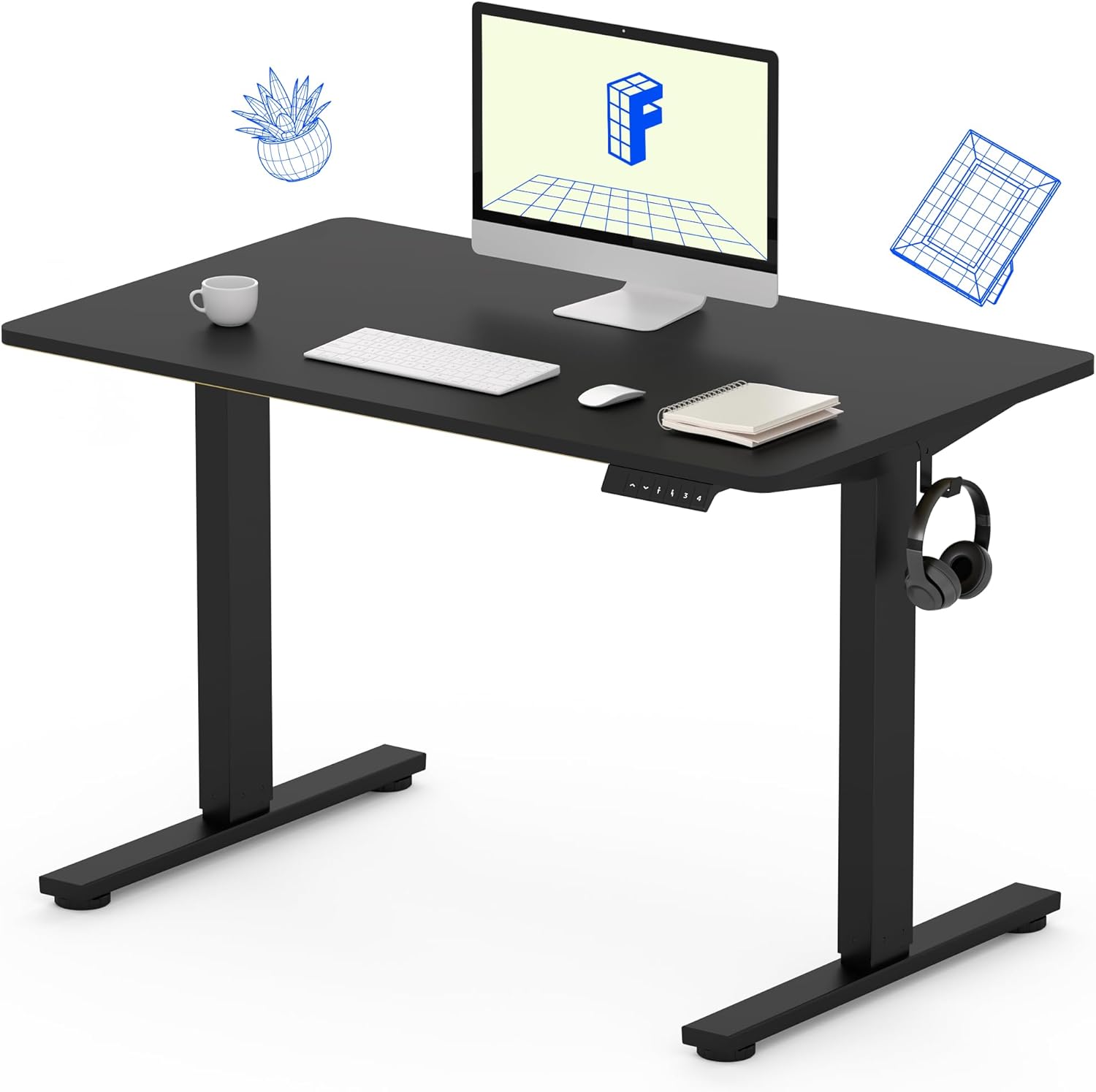
Image 1: The FLEXISPOT Standing Desk, showcasing its black desktop, black frame, and integrated control panel with a headphone hook.
Безбедносне информације
УПОЗОРЕЊЕ:
- Always use caution when assembling the desk, especially when using a drill.
- Не прекорачујте максималну тежину 154 фунти (70 кг).
- Keep hands and body parts away from moving parts during height adjustment to prevent injury.
- Ensure all cables are properly managed to avoid entanglement during desk movement.
Садржај пакета
Пре почетка монтаже, проверите да ли су све компоненте присутне и да ли су неоштећене. Ако неки делови недостају или су оштећени, обратите се корисничкој подршци.
- One-Piece Desktop (40" x 24", Black)
- Desk Legs (Black Frame, Dual-Stage)
- Motor and Control Box
- Контролна табла са унапред подешеним меморијама
- Кука за слушалице
- Опрема за монтажу (шрафови, имбус кључ)
- Повер Цабле

Image 2: Illustration highlighting the seamless design of the FLEXISPOT one-piece desktop, contrasting it with multi-piece alternatives.
Подешавање и монтажа
Assembly typically requires 30 minutes to an hour. It is recommended to have two people for assembly due to the weight of the package. A power drill (not included) may be needed for some steps.
- Распакујте компоненте: Carefully remove all parts from the packaging. Inspect for any damage. Note that the packaging can be heavy.
- Саставите оквир стола: Attach the crossbar to the lifting columns (legs) using the provided hardware. Ensure all screws are tightened securely.
- Причврстите стопала: Secure the desk feet to the bottom of the lifting columns.
- Монтирај радну површину: Carefully place the one-piece desktop upside down on a soft, clean surface. Position the assembled frame onto the desktop. Align the pre-drilled holes (if present) or mark positions for screws. Secure the frame to the desktop using the provided screws. A power drill may be helpful for this step.
- Install Control Box and Panel: Mount the control box and control panel to the underside of the desktop in the designated locations. Connect the motor cables and control panel cable to the control box.
- Приложите додатну опрему: Install the headphone hook to the side of the desktop as desired.
- Управљање кабловима: Route all cables neatly using cable ties or management clips (not included) to prevent interference with desk movement.
- Коначан пласман: With assistance, carefully flip the desk upright and place it in its desired location. Ensure it is stable and level.

Image 3: The FLEXISPOT Standing Desk integrated into a home office setup, demonstrating its spacious desktop and functionality.
Упутство за употребу
Your FLEXISPOT Standing Desk features an electric motor for smooth height adjustments and a control panel with memory presets.
Подешавање висине
- Притисните тастер Горе (▲) дугме за подизање стола.
- Притисните тастер Доле (▼) дугме за спуштање стола.
- The desk moves smoothly and quietly (under 50 dB) between 28.7 инча (73 цм) и 46.5 инча (118 цм).
Мемори Пресетс
The control panel allows you to save up to four preferred height settings.
- Поставите висину: Adjust the desk to your desired sitting or standing height using the Up/Down buttons.
- Сачувај унапред подешено: Притисните тастер М button, then immediately press one of the numbered preset buttons (1, 2, 3 или 4). The display will show "S-" followed by the number, indicating the height is saved.
- Подсетите унапред подешено: Press the corresponding numbered preset button (1, 2, 3 или 4) да бисте аутоматски померили сто на сачувану висину.

Image 4: Visual representation of the desk's adjustable height range, showing it at its lowest (29") and highest (46.6") positions.
Одржавање
- Чишћење: Обришите радну површину и оквир меком крпомamp крпу. Избегавајте јаке хемикалије или абразивна средства за чишћење.
- Провера кабла: Periodically inspect all cables for wear or damage. Ensure they are securely connected and not pinched.
- Затегнутост завртња: Occasionally check and tighten any loose screws on the frame or desktop connections.
Решавање проблема
| Проблем | Могући узрок | Решење |
|---|---|---|
| Радни сто се не помера. | Power cable disconnected, control box cable loose, overload. | Check power connection. Ensure all cables to the control box and motor are secure. Reduce weight on the desk if exceeding 154 lbs. |
| Сто се помера неравномерно или производи необичну буку. | Loose connections, obstruction, uneven weight distribution. | Check all assembly screws. Ensure no objects are obstructing the legs. Distribute weight evenly on the desktop. |
| Control panel display shows an error code. | Специфично стање грешке. | Refer to the specific error code in the full product manual (if available) or contact customer support. Often, a power cycle (unplug for 10 seconds, then plug back in) can resolve temporary errors. |
Спецификације
| Феатуре | Детаљ |
|---|---|
| Бранд | ФЛЕКСИСПОТ |
| Модел | B0F747SWWB |
| Desktop Dimensions (D x W) | 24" x 40" (One-Piece) |
| Хеигхт Ранге | 28.7" - 46.5" (73 цм - 118 цм) |
| Максимални капацитет тежине | 154 фунти (70 кг) |
| Ниво буке | Мање од 50 дБ |
| Материјал оквира | легирани челик |
| Топ Материал | Енгинееред Воод |
| Боја | Black Frame / Black Top |
| Обавезна монтажа | Да |

Image 5: Details of the desk's construction, including the dual-stage lifting columns and the convenient backpack/headphone hook.
Гаранција и подршка
Your FLEXISPOT Standing Desk is backed by a comprehensive warranty:
- Frame and Motor: 5-годишња ограничена гаранција.
- Електроника: 2-годишња ограничена гаранција.
For warranty claims, technical assistance, or any questions regarding your product, please contact FLEXISPOT customer support through their official webсајт или продавницу где је производ купљен.