1. Увод
Thank you for choosing the ILEBYGO Mini Projector B0F83Q1HHT. This portable projector is designed to provide a versatile entertainment experience with its Android 13 operating system, WiFi 6, Bluetooth 5.0, 1080P Full HD resolution with 4K support, 320 ANSI lumens brightness, 270-degree rotation, auto keystone correction, and autofocus. This manual provides essential information for setting up, operating, and maintaining your projector.
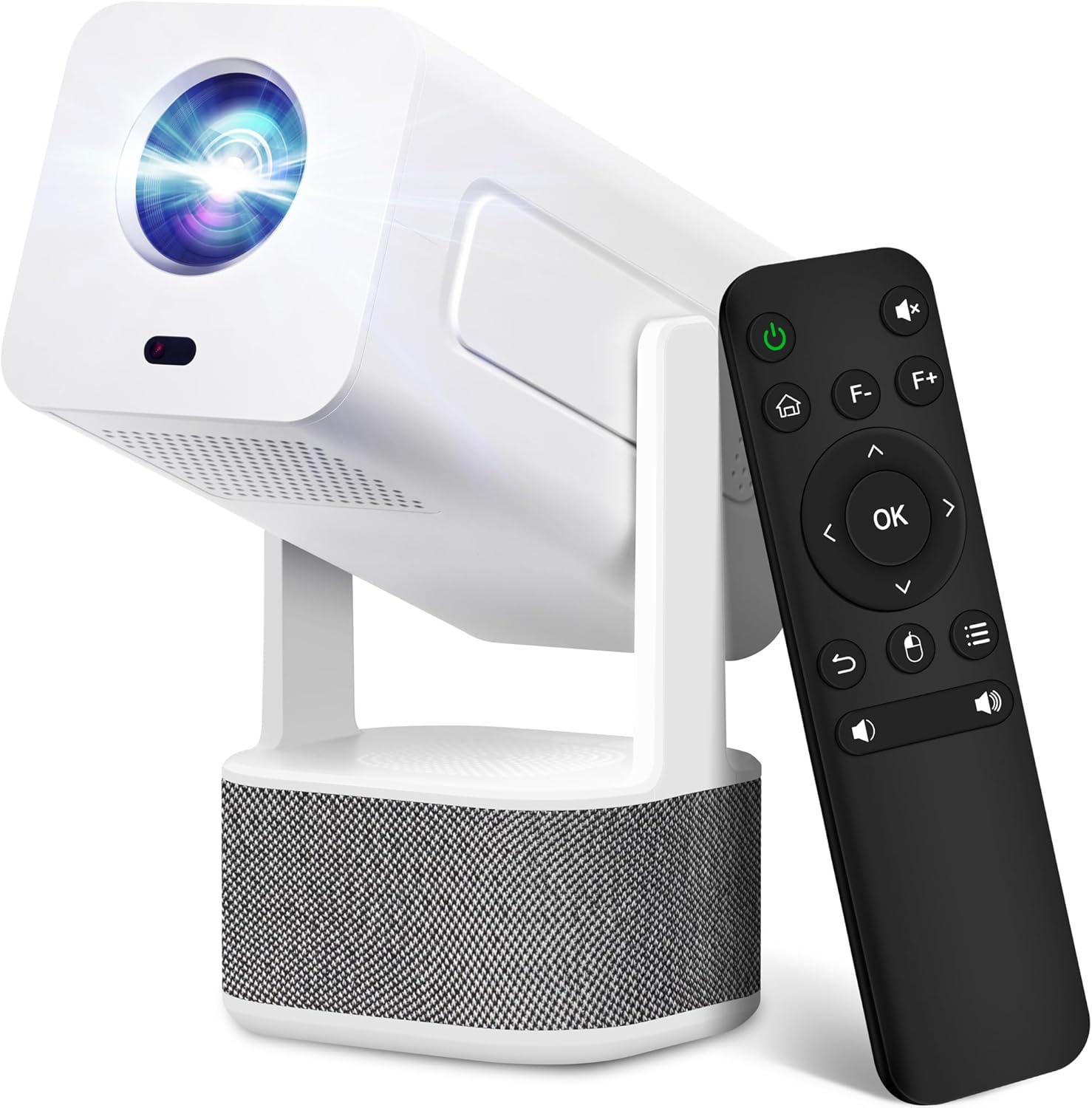
Image 1.1: ILEBYGO Mini Projector and Remote Control
The ILEBYGO Mini Projector B0F83Q1HHT offers a projection size ranging from 30 to 200 inches, making it suitable for various environments from small rooms to outdoor settings. Its dual 5W speakers deliver integrated audio, and multiple connectivity options ensure compatibility with a wide range of devices.
2. Шта је у кутији
Молимо вас да проверите садржај вашег пакета. Ако неке ставке недостају или су оштећене, контактирајте корисничку подршку.
- 1x ILEBYGO Mini Projector
- 1к упутство за употребу
- 1к адаптер за напајање
- 1к даљински управљач
3. Водич за подешавање
3.1. Укључивање
- Connect the power adapter to the DC input port on the projector.
- Укључите адаптер за напајање у зидну утичницу.
- Притисните дугме за напајање на пројектору или даљинском управљачу да бисте укључили уређај.

Image 3.1: Projector Connectivity Ports (DC, HDMI, USB, Audio)
3.2. Initial Placement and Adjustment
The projector features a 270-degree rotatable design, allowing flexible placement.
- Поставите пројектор на стабилну површину.
- Adjust the projector's angle to direct the image onto your desired projection surface (wall, screen, ceiling).
- The projector will automatically perform keystone correction and autofocus to optimize the image clarity and shape.
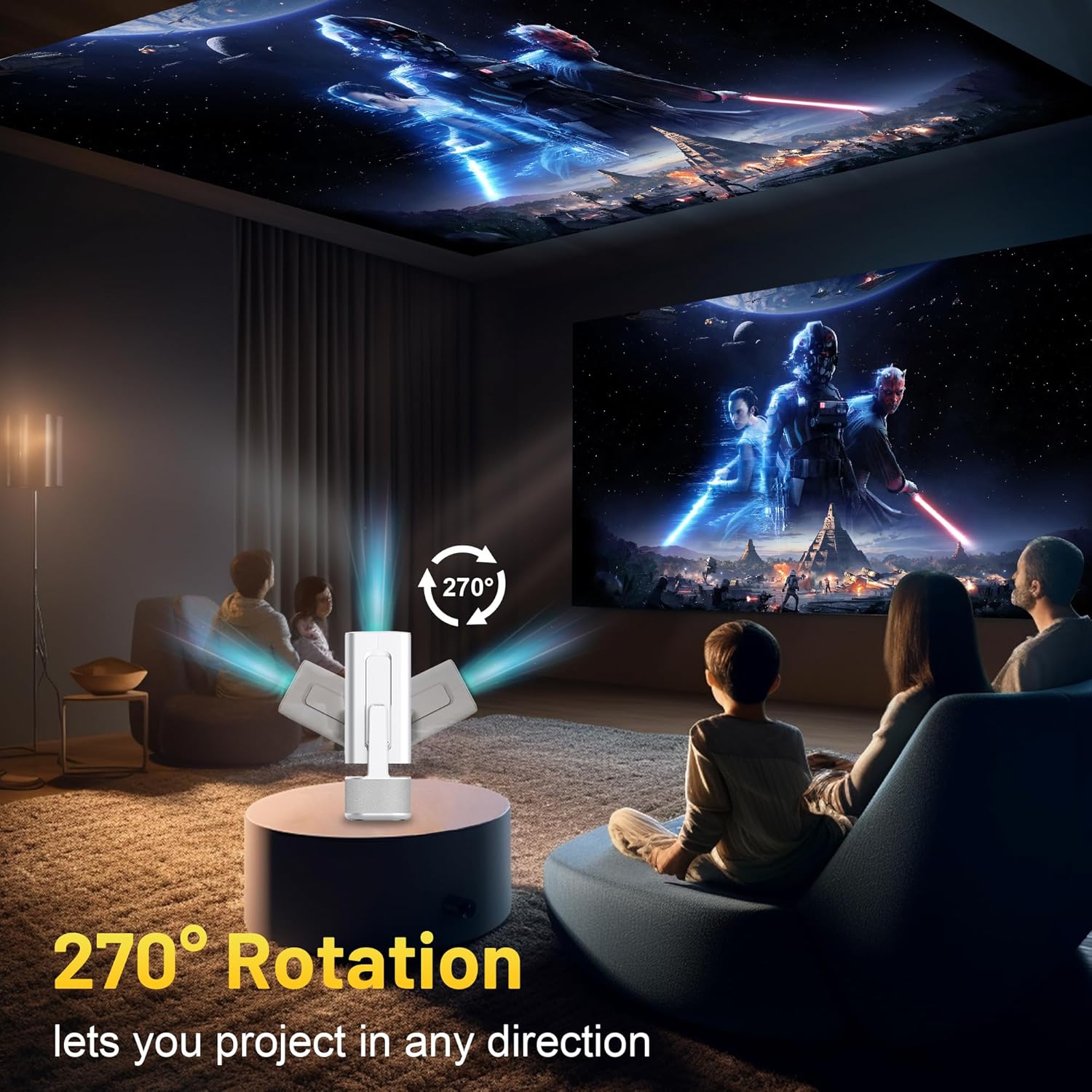
Image 3.2: 270-Degree Rotation Capability
3.3. Мрежна веза (Wi-Fi)
To access online content and streaming services, connect the projector to a Wi-Fi network.
- Са почетног екрана идите на „Подешавања“.
- Изаберите „Мрежа и интернет“.
- Укључите Wi-Fi и изаберите жељену мрежу са листе.
- Унесите лозинку за Ви-Фи ако се то од вас затражи и повежите се.

Image 3.3: Dual Band WiFi 6 and Bluetooth 5.0
3.4. Блуетоотх упаривање
Pair Bluetooth devices like external speakers or headphones for enhanced audio.
- Са почетног екрана идите на „Подешавања“.
- Select 'Connected Devices' or 'Bluetooth'.
- Укључите Блуетоотх.
- Ставите свој Блуетоотх уређај у режим упаривања.
- Select your device from the list of available devices on the projector screen to pair.
4. Упутство за употребу
4.1. Навигација
Use the included remote control to navigate the projector's interface. The directional buttons, 'OK' button, 'Back' button, and 'Home' button are primary controls.
4.2. App Usage (Android 13)
The projector runs on Android 13 and comes with pre-installed streaming applications.
- From the home screen, select the desired application (e.g., Netflix, YouTube, Prime Video).
- Пријавите се са својим налогом ако је потребно.
- Browse and play content as you would on any Android smart device.
- Additional apps can be downloaded from the Google Play Store.

Image 4.1: Built-in Android 13 System with Apps
4.3. Screen Mirroring/Casting
Mirror content from your smartphone, tablet, or computer wirelessly.
- Уверите се да су и пројектор и ваш уређај повезани на исту Wi-Fi мрежу.
- On the projector, select the screen mirroring/casting application (e.g., Miracast, AirPlay).
- On your mobile device, enable screen mirroring or casting and select the projector from the list of available devices.
4.4. External Device Connection (HDMI, USB)
Connect external devices such as laptops, gaming consoles, or USB drives.
- ДВИ: Connect an HDMI cable from your device to the HDMI port on the projector. Select the HDMI input source from the projector's input menu.
- УСБ: Insert a USB drive into the USB port. The projector's file manager will typically open automatically, allowing you to browse and play media files.

Image 4.2: Multi-Device Compatibility
4.5. Подешавање слике
The projector features automatic adjustments for convenience.
- Ауто Кеистоне Цоррецтион: The projector automatically corrects vertical image distortion. If manual adjustment is needed, navigate to 'Settings' > 'Projection Settings' > 'Keystone Correction'.
- Аутоматско фокусирање: The image will automatically focus when the projector is moved or powered on. Manual focus adjustment can be found in 'Settings' > 'Projection Settings' > 'Focus'.
- Зумирање: Adjust the projection size from 50% to 100% without moving the projector. This setting is typically found in 'Settings' > 'Projection Settings' > 'Zoom'.

Image 4.3: Auto Keystone Correction and Autofocus
5. Одржавање
5.1. Чишћење
- Објектив: Користите меку крпу без влакана, посебно дизајнирану за оптичка сочива. Избегавајте абразивне материјале или јаке хемикалије.
- Екстеријер: Обришите спољашњост пројектора меком, сувом крпом. Не користите течна средства за чишћење директно на уређају.
- вентилација: Уверите се да су вентилациони отвори чисти од прашине и препрека како бисте спречили прегревање.
5.2. Складиштење
Када се не користи, чувајте пројектор на хладном и сувом месту, даље од директне сунчеве светлости и екстремних температура. Користите оригинално паковање или заштитну футролу да бисте спречили накупљање прашине и физичко оштећење.
КСНУМКС. Решавање проблема
Погледајте табелу испод за уобичајене проблеме и њихова решења.
| Иссуе | Могући узрок | Решење |
|---|---|---|
| Но Повер | Power cable not connected; Power outlet malfunction | Уверите се да је кабл за напајање безбедно повезан. Покушајте са другом утичницом. |
| Нема слике | Incorrect input source; Device not connected; Projector in standby mode | Select correct input source (HDMI, USB). Ensure external device is powered on and connected. Press power button to wake projector. |
| Замућена слика | Out of focus; Keystone not corrected | Allow autofocus to adjust. Manually adjust focus in settings if needed. Check keystone correction settings. |
| Нема звука | Volume too low; Muted; External audio device not connected/paired | Increase volume. Unmute projector. Ensure Bluetooth audio device is paired and connected, or external speakers are properly connected via audio jack. |
| Проблеми са Ви-Фи везом | Incorrect password; Network interference; Router issues | Проверите лозинку за Wi-Fi. Приближите пројектор рутеру. Рестартујте рутер. |
| Грешка упаривања са Bluetooth-ом | Device not in pairing mode; Interference; Device too far | Ensure Bluetooth device is in pairing mode. Keep devices close. Turn off other Bluetooth devices to reduce interference. |
7. Спецификације
| Феатуре | Детаљ |
|---|---|
| Бранд | ИЛЕБИГО |
| Модел | B0F83Q1HHT |
| Резолуција екрана | 1920 x 1080 (Full HD), 4K Support |
| Осветљеност | КСНУМКС АНСИ Луменс |
| Технологија повезивања | Bluetooth 5.0, HDMI, USB, Wi-Fi 6 (2.4G+5G) |
| Оперативни систем | Андроид 13 |
| Посебне карактеристике | Auto Keystone Correction, Autofocus, 270° Rotation, Built-in Dual 5W Speakers |
| Величина пројекције | 30''-200'' |
| Аспецт Ратио | 16:9 / 4:3 |
| Тежина артикла | 2.72 фунти |
| Димензије пакета | 13.54 к 5.39 к 5.2 инча |
8. Гаранција и подршка
The ILEBYGO Mini Projector B0F83Q1HHT comes with a standard manufacturer's warranty. Please refer to the warranty card included in your package for specific terms and conditions.
For technical support, troubleshooting assistance, or warranty claims, please contact ILEBYGO customer service through the retailer's platform or the contact information provided in your product documentation.


