Увод
Thank you for choosing the JOOAN W3-Dual Lens Outdoor Security Camera. This camera features a unique dual-lens design, providing comprehensive surveillance with 2K HD resolution. It supports both 2.4Ghz and 5Ghz dual-band WiFi, wired connectivity, PTZ rotation, two-way audio, and advanced motion detection with various alert options. This manual provides detailed instructions for installation, operation, and maintenance to ensure optimal performance and security.
Безбедносне информације
- Ensure the camera is powered by the provided adapter and power cord. This device is not battery-powered.
- Install the camera in a location with stable WiFi signal for optimal performance.
- Avoid placing the camera near strong electromagnetic interference sources.
- Не покушавајте да растављате или модификујете камеру, јер ће то поништити гаранцију и може проузроковати оштећења.
- Ensure all cables are properly secured and protected from environmental elements.
- For outdoor installation, ensure the camera is securely mounted to prevent accidental falls.
Садржај пакета
Проверите да ли су све ставке присутне у вашем пакету:
- JOOAN W3-Dual Lens Security Camera (x1)
- Адаптер за напајање (к1)
- Кабл за напајање (к1)
- Screws Bag (x1)
- Упутство за употребу (к1)

Image: Contents of the JOOAN W3-Dual Lens Security Camera package, including the camera, power adapter, power cord, mounting screws, and user manual.
Производ је завршенview
The JOOAN W3-Dual Lens camera features two independent lenses for comprehensive coverage. The upper lens is fixed, while the lower lens offers Pan-Tilt-Zoom (PTZ) functionality. It is designed for outdoor use with IP66 weather resistance.
Слика: Фронт view of the JOOAN W3-Dual Lens Security Camera, showing both lenses, LED lights, and antennas.

Слика: Крупни план view highlighting the MicroSD card slot and the reset button on the camera body.
Сетуп
1. Монтажа камере
Камера подржава монтажу и на плафон и на зид. Изаберите локацију која пружа жељени viewing angle and has a stable WiFi signal. The camera is IP66 weatherproof, suitable for outdoor installation.
- Use the included screws to securely attach the mounting bracket to your chosen surface.
- Причврстите камеру на носач за монтажу.
- For ceiling mounting, the image can be flipped in the app settings if needed.

Слика: прamples of the camera installed on a wall and mounted on a ceiling, demonstrating its versatility.
2. Прикључак за напајање
Connect the provided power adapter to the camera's power input and plug it into a standard electrical outlet. The camera requires a continuous power supply and is not battery-operated.

Image: The camera connected to a power outlet via its power cable and adapter.
3. Мрежна веза
The camera supports dual-band WiFi (2.4Ghz and 5Ghz) and wired Ethernet connection. Follow the in-app instructions to connect your camera to your home network.
- ВиФи конекција: Open the app, select 'Add Device', and follow the prompts to connect to your WiFi network. Ensure your phone is connected to the same WiFi network during setup.
- Жична веза: Connect an Ethernet cable from your router to the camera's Ethernet port. The camera will automatically attempt to connect to the network.
- АП режим: If direct connection fails, the camera may enter AP (Access Point) mode, allowing you to connect directly to its WiFi hotspot for initial configuration.

Image: Illustrates the camera's support for 5G/2.4G WiFi, Bluetooth, and Wired connectivity.
4. Инсталација апликације
Download the official JOOAN camera app from your smartphone's app store (iOS App Store or Google Play Store). Register an account and log in to begin adding your device.

Image: A smartphone displaying the live view from the JOOAN camera app, showing two camera feeds simultaneously.
5. Инсталација MicroSD картице
The camera supports MicroSD cards from 8GB to 256GB for local storage. Power off the camera before inserting or removing the MicroSD card.
- Locate the MicroSD card slot on the camera body.
- Gently insert the MicroSD card into the slot until it clicks into place.
- Format the MicroSD card through the camera app settings after installation for proper functionality.
Упутство за употребу
1. Ливе View & Dual Lens Monitoring
Access the live feed from both lenses simultaneously through the app. The dual-lens design allows you to monitor two different areas at once, eliminating blind spots.
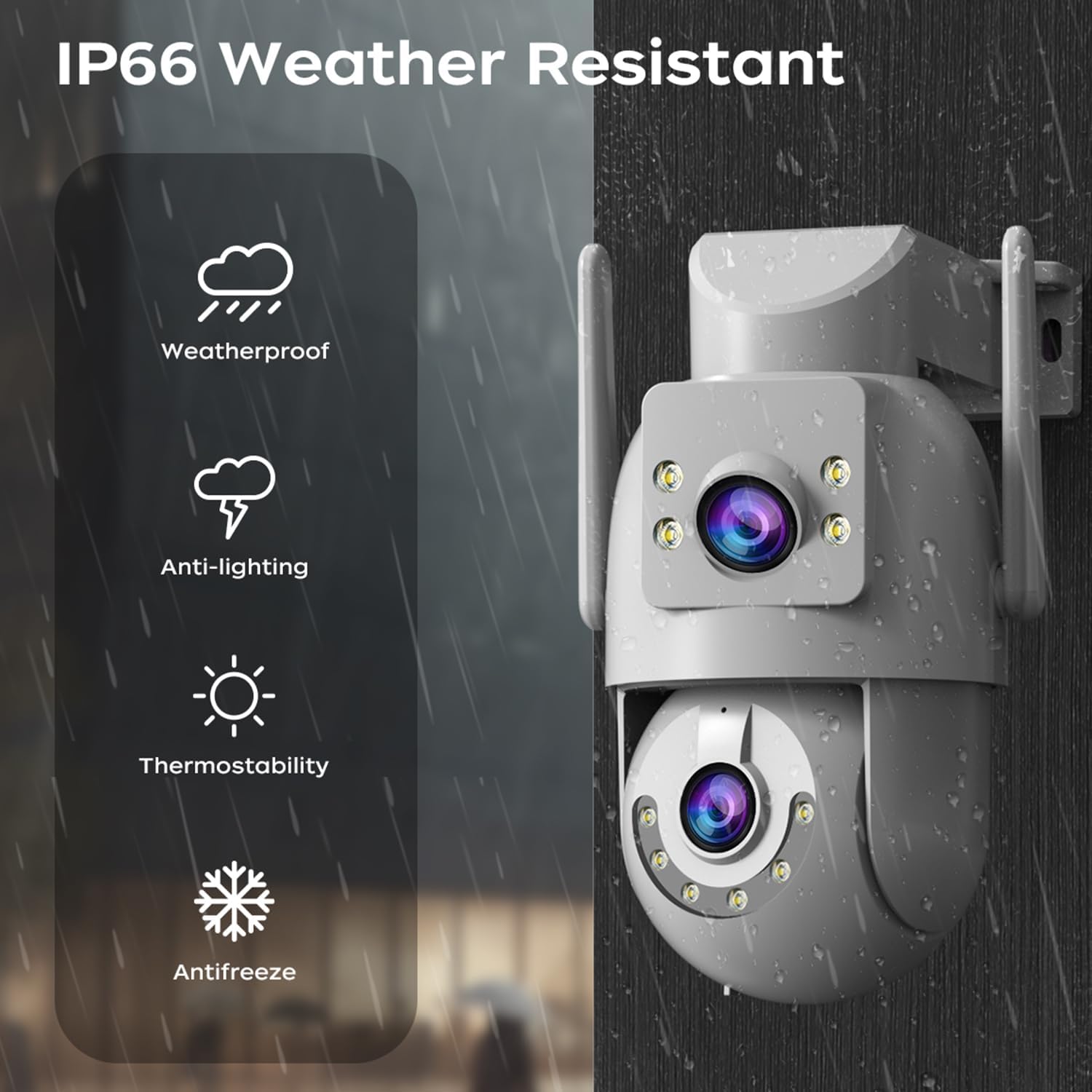
Image: A visual representation of the dual-lens camera monitoring two distinct areas simultaneously, displayed on a smartphone screen.
2. ПТЗ контрола
The lower lens offers Pan-Tilt-Zoom (PTZ) capabilities. Use the controls within the app to remotely adjust the camera's viewугао уласка.
- Пан: Ротирајте камеру хоризонтално до 355 степени.
- Нагиб: Adjust the camera vertically up to 90 degrees.
- Дигитални зум: Pinch to zoom on the live feed for closer inspection.

Image: A smartphone screen showing PTZ controls, with arrows indicating the camera's pan and tilt movement.
3. Двосмерни аудио
Utilize the built-in microphone and speaker for two-way communication. This allows you to speak to visitors or deter intruders directly through the camera.
- Tap the microphone icon in the app to speak.
- Adjust audio volume as needed within the app.

Image: A person speaking into a smartphone, with a delivery person at the door, illustrating the two-way audio communication feature.
4. Режими ноћног вида
The camera offers three night vision modes to suit different lighting conditions:
- Infrared Night Vision (B/W): Пружа јасне црно-беле слике у потпуном мраку користећи инфрацрвене ЛЕД диоде.
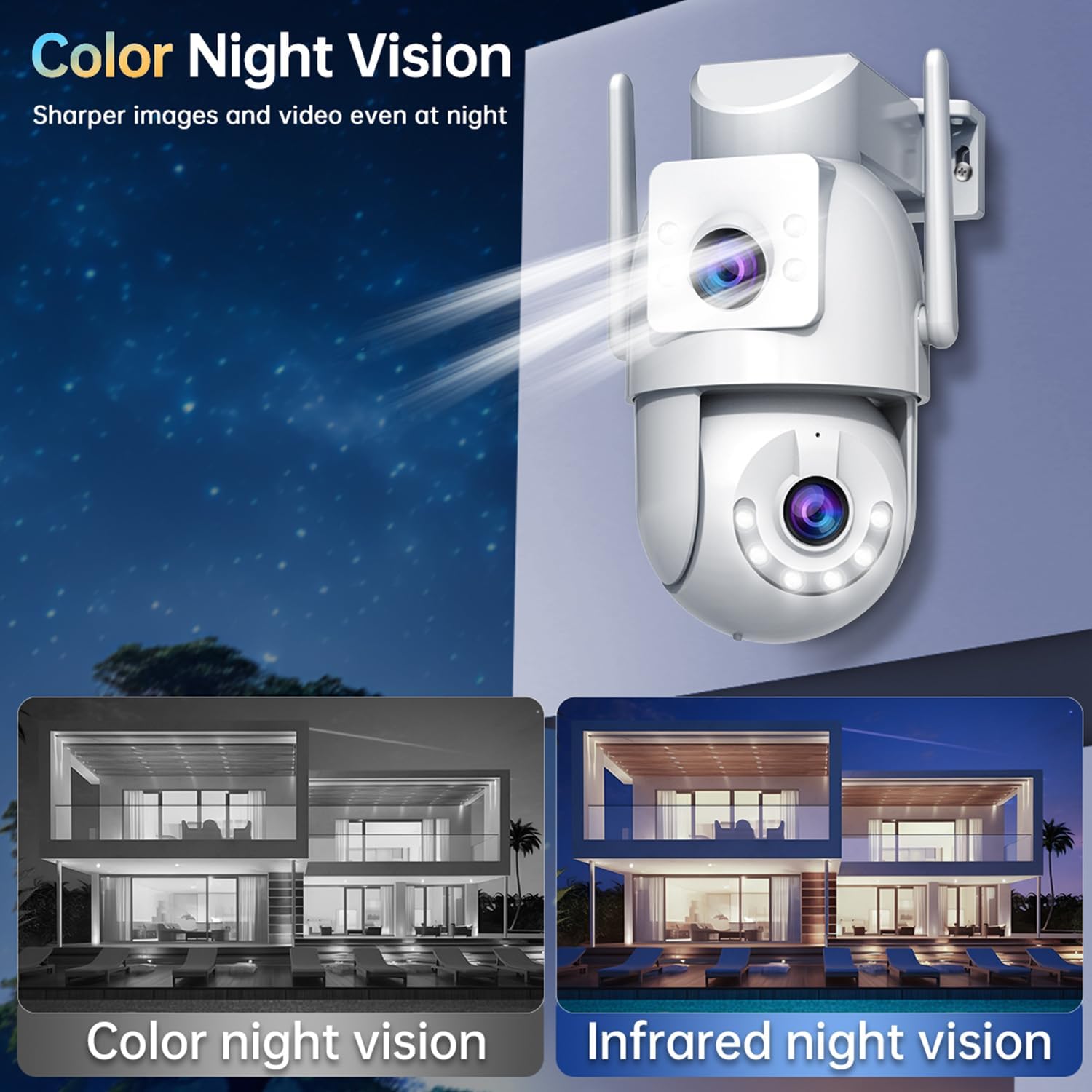
- Ноћни вид у пуној боји: Utilizes white LEDs to provide full-color images at night.
- Паметни ноћни вид у боји: The camera automatically switches from infrared to full-color vision when motion is detected, providing detailed color footage when needed.
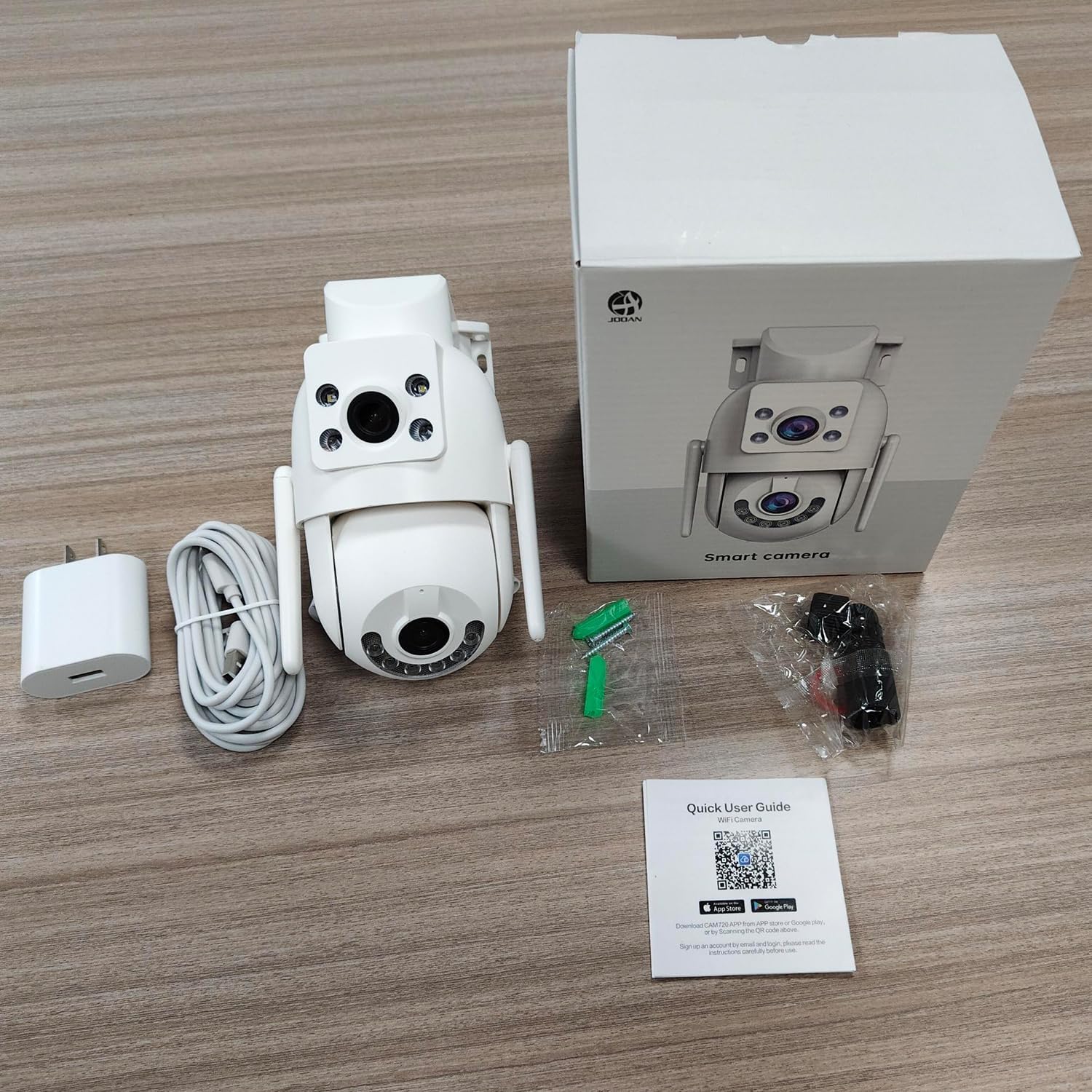
Image: Comparison of color night vision and infrared night vision, showing sharper and more detailed images in color at night.

Слика: Визуелни ексamples of Infrared Night Vision, Full Color Night Vision, and Smart Color Night Vision modes.
5. Детекција покрета и упозорења
The camera features advanced motion and sound detection capabilities. Customize detection zones, sensitivity, and alert types within the app.
- Детекција покрета: Receive instant push notifications to your phone when motion is detected.
- Детекција плача: Alerts you to unusual sounds, such as crying, in the monitored area.
- Light & Sound Alarm: Configure the camera to activate a floodlight and/or siren upon detection to deter intruders.
- Customized Setup: Adjust detection methods, sensitivity levels, specific detection areas, and alert schedules.

Image: An illustration showing motion detection in action, with an alert notification on a smartphone.

Image: Depicts the camera's motion detection triggering a floodlight and siren, with a notification appearing on a phone.
6. Аутоматско праћење
Enable auto-tracking for the PTZ lens. When motion is detected, the camera will automatically pan to follow the moving object within its field of view.

Image: A visual demonstration of the auto-tracking feature, showing the camera panning to follow a moving person.
7. Опције складиштења
The camera supports two primary storage methods for recorded footage:
- Складиштење МицроСД картице: Records continuously or based on events to a locally installed MicroSD card (8-256GB, not included).
- Цлоуд Стораге: Offers secure cloud storage for alarm records. This allows you to access footage even if the camera is lost or damaged. Cloud storage typically requires a subscription.

Image: Icons representing cloud storage and MicroSD card storage, with a visual of the MicroSD card slot on the camera.

Image: Illustrates MicroSD card storage and cloud storage options for recording and playback.
8. Дељење приступа
You can share camera access with family members or trusted individuals through the app, allowing multiple users to view the live feed and receive alerts.

Image: Multiple individuals viewing the camera feed on their smartphones, demonstrating the sharing feature.
9. Интеграција паметног дома
The JOOAN W3-Dual Lens camera is compatible with smart home platforms like Amazon Alexa, allowing for voice control and integration into your smart home ecosystem.
- Follow the instructions in the app to link your camera with your Alexa account.
- Користите гласовне команде за view пренос података са камере на компатибилним паметним екранима.

Image: A person interacting with an Alexa-enabled device to view the camera feed, indicating smart home compatibility.
Одржавање
- Чишћење: Regularly wipe the camera lenses with a soft, dry cloth to ensure clear image quality. Do not use harsh chemicals.
- Ажурирања фирмвера: Периодично проверавајте апликацију за ажурирања фирмвера. Одржавање фирмвера вашег фотоапарата ажурираним обезбеђује оптималне перформансе, безбедност и приступ новим функцијама.
- Напајање: Ensure the power connection remains secure and free from damage.
Решавање проблема
| Иссуе | Могуће решење |
|---|---|
| Камера ван мреже | Check WiFi signal strength, ensure power supply is connected, restart camera and router. |
| Није могуће повезати се на ВиФи | Ensure correct WiFi password, try 2.4Ghz network if 5Ghz fails, move camera closer to router, reset camera. |
| Лош квалитет слике | Clean the camera lenses, check network bandwidth, ensure adequate lighting for night vision. |
| Нема упозорења о детекцији покрета | Verify motion detection is enabled in app settings, adjust sensitivity, check alert schedule. |
| MicroSD картица не снима | Ensure card is inserted correctly, format card in app, check card capacity and health. |
Спецификације
| Феатуре | Детаљ |
|---|---|
| Број модела | В3-У |
| Резолуција снимања видео записа | 3 MP (2K*2) |
| Технологија повезивања | Wi-Fi (2.4Ghz/5Ghz), Wired (Powerline) |
| Извор напајања | Електрични са каблом (5V, 7.5W) |
| Тип монтаже | Плафонски носач, зидни носач |
| Viewинг Англе | 360 Degrees (PTZ) |
| Посебне карактеристике | Dual Lens, 2-Way Audio, Motion Detection, Auto Tracking, Color Night Vision, IP66 Weatherproof |
| Складиштење | MicroSD Card (8-256GB), Cloud Storage |
| Компатибилни уређаји | Smartphone (Android/iOS) |
| Тежина артикла | 1.15 фунти |
| Димензије | 6.93 к 5.79 к 4.29 инча |
Гаранција и подршка
JOOAN products come with a standard manufacturer's warranty. For specific warranty details, please refer to the warranty card included in your package or contact JOOAN customer support.
If you encounter any issues or have questions regarding your JOOAN W3-Dual Lens Security Camera, please contact our customer support team. Contact information can typically be found on our official website or within the camera app's 'About Us' section.


