Увод
Thank you for choosing the GOBOULT Soniq Over Ear Bluetooth Headphones. These headphones are designed to provide a superior audio experience with features like 70 hours of playtime, 40mm bass drivers, Zen™ ENC microphone, Type-C fast charging, and dual device pairing. This manual will guide you through the setup, operation, and maintenance of your new headphones to ensure optimal performance.
Шта је у кутији
Молимо вас да проверите садржај пакета како бисте били сигурни да су сви предмети присутни:
- Soniq Headphone
- Кабл за пуњење типа Ц
- Упутство за употребу
- Јастучићи за уши (унапред инсталирани)
- Гарантни лист
Феатурес Продуцт Оверview
The GOBOULT Soniq headphones come equipped with several advanced features:
- Продужено време репродукције: До 70 сати репродукције музике са једним пуњењем.
- Customizable EQ Modes: Подесите звучни професионалацfiles for bass boost, balanced audio, or vocal clarity.
- Поништавање буке у животној средини (ЕНЦ): Побољшава јасноћу позива смањењем позадинске буке.
- Упаривање два уређаја: Seamlessly connect and switch between two devices simultaneously.
- Powerful Audio Drivers: 40mm bass-boosted drivers for rich sound.
- Latest Bluetooth Technology: Bluetooth 5.4 for faster pairing and stable connections.
- Удобан дизајн: Lightweight build with cushioned earcups for prolonged wear.
- Отпорност на воду: IPX5 rating for splash, rain, and sweat protection.
- Tactile Controls: Easy-to-use physical buttons for volume, playback, and mode switching.
- Подршка за AI гласовни асистент: Compatible with Google Assistant and Siri.

Слика: Прекоview of key features including 70H battery, EQ modes, ENC, dual pairing, 40mm drivers, and Bluetooth 5.4.

Image: Close-up of the GOBOULT Soniq headphone earcup highlighting the 40mm power-packed bass neodymium drivers with BoomX™ Technology and Memory Foam.
Водич за подешавање
1. Пуњење слушалица
Before first use, fully charge your GOBOULT Soniq headphones. Use the provided Type-C charging cable to connect the headphones to a compatible USB power source.
- Потпуно пуњење обезбеђује до 70 сати репродукције.
- Fast charging feature: 10 minutes of charge provides approximately 8 hours of playtime.
- The LED indicator will show charging status and turn off or change color when fully charged.

Image: GOBOULT Soniq headphones connected via Type-C cable, illustrating 70 hours playtime and fast charging capability.
2. Укључивање/искључивање
To power on, press and hold the Power button for approximately 3 seconds until the LED indicator lights up. To power off, press and hold the Power button again for 3 seconds until the LED indicator turns off.
3. Блуетоотх упаривање
Пратите ове кораке да бисте упарили слушалице са уређајем који подржава Bluetooth:
- Уверите се да су слушалице потпуно напуњене и искључене.
- Притисните и држите дугме за напајање 5-7 секунди док ЛЕД индикатор не почне наизменично да трепери црвено и плаво, што указује на режим упаривања.
- На свом уређају (паметном телефону, таблету, лаптопу) омогућите Блутут и потражите доступне уређаје.
- Select "GOBOULT Soniq" from the list of found devices.
- Once connected, the LED indicator will flash blue slowly or remain solid blue.

Image: GOBOULT Soniq headphones highlighting Bluetooth 5.4 for fast and stable connection.
Упутство за употребу
1. Основне контроле
The headphones feature tactile buttons for easy control:
- Дугме за напајање: Притисните и држите да бисте укључили/искључили уређај. Кратак притисак за репродукцију/паузирање.
- Јачина звука (+): Кратко притисните за повећање јачине звука. Дуго притисните за следећу нумеру.
- Утишавање (-): Кратко притисните за смањење јачине звука. Дуго притисните за претходну нумеру.
- Multi-function Button (often combined with Power or a dedicated button): Answer/End calls, activate voice assistant.

Image: Close-up of the right earcup showing tactile button controls for volume and play/pause.
2. Режими еквилајзера
Customize your audio experience with multiple EQ modes. Press the dedicated EQ button (or a specific combination, refer to quick start guide if available) to cycle through modes:
- Режим појачавања баса: Појачава ниске фреквенције за дубљи бас звук.
- Уравнотежени режим: Provides a neutral sound profile suitable for various genres.
- Вокални режим: Optimizes mid-range frequencies for clearer vocals.
- Режим игре: Reduces latency for a more synchronized gaming audio experience (60ms ultra-low latency).
- Музички режим: Стандардни аудио професионалацfile for general music listening.
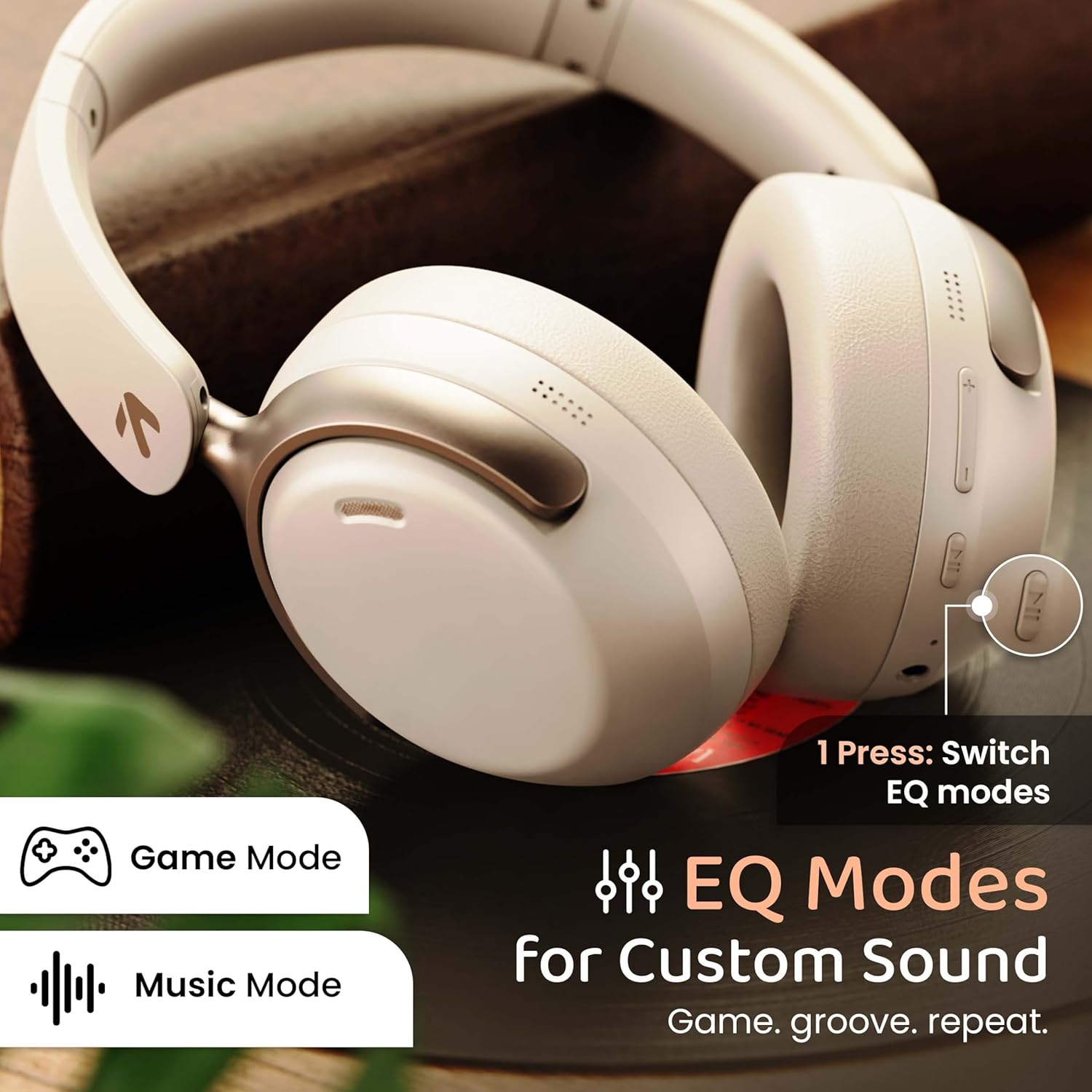
Image: GOBOULT Soniq headphones illustrating the EQ modes for custom sound, including Game Mode and Music Mode.

Image: GOBOULT Soniq headphones highlighting Combat™ Gaming Mode with 60ms ultra-low latency, tailored for mobile gaming and real-time sound accuracy.
3. Dual Device Pairing
The headphones support dual device pairing, allowing you to connect to two devices simultaneously and switch between them seamlessly.
- Pair the headphones with the first device as described in the "Bluetooth Pairing" section.
- Онемогућите Блутут на првом уређају.
- Упарите слушалице са другим уређајем.
- Поново омогућите Bluetooth на првом уређају. Слушалице би требало аутоматски да се повежу са оба уређаја.
- Audio will play from the device currently active. To switch, pause audio on the first device and start playing on the second.

Image: GOBOULT Soniq headphones demonstrating dual device connectivity with a laptop and a smartphone.
4. Жични режим (AUX)
For a wired connection, use a standard 3.5mm AUX cable (not included) to connect the headphones to your audio source. In wired mode, the headphones operate passively, and the built-in microphone will not function.

Image: GOBOULT Soniq headphones showing the option for wireless mode and an optional wired mode via AUX cable, noting that the mic is off in wired mode.
5. Environmental Noise Cancellation (ENC) for Calls
The Zen™ ENC microphone technology helps reduce ambient noise during calls, ensuring clearer conversations. This feature is automatically active during phone calls.

Image: Close-up of the GOBOULT Soniq headphone earcup highlighting the Zen™ ENC Mic for processed calling, ambient noise isolation, enhanced call experience, and sharper voice clarity.
6. Гласовни асистент
Activate your device's voice assistant (Google Assistant or Siri) by pressing the multi-function button (or specific button, refer to quick start guide) for approximately 2 seconds.

Image: GOBOULT Soniq headphones with icons for Google Assistant and Siri, indicating personalized AI assistant support.
Одржавање и њега
- Чишћење: Обришите слушалице меком, сувом крпом. Не користите абразивна средства за чишћење или раствараче.
- Отпорност на воду: The headphones are IPX5 water resistant, meaning they are protected against splashes, rain, and sweat. Do not submerge them in water or expose them to strong jets of water.
- Складиштење: Када се не користе, чувајте слушалице на хладном и сувом месту, даље од директне сунчеве светлости и екстремних температура. Склопиви дизајн омогућава компактно складиштење.
- Одржавање батерије: Да бисте продужили век трајања батерије, избегавајте често потпуно пражњење слушалица. Редовно их пуните, чак и ако их не користите стално.
Image: GOBOULT Soniq headphones illustrating IPX5 water resistance, indicating protection against splash, rain, and sweat.

Image: GOBOULT Soniq headphones showcasing their adjustable headband, foldable design, and movable earcups for maximum comfort and portability.
Решавање проблема
| Проблем | Могуће решење |
|---|---|
| Слушалице се не укључују. | Уверите се да су слушалице напуњене. Повежите их са извором напајања помоћу Type-C кабла. |
| Упаривање са уређајем није могуће. |
|
| Нема звука или је јачина звука ниска. |
|
| Microphone not working in wired mode. | The built-in microphone is not active when using the AUX wired connection. This is normal operation. |
| Повремена веза. |
|
Спецификације
| Феатуре | Детаљ |
|---|---|
| Назив модела | AirBass |
| Технологија повезивања | Bluetooth, Wired, Wireless |
| Бежична комуникациона технологија | Блуетоотх 5.4 |
| Блуетоотх домет | 10 метара |
| Величина аудио драјвера | 40 милиметара |
| Тип аудио драјвера | Динамички возач |
| Трајање батерије | 40 сата |
| Порт за пуњење | Type-C Fast Charging Jack |
| Контрола буке | Уклањање буке из околине (ЕНЦ) |
| Ниво отпорности на воду | IPX5 (Splash, Rain, Sweat Proof) |
| Аудио Латенци | 60 милисекунди (режим игре) |
| Облик слушалице | Преко уха |
| Материјал | Memory Foam (Ear Cushions) |
| Тежина артикла | 227 грама |
| Димензије производа (ДкШкВ) | 17 к 5.5 к 19 центиметара |
| Тип контролера | Button, Google Assistant |
| Импеданса | 32 Охмс |
| Осетљивост | 118 дБ |
Гаранција и подршка
Your GOBOULT Soniq Over Ear Bluetooth Headphones come with a 1-годишња гаранција произвођача from the date of purchase. This warranty covers manufacturing defects and ensures the reliability of your product.
For warranty claims, technical support, or any inquiries, please refer to the contact information provided on the warranty card included in your package or visit the official GOBOULT support webсајту.
Молимо вас да сачувате рачун као доказ о куповини ради потврде гаранције.