1. Увод
Thank you for choosing the Pro Breeze 40L Smart Dehumidifier. This manual provides important information regarding the safe operation, installation, use, and maintenance of your appliance. Please read this manual thoroughly before use and retain it for future reference.
This dehumidifier is designed to efficiently remove excess moisture from the air, helping to prevent mold, mildew, and condensation in spaces up to 50 m².
2. Важна безбедносна упутства
Увек се придржавајте основних мера предострожности када користите електричне уређаје како бисте смањили ризик од пожара, струјног удара и повреда.
- Пажљиво прочитајте сва упутства пре употребе уређаја.
- Уверите се да је волtagназначено на етикети са карактеристикама одговара јачини звука ваше мрежеtage.
- Не потапајте уређај, кабл за напајање или утикач у воду или друге течности.
- Do not operate the appliance with a damaged cord or plug, or after it malfunctions or has been dropped or damaged in any manner.
- Држите уређај ван домашаја деце и кућних љубимаца.
- Always unplug the appliance when not in use, before cleaning, or before moving.
- Уверите се да је уређај постављен на стабилну, равну површину.
- Не блокирајте улазе или излазе за ваздух. Одржавајте најмање 20 цм простора око уређаја.
- Овај уређај је само за унутрашњу употребу.
- Do not use in bathrooms or other excessively humid environments where water may splash onto the unit.
3. Производ је готовview
3.1 Компоненте
The Pro Breeze 40L Smart Dehumidifier features a compact design with integrated controls and a water tank. It includes a continuous drainage option and mobility wheels for easy placement.
Слика: Фронт view of the Pro Breeze 40L Smart Dehumidifier, highlighting its dimensions (52cm height, 28cm depth, 35.5cm width) and key features like smart app control, laundry mode, 5.5L tank, and low energy consumption.
3.2 Контролна табла и екран
The dehumidifier is equipped with an intuitive touch control panel and an LED display for easy operation and monitoring of humidity levels.

Image: A hand interacting with the touch control panel of the dehumidifier, showing the digital display and various function buttons.
4. Подешавање
4.1 Распакивање
- Пажљиво извадите одвлаживач ваздуха из његовог паковања.
- Remove all packaging materials, including any protective films or tapes.
- Проверите уређај да ли има знакова оштећења. Ако је оштећен, немојте га користити и контактирајте корисничку подршку.
4.2 Постављање
Place the dehumidifier on a firm, level surface in the desired room. Ensure there is at least 20 cm of clear space around all sides of the unit to allow for proper airflow.

Image: A person easily moving the dehumidifier across a wooden floor in a living room, demonstrating its portability with four swivel wheels.
4.3 Прикључак за напајање
Plug the power cord into a grounded electrical outlet. Ensure the outlet meets the power requirements specified in the 'Specifications' section.
4.4 Континуирано одводњавање (опционо)
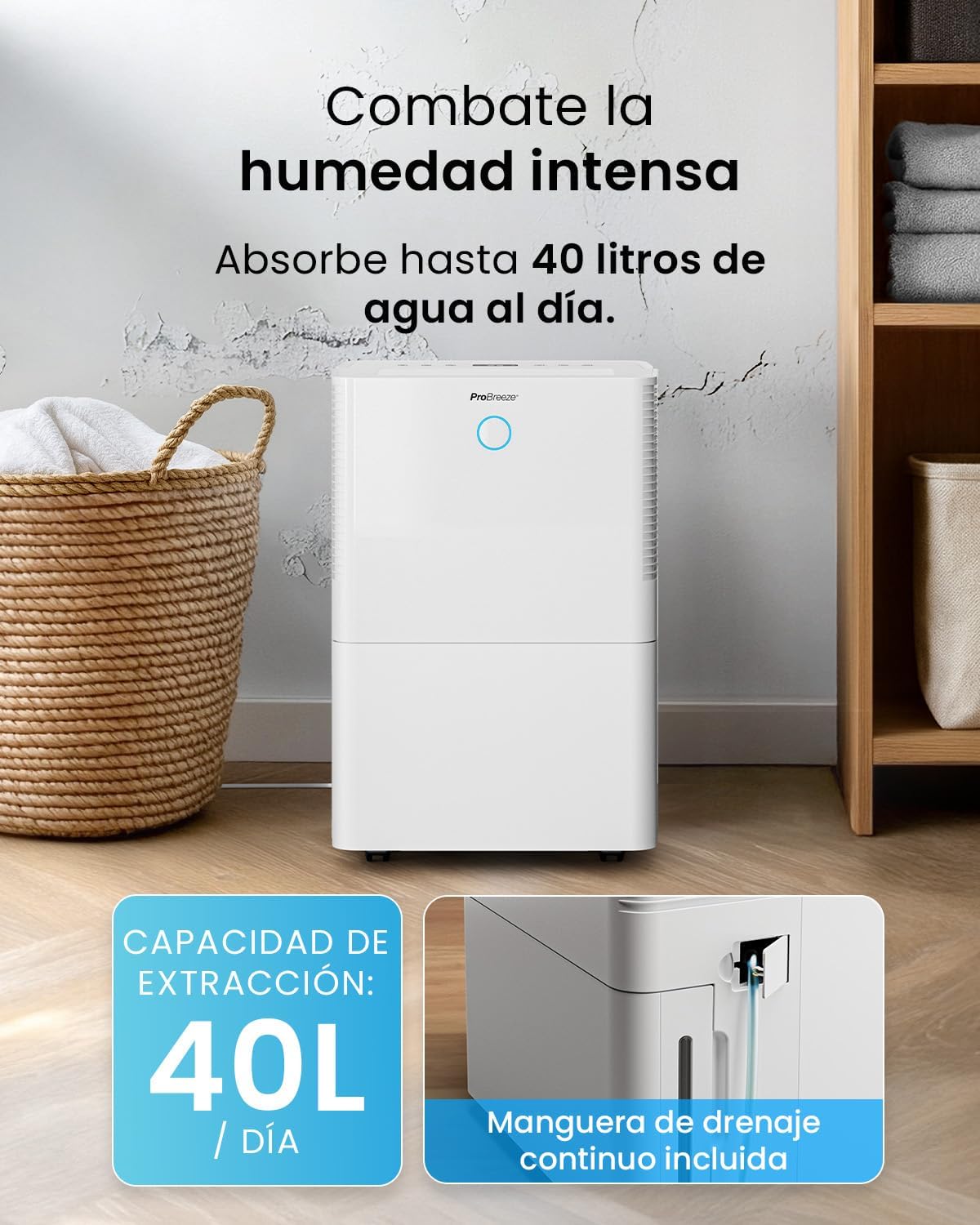
For continuous operation without needing to empty the water tank, attach the included drainage hose. Connect one end to the drainage port on the back of the unit and the other end to a suitable drain or container that is lower than the drainage port.

Слика: Крупни план view of the dehumidifier's side, showing the continuous drainage hose connected and leading to a floor drain.
5. Упутство за употребу
5.1 Укључивање/искључивање
Притисните тастер Повер дугме на контролној табли да бисте укључили или искључили уређај.
5.2 Подешавање жељене влажности
The dehumidifier features an automatic sensor that continuously measures room humidity. Use the Влажност buttons to set your desired humidity level between 30% and 80%.

Image: A family relaxing in a living room with the dehumidifier operating. An overlay illustrates the humidity indicator lights: Blue for >50% (Low), Green for 50-70% (Medium), and Red for <70% (High).
5.3 Режими рада
- Аутоматски режим: The unit will automatically adjust its operation to maintain the set humidity level.
- Континуирани режим: The dehumidifier will operate continuously regardless of the humidity level, ideal for very damp условима.
- Режим прања веша: This mode is designed to accelerate the drying of clothes indoors by running at maximum fan speed and continuous dehumidification.
- Режим спавања: Reduces fan speed and dims the display for quiet operation during the night.

Image: A woman smiling while placing clothes on a drying rack next to the dehumidifier, illustrating the accelerated laundry drying feature.

Image: A family watching television in a dimly lit living room, with the dehumidifier operating quietly in the foreground, indicating its silent operation and night mode features.
5.4 Функција тајмера
Користите Тајмер button to set a 24-hour timer for automatic power on or off. This allows you to schedule operation according to your needs.

Image: A close-up of a smartphone screen displaying the Pro Breeze app's 24-hour timer function, allowing users to schedule the dehumidifier's operation.
6. Wi-Fi Connectivity and App Control
The Pro Breeze 40L Smart Dehumidifier can be controlled remotely via the free Pro Breeze app, compatible with both Alexa and Google Home.
6.1 Инсталација и упаривање апликације
- Download the Pro Breeze app from your smartphone's app store.
- Follow the in-app instructions to create an account and pair your dehumidifier.
- Ensure your dehumidifier is powered on and your smartphone is connected to a 2.4GHz Wi-Fi network during the pairing process.
6.2 Функције даљинског управљача
Преко апликације можете:
- Turn the dehumidifier on/off.
- Подесите подешавања влажности.
- Select operating modes (Auto, Continuous, Laundry, Sleep).
- Set and manage the 24-hour timer.
- Monitor current room humidity.

Image: A woman using a smartphone to control the dehumidifier, with icons for Amazon Alexa and Google Home indicating voice control compatibility.
7. Одржавање
Редовно одржавање осигурава оптималне перформансе и дуготрајност вашег одвлаживача ваздуха.
7.1 Чишћење ваздушног филтера
Ваздушни филтер треба чистити сваке две недеље или чешће, у зависности од употребе и квалитета ваздуха.
- Искључите и искључите овлаживач.
- Уклоните ваздушни филтер са задње стране уређаја.
- Оперите филтер топлом водом са сапуном. Добро исперите и оставите да се потпуно осуши на ваздуху пре него што га поново уметнете.
- Do not operate the dehumidifier without the filter installed.
7.2 Пражњење и чишћење резервоара за воду
When the water tank is full, the unit will automatically shut off and an indicator light will illuminate. Empty the tank and clean it regularly to prevent mold and bacteria growth.
- Пажљиво извуците резервоар за воду са предње стране уређаја.
- Излијте прикупљену воду.
- Clean the tank with mild detergent and water. Rinse thoroughly.
- Reinsert the dry tank firmly into the dehumidifier.

Image: The dehumidifier in operation, with an overlay indicating its 40L/day extraction capacity and the continuous drainage hose option.
7.3 Спољно чишћење
Обришите спољашњост одвлаживача меком, дamp тканина. Немојте користити абразивна средства за чишћење или раствараче.
КСНУМКС. Решавање проблема
If you encounter issues with your dehumidifier, refer to the following table before contacting customer support.
| Проблем | Могући узрок | Решење |
|---|---|---|
| Одвлаживач се не укључује. | No power; Power cord not plugged in; Water tank full or not correctly inserted. | Проверите напајање; Укључите кабл за напајање; Испразните и поново поставите резервоар за воду правилно. |
| Није сакупљена вода. | Room humidity too low; Temperature too low; Air filter blocked; Continuous drainage hose connected. | Increase desired humidity setting; Ensure room temperature is above 5°C; Clean air filter; Disconnect continuous drainage hose if collecting water in tank. |
| Јединица је бучна. | Unit not on a level surface; Air filter blocked; Fan obstruction. | Поставите на равну, стабилну површину; Очистите ваздушни филтер; Проверите да ли има препрека у подручју вентилатора. |
| Проблеми са Wi-Fi везом. | Incorrect Wi-Fi password; Not connected to 2.4GHz network; Router too far. | Verify password; Connect to 2.4GHz Wi-Fi; Move unit closer to router or use a Wi-Fi extender. |
9. Спецификације
- Бренд: Про Бреезе
- Назив модела: PB-D-32W-W
- Moisture Extraction: До 40 литара/дан
- Капацитет резервоара за воду: 5.3 литара
- Препоручена величина собе: Up to 50 m² (538 sq ft)
- Димензије (Д к Ш к В): 27.5 к 35.5 к 52.2 цм
- Тежина: 16.36 кг
- Број брзина: 3
- Посебне карактеристике: Smart App Control, Automatic Humidity Sensor, Automatic Shut-off, 24-hour Timer, Laundry Mode, Sleep Mode, Continuous Drainage
- Ниво буке: <49дБ
10. Гаранција и подршка
For warranty information and customer support, please refer to the documentation included with your purchase or visit the official Pro Breeze website. Ensure you have your model number (PB-D-32W-W) and proof of purchase available when contacting support.
Произвођач: Оне Ретаил Гроуп


