Производ је завршенview
The ASTRO Gaming A20 Gen 2 Wireless Headset provides a high-quality audio experience for gaming across multiple platforms. Designed for comfort and performance, it features low-latency wireless connectivity and a convenient flip-to-mute microphone.
Кључне карактеристике:
- Next-Gen Compatibility: Seamlessly works with PlayStation 5, PlayStation 4, Windows, and Mac OS.
- Lag-Free Wireless Audio: 2.4GHz USB wireless transmitter ensures low-latency, high-quality sound.
- Дуготрајна батерија: Up to 15 hours of wireless gaming on a single charge.
- Микрофон са преклапањем и искључивањем: Flexible boom mic with an intuitive flip-to-mute function for instant control.
- Удобност током целог дана: Lightweight design with padded headband and ear cushions for extended wear.
Шта је у кутији
- А20 Бежичне слушалице
- УСБ предајник
- УСБ-Ц на УСБ-А кабл за пуњење
Упутства за подешавање
Follow these steps to set up your ASTRO Gaming A20 Gen 2 Wireless Headset:
- Пуњење слушалица: Connect the headset to a power source using the provided USB-C to USB-A charging cable. Ensure the headset is fully charged before first use for optimal battery life.
- Connect the USB Transmitter: Plug the USB transmitter into an available USB port on your PlayStation console (PS5 or PS4) or your Windows/Mac computer. The transmitter facilitates the 2.4GHz wireless connection.
- Укључено: Turn on your ASTRO Gaming A20 Gen 2 Wireless Headset. The headset should automatically pair with the USB transmitter. Refer to your device's audio settings to ensure the headset is selected as the input and output device.
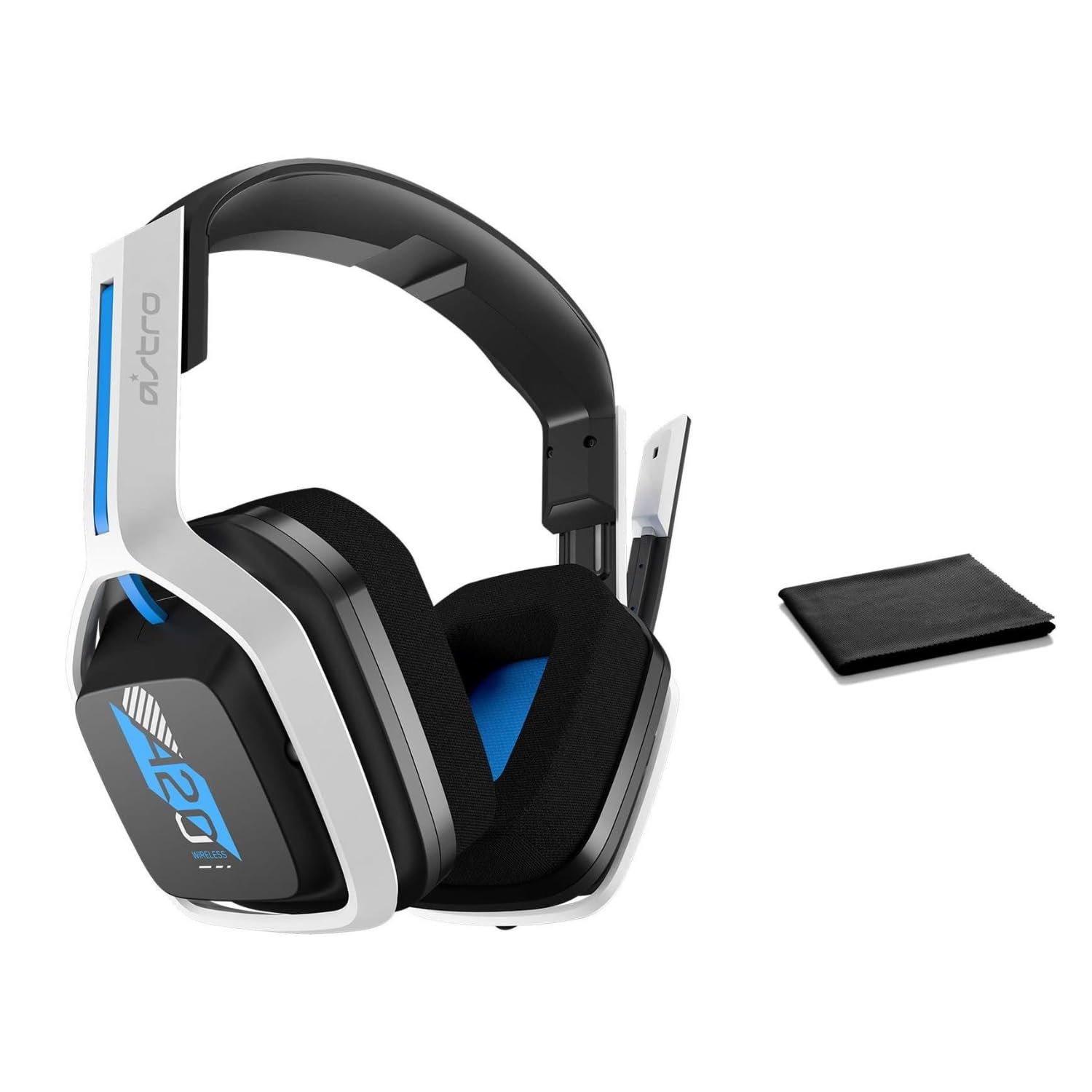
Image: The ASTRO Gaming A20 Gen 2 Wireless Headset, ready for use.
Упутство за употребу
Функционалност микрофона
The headset features a flexible boom microphone with a flip-to-mute function. To mute your microphone, simply flip the boom arm upwards. To unmute and activate the microphone, flip the boom arm back down to its original position.
Контрола јачине звука
Adjust the audio volume using the dedicated volume control located on the headset. Rotate the dial or press the buttons (depending on the specific model variant) to increase or decrease the sound output.
Одржавање
Да бисте осигурали дуготрајност и оптималне перформансе ваших слушалица:
- Чишћење: Use the included premium microfiber cloth to gently wipe down the headset and accessories. This helps keep your headset dust-free and smudge-free.
- Складиштење: Чувајте слушалице на чистом и сувом месту, даље од екстремних температура и директне сунчеве светлости када их не користите.
- Одржавање батерије: For best battery health, avoid fully discharging the headset frequently. Charge it regularly.
Решавање проблема
If you encounter issues with your ASTRO Gaming A20 Gen 2 Wireless Headset, consider the following:
- Нема звука/микрофон не ради: Ensure the USB transmitter is securely plugged into your device and the headset is powered on and paired. Check your device's audio settings to confirm the headset is selected as the default input/output. For the microphone, ensure it is not in the 'flipped-up' (muted) position.
- Проблеми са везом: Try unplugging and re-plugging the USB transmitter. If issues persist, try connecting to a different USB port.
- Батерија се не пуни: Verify the charging cable is properly connected to both the headset and the power source. Try a different USB port or power adapter.
- Ажурирање фирмвера: Visit the official ASTRO Gaming support website for any available firmware updates for your headset, as these can resolve various performance issues.
Спецификације
| Феатуре | Детаљ |
|---|---|
| Назив модела | 939-001876 |
| Бранд | АСТРО Гаминг |
| Технологија повезивања | Бежични |
| Бежична комуникација | КСНУМКСГХз Вирелесс |
| Компатибилни уређаји | Mac OS, PlayStation 4, Playstation 5, Windows |
| Трајање батерије | 15 сата |
| Време пуњења | 15 сата |
| Микрофон | Флип-то-Муте |
| Постављање уха | Преко уха |
| Тежина артикла | 11.2 унци (318 грама) |
| Материјал | Пластика |
| Укључене компоненте | A20 Wireless Headset, USB transmitter, USB-C to USB-A charging cable |
Гаранција и подршка
For detailed warranty information and technical support, please refer to the official ASTRO Gaming webсајт или контактирајте њихову корисничку службу. Сачувајте доказ о куповини за потребе гаранције.


