1. Увод
This manual provides essential information for setting up, operating, maintaining, and troubleshooting your HP 27-inch FHD Touchscreen All-in-One Desktop. Please read these instructions carefully before using your device to ensure optimal performance and longevity.
The HP 27-inch All-in-One Desktop is designed for versatile use, featuring an Intel Ultra 7 155U 12-Core processor, 32 GB DDR5 RAM, and a 1 TB SSD for efficient performance. Its 27-inch Full HD touchscreen display offers an interactive experience, complemented by Intel IrisX Graphics and Windows 11 Pro operating system.
2. Шта је у кутији
Проверите да ли су све компоненте присутне у паковању:
- HP 27-inch All-in-One Desktop
- Жична тастатура
- Жичани миш
- Адаптер за напајање и кабл
- Webcam (integrated or separate, depending on model configuration)
- Документација (Кратки водич, Информације о гаранцији)
3. Водич за подешавање
3.1 Распакивање и постављање
- Carefully remove the All-in-One desktop and all accessories from the packaging.
- Place the desktop on a stable, flat surface, ensuring adequate ventilation around the device. Avoid placing it near heat sources or in direct sunlight.
3.2 Повезивање периферних уређаја
- Connect the wired keyboard to an available USB Type-A port on the back of the desktop.
- Connect the wired mouse to another available USB Type-A port.
- If your model includes a separate webcam, connect it to a USB port.
3.3 Прикључак за напајање
- Connect the power adapter cable to the power input port on the desktop.
- Укључите адаптер за напајање у уземљену електричну утичницу.
3.4 Почетно укључивање
- Притисните дугме за напајање, које се обично налази на бочној или доњој ивици екрана.
- Follow the on-screen instructions to complete the Windows 11 Pro setup, including language selection, network connection (Wi-Fi 6E supported), and user account creation.

Image: HP 27-inch All-in-One Desktop showcasing its ultra-slim design and adjustable stand. The display is a 27-inch Full HD screen.
4. Упутство за употребу
4.1 Коришћење екрана осетљивог на додир
The 27-inch Full HD (1920 x 1080) IPS touchscreen allows for intuitive interaction. Use gestures similar to a tablet or smartphone for navigation, zooming, and scrolling. The display features a three-sided micro-edge design and wide-viewуглове за импресивно визуелно искуство.

Image: Visual representation of the HP 27-inch All-in-One Desktop's display features, highlighting the three-sided micro-edge, wide-viewing angles, and a 90% screen-to-body ratio.
4.2 Повезивање и портови
Your desktop offers a variety of ports for connecting external devices:
- USB Type-C 5Gbps Signaling Rate: 1 port for modern peripherals and fast data transfer.
- USB Type-A 5Gbps Signaling Rate: 2 ports for standard USB devices.
- УСБ 2.0 тип-А: 2 ports for basic peripherals like keyboards and mice.
- HDMI-out 1.4: 1 port for connecting an external monitor or display.
- RJ45 LAN Ethernet port: 1 порт за жичну мрежну везу.
- Комбинација за слушалице/микрофон: 1 port for audio input/output.

Слика: Детаљна задња страна view of the HP 27-inch All-in-One Desktop, illustrating the arrangement and types of ports available, including USB Type-C, HDMI, Ethernet, USB Type-A, and the power supply connection.
4.3 Using the Privacy Camera and Audio
The HP True Vision 1080p FHD IR Tilt Privacy Camera features a pop-up mechanism for privacy. Push down to hide the camera when not in use. The integrated dual array digital microphones and dual 2W speakers provide clear audio for video calls and multimedia.

Image: The HP 27-inch All-in-One Desktop highlighting its pop-up privacy camera, dual microphones, and advanced noise reduction capabilities for enhanced communication.
5. Феатурес Оверview
- процесор: Equipped with the Intel Ultra 7 155U 12-Core processor, offering speeds up to 4.8 GHz, 12 MB Intel Smart Cache, and 14 threads for robust multitasking and performance.
- Графика: Features Intel IrisX Graphics for clear visuals and support for everyday tasks and light creative work.
- Меморија и складиштење: Comes with 32 GB DDR5 5600MHz RAM and a 1 TB SSD for fast boot times, quick application loading, and ampкапацитет складиштења.
- Бежична повезаност: Includes Realtek Rtl8852Be Wi-Fi 6 (2x2) and Bluetooth 5.3 for high-speed wireless networking and peripheral connections.
- Оперативни систем: Pre-installed with Windows 11 Pro, providing a secure and productive computing environment.
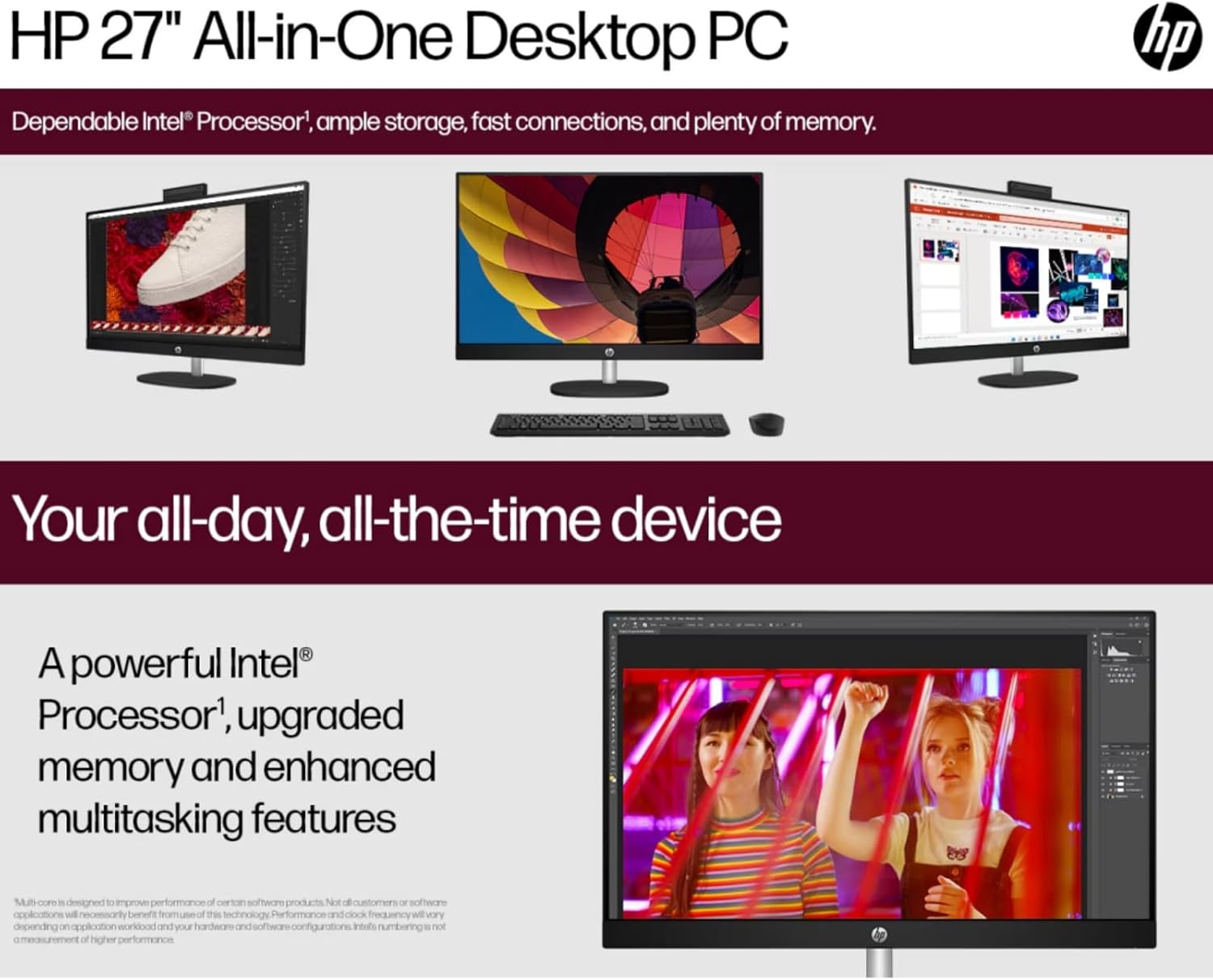
Image: The HP 27-inch All-in-One Desktop illustrating its capability for enhanced multitasking, powered by a robust Intel Processor and upgraded memory.
5.1 Разматрања животне средине
This product is designed with environmental responsibility in mind. It incorporates recycled materials, including post-consumer recycled and ocean-bound plastics, and is EPEAT Gold Registered and ENERGY STAR® Certified.

Image: An infographic showing the HP 27-inch All-in-One Desktop's commitment to sustainability, detailing the use of reclaimed coffee grounds and post-consumer recycled plastics in its construction.
6. Одржавање
6.1 Cleaning the Display and Chassis
- Turn off the desktop and unplug the power cord before cleaning.
- Користите меку крпу која не оставља длачицеampened with water or a non-abrasive screen cleaner to wipe the display. Avoid harsh chemicals.
- For the chassis, use a soft, dry cloth.
6.2 Ажурирања софтвера
Regularly check for and install operating system updates (Windows Update) and driver updates (HP Support Assistant) to ensure optimal performance and security.
6.3 Вентилација
Ensure that the ventilation openings on the desktop are not blocked to prevent overheating. Keep the area around the desktop clear of obstructions.
КСНУМКС. Решавање проблема
Овај одељак се бави уобичајеним проблемима на које можете наићи.
7.1 Нема напајања
- Уверите се да је кабл за напајање безбедно повезан и са радном површином и са електричном утичницом.
- Проверите да ли је електрична утичница функционална тако што ћете укључити други уређај.
- Проверите адаптер за напајање да ли има видљивих оштећења.
7.2 Проблеми са приказом
- If the screen is blank, ensure the desktop is powered on.
- Adjust display brightness settings.
- If an external monitor is connected, ensure the correct display output is selected in Windows settings.
7.3 Периферни уређај не реагује
- Ensure the keyboard or mouse is properly connected to a USB port.
- Покушајте да повежете периферни уређај са другим УСБ портом.
- Поново покрените радну површину.
7.4 Проблеми са Wi-Fi повезивањем
- Проверите да ли је Wi-Fi омогућен у подешавањима система Windows.
- Рестартујте рутер и модем.
- Уверите се да сте у домету ваше Wi-Fi мреже.
8. Спецификације
| Феатуре | Детаљ |
|---|---|
| Бранд | HP |
| Број модела | HP 27 All-In-One Desktop |
| Оперативни систем | Виндовс 11 Про |
| Процесор | Intel Ultra 7 155U (12 Cores, up to 4.8 GHz) |
| РАМ | 32 ГБ DDR5 5600MHz |
| Складиштење | 1 TB SSD (PCIE x 2) |
| Графика | Intel IrisX Graphics (Integrated) |
| Дисплаи | 27-inch FHD (1920 x 1080) Touchscreen IPS, Anti-Glare, 300 Nits |
| Бежично повезивање | Wi-Fi 6E (802.11ax), Bluetooth 5.3 |
| Портс | 1x USB Type-C 5Gbps, 2x USB Type-A 5Gbps, 2x USB 2.0 Type-A, 1x HDMI-out 1.4, 1x RJ45, 1x Headphone/Microphone Combo |
| Камера | HP True Vision 1080p FHD IR Tilt Privacy Camera |
| Аудио | Dual 2W Speakers, Integrated Dual Array Digital Microphones |
| Димензије (ДкШкВ) | 24.11 к 20.35 к 7.34 инча |
| Тежина | 14.81 фунти |
9. Гаранција и подршка
За детаљне информације о гаранцији, погледајте гарантни лист који је приложен уз ваш производ или посетите званичну HP подршку. website. HP provides various support resources, including drivers, software updates, and troubleshooting guides.
Подршку обично можете пронаћи посетом суппорт.хп.цом and entering your product's serial number or model name.