1. Производ је готовview
The GKU 4K Dash Cam D200 is designed to provide high-resolution video recording for your vehicle. It features Ultra HD 2160P resolution, a 170° wide-angle lens, and advanced night vision capabilities with WDR technology. Integrated Wi-Fi allows for easy smartphone connectivity and app control. Key safety features include a 24-hour parking monitor, G-Sensor for impact detection, and seamless loop recording. The compact design ensures it does not obstruct your view током вожње.
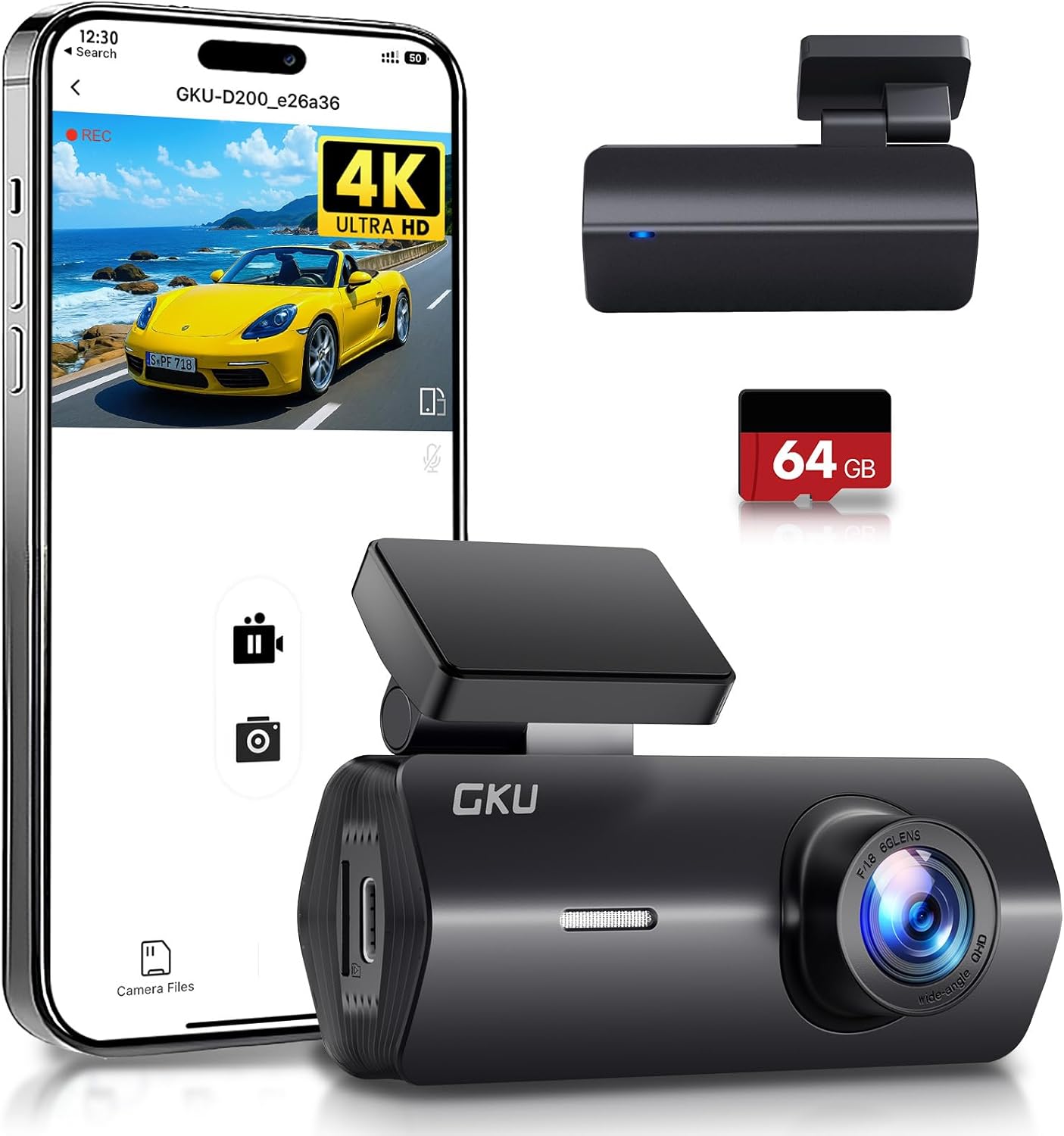
Figure 1: GKU 4K Dash Cam D200 with smartphone app interface and included 64GB SD card.
2. Шта је у кутији
Молимо вас да проверите садржај вашег пакета како бисте били сигурни да су сви предмети присутни:
- 1 x GKU 4K D200 Front Camera
- 1 к 64ГБ СД картица
- 1 x Ауто пуњач (9.84 m)
- 2 x 3M Adhesive Mounts
- 2 к електростатичке фолије
- 1 x Crowbar Tool
- 1 к Упутство за употребу

Figure 2: Contents of the GKU 4K Dash Cam D200 package.
3. Подешавање и инсталација
3.1 Инсталација СД картице
- Пронађите слот за SD картицу са стране камере на аутомобилу.
- Insert the provided 64GB SD card into the slot until it clicks into place. Ensure the card is inserted correctly with the contacts facing the camera lens.
- It is recommended to format the SD card within the dash cam settings before first use.

Figure 3: The included 64GB SD card.
3.2 Монтирање камере за аутомобил
- Очистите подручје на ветробранском стаклу где намеравате да монтирате камеру за аутомобил.
- Apply one of the electrostatic films to the cleaned area. This helps protect your windshield and makes removal easier.
- Attach a 3M adhesive mount to the dash cam's bracket.
- Press the dash cam firmly onto the electrostatic film on your windshield, ideally behind the rearview огледало како бисте избегли да заклањате свој view.
- Adjust the camera angle using the 140° adjustable bracket to ensure optimal road coverage.

Figure 4: Dash cam mounted on the windshield.
3.3 Прикључак за напајање
Connect the dash cam to your vehicle's power source using the provided car charger. Route the cable neatly along the windshield and dashboard to avoid interference with driving. For 24-hour parking monitoring, a hardwire kit (not included) is required to connect directly to your car's battery.
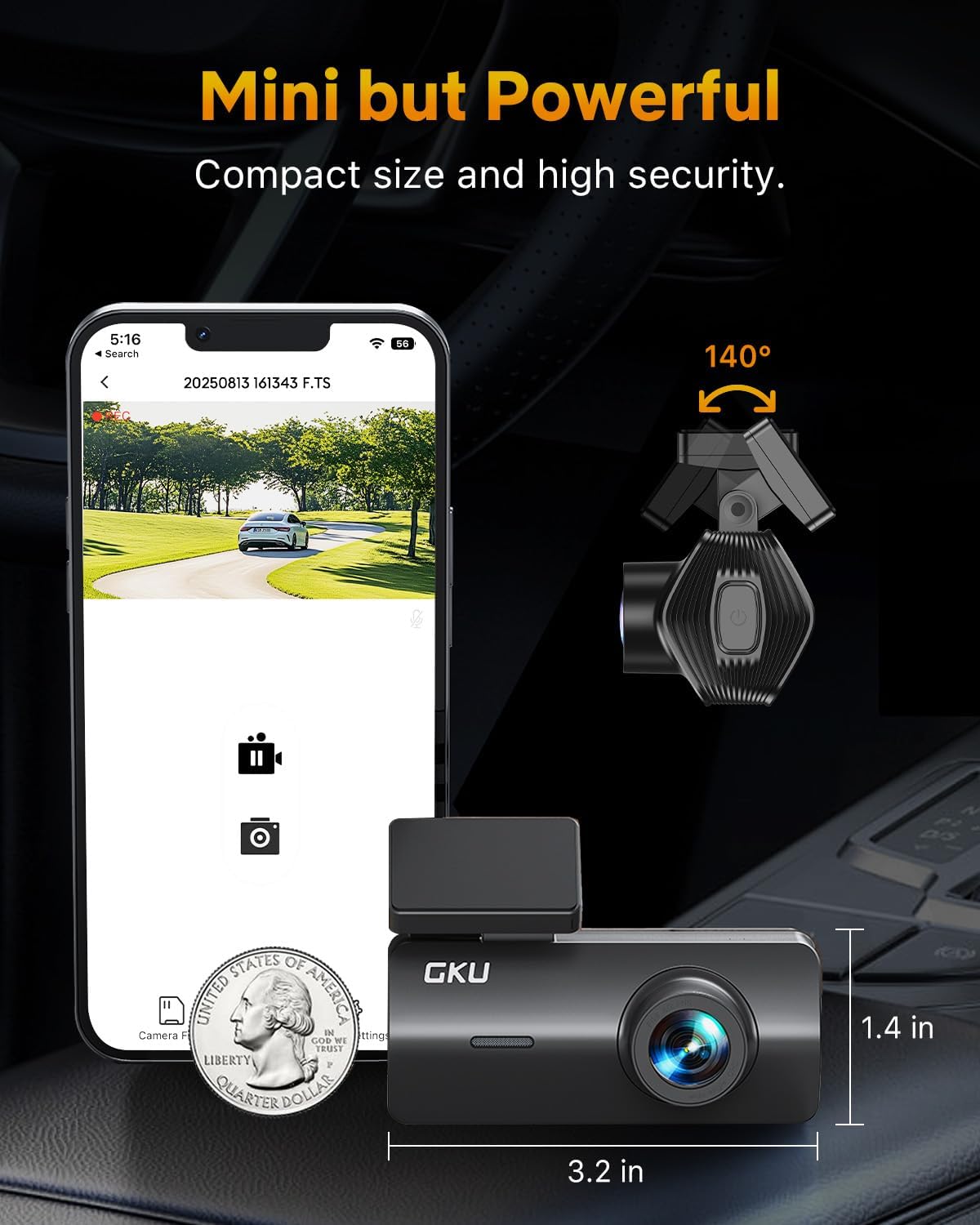
Figure 5: Car charger connection.
4. Упутство за употребу
4.1 Основно снимање
Once powered on, the dash cam will automatically begin recording. It utilizes loop recording, which continuously records video in segments (e.g., 1, 3, or 5 minutes). When the SD card is full, the oldest unlocked fileс се замењују новим снимцима.
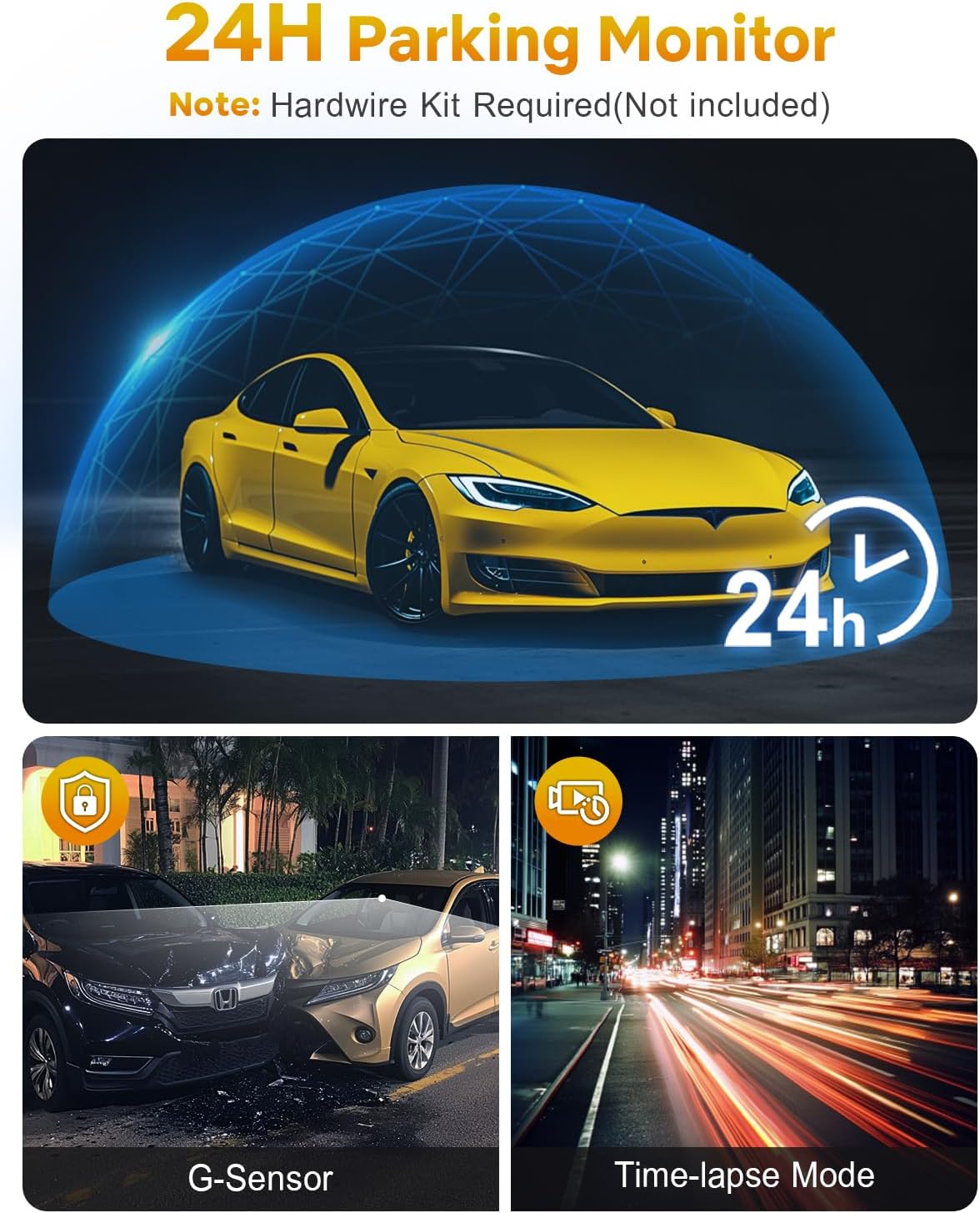
Figure 6: Loop Recording in action.
4.2 Wi-Fi и контрола преко апликација
The GKU D200 features built-in Wi-Fi for seamless connection to your smartphone via a dedicated app. This allows you to:
- View ливе фооtagе са контролне камере.
- Репродукција снимљених видео записа.
- Преузмите видео записе директно на свој телефон.
- Подесите подешавања камере у аутомобилу.
Download the official GKU app from your smartphone's app store and follow the in-app instructions to connect to your dash cam's Wi-Fi network.
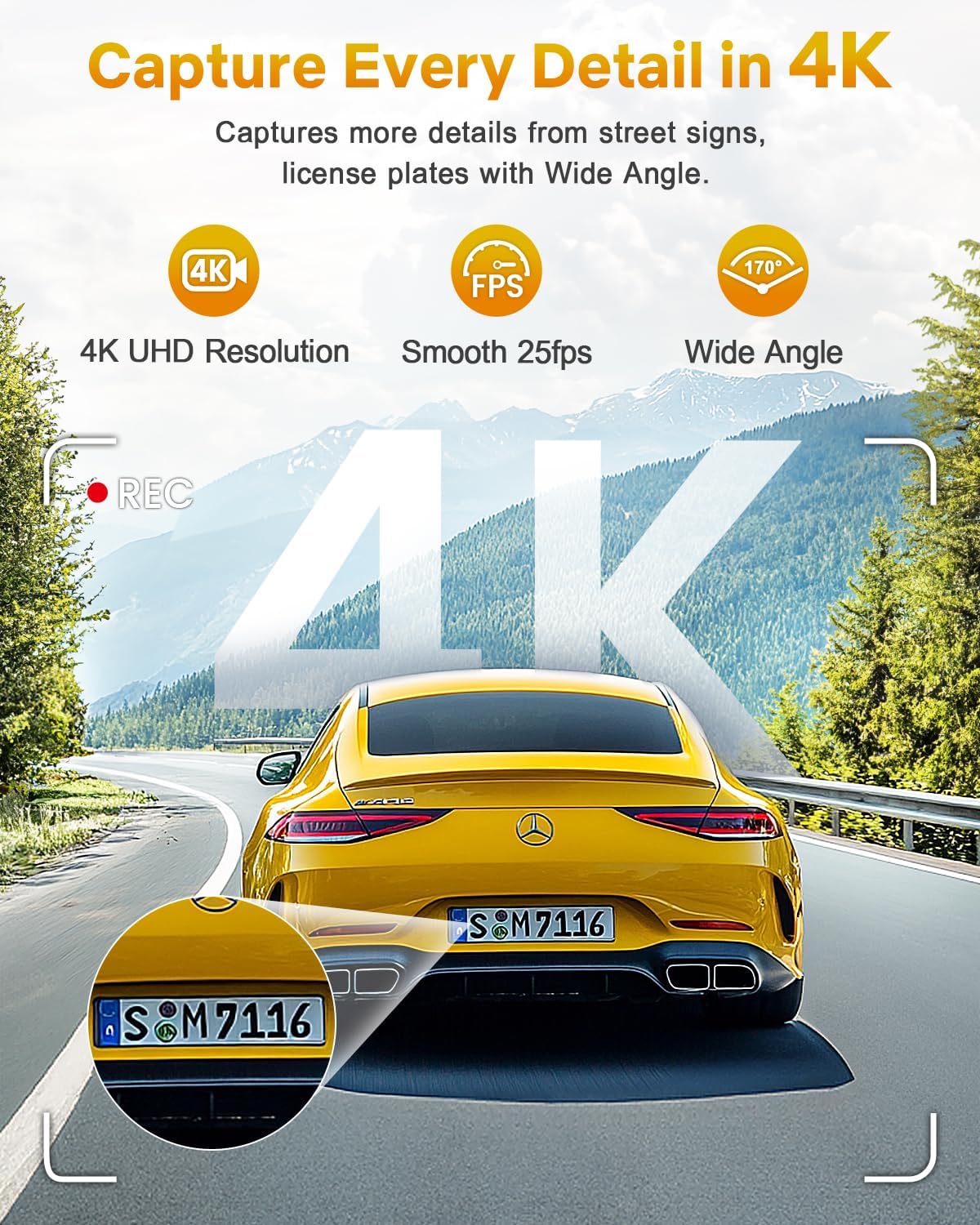
Figure 7: Wi-Fi connectivity and app control.
4.3 G-Sensor & Collision Lock
The integrated G-Sensor detects sudden impacts or collisions. When an event is detected, the dash cam automatically locks the current recording segment, preventing it from being overwritten by loop recording. This ensures critical footagе је сачувано.

Figure 8: G-Sensor collision lock feature.
4.4 24-часовни паркинг монитор
With the 24-hour parking monitor feature, the dash cam can continue to record even when your vehicle is parked. It uses impact detection to automatically record footage if a collision or significant vibration is detected. This feature requires a hardwire kit (sold separately) for continuous power supply.

Figure 9: 24-Hour Parking Monitor.
4.5 Ноћни вид
The GKU D200 is equipped with advanced night vision technology, including an F1.8 aperture and Wide Dynamic Range (WDR). This allows the camera to automatically balance exposure and enhance clarity in low-light conditions, ensuring clear recordings during nighttime driving.
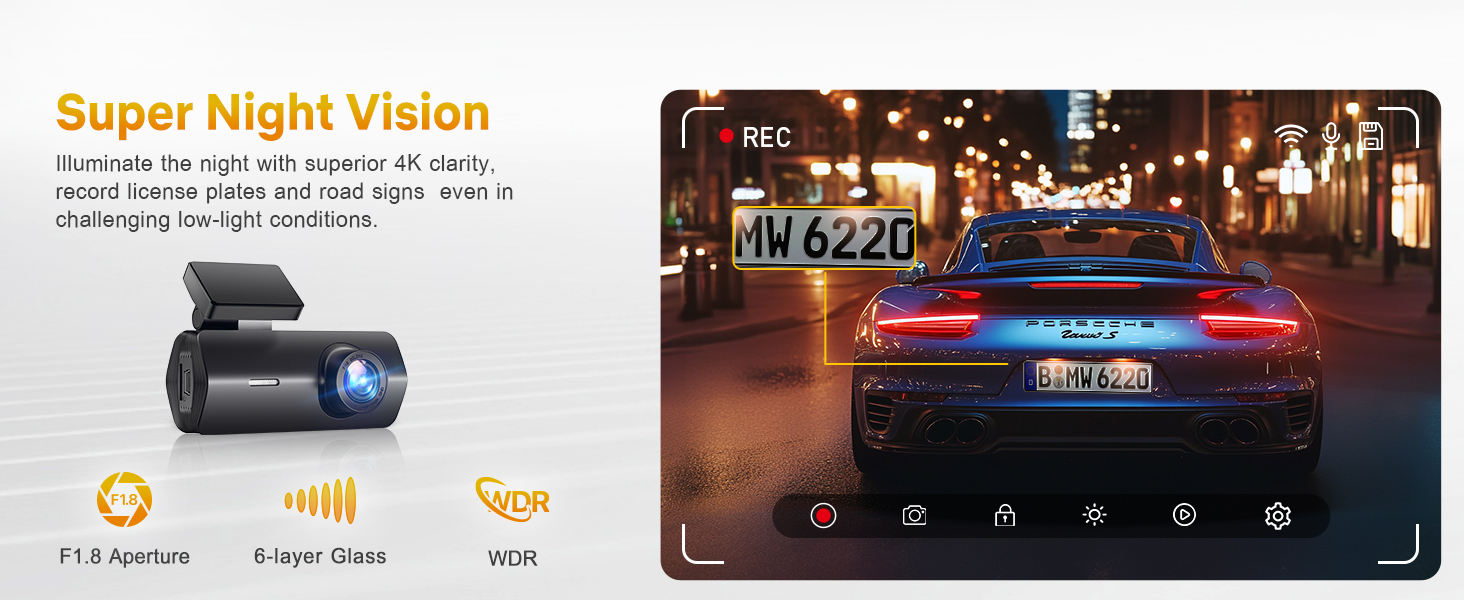
Figure 10: Enhanced night vision capabilities.
5. Одржавање
5.1 Управљање СД картицом
Regularly format your SD card (at least once a month) to ensure optimal performance and prevent data corruption. This can typically be done through the dash cam's settings via the smartphone app.
5.2 Општа нега
- Одржавајте објектив камере чистим меком крпом која не оставља влакна.
- Avoid exposing the dash cam to extreme temperatures for prolonged periods. The device is designed to withstand temperatures from -4°F (-20°C) to 158°F (70°C).
- Do not attempt to disassemble or repair the dash cam yourself, as this will void the warranty.
КСНУМКС. Решавање проблема
Уобичајени проблеми и решења
- Камера у аутомобилу се не укључује: Check the power connection and ensure the car charger is securely plugged into both the dash cam and the vehicle's power outlet. Verify the vehicle's power outlet is functional.
- Снимање се зауставља или замрзава: Format the SD card. If the issue persists, try a different high-speed (Class 10 or U3) SD card. Ensure the firmware is up to date via the app.
- Прекид Ви-Фи везе: Ensure your smartphone is within close proximity to the dash cam. Restart both the dash cam and your phone. Reconnect through the GKU app.
- Лош видео квалитет: Clean the camera lens. Ensure the protective film has been removed from the lens. Check that the dash cam is set to 4K resolution in the app settings.
- Монитор за паркирање не ради: Confirm that the parking monitor feature is enabled in the app settings. Remember that a hardwire kit (not included) is required for continuous 24-hour parking surveillance.
7. Спецификације
| Феатуре | Детаљ |
|---|---|
| Назив модела | Д200 |
| Резолуција снимања видео записа | 4K (UHD 2160P) |
| Поље View | 170 степени |
| Технологија повезивања | Ви-Фи |
| Посебне карактеристике | Night Vision, Built-In WiFi, App Control, G-sensor, Loop Recording, Parking Monitor, Free 64G SD card, Supports 512GB Max, Detachable Compact Design |
| Тип монтаже | Носач за вјетробранско стакло |
| Димензије производа | 1.97 к 1.18 к 1.18 инча |
| Тежина артикла | 10.6 унци |
| Батерије | Потребна је 1 литијум-метална батерија |
8. Гаранција и корисничка подршка
8.1 Информације о гаранцији
GKU provides a 12-month warranty for the Dash Cam D200, with an additional 12 months available upon official registration with GKU. This ensures a total of 24 months of coverage.
8.2 Корисничка подршка
For any questions, technical assistance, or warranty claims, please contact GKU customer support:
- Емаил: суппорт@гкутецх.цом
- 24/7 customer support is available to provide professional and comprehensive assistance.


