Увод
This manual provides detailed instructions for the setup, operation, maintenance, and troubleshooting of your DIERYA DK68E 60% Mechanical Gaming Keyboard. Please read this manual thoroughly to ensure proper use and to maximize your keyboard's performance and longevity.
Шта је у кутији
- ДИЕРИА ДК68Е Механичка тастатура
- УСБ-Ц на УСБ-А кабл
- Кеицап Пуллер
- Кориснички приручник (овај документ)

Image: The DIERYA DK68E keyboard with its detachable USB-C cable.
Сетуп
- Распакујте тастатуру: Пажљиво извадите тастатуру и сву додатну опрему из паковања.
- Повежите УСБ кабл: Insert the USB-C end of the provided cable into the port on the keyboard. Connect the USB-A end to an available USB port on your computer.
- Почетно признање: Your computer should automatically detect and install the necessary drivers for the keyboard. This process may take a few moments.
- Пласман: Position the keyboard comfortably on your desk. The keyboard features two-stage adjustable feet for ergonomic typing angles.

Image: Illustration of the USB-C port on the keyboard and the USB-A connector for the computer.

Image: Detail of the keyboard's adjustable feet and anti-slip pads for customized tilt.
Упутство за употребу
Основне функције тастатуре
The DIERYA DK68E is a 60% layout keyboard, meaning some keys are accessed via function (Fn) layer combinations. Refer to the keycaps for secondary functions, typically indicated on the front or side of the key.
RGB контрола позадинског осветљења
The keyboard features 16.8 million colors and 20 pre-set RGB lighting effects. These can be customized directly on the keyboard or through the web-базирани возач.
- Промена ефекта осветљења: Use the designated Fn key combination (e.g., Fn + \) to cycle through pre-set effects.
- Подесите осветљеност: Use Fn key combinations to increase or decrease backlight brightness.
- Искључите позадинско осветљење: A specific Fn key combination will typically toggle the backlight on/off.
Dedicated Volume Knob
The multi-functional knob located on the top right of the keyboard provides convenient media control:
- ротирати: Подешава јачину звука система.
- Притисните: Укључује/искључује репродукцију/паузирање медија.
- Притисните и држите: May mute/unmute audio (refer to specific keyboard documentation for exact function).

Image: The multi-function metal knob for volume and media control.
Web-based Driver (KeyFlow WebОС)
The DIERYA DK68E features a driver-free, web-based customization tool. This allows for advanced personalization without software installation, compatible with Windows, Mac, and Linux.
- Приступ: Отвори а web browser and navigate to the official DIERYA web driver portal (URL typically provided in a quick start guide or on the manufacturer's webсајт).
- Функције: У оквиру web interface, you can perform:
- Ремапирање тастера
- Complex macro recording
- Quick shortcuts assignment
- Per-key RGB personalization

Image: The KeyFlow WebOS interface for programming and RGB customization.
Кеи Феатурес Оверview
- Дизајн са могућношћу брзе замене: Supports both 3-pin and 5-pin mechanical switches, allowing for easy customization of typing feel and sound without soldering.
- Структура носача заптивке: Provides a flexible typing feel and contributes to a satisfying acoustic profile.
- Претходно подмазани линеарни прекидачи: Factory-lubricated for smooth and consistent keystrokes, rated for 50 million keystrokes.
- 5-Layer Sound-DampПена за загревање: Reduces hollow sounds and minimizes noise for an enhanced typing experience.
- Двоструки тастери: Constructed with double-shot injection molding to ensure legends never fade from wear.
- Брзина анкетирања од 1000Hz: Ensures ultra-responsive gaming and typing with lightning-fast command execution.

Слика: Прекоview of the DIERYA DK68E's core features.
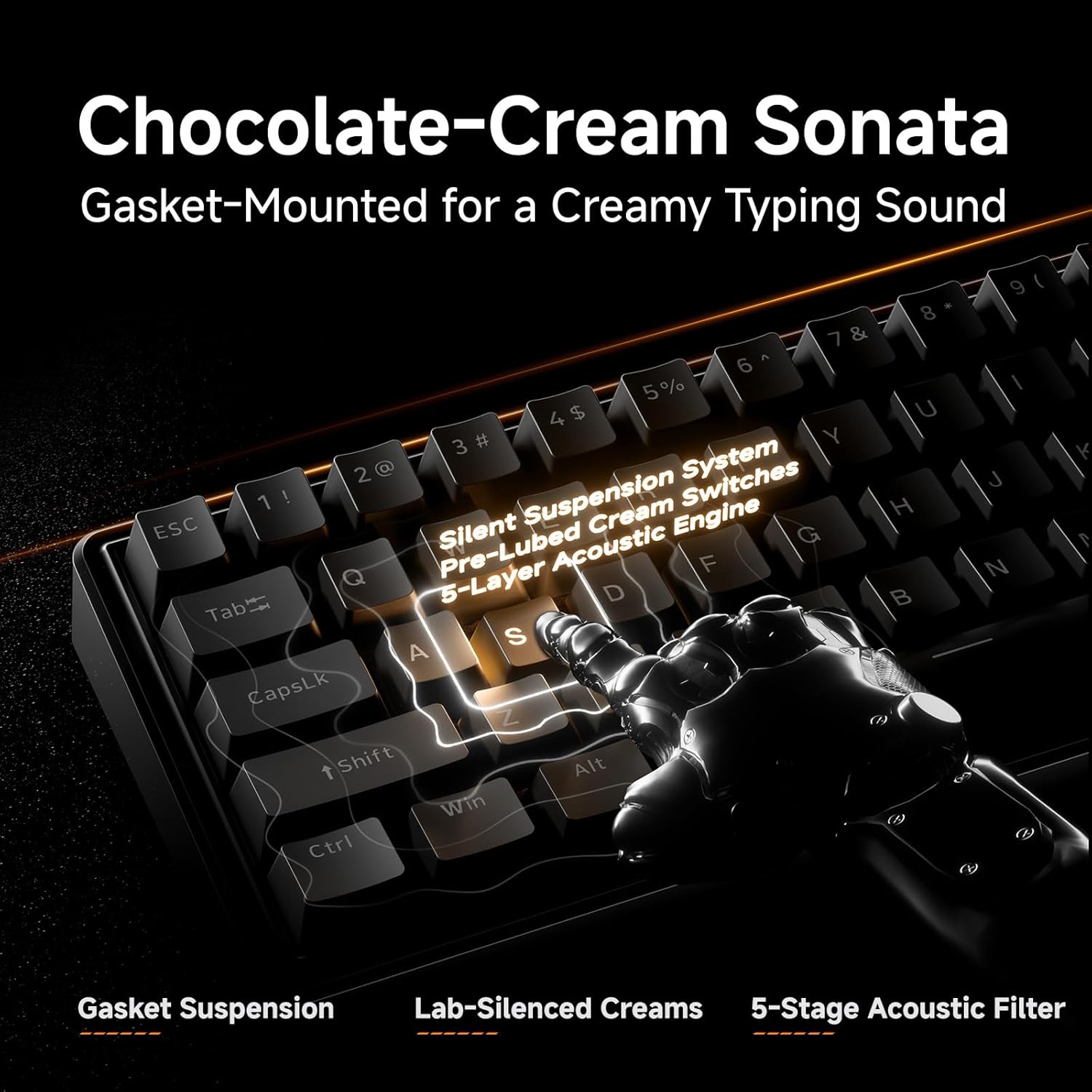
Слика: Детаљна view of the gasket-mounted design and internal dampзавршни слојеви.

Image: Demonstration of the hot-swappable switch system.
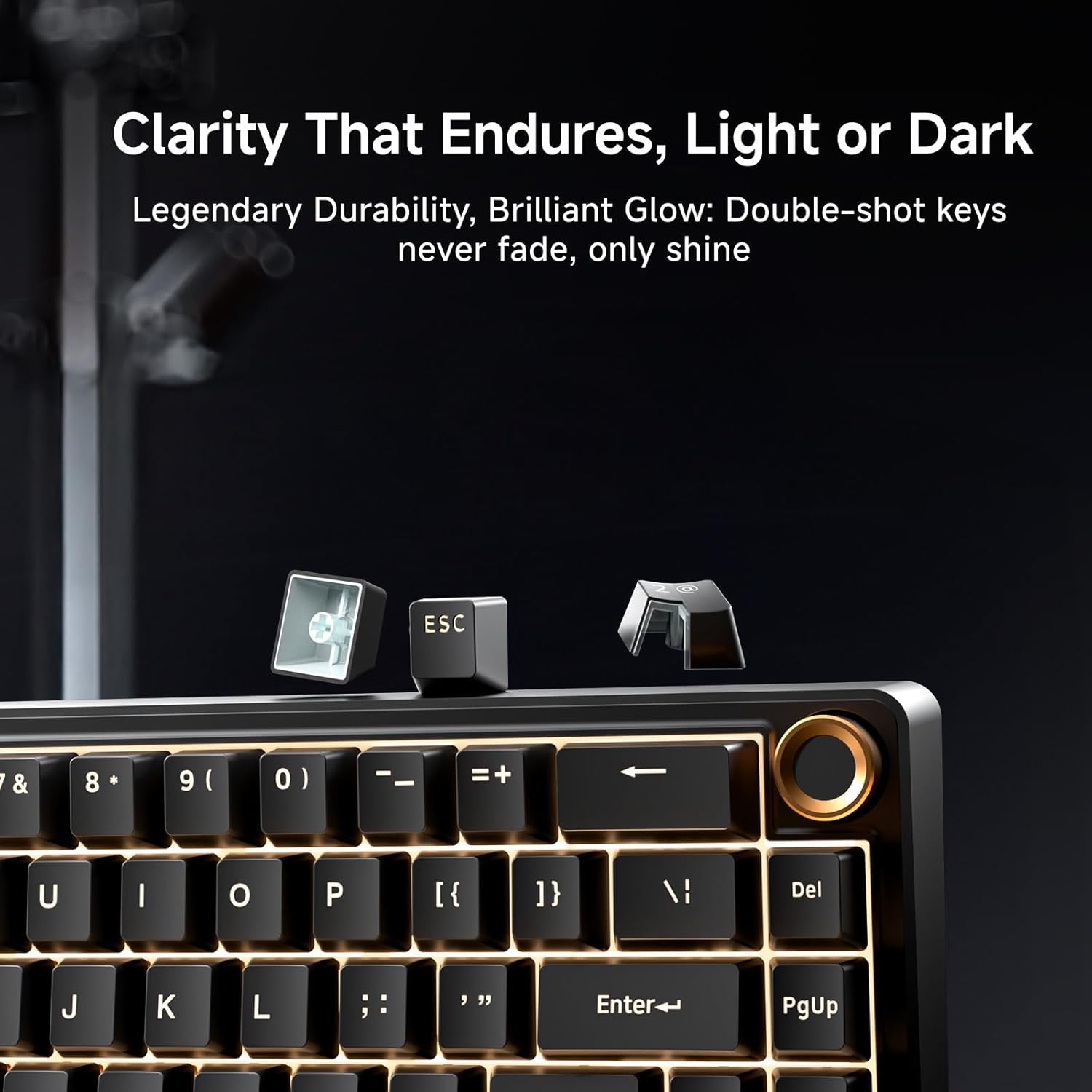
Image: Examination of the durable double-shot keycaps.
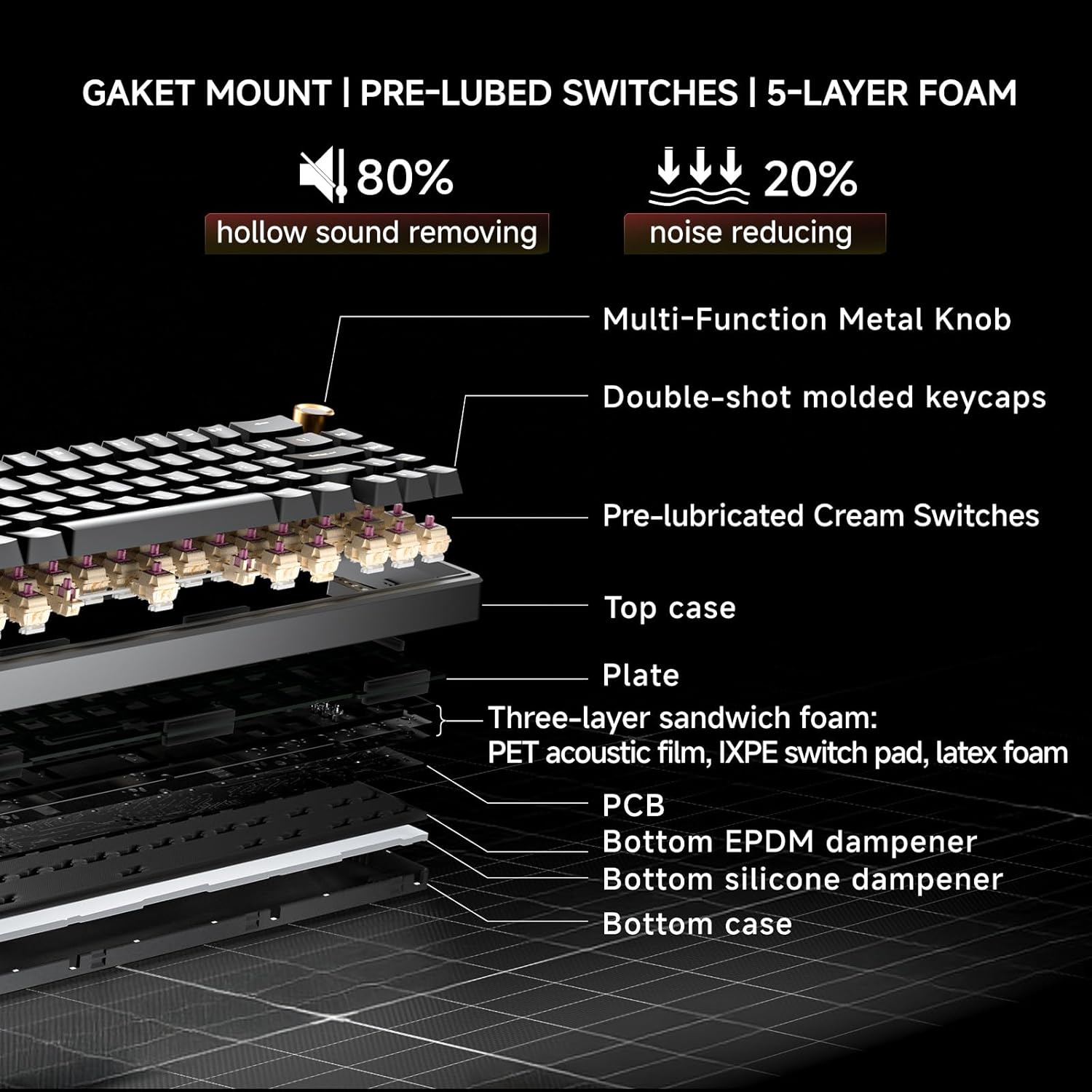
Image: Cross-section diagram detailing the gasket mount, pre-lubed switches, and 5-layer foam construction.
Одржавање
Чишћење
- Генерално чишћење: Use a soft, dry cloth to wipe the keyboard surface. For dust between keycaps, use compressed air.
- Дубинско чишћење (тастери): Use the provided keycap puller to carefully remove keycaps. Clean the keycaps with mild soap and water, then ensure they are completely dry before reattaching. Clean the exposed switch stems and plate with a brush or compressed air.
Switch Replacement (Hot-Swappable)
The DK68E's hot-swappable sockets allow for easy switch replacement without soldering.
- Уклоните капицу тастатуре: Use the keycap puller to gently remove the keycap from the switch you wish to replace.
- Уклоните прекидач: Use a switch puller (often integrated with the keycap puller) to grasp the top and bottom clips of the switch. Gently pull the switch straight up to remove it from the PCB.
- Уметни нови прекидач: Align the pins of the new switch with the holes on the PCB. Ensure the pins are straight to avoid bending. Press the switch firmly until it clicks into place.
- Поново причврстите капицу тастера: Вратите поклопац тастера назад на нови носач прекидача.
Опрез: Ensure the keyboard is unplugged before performing any maintenance involving switch or keycap removal to prevent accidental inputs or damage.
Решавање проблема
- Тастатура не реагује:
- Уверите се да је USB кабл безбедно повезан и са тастатуром и са рачунаром.
- Покушајте да повежете тастатуру са другим УСБ портом на рачунару.
- Test the keyboard on another computer if possible to rule out a computer-specific issue.
- RGB светла не раде/нетачна су:
- Check the Fn key combinations for RGB control (e.g., brightness, mode change).
- Приступите web-based driver to verify or reset RGB settings.
- Тастери се не региструју или се куцају двапут:
- For hot-swappable switches, carefully remove the keycap and then the switch. Reinsert the switch firmly to ensure proper contact with the PCB.
- Очистите околину оштећеног прекидача да бисте уклонили све остатке.
- Computer Wakes Up from Sleep When Keyboard is Connected:
- This can sometimes occur due to USB power settings. In your computer's Device Manager (Windows) or System Information (Mac), locate the USB Root Hubs or keyboard entry. In the power management tab, uncheck "Allow this device to wake the computer."
- Alternatively, unplug the keyboard's USB-C cable when putting the computer to sleep.
Спецификације
| Феатуре | Детаљ |
|---|---|
| Назив модела | ДК68Е |
| Бранд | ДИЕРИА |
| Опис тастатуре | Гејминг, Механички |
| Лаиоут | 60% (68 кључ) |
| Технологија повезивања | Wired (USB-A, USB-C) |
| Прекидачи | Pre-Lubed Linear, Hot-Swappable (3-pin & 5-pin compatible) |
| Монтажни стил | Гаскет Моунт |
| Dampенинг | 5-Layer Sound-Dampенинг Фоам |
| Кеицапс | Double-Shot Molded |
| Позадинско осветљење | RGB (16.8 милиона боја, 20 унапред подешених ефеката) |
| Програмабилност | Web-based Driver (KeyFlow WebОС) |
| Поллинг Рате | 1000Хз |
| Компатибилни уређаји | Лаптоп, ПЦ |
| Материјал | Пластика |
| Тежина артикла | 1.65 фунти |
| Димензије пакета | 14.8 к 4.72 к 1.93 инча |
Гаранција и подршка
Warranty information for your DIERYA DK68E keyboard is typically included with your purchase documentation. Please refer to those materials for specific terms and conditions.
For further assistance, technical support, or to access the latest drivers and firmware updates, please visit the official DIERYA website or contact their customer support directly. You can also visit the DIERYA Store on Amazon за информације о производу и ресурсе за подршку.


