1. Увод
The NiTHO NEXUS DARK OPS is a versatile wireless controller designed for multi-platform gaming. It offers compatibility with PC (Windows), Nintendo Switch, Switch Lite, Switch OLED, Android, and iOS devices. This controller features a precise 6-axis gyro, four levels of vibration, and magnetic Hall Effect triggers for enhanced gaming accuracy and responsiveness. Customizable RGB lighting and a programmable turbo function further enrich the gaming experience. This manual provides essential information for setting up, operating, maintaining, and troubleshooting your controller.

The NiTHO NEXUS DARK OPS controller features an ergonomic design for comfortable extended gameplay sessions.
2. Садржај пакета
- NiTHO NEXUS DARK OPS Wireless Controller
- УСБ-Ц кабл за пуњење
- Кориснички приручник (овај документ)
3. Распоред контролера

Детаљно view of the controller's components and their labels.
- Left Rocker: Analog joystick for movement and camera control.
- - Key: System function button.
- Дугме за упаривање: Користи се за покретање режима упаривања путем Bluetooth-а.
- Cross Arrow Key (D-Pad): Directional input for navigation and specific game actions.
- ТУРБО дугме: Activates and adjusts the turbo function.
- Дугме ХОМЕ: Враћа се на почетни екран система.
- Screenshot Key: Captures screenshots during gameplay.
- + Кључ: System function button.
- A/B/X/Y Keys: Стандардна дугмад за акције.
- Десна клацкалица: Analog joystick for movement and camera control.
- Индикаторска лампица режима: Displays current connection mode and battery status.
- R1/L1 (Shoulder Buttons): Top trigger buttons.
- R2/L2 (Trigger Buttons): Bottom trigger buttons with Hall Effect technology.
- ТИПЕ-Ц прикључак за пуњење: За пуњење контролера.
- Force Online Button: For specific connection scenarios.
4. Подешавање и повезивање
The NiTHO NEXUS DARK OPS controller supports wireless connection via Bluetooth to various platforms.

The controller is compatible with Nintendo Switch, PC, Android, and iOS devices.
4.1 General Pairing Instructions
- Уверите се да је контролер довољно напуњен.
- Притисните и држите Дугме за упаривање on the controller until the Mode Indicator Light begins to flash rapidly, indicating it is in pairing mode.
- On your device (Switch, PC, Android, iOS), navigate to the Bluetooth settings.
- Тражи available Bluetooth devices and select "NEXUS DARK OPS" or a similar name.
- Once connected, the Mode Indicator Light will become solid.
4.2 Повезивање са Нинтендо Свитчем
- У менију ХОМЕ одаберите Контролори > Промените Грип/Ред.
- While on this screen, press and hold the Дугме за упаривање on the NEXUS DARK OPS controller.
- The controller will pair with the Switch, and the player indicator lights will illuminate.
4.3 Повезивање са рачунаром (Windows)
- Иди на Подешавања > Уређаји > Блуетоотх и други уређаји.
- Уверите се да је Bluetooth укључен On.
- Кликните Додајте Блуетоотх или други уређај > Блуетоотх.
- Притисните и држите Дугме за упаривање на контролору.
- Select "NEXUS DARK OPS" from the list of devices to pair.
4.4 Повезивање са Андроид/иОС уређајима
- Омогућите Блуетоотх на свом Андроид или иОС уређају.
- Идите на подешавања Блуетоотх-а.
- Притисните и држите Дугме за упаривање на контролору.
- Select "NEXUS DARK OPS" from the list of available devices to connect.
5. Упутство за употребу
5.1 RGB осветљење
The controller features customizable RGB lighting with 7 vibrant colors and 4 dynamic lighting modes.

Explore 7 colors and 4 lighting modes including Jumping, Colorful Constant, Rainbow Mixing, and Breathing effects.
To cycle through the lighting modes or colors, refer to the specific button combination in the quick start guide included with your product. Typically, a dedicated button or a combination with the TURBO button controls RGB effects.
5.2 Повратна информација о вибрацијама
The controller includes dual motors for vibration feedback with 4 adjustable levels: Off, Low, Medium, and High.

Adjust vibration intensity from 0% to 100% for personalized feedback.
To adjust vibration intensity, consult the quick start guide for the specific button sequence, often involving the TURBO button and a directional input.
5.3 Турбо функција
The programmable turbo function allows for rapid-fire actions with three speed settings: 5, 10, or 15 shots per second.

Set your turbo speed to 5, 10, or 15 shots per second for competitive advantage.
To activate turbo for a button, press and hold the ТУРБО button, then press the desired action button. Repeat the process to adjust speed or deactivate turbo for that button.
5.4 Magnetic Hall Effect Triggers
The controller is equipped with magnetic Hall Effect triggers. This technology provides smooth, accurate trigger response and helps prevent common issues like analog stick drift, ensuring long-lasting precision.

Magnetic Hall Effect triggers offer precise and durable input.
5.5 6-Axis Gyro Motion Sensor
A precise 6-axis gyro sensor is integrated into the controller, allowing for responsive motion control in games that support it. This feature captures tilts and rotations, enhancing gameplay in racing, action, and adventure titles.
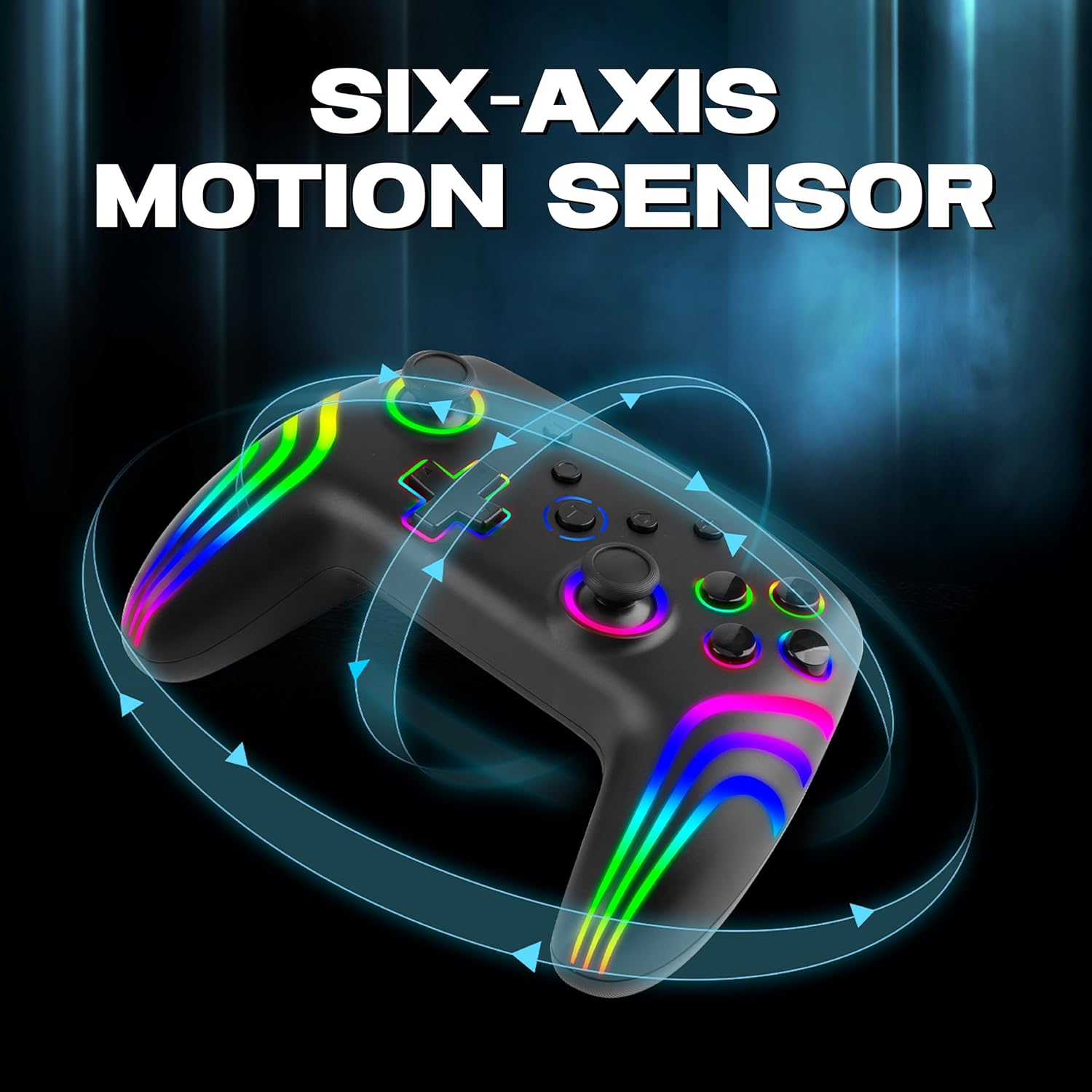
The 6-axis gyro provides accurate motion sensing for immersive gameplay.
6. Пуњење контролера
The NiTHO NEXUS DARK OPS controller is equipped with a built-in 800mAh rechargeable battery.

The 800mAh battery offers up to 9 hours of gameplay on a 2.5-hour charge.
- Connect the supplied USB-C charging cable to the TYPE-C charging port on the controller.
- Connect the other end of the cable to a USB power source (e.g., console, PC, USB wall adapter).
- The Mode Indicator Light will typically show charging status (e.g., blinking while charging, solid when fully charged).
- A full charge takes approximately 2.5 hours and provides up to 9 hours of continuous gameplay.
7. Одржавање
- Чишћење: Користите меку, суву крпу за чишћење контролера. Избегавајте употребу јаких хемикалија или абразивних материјала.
- Складиштење: Чувајте контролер на хладном и сувом месту, даље од директне сунчеве светлости и екстремних температура.
- Одржавање батерије: Да бисте продужили век трајања батерије, избегавајте често потпуно пражњење контролера. Редовно га пуните, чак и ако се не користи дуже време.
- Избегавајте капи: Заштитите контролер од падова и удараца, који могу оштетити унутрашње компоненте.
КСНУМКС. Решавање проблема
- Контролер се не укључује:
- Ensure the controller is fully charged. Connect it to a power source and wait for the charging indicator.
- If the battery is completely drained, it may take a few minutes of charging before the controller responds.
- Unable to pair the controller:
- Make sure the controller is in pairing mode (Mode Indicator Light flashing rapidly).
- Ensure Bluetooth is enabled on your device and it is discoverable.
- Приближите контролер свом уређају.
- Уклоните сва претходна упаривања контролера из Bluetooth подешавања уређаја и покушајте поново да га упарите.
- Поново покрените и контролер и уређај.
- Контролер се често искључује:
- Ensure there are no obstructions or sources of interference (e.g., Wi-Fi routers, other Bluetooth devices) between the controller and your device.
- Keep the controller within the effective Bluetooth range (typically up to 10 meters).
- Check the controller's battery level. Low battery can affect connection stability.
- Дугмад или џојстици не реагују:
- Ensure the controller is properly connected to your device.
- Тестирајте контролер на другом уређају или игри да бисте утврдили да ли је проблем специфичан за једно подешавање.
- Perform a factory reset if available (refer to the quick start guide for specific instructions, often involves a small reset button).
- Motion sensor (gyro) not working:
- Verify that the game you are playing supports motion controls.
- Ensure the controller is properly calibrated. Some systems or games may require manual calibration.
- If connected to PC, ensure necessary drivers or software are installed and updated.
9. Спецификације
| Број модела | NEXUS DARK OPS |
| Повезивање | бежични (Блуетоотх) |
| Компатибилност | PC (Windows), Nintendo Switch / Lite / OLED / Switch 2, Android, iOS |
| Тип батерије | Built-in Rechargeable Nonstandard Battery |
| Капацитет батерије | 800мАх |
| Плаитиме | До 9 сати |
| Време пуњења | Отприлике 2.5 сата |
| Порт за пуњење | УСБ Типе-Ц |
| Димензије (ДкШкВ) | 16.1 к 6.5 к 11.1 цм |
| Тежина | 270 г |
| Карактеристике | RGB Lighting, Hall Effect Triggers, 6-Axis Gyro, Dual Motor Vibration, Turbo Function, Programmable Buttons |
10. Гаранција и подршка
For warranty information, please refer to the documentation provided at the time of purchase or contact your retailer. Specific warranty terms may vary by region and retailer.
10.1 Техничка подршка
If you encounter issues not covered in the troubleshooting section or require further assistance, please contact NiTHO customer support:
- Manufacturer Support Email: nithoamazonin@mtm-t.com
- Importer Support Email (India): marketgateindia@gmail.com


