Увод
The Keenetic Roamer 4G is a portable mobile hotspot designed to provide secure and fast internet access on the go. It supports 4G LTE connectivity and Wi-Fi 6, allowing up to 10 devices to connect simultaneously. This manual provides essential information for setting up, operating, and maintaining your device.
Шта је у кутији
Upon unboxing your Keenetic Roamer 4G, please ensure all the following components are present:
- Roamer 4G Mobile Wi-Fi hotspot
- Removable Lithium-ion battery
- Водич за брзи почетак
- Кабл УСБ-А на УСБ типа-Ц
Note: A SIM card and internet subscription are not included and must be acquired separately.
Производ је завршенview

Слика 1: Фронт view of the Keenetic Roamer 4G, highlighting the color display that shows signal strength, data volume, battery status, and network information.
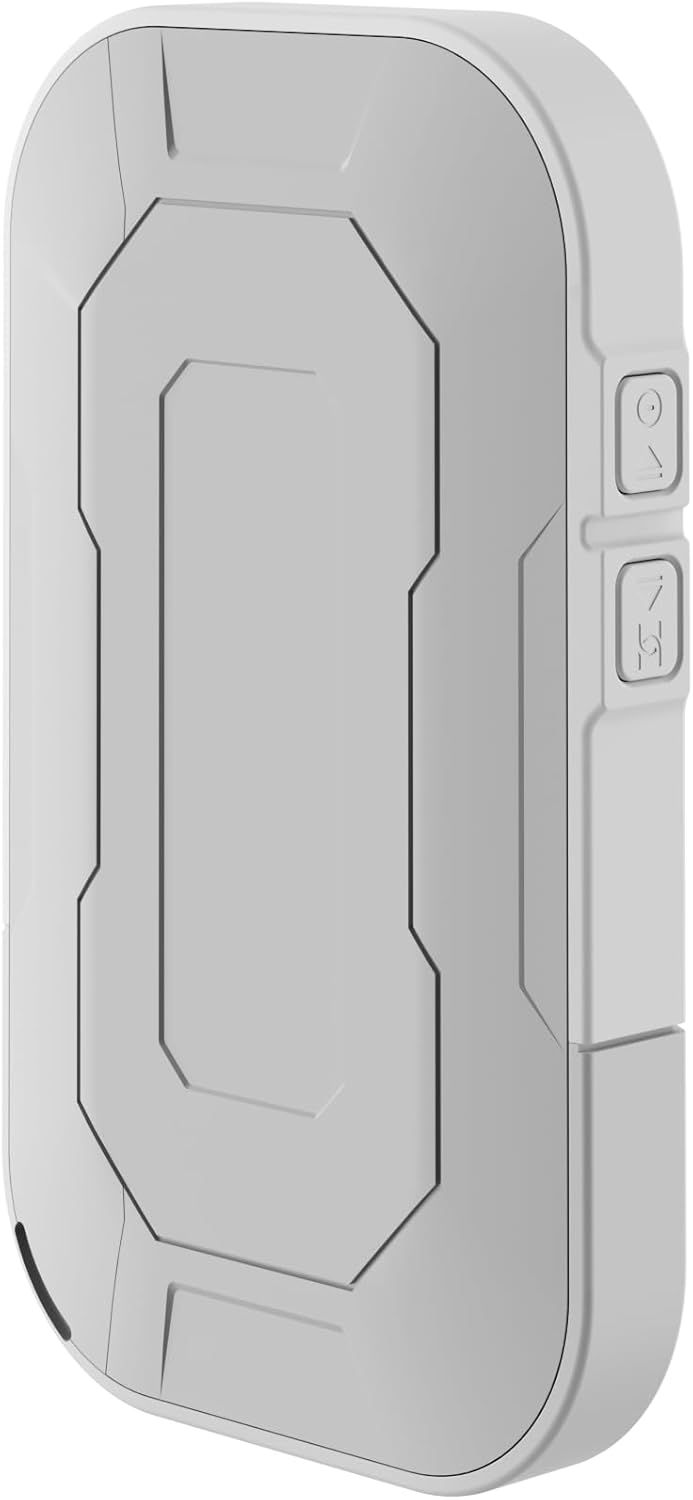
Слика 2: Позади view of the device, illustrating its compact and portable design.

Слика 3: Сиде view displaying the USB Type-C port for charging and data transfer.

Слика 4: Сиде view illustrating the physical buttons for power and navigation.
Сетуп
1. Уметање СИМ картице
- Locate the SIM card slot, typically found under the battery cover.
- Carefully remove the back cover and the battery.
- Insert your standard-sized SIM card into the designated slot with the gold contacts facing down, ensuring it clicks into place.
- Вратите батерију и вратите задњи поклопац.
2. Пуњење уређаја
- Connect the provided USB-A to USB Type-C cable to the device's charging port.
- Укључите други крај у УСБ адаптер за напајање (није укључен) или УСБ порт рачунара.
- The battery indicator on the display will show charging status. Fully charge the device before first use.
3. Укључивање/искључивање
- To power on, press and hold the Power button (refer to Figure 4) until the display lights up.
- To power off, press and hold the Power button until the shutdown prompt appears on the screen, then confirm.
Упутство за употребу
Повезивање уређаја путем Wi-Fi мреже
- Ensure the Roamer 4G is powered on and has established a 4G connection (indicated on the display).
- На уређају са омогућеним Wi-Fi-јем (паметни телефон, таблет, лаптоп) потражите доступне Wi-Fi мреже.
- Locate the network name (SSID) displayed on the Roamer 4G's screen.
- Enter the Wi-Fi password (Key) also shown on the Roamer 4G's screen. Alternatively, you can scan the QR code displayed on the device's screen for quick connection.
- Your device should now be connected to the internet via the Roamer 4G hotspot.
Разумевање екрана
The color display provides real-time information about your hotspot's status:
- Јачина сигнала: Indicates the strength of the 4G cellular signal.
- Ниво батерије: Приказује преостало пуњење батерије.
- Употреба података: Displays current upload/download speeds and total data consumed.
- Информације о мрежи: Provides details like SSID, password, and connected devices count.
Одржавање
Баттери Царе
- To maximize battery lifespan, avoid exposing the device to extreme temperatures.
- Редовно пуните батерију, али избегавајте да је остављате потпуно празну током дужег периода.
- If the device will not be used for a long time, charge it to about 50% before storing.
Чишћење
- Use a soft, dry, lint-free cloth to clean the device's exterior.
- Не користите течна средства за чишћење, аеросоле или раствараче.
Решавање проблема
| Проблем | Могући узрок | Решење |
|---|---|---|
| Нема интернет везе | No SIM card inserted, SIM card not activated, no signal, data plan exhausted. | Ensure SIM is correctly inserted and active. Check signal strength on display. Verify data plan with your mobile operator. Try restarting the device. |
| Не могу да се повежем са Wi-Fi мрежом | Incorrect password, device too far from hotspot, Wi-Fi disabled on hotspot. | Verify Wi-Fi password. Move closer to the hotspot. Ensure Wi-Fi is enabled on the Roamer 4G. |
| Уређај се не укључује | Battery is depleted, battery not inserted correctly. | Charge the device for at least 30 minutes. Ensure the battery is properly seated. |
Спецификације
| Феатуре | Детаљ |
|---|---|
| Бранд | Кеенетиц |
| Модел | КН-5110-01-ЕУ |
| Димензије | 12.1 к 8.2 к 4.7 цм |
| Тежина | 200 грама |
| Тип батерије | Литијум-јонска (потребна је 1, укључена) |
| Вирелесс Типе | 802.11b (Wi-Fi 6 compatible) |
| Технологија повезивања | ЛТЕ |
| Компатибилни уређаји | PC (and other Wi-Fi enabled devices) |
| Посебне карактеристике | LED Indicator, Color Display |
Информације о гаранцији
For detailed warranty information, please refer to the warranty card included with your product or visit the official Keenetic webсајт. Сачувајте доказ о куповини за потребе гаранције.
Корисничка подршка
If you encounter any issues not covered in this manual or require further assistance, please contact Keenetic customer support. Visit the official Keenetic webсајт за контакт информације и ресурсе за подршку.
Такође можете посетити Keenetic Store on Amazon за више информација.


