Увод
This manual provides comprehensive instructions for the installation, operation, and maintenance of your Dormakaba Rose Biometric Digital Door Lock. Designed for modern access control, this lock offers advanced security features including fingerprint and PIN code access. Please read this manual thoroughly before installation and use to ensure proper function and longevity of your device.
Безбедносне информације
- Пре инсталације уверите се да су све компоненте присутне и неоштећене.
- Не излажите браву директној води или екстремним температурама.
- Use only specified AAA alkaline batteries. Do not mix old and new batteries.
- Keep fingerprints and PIN codes confidential.
- For emergency power, use a Type C USB cable with a compatible power source.
- This lock is designed for internal doors with a thickness of 32-50mm.
Производ је завршенview и компоненте
The Dormakaba Rose Biometric Door Lock integrates a fingerprint scanner, a backlit keypad, and a lever handle for secure and convenient access. It is designed for easy installation and reversible for left or right-handed doors.
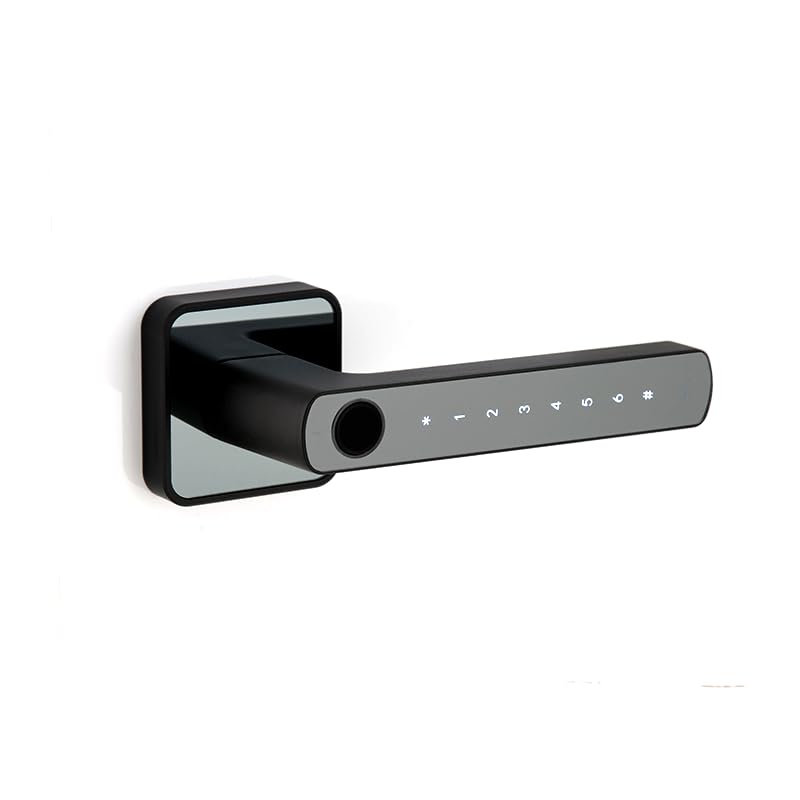
Слика 1: Предња страна view of the Dormakaba Rose Biometric Door Lock, highlighting the fingerprint sensor and keypad.
Кључне компоненте:
- Сензор отиска прста: За биометријски приступ.
- Тастатура са позадинским осветљењем: For PIN code entry (6-10 digits).
- Lever Handle: For manual operation.
- Одељак за батерије: Holds 3 AAA alkaline batteries.
- УСБ-Ц порт: For emergency power.
- Dormakaba 60mm Tubular Deadlatch: Internal locking mechanism.
Спецификације
| Феатуре | Детаљ |
|---|---|
| Бранд | дормакаба |
| Назив модела | Rose Biometric Silver |
| Тип закључавања | Biometric Digital Lever Lock |
| Режими приступа | Fingerprint, PIN Code (6-10 digits) |
| Усер Цапацити | Up to 200 Fingerprints & PIN Codes |
| Дебљина врата | 32-50mm (Internal Doors) |
| Извор напајања | 3 к ААА алкалне батерије |
| Емергенци Повер | УСБ типа Ц |
| Димензије (ДкШкВ) | 14.2 к 2.5 к 5 центиметара |
| Тежина | 1.15 килограма |
| Материјал | Метал |
| Посебне карактеристике | Voice Navigation, High Resolution Backlit Keypad, Reversible Handing |
Подешавање и инсталација
The Dormakaba Rose lock is designed for straightforward installation. It can be installed on both left and right-handed doors. Ensure your door thickness is between 32mm and 50mm.
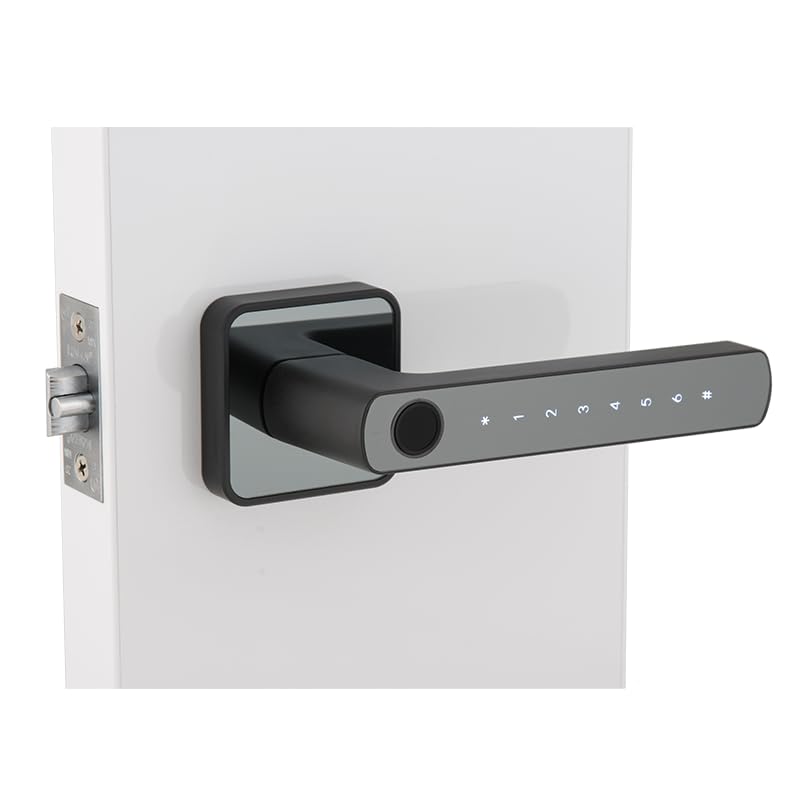
Figure 2: Dormakaba Rose Biometric Door Lock installed on a door.
Кораци инсталације:
- Припремите врата: Ensure the door is clean and the existing boreholes are compatible with the lock's dimensions. If necessary, drill new holes according to the provided template (not included in this manual, refer to packaging).
- Инсталирајте браву: Insert the dormakaba 60mm tubular deadlatch into the door edge. Secure it with screws.
- Одредите предају: The lock is reversible. Adjust the lever handle direction if needed before final assembly.
- Mount Exterior Assembly: Feed the spindle and connecting cables through the latch and door. Position the exterior lock assembly.
- Mount Interior Assembly: Connect the cables from the exterior unit to the interior unit. Align the interior unit with the spindle and secure it to the exterior unit using the provided screws.
- Инсталирајте батерије: Open the battery cover on the interior unit and insert 3 AAA alkaline batteries, observing polarity.
- Пробни рад: Након инсталације, тестирајте механичке и електронске функције браве пре него што затворите врата.
Упутство за употребу
The Dormakaba Rose lock offers multiple access methods and operating modes for enhanced security and convenience.
Почетно подешавање (прва употреба):
- Upon first power-up, the lock will prompt for initial administrator setup. Follow the voice navigation prompts.
- Register the first administrator fingerprint and/or PIN code. This administrator will have full control over user management.
Режими приступа:
- Стандардни режим: Requires a single valid fingerprint or PIN code to unlock.
- Режим пролаза: Allows the door to remain unlocked for continuous access during specific periods. This mode is typically set by an administrator.
- Режим за два корисника: Requires two different valid fingerprints or PIN codes to unlock, providing an extra layer of security.
Откључавање врата:
- Коришћење отиска прста: Place a registered finger on the fingerprint sensor. The lock will verify and unlock if successful.
- Коришћење ПИН кода: Enter your registered 6-10 digit PIN code on the backlit keypad, then press the '#' key. The lock will verify and unlock if successful.
Emergency Power Option:
If the batteries are completely drained, the lock can be temporarily powered using a Type C USB cable connected to an external power bank or adapter. Connect the USB-C cable to the port on the exterior unit, then use your fingerprint or PIN code to unlock.
Одржавање
Regular maintenance ensures the optimal performance and longevity of your Dormakaba Rose lock.
- Чишћење: Wipe the lock surface with a soft, dry cloth. Do not use abrasive cleaners, solvents, or harsh chemicals, as these can damage the finish and electronic components.
- Замена батерије: Replace all 3 AAA alkaline batteries when the low battery indicator appears or when voice prompts indicate low power. Do not mix old and new batteries.
- Сензор отиска прста: Keep the fingerprint sensor clean and free of dirt or moisture for accurate readings.
- Механичка провера: Periodically check that the lever handle operates smoothly and the latch retracts fully.
Решавање проблема
This section addresses common issues you might encounter with your Dormakaba Rose Biometric Door Lock.
| Проблем | Могући узрок | Решење |
|---|---|---|
| Закључавање не реагује. | Истрошене батерије. | Replace batteries or use emergency Type C USB power. |
| Отисак прста није препознат. | Прст је прљав/влажан, сензор је прљав или отисак прста није правилно регистрован. | Очистите прст и сензор. Поново региструјте отисак прста ако проблем и даље постоји. |
| ПИН код не ради. | Incorrect PIN entered, or PIN not properly registered. | Ensure correct PIN is entered. Re-register PIN if necessary. |
| Voice navigation is too loud/quiet or off. | Volume settings adjusted. | Refer to the lock's menu for voice volume adjustment. |
| Lock is difficult to install. | Door thickness incompatibility or incorrect drilling. | Verify door thickness (32-50mm). Ensure proper alignment and drilling as per template. |
Гаранција и подршка
Your Dormakaba Rose Biometric Door Lock comes with a 1 година гаранције од датума куповине. Ова гаранција покрива производне недостатке и кварове при нормалној употреби.
Изузеци из гаранције:
- Damage caused by improper installation or unauthorized repairs.
- Damage due to misuse, abuse, neglect, or accidents.
- Нормално хабање.
- Damage from natural disasters or power surges.
Корисничка подршка:
For technical assistance, warranty claims, or further inquiries, please contact Dormakaba customer support. Refer to your product packaging or the official Dormakaba webсајт за најновије контакт информације.
Молимо вас да сачувате доказ о куповини ради потврде гаранције.


