Увод
The Razer Kraken Kitty V2 BT Wireless RGB Headset, Kuromi Edition, is designed for immersive audio experiences and personalized style. This headset features Razer Chroma RGB lighting on the kitty ears and earcups, Bluetooth 5.2 connectivity with a dedicated Gaming Mode, and Razer TriForce 40 mm Drivers for clear sound. It also includes integrated beamforming noise-cancelling microphones and offers up to 40 hours of battery life with USB Type-C charging. This manual provides essential information for setup, operation, maintenance, and troubleshooting to ensure optimal performance of your headset.
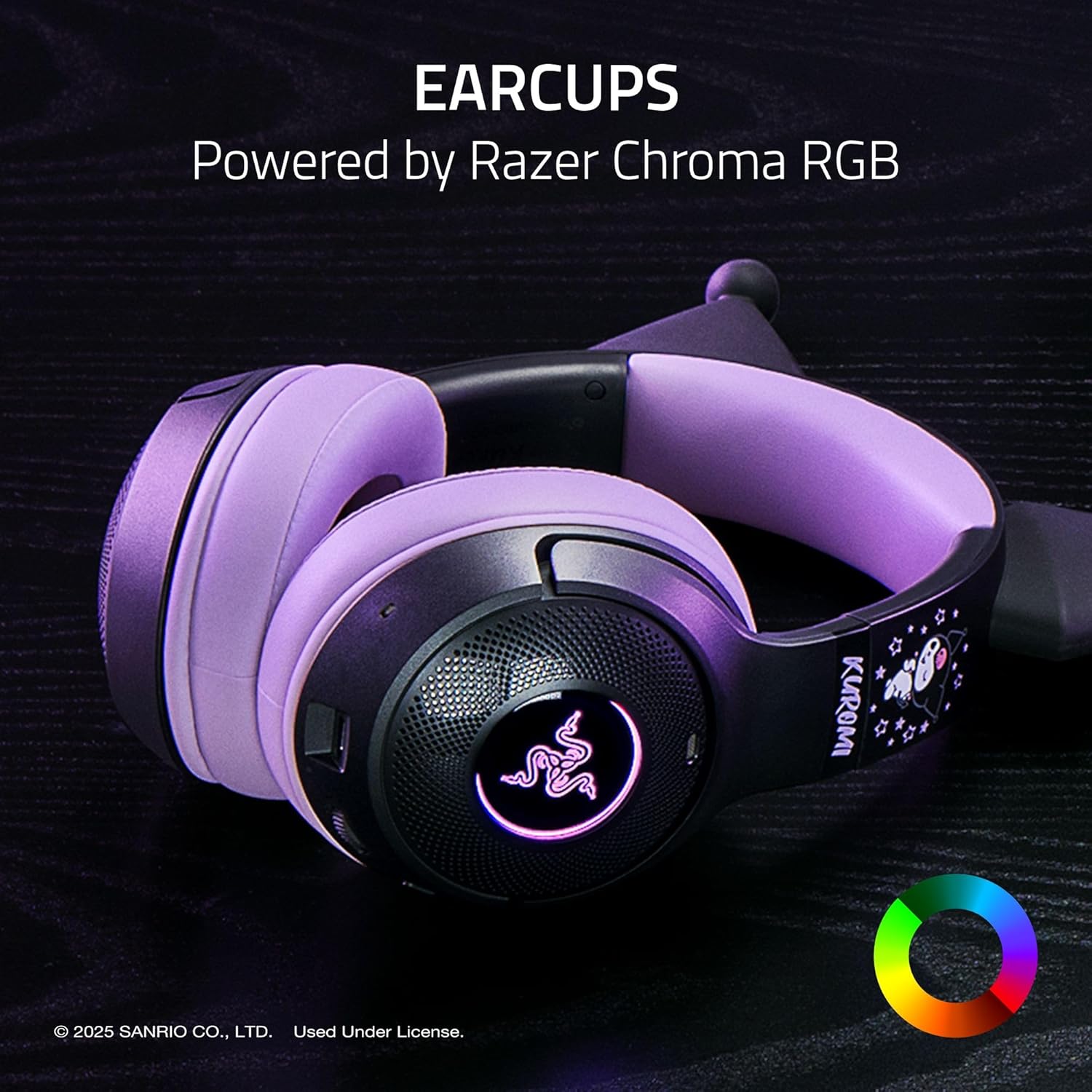
Image: The Razer Kraken Kitty V2 BT Wireless RGB Headset, Kuromi Edition, showcasing its distinctive design and RGB lighting capabilities.
Шта је у кутији
- Razer Kraken Kitty V2 BT Headset
- УСБ кабл за пуњење типа Ц
- Упутство за употребу
Сетуп
1. Пуњење слушалица
Before initial use, fully charge your headset. Connect the provided USB Type-C charging cable to the headset's charging port and to a powered USB port. The LED indicator will show charging status and turn off when fully charged. A full charge provides up to 40 hours of battery life.

Image: The Razer Kraken Kitty V2 BT Headset connected to a USB-C charging cable, illustrating the charging process.
2. Блуетоотх упаривање
- Уверите се да су слушалице искључене.
- Press and hold the Power button until the LED indicator blinks blue, indicating pairing mode.
- On your device (smartphone, PC, etc.), enable Bluetooth and search for available devices.
- Select "Razer Kraken Kitty V2 BT" from the list of found devices.
- Када се повеже, ЛЕД индикатор ће постати плаво.

Image: Illustration highlighting Bluetooth 5.2 connectivity and Gaming Mode for seamless, low-latency performance.
3. Software Installation (Razer Synapse)
For advanced customization of RGB lighting and audio settings, download and install Razer Synapse software from the official Razer website. This software allows you to personalize Chroma RGB effects, adjust equalizer settings, and configure microphone sensitivity.
Управљање слушалицама
Укључивање/искључивање
- To power on: Press and hold the Power button until the LED indicator lights up.
- To power off: Press and hold the Power button until the LED indicator turns off.
Контрола јачине звука
Use the volume wheel located on the earcup to adjust the audio output level. Rotate upwards to increase volume and downwards to decrease volume.
Употреба микрофона
The headset features integrated beamforming noise-cancelling microphones for clear voice capture. These microphones are built into the earcups and do not require a boom arm. Ensure the microphone is enabled in your device's audio settings for communication.

Слика: Крупни план view of the integrated beamforming noise-cancelling microphone on the earcup, designed for crystal-clear voice pickup.
Razer Chroma RGB Lighting
Customize the RGB lighting on the kitty ears and earcups using Razer Synapse software. Choose from 16.8 million colors and various lighting effects to match your personal style or react to in-game events.

Image: The headset earcups illuminated by Razer Chroma RGB, demonstrating customizable lighting options.
Режим игре
Activate Gaming Mode for reduced audio latency, providing a more synchronized experience during competitive gaming. Refer to the Razer Synapse software for instructions on enabling and configuring Gaming Mode.
Одржавање
Чишћење слушалица
- Јастучићи за уши: Gently wipe the fabric and leatherette ear cushions with a soft, damp тканина. Избегавајте употребу јаких хемикалија или абразивних материјала.
- Тело слушалица: Use a dry, soft cloth to wipe down the headset's surface. For stubborn dirt, a slightly damp може се користити крпа, након чега следи одмах сушење.
- Порт за пуњење: Ensure the USB Type-C port is free of dust and debris. Use a soft brush or compressed air if necessary.
Складиштење
Store the headset in a cool, dry place away from direct sunlight and extreme temperatures. Avoid placing heavy objects on the headset to prevent damage. When traveling, consider using a protective case.
Решавање проблема
Проблеми са Блуетоотх везом
- Headset not pairing: Ensure the headset is in pairing mode (blinking blue LED). Turn off and on your device's Bluetooth.
- Чести прекиди везе: Ensure the headset is within the Bluetooth range (up to 10.1 meters). Reduce interference from other wireless devices.
- No sound after connecting: Check your device's audio output settings to ensure the Razer Kraken Kitty V2 BT is selected. Adjust headset volume.
Проблеми са квалитетом звука
- Distorted or low volume: Check volume levels on both the headset and your connected device. Ensure the headset is fully charged.
- Нема звука: Verify Bluetooth connection. Restart both the headset and the connected device.
Проблеми са микрофоном
- Микрофон не ради: Ensure the microphone is enabled in your device's audio input settings. Check for any mute functions on the headset or software.
- Poor microphone clarity: Ensure the integrated microphones are not obstructed. Adjust microphone sensitivity in Razer Synapse.
RGB Lighting Not Functioning
- Ensure Razer Synapse software is installed and running.
- Check lighting settings within Razer Synapse for enabled effects.
- Verify the headset has sufficient battery charge.
Спецификације
The following table outlines the key technical specifications for the Razer Kraken Kitty V2 BT Wireless RGB Headset (Kuromi Edition):
| Феатуре | Спецификација |
|---|---|
| Бранд | Разер |
| Назив модела | KRAKEN KITTY V2 BT |
| Број модела | РЗ04-04860300-Р3М1 |
| Боја | Kuromi Edition |
| Технологија повезивања | Блуетоотх 5.2 |
| Блуетоотх домет | 10.1 метара |
| Постављање уха | Преко уха |
| Тип аудио драјвера | Dynamic Driver (Razer TriForce) |
| Величина аудио драјвера | 40 милиметара |
| Фреквенцијски одзив | 20 Hz - 20,000 Hz |
| Импеданса | 32 Охмс |
| Осетљивост | 92.5 дБ |
| Контрола буке | Environmental Noise Cancellation (Integrated Beamforming Mics) |
| Просечан век трајања батерије | 40 сата |
| Пуњење | УСБ Типе-Ц |
| Тежина | 1.7 фунте (приближно 771 г) |
| Материјал | Fabric and Leatherette (ear cushions) |
| Додатне карактеристике | Kraken Kitty Ears with Chroma RGB |

Image: Diagram illustrating the Razer TriForce 40 mm Drivers, designed for clear and powerful sound across highs, mids, and lows.
Информације о гаранцији
The Razer Kraken Kitty V2 BT Wireless RGB Headset (Kuromi Edition) is covered by a 2-годишња гаранција произвођача. This warranty covers defects in materials and workmanship under normal use. For detailed terms and conditions, please refer to the warranty card included with your product or visit the official Razer support webсајту.
Подршка
For further assistance, technical support, or to register your product, please visit the official Razer Support webсајт:
You can also find FAQs, driver downloads, and community forums on the support portal.
Производ је завршенview Видео
Video: An official product trailer showcasing the Razer Kuromi Edition Collection, including the Kraken Kitty V2 BT Headset and other themed accessories.


