1. Увод
Хвала вам на куповиниasing the LYNCAST N300 Mini Smart Projector. This manual provides essential information for setting up, operating, and maintaining your projector. Please read it thoroughly before use to ensure optimal performance and safety.
The LYNCAST N300 is a portable smart projector featuring Android 13, 1080P native resolution with 4K support, automatic keystone correction, WiFi 6, and Bluetooth 5.4 connectivity. Its 180° rotatable design offers flexible projection angles for various environments.
2. Безбедносне информације
- Не гледајте директно у сочиво пројектора када је укљученоamp је укључен.
- Осигурајте одговарајућу вентилацију око пројектора како бисте спречили прегревање.
- Користите само испоручени адаптер за напајање.
- Држите пројектор даље од воде или других течности.
- Избегавајте постављање пројектора на нестабилне површине.
- Не покушавајте сами да растављате или поправљате пројектор. Обратите се квалификованом сервисеру.
- Чувати ван домашаја деце.
3. Садржај пакета
Проверите да ли су све ставке присутне у вашем пакету:
- LYNCAST N300 Mini Smart Projector
- Повер Адаптер
- ХДМИ кабл
- Ремоте Цонтрол
- Кориснички приручник (овај документ)
4. Производ је готовview
4.1 Компоненте пројектора
Familiarize yourself with the main components and interfaces of your LYNCAST N300 projector.
Слика 4.1: Позади view of the LYNCAST N300 projector showing HDMI and USB ports.
- Објектив: Пројектује слику на екран.
- Точак фокуса: Manual adjustment for image sharpness.
- Дугме за напајање: Укључује/искључује пројектор.
- ХДМИ порт: Connects to external devices like TV sticks, laptops, gaming consoles (PS5), and TV boxes.
- УСБ порт: Connects to USB storage devices or charges compatible devices.
- Улазна снага: Повезује адаптер за напајање.
- говорник: Интегрисани аудио излаз.
- Подесиво постоље: Allows for 180° rotation and flexible projection angles.
5. Подешавање
5.1 Прикључак за напајање
- Прикључите адаптер за напајање на улазни порт за напајање пројектора.
- Укључите адаптер за напајање у зидну утичницу.
- Притисните дугме за напајање на пројектору или даљинском управљачу да бисте га укључили.
5.2 Placement and Angle Adjustment
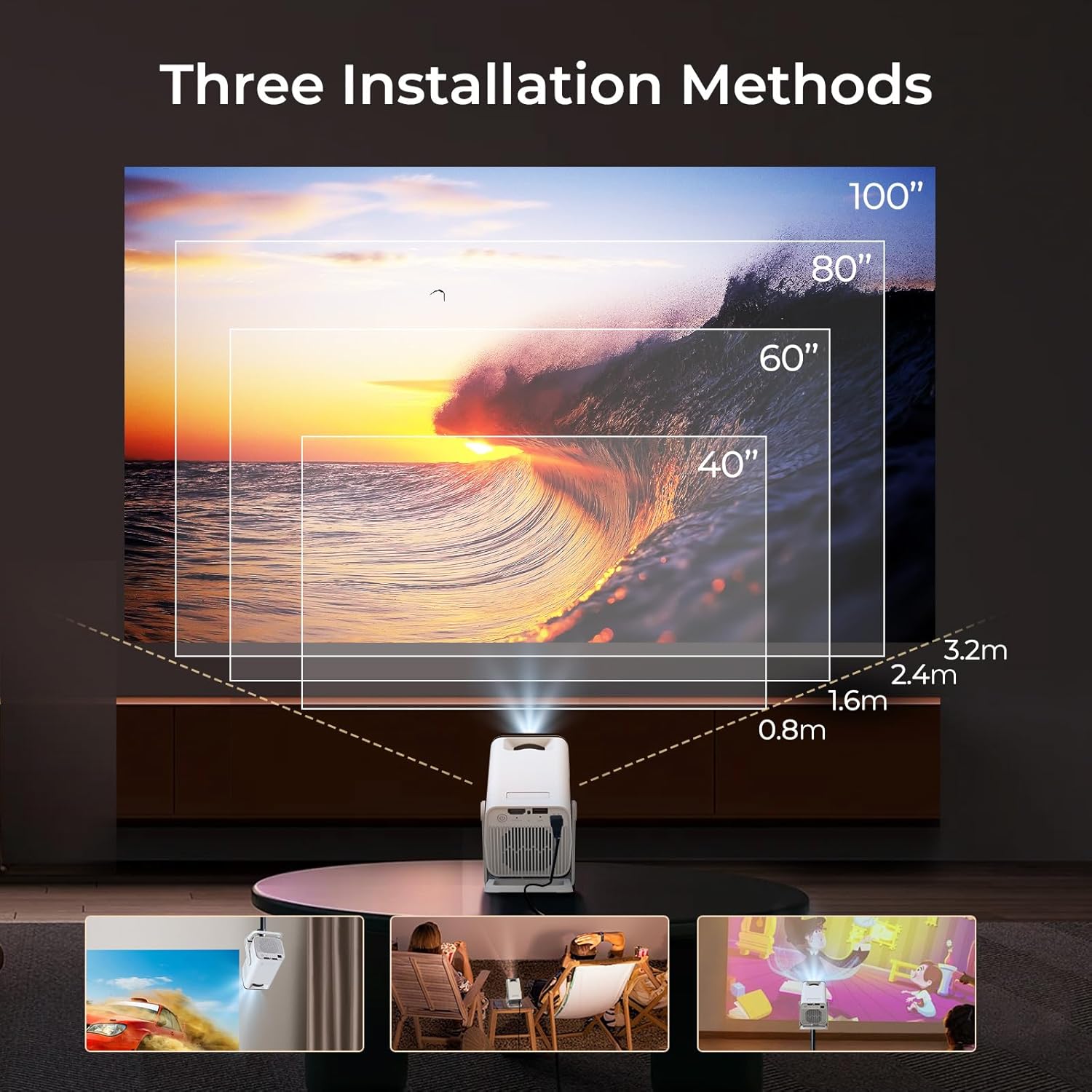
The LYNCAST N300 features a 180° rotatable design, allowing for versatile placement options.

Слика 5.1: The projector's adjustable stand allows for various projection angles, including ceiling projection.
- Поставите пројектор на стабилну површину.
- Adjust the projector's angle using its integrated stand to project onto a wall, ceiling, or screen. The stand supports up to 180° rotation.
5.3 Подешавање фокуса
To achieve a clear image, manually adjust the focus.

Слика 5.2: Location of the manual focus wheel on the projector.
- Укључите пројектор и прикажите слику.
- Rotate the focus wheel located on the side of the projector until the image appears sharp and clear.
5.4 Automatic Keystone Correction
The LYNCAST N300 features automatic keystone correction to adjust distorted images caused by angled projection. This feature automatically squares the image.
- The projector will automatically detect and correct vertical keystone distortion.
- If further adjustments are needed, refer to the on-screen display (OSD) settings for manual keystone correction options.
6. Упутство за употребу
6.1 Connecting External Devices via HDMI
Connect devices such as TV sticks, laptops, gaming consoles, or TV boxes using an HDMI cable.
- Повежите један крај HDMI кабла са HDMI портом на пројектору.
- Connect the other end to the HDMI output of your external device.
- Select the HDMI input source from the projector's menu.
6.2 УСБ повезивање
УСБ порт вам омогућава репродукцију медија fileс директно са УСБ меморијског уређаја.
- Insert your USB storage device into the USB port on the projector.
- Navigate to the media player application on the projector's home screen to browse and play files.
6.3 Wireless Connectivity (WiFi 6 & Bluetooth 5.4)
The projector supports WiFi 6 for faster and more stable internet connection and Bluetooth 5.4 for audio devices.
6.3.1 Повезивање на ВиФи
- Go to the projector's Settings menu.
- Select "Network & Internet" or "WiFi".
- Choose your desired WiFi network and enter the password if prompted.
6.3.2 Connecting Bluetooth Devices
- Go to the projector's Settings menu.
- Select "Connected Devices" or "Bluetooth".
- Укључите Блутут и потражите доступне уређаје.
- Select your Bluetooth speaker or headphones to pair.
6.4 Screen Mirroring (Phone Link)
Mirror your iOS or Android device screen to the projector.

Слика 6.1: Screen mirroring from a smartphone to the projector.
6.4.1 For iOS Devices (AirPlay)
- Ensure both your iOS device and the projector are connected to the same WiFi network.
- On your iOS device, open Control Center and tap "Screen Mirroring".
- Select the projector from the list of available devices.
6.4.2 For Android Devices (Miracast/Google Cast)
- Ensure both your Android device and the projector are connected to the same WiFi network.
- On your Android device, go to Settings and look for "Cast", "Screen Mirroring", or "Wireless Display". The exact name may vary by device.
- Select the projector from the list of available devices.
6.5 Using Android 13 Smart Features
The LYNCAST N300 runs on Android 13, providing access to a wide range of applications.

Слика 6.2: Android 13 interface showing pre-installed applications.
- Унапред инсталиране апликације: Access popular streaming services like Netflix, YouTube, Prime Video, and Disney+ directly from the home screen.
- Апп Сторе: Преузмите и инсталирајте додатне апликације из интегрисане продавнице апликација.
- Навигација: Use the remote control to navigate the Android interface.
7. Одржавање
7.1 Чишћење сочива
- Користите меку крпу без влакана, посебно дизајнирану за оптичка сочива.
- Gently wipe the lens to remove dust or smudges. Do not use abrasive cleaners or excessive force.
7.2 Чишћење кућишта пројектора
- Обришите спољашњост пројектора меком, сувом крпом.
- Не користите течна средства за чишћење или раствараче.
7.3 Складиштење
- Када се пројектор не користи дуже време, чувајте га на хладном и сувом месту, даље од директне сунчеве светлости и екстремних температура.
- Consider using the original packaging or a protective case to prevent dust accumulation and damage.
КСНУМКС. Решавање проблема
| Проблем | Могући узрок | Решење |
|---|---|---|
| Нема струје | Кабл за напајање није повезан; утичница је неисправна | Уверите се да је кабл за напајање безбедно повезан; покушајте са другом утичницом. |
| Нема слике | Incorrect input source; Loose HDMI cable; Device not powered on | Select correct input source; Check HDMI cable connection; Ensure connected device is powered on. |
| Слика мутна | Focus not adjusted; Projector too far/close | Adjust the manual focus wheel; Reposition the projector for optimal distance. |
| Нема звука | Volume too low; Muted; Incorrect audio output selected; Bluetooth device not connected | Increase volume; Unmute; Check audio settings; Reconnect Bluetooth device. |
| Даљински управљач не ради | Dead batteries; Obstruction between remote and projector | Замените батерије; Обезбедите јасну линију вида са ИР пријемником пројектора. |
| Проблеми са WiFi везом | Incorrect password; Out of range; Router issues | Verify WiFi password; Move projector closer to router; Restart router. |
9. Спецификације
| Феатуре | Детаљ |
|---|---|
| Бранд | ЛИНЦАСТ |
| Назив модела | Netflix VisualCube N300 (X1AA) |
| Оперативни систем | Андроид 13 |
| Дисплаи Тецхнологи | LED, Laser |
| Нативе Ресолутион | 1920 к 1080 (1080П) |
| Подршка за максималну резолуцију | 3840 пиксела (4K) |
| Однос контраста | 1000:1 |
| Технологија повезивања | Блуетоотх 5.4, ВиФи 6 |
| Хардверски интерфејс | ХДМИ, УСБ |
| Посебне карактеристике | Automatic Obstacle Avoidance (Auto Keystone), 180° Rotation |
| Компатибилни уређаји | Speaker, Game Console, Laptop, Smartphone, Tablet, TV Stick |
| Димензије производа | 10 к 10 к 17 цм |
| Тежина производа | 770 г |
| Тип монтаже | Табле Моунт |
10. Гаранција и подршка
For warranty information and technical support, please refer to the warranty card included in your package or visit the official LYNCAST webсајт. Сачувајте рачун као доказ о куповини.
LYNCAST Official Webсајт: LYNCAST Brand Store on Amazon
11. Видео демонстрација производа
Погледајте овај видео за визуелни прегледview of the LYNCAST N300 Mini Smart Projector's features and usage.
Видео 11.1: LYNCAST N300 Projector overview, demonstrating features like Netflix compatibility, portable design, 270° rotation, manual focus, and phone link (screen mirroring).


