1. Увод
This manual provides detailed instructions for the safe and effective use of your OLIGHT Olantern Classic 2 Pro Camping Lantern and OLIGHT Sphere C Smart Night Light. Please read this manual thoroughly before operation and retain it for future reference.
2. Безбедносна упутства
- Do not look directly into the light source when the device is active to avoid eye injury.
- Keep the devices away from water and moisture, unless specified otherwise (e.g., IPX5 rating for Olantern Classic 2 Pro).
- Do not disassemble, modify, or attempt to repair the devices. This may void the warranty and pose safety risks.
- Use only the recommended charging cables and adapters.
- Чувати ван домашаја деце.
- Избегавајте излагање уређаја екстремним температурама или директној сунчевој светлости током дужег периода.
3. Садржај пакета
Please check the contents of your package. If any items are missing or damaged, contact your retailer or OLIGHT customer service.
- ОЛИГХТ Олантерн Класик 2 Про Цampинг Лантерн
- OLIGHT Sphere C паметна ноћна лампа
- USB-C Charging Cable (for Olantern Classic 2 Pro)
- Упутство за употребу
Напомена: A 18W power adapter and MCC (Magnetic Charging Cable) are not included for the Olantern Classic 2 Pro. A USB-C charging cable is not included for the Sphere C Smart Night Light.
4. Производ је готовview
4.1 OLIGHT Olantern Classic 2 Pro Campинг Лантерн
The Olantern Classic 2 Pro is a rechargeable camping lantern featuring a vintage design with modern functionality. It offers dual light sources (warm orange and white light) and stepless dimming.
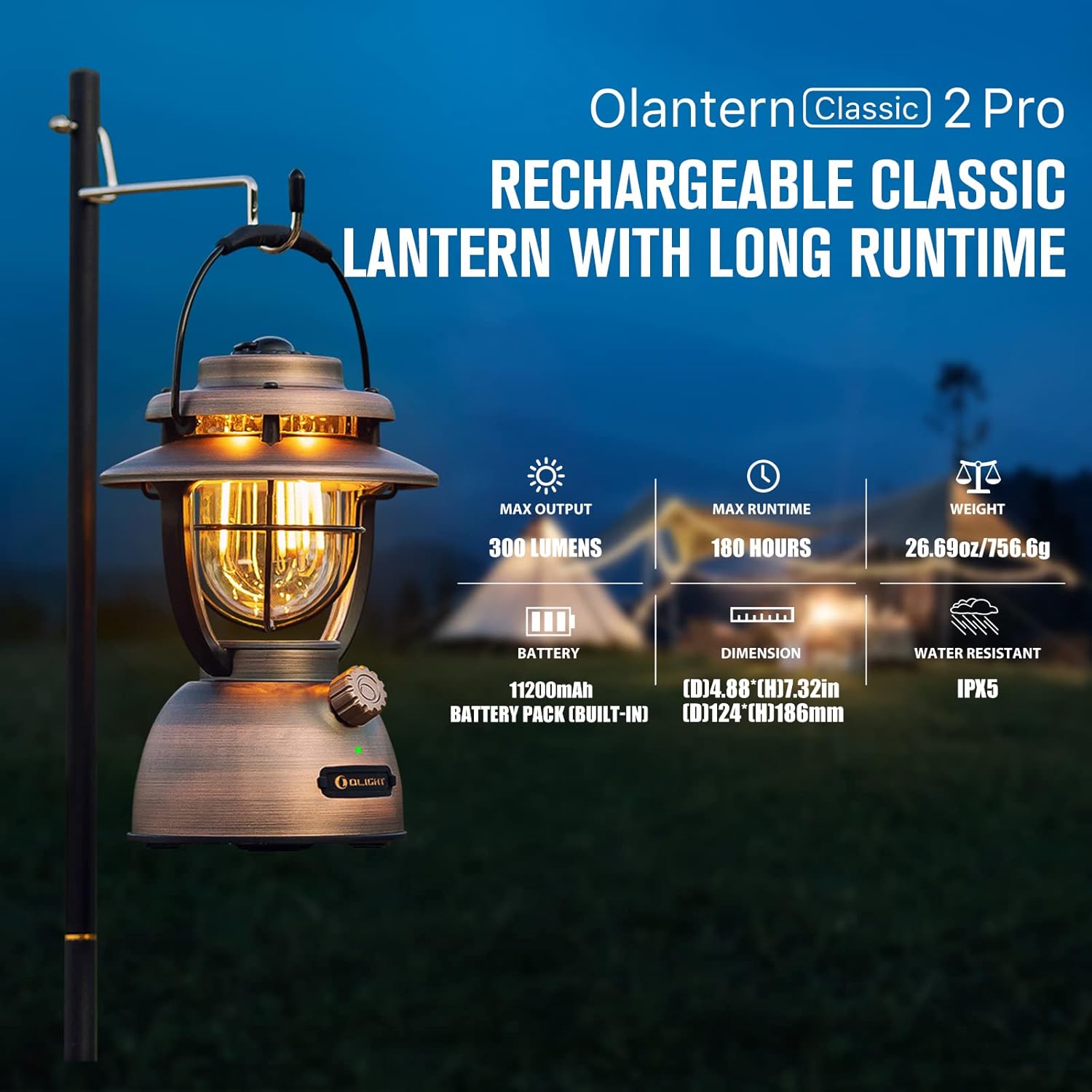
Image: OLIGHT Olantern Classic 2 Pro Camping Lantern displaying its maximum output of 300 lumens, maximum runtime of 180 hours, weight of 26.69 oz (756.6g), 11200mAh built-in battery, dimensions of 4.88 inches (D) by 7.32 inches (H), and IPX5 water resistance rating.
4.2 OLIGHT Sphere C Smart Night Light
The Sphere C is a portable, USB-C rechargeable smart night light with APP control, offering various lighting modes and ambient illumination.

Image: OLIGHT Sphere C Smart Night Light with icons indicating 20+ lighting modes, brightness adjustment, countdown timer, music rhythm, up to 40 hours of continuous use at low brightness, magnetic bottom, and USB-C charging.
5. Подешавање
5.1 Почетно пуњење
Пре прве употребе, потпуно напуните оба уређаја.
- Olantern Classic 2 Pro: Connect the included USB-C charging cable to the lantern's USB-C port and to a compatible USB power source (e.g., 18W adapter, not included). The lantern also supports magnetic charging with an optional MCC cable. A full charge takes approximately 4 hours with a high-powered adapter.
- Sphere C Smart Night Light: Connect a USB-C charging cable (not included) to the Sphere C's USB-C port and to a USB power source.
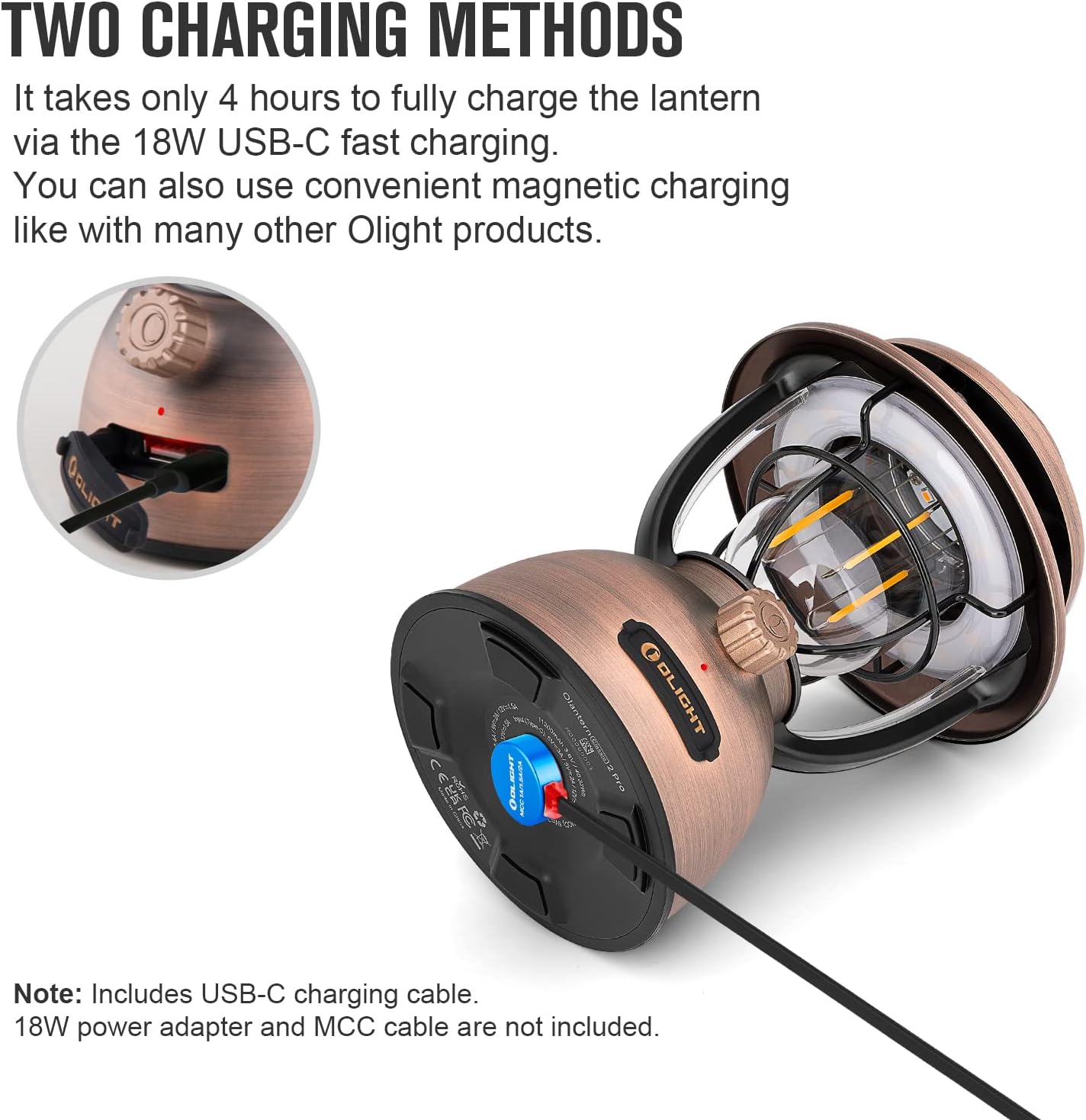
Image: OLIGHT Olantern Classic 2 Pro demonstrating its two charging methods: USB-C port and magnetic charging base.

Image: A hand plugging a USB-C cable into the OLIGHT Sphere C Smart Night Light for charging.
5.2 Sphere C App Pairing
To utilize the smart features of the Sphere C, download the OLIGHT app from your device's app store and follow the in-app instructions to pair your Sphere C.
6. Упутство за употребу
6.1 OLIGHT Olantern Classic 2 Pro
- Укључивање/искључивање: Press and hold the rotary switch for approximately 1 second.
- Безстепено затамњење: Rotate the switch clockwise to increase brightness and counter-clockwise to decrease brightness. The lantern offers 10-300 lumens.
- Прекидач извора светлости: Double-press the rotary switch to toggle between warm orange light and white light.
- Повер Банк за хитне случајеве: The Olantern Classic 2 Pro can charge other devices via its dual USB ports (one USB-A and one USB-C). Connect your device to the appropriate port. It supports 18W fast reverse charging.
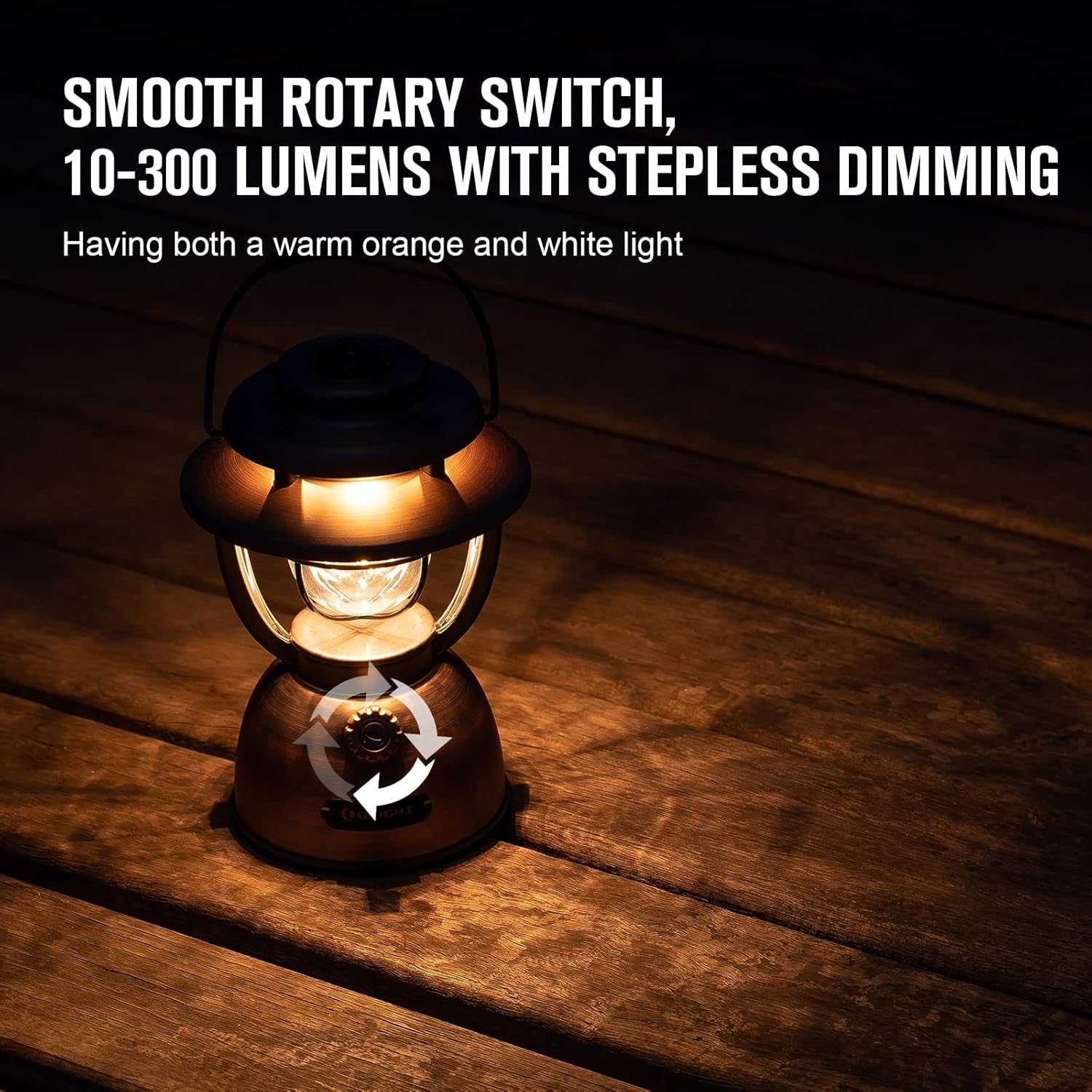
Image: OLIGHT Olantern Classic 2 Pro with arrows indicating the rotary switch for stepless dimming, offering both warm orange and white light.

Image: OLIGHT Olantern Classic 2 Pro acting as an emergency power bank, simultaneously charging a Sphere C night light and a smartphone via its USB-A and USB-C ports.
6.2 OLIGHT Sphere C Smart Night Light
- Ручна контрола: A button on the Sphere C allows for basic power on/off and cycling through preset modes.
- Контрола апликације: Use the OLIGHT app to access advanced features:
- Adjust brightness and choose from 20+ lighting modes.
- Set countdown timers and auto-off timers.
- Engage music rhythm mode for dynamic lighting.
- Utilize group control for multiple Sphere C devices.
- Пратите ниво батерије.
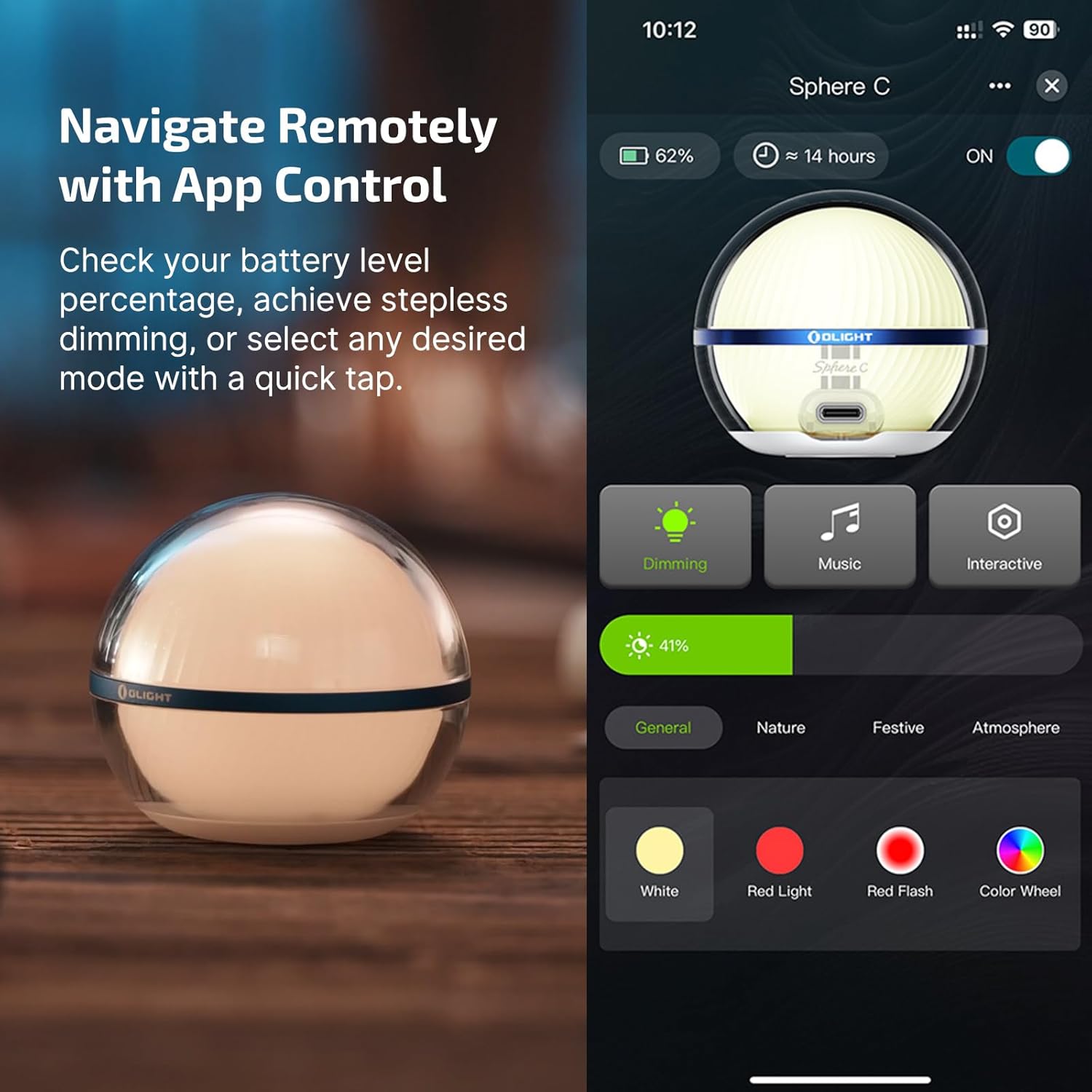
Image: OLIGHT Sphere C Smart Night Light displayed next to a smartphone screen showing the OLIGHT app interface for controlling the light, including dimming, music, interactive modes, and color selection.
7. Одржавање
- Чишћење: Wipe the devices with a soft, damp тканина. Немојте користити абразивна средства за чишћење или раствараче.
- Складиштење: Store the devices in a cool, dry place when not in use. For long-term storage, charge the batteries to approximately 50% every 3-6 months to maintain battery health.
- Одржавање батерије: Avoid fully discharging the batteries frequently. Recharge promptly when the battery indicator shows low power.
КСНУМКС. Решавање проблема
- Уређај се не укључује: Ensure the battery is charged. If the battery is low, connect to a power source and charge.
- Не наплаћује: Check the charging cable and adapter for damage. Ensure connections are secure. Try a different cable or power source.
- Sphere C App connectivity issues: Ensure Bluetooth is enabled on your smartphone. Restart the Sphere C and the app. Try re-pairing the device through the app settings.
- Светлосни излаз је слаб: The battery might be low, or the brightness setting is too low. Adjust brightness via the rotary switch (Olantern) or app (Sphere C).
9. Спецификације
9.1 OLIGHT Olantern Classic 2 Pro
| Феатуре | Спецификација |
|---|---|
| Мак Оутпут | 300 лумена |
| Мак Рунтиме | 180 сата (7.5 дана) |
| Тежина | 26.69 оз / 756.6 г |
| Батерија | 11200mAh (уграђена) |
| Димензије (Д к В) | 4.88 ин к 7.32 ин (124 мм к 186 мм) |
| Отпорност на воду | ИПКС5 |
| Методе пуњења | USB-C, Magnetic Charging |
| Реверсе Цхаргинг | 18W Fast Reverse Charging (USB-A, USB-C) |
9.2 OLIGHT Sphere C Smart Night Light
| Феатуре | Спецификација |
|---|---|
| Мак Оутпут | 75 лумена |
| Мак Рунтиме | Up to 40 Hours (at low brightness) |
| Пуњење | УСБ-Ц пуњиви |
| Контрола | APP Control, Manual Button |
| Посебне карактеристике | 20+ Lighting Modes, Brightness Adjustment, Countdown Timer, Music Rhythm, Magnetic Bottom |
10. Гаранција
OLIGHT offers a lifetime warranty on its products, ensuring quality and customer satisfaction. For specific terms and conditions, please refer to the official OLIGHT webсајту или контактирајте корисничку подршку.

Image: Graphic indicating OLIGHT's Lifetime Warranty and recognition with a Design Award 2024.
11. Подршка
For further assistance, product information, or warranty claims, please visit the official OLIGHT webсајту или контактирајте њихов тим за корисничку подршку.
Службено Webсајт: ввв.олигхтворлд.цом


