Увод
This manual provides detailed instructions for setting up, operating, maintaining, and troubleshooting your DOOGEE U11 Pro Android 16 Tablet. Please read this manual thoroughly before using your device to ensure optimal performance and longevity.
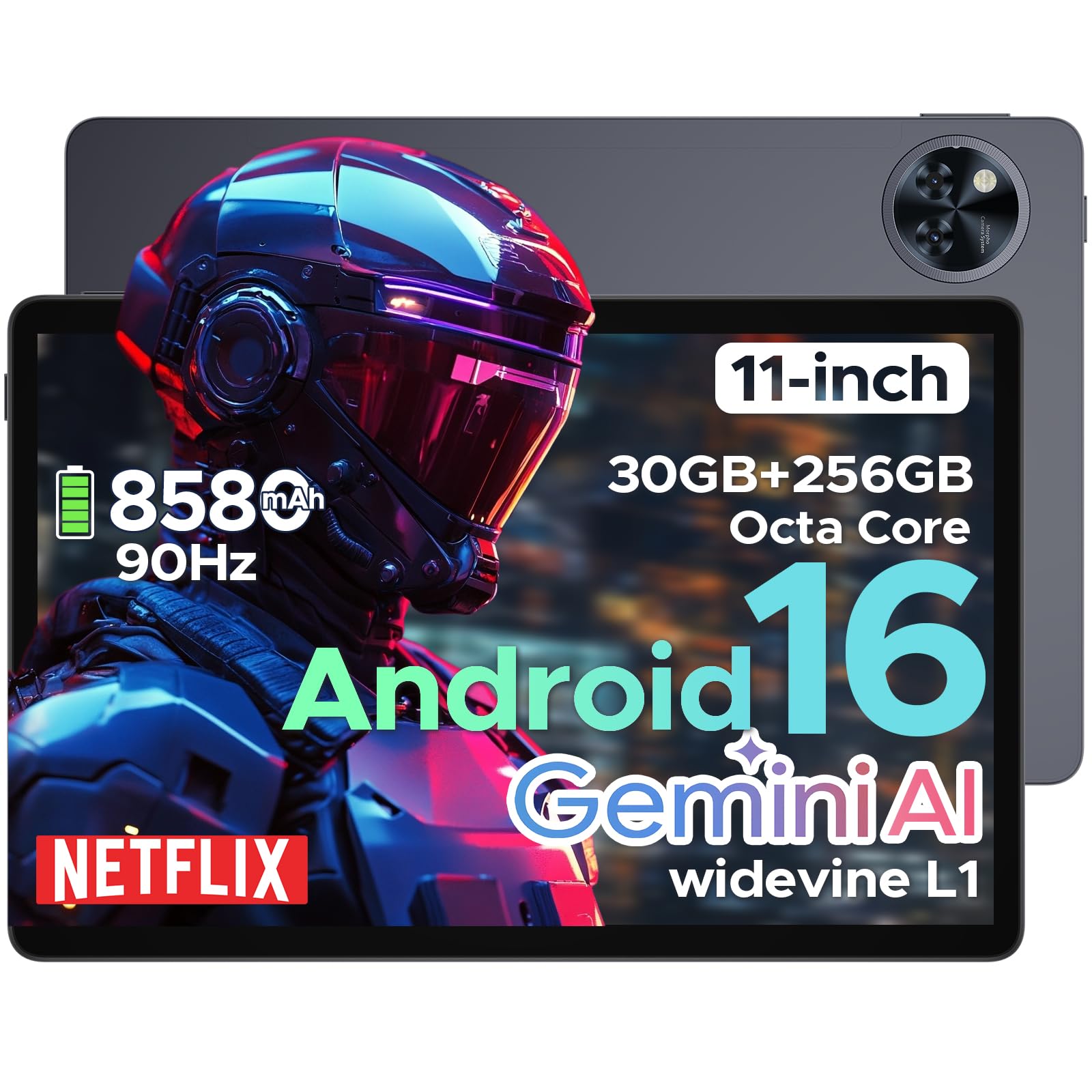
The DOOGEE U11 Pro is an 11-inch tablet featuring the Android 16 operating system with Gemini AI integration. It is powered by a MediaTek Unisoc T7200 octa-core processor, offers 30GB RAM (6GB physical + 24GB expansion) and 256GB internal storage (expandable up to 2TB via MicroSD/TF card). Key features include a 90Hz display, an 8580mAh battery, 13MP rear and 5MP front cameras, Face ID, Bluetooth 5.0, 5G WiFi, and Widevine L1 support for high-definition streaming.
Сетуп
1. Садржај пакета
Проверите да ли су све ставке присутне у пакету:
- DOOGEE U11 Pro Tablet
- Адаптер за пуњење
- УСБ-Ц кабл
- Алат за избацивање СИМ картице
- Водич за брзи почетак
- Гарантни лист
2. Пуњење таблета
Before first use, fully charge the tablet. Connect the USB-C cable to the tablet's charging port and the adapter to a power outlet.
слика: The DOOGEE U11 Pro tablet connected to a charger, illustrating the charging process.
3. Укључивање/искључивање
- За укључивање: Притисните и држите дугме за напајање док се не појави DOOGEE лого.
- За искључивање: Press and hold the Power button, then select "Power Off" from the options.
- Рестартовати: Притисните и држите дугме за напајање, а затим изаберите „Рестарт“ из опција.
4. Inserting SIM/MicroSD Card
Use the provided SIM ejector tool to open the SIM/MicroSD card tray. Insert your SIM card (if applicable) and/or MicroSD card into the designated slots, ensuring correct orientation. Close the tray securely.

слика: A close-up of the tablet's side, indicating the location of the SIM/MicroSD card tray.
Упутство за употребу
1. Android 16 System and Gemini AI
The DOOGEE U11 Pro runs on Android 16, offering enhanced app permission control and privacy features. Integrated Gemini AI intelligently manages system resources for tasks like photo editing and real-time translation, providing a smarter and faster user experience.

слика: Visual representation of the Android 16 system interface and Gemini AI capabilities.

слика: A comparison chart highlighting improvements in Android 16 over Android 15, including privacy, performance, and user interface enhancements.
2. Приказ и визуелни елементи
The 11-inch HD IPS display features a 90Hz refresh rate for smooth scrolling and vibrant colors. It supports a resolution of 1280x800 pixels and offers Widevine L1 certification for 1080p HD content streaming on platforms like Prime Video and Netflix.

слика: Изложба илустрацијаasing the 11-inch 90Hz HD IPS display with its key specifications like resolution and refresh rate.

слика: A graphic indicating Widevine L1 support for various streaming platforms, ensuring high-quality video playback.
видео: This video demonstrates the immersive visual experience of the DOOGEE U11 Pro tablet, highlighting its display quality and smooth operation.
3. Перформансе и складиштење
The tablet is equipped with a MediaTek Unisoc T7200 octa-core processor, 30GB RAM (6GB physical + 24GB virtual), and 256GB internal storage. Storage can be expanded up to 2TB using a MicroSD/TF card (sold separately). The built-in Memory Manager helps optimize performance by clearing unnecessary files.

слика: Унутрашњи view highlighting the Unisoc T7200 Octa-core Processor, 256GB ROM, and 30GB RAM (6GB+24GB virtual).
4. Трајање батерије и пуњење
The 8580mAh battery provides extended usage times. AI battery management helps reduce standby power drain. The tablet also supports OTG reverse charging, allowing it to function as a power bank for other devices.

слика: A graphic illustrating the 8580mAh battery and estimated usage times for standby, music, video, and web прегледавање.
видео: This video demonstrates the extended power capabilities of the DOOGEE U11 Pro, including its large battery and reverse charging feature.
5. Cameras and Security
The tablet features a 13MP rear camera for capturing documents and photos, and a 5MP front camera optimized with AI for video calls and selfies. Face Unlock provides quick and secure access to your device.

слика: A close-up of the tablet's rear camera module, highlighting its design.

слика: An image showing the tablet's front camera in use for video calls.
6. Аудио и повезивање
Experience clear sound with HD dual speakers. The tablet supports Bluetooth 5.0 for wireless audio and includes a 3.5mm headphone jack. Connectivity options include 5G WiFi and built-in GPS for accurate navigation. It also features an FM Radio function.

слика: A visual summary of the tablet's audio features (dual speakers, 3.5mm jack) and connectivity (GPS, WiFi 5).
видео: This video highlights the smart, smooth, and safe features of the DOOGEE U11 Pro, including its PC-level WPS Office and FM Radio functions.
Одржавање
- Чишћење: Користите меку крпу која не оставља влакна за чишћење екрана и кућишта. Избегавајте јаке хемикалије.
- Ажурирања софтвера: Редовно проверавајте и инсталирајте системска ажурирања како бисте осигурали оптималне перформансе и безбедност.
- Одржавање батерије: Избегавајте екстремне температуре. Не дозволите да се батерија често потпуно испразни.
- Управљање складиштем: Периодично чистите непотребне fileи апликације да бисте ослободили простор за складиштење и одржали перформансе.
Решавање проблема
1. Таблет се не укључује
- Ensure the tablet is sufficiently charged. Connect it to a charger for at least 30 minutes.
- Притисните и држите дугме за напајање 10-15 секунди да бисте поново покренули рачунар.
2. Рушење или замрзавање апликација
- Затворите и поново отворите апликацију.
- Обришите кеш меморију и податке апликације у Подешавања > Апликације.
- Уверите се да је апликација ажурирана на најновију верзију.
- Поново покрените таблет.
3. Лоша Wi-Fi веза
- Ensure you are within range of the Wi-Fi router.
- Поново покрените Wi-Fi рутер и таблет.
- Заборавите мрежу у подешавањима Wi-Fi-ја и поново се повежите.
4. Споре перформансе
- Затворите неискоришћене апликације у позадини.
- Обришите кеш и привремено files using the built-in Memory Manager.
- Обезбедите довољно простора за складиштење.
- Perform a factory reset as a last resort (Напомена: Овим ће се обрисати сви подаци. Важно је направити резервну копију. fileпрво).
Спецификације
| Феатуре | Спецификација |
|---|---|
| Назив модела | У11 Про |
| Оперативни систем | Андроид 16 |
| Процесор | MediaTek Unisoc T7200 Octa-Core |
| РАМ | 30 ГБ (6 ГБ физичке + 24 ГБ проширења) |
| Интерна меморија | 256ГБ |
| Екпандабле Стораге | Up to 2TB via MicroSD/TF card |
| Величина екрана | 11 инча |
| Резолуција екрана | 1280 к 800 пиксела |
| Рефресх Рате | 90Хз |
| Капацитет батерије | 8580мАх |
| Задња камера | 13МП |
| Предња камера | 5МП |
| Вирелесс Типе | 802.11ax (5G WiFi) |
| Блуетоотх | Блуетоотх 5.0 |
| Димензије (ДкШкВ) | 10.13 к 6.65 к 0.31 инча |
| Боја | Gray (variant specific) |
| Посебне карактеристике | Gemini AI, Widevine L1, Face ID, OTG Reverse Charging, HD Dual Speakers, GPS, FM Radio, Built-in PC-level WPS Office |
Гаранција и подршка
DOOGEE offers comprehensive support for its products:
- 30-дневна гаранција поврата новца: Ако нисте задовољни куповином, можете је вратити у року од 30 дана за потпуни повраћај новца.
- 2-годишња ограничена гаранција: The DOOGEE U11 Pro Tablet comes with a 2-year limited warranty covering manufacturing defects.
- 24/7 подршка на мрежи: For any technical assistance or inquiries, please contact DOOGEE customer service available 24/7.
For more information, please visit the official DOOGEE webсајт или погледајте гарантни лист који се налази у вашем пакету.


