1. Увод
This manual provides essential information for the installation, operation, and maintenance of your Acer Nitro Radeon RX 9060 XT graphics card. Please read this manual thoroughly before installation to ensure proper setup and optimal performance.

Слика 1: Предња страна view of the Acer Nitro Radeon RX 9060 XT Graphics Card, showcasing its dual fan design.
2. Системски захтеви
- PCIe 5.0 x16 slot on motherboard.
- Compatible power supply with at least one 8-pin PCIe power connector.
- Operating system: Windows 10/11 64-bit or Linux 64-bit.
- Minimum 8GB system RAM (16GB recommended).
- Интернет конекција за преузимање и ажурирања драјвера.
3. Подешавање и инсталација
3.1. Физичка инсталација
- Припремите свој систем: Искључите рачунар и одспојите све каблове. Отворите кућиште рачунара.
- Пронађите PCIe слот: Identify an available PCIe 5.0 x16 slot on your motherboard. Remove any expansion slot covers that may be blocking it.
- Инсталирајте графичку картицу: Пажљиво поравнајте графичку картицу са PCIe слотом и чврсто притисните надоле док се безбедно не уклопи. Уверите се да је копча за задржавање закључана на своје место.
- Обезбедите картицу: Користите завртње да причврстите графичку картицу за носач слота за проширење кућишта рачунара.
- Повежите напајање: Повежите 8-пински PCIe конектор за напајање са вашег напајања са одговарајућим портом на графичкој картици.

Слика 2: Страна view of the graphics card, showing the 8-pin power connector.
3.2. Display Connection
Connect your monitor(s) to the graphics card using the available ports:
- 1x HDMI 2.1a port
- 2x DisplayPort 2.1b ports
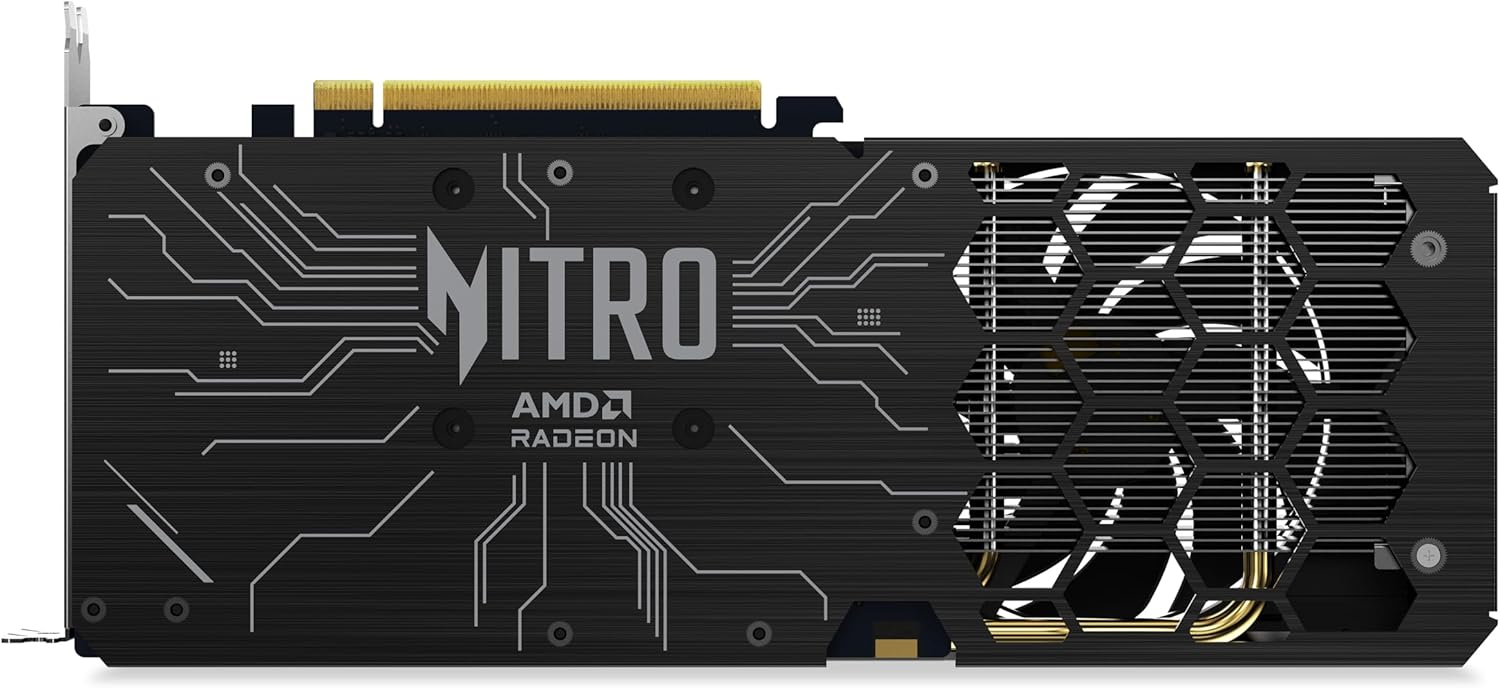
Слика 3: Задња страна view of the graphics card, highlighting the display output ports.
3.3. Инсталација драјвера
- After physical installation, close your computer case and reconnect all cables. Power on your computer.
- Download the latest AMD Software Adrenaline Edition drivers from the official AMD webсајт (ввв.амд.цом/ен/суппорт).
- Follow the on-screen instructions to install the drivers. A system restart may be required.
4. Руковање графичком картицом
Once installed and drivers are updated, your Acer Nitro Radeon RX 9060 XT graphics card is ready for use. It is designed for high-performance computing, including gaming and demanding graphical applications.
4.1. Кључне карактеристике и технологије
- AMD Software Adrenaline Edition: Provides a comprehensive suite of tools for managing your graphics card settings, performance, and features.
- AMD Fluid Motion Frames (AFMF): Enhances frame rates for smoother gameplay.
- AMD Radeon Anti-Lag 2: Reduces input latency for more responsive gaming.
- АМД ФрееСинц технологија: Synchronizes display refresh rates with the graphics card for tear-free and stutter-free gaming.
- AMD FidelityFX Super Resolution (FSR): Upscales lower resolution images to higher resolutions, improving performance without significant loss in image quality.
- Optimized Ray Tracing: Advanced hardware acceleration for realistic lighting, shadows, and reflections.
4.2. Подешавања екрана
The graphics card supports a maximum display resolution of 3840x2160. You can configure display settings through your operating system's display settings or via the AMD Software Adrenaline Edition.
5. Одржавање
Редовно одржавање помаже у обезбеђивању дуготрајности и оптималних перформанси ваше графичке картице.
- Уклањање прашине: Периодично чистите прашину са вентилатора и хладњака помоћу компримованог ваздуха. Уверите се да је систем искључен пре чишћења.
- Систем вентилатора: The 2x Nitro FrostBlade fans are designed for high airflow and low volume. Keep the fan blades clear of obstructions.
- Ажурирања драјвера: Regularly check for and install the latest graphics drivers from AMD to benefit from performance improvements and bug fixes.

Слика 4: Врх view of the graphics card, showing the Nitro FrostBlade fans.
КСНУМКС. Решавање проблема
Ако наиђете на проблеме са графичком картицом, погледајте следеће уобичајене кораке за решавање проблема:
- Нема излаза на екран:
- Уверите се да је графичка картица потпуно уметнута у PCIe слот.
- Verify that the 8-pin PCIe power connector is securely attached.
- Check that the display cable is firmly connected to both the graphics card and the monitor.
- Пробајте други кабл за дисплеј или монитор ако је доступан.
- Нестабилност или падови система:
- Ensure your graphics drivers are up to date. Consider performing a clean installation of the drivers.
- Check your power supply unit (PSU) to ensure it meets the power requirements for your system, including the graphics card.
- Monitor GPU temperatures using AMD Software Adrenaline Edition to check for overheating.
- Лоше перформансе у играма/апликацијама:
- Verify that your game or application is using the dedicated graphics card and not integrated graphics (if applicable).
- Adjust in-game graphics settings to a lower preset.
- Ensure background applications are not consuming excessive system resources.
- Проверите ажурирања драјвера.
7. Спецификације
| Феатуре | Детаљ |
|---|---|
| Грапхицс Процессор | AMD Radeon RX 9060 XT (Navi 44, RDNA 3.5 Architecture) |
| Стреам Процессорс | 2048 |
| Басе Фрекуенци | 1.9 ГХз |
| Боост Цлоцк | 3.3 ГХз |
| Величина меморије | 16 ГБ ГДДР6 |
| Меморијска магистрала | 128-битни |
| Пропусност меморије | 3220 Гб/с |
| Брзина ГПУ такта | 3300 МХз |
| Брзина меморије | 2500 МХз |
| Интерфејс | ПЦИе 5.0 к16 |
| Видео Оутпут | 1x HDMI 2.1a, 2x DisplayPort 2.1b |
| Систем за хлађење | 2x Nitro FrostBlade Fans |
| Повер Цоннецторс | 1к 8-пин |
| Максимална резолуција | 3840к2160 |
| Тежина | 929 грама |
8. Информације о гаранцији
The Acer Nitro Radeon RX 9060 XT graphics card comes with a 3-Year Manufacturer Guarantee. Please retain your proof of purchase for warranty claims. For detailed terms and conditions, refer to the official Acer warranty policy or contact Acer support.
9. Подршка
For further assistance, technical support, or driver downloads, please visit the official Acer support website or AMD support webсајт:


