1. Водич за подешавање
This section provides instructions for the initial setup of your Motorola G96 smartphone.
1.1. Распакивање и први преглед
Carefully unbox your device and check for all included accessories: Motorola G96 smartphone, charger, USB cable, and SIM ejector tool. Inspect the device for any physical damage before proceeding.
1.2. Уметање SIM картице(а) и microSD картице
- Пронађите лежиште за СИМ картицу са стране уређаја.
- Уметните алат за избацивање СИМ картице у мали отвор на лежишту СИМ картице да бисте га отворили.
- Place your Nano SIM card(s) and/or microSD card into the tray with the gold contacts facing down, ensuring they are correctly aligned. The Motorola G96 supports Dual SIM functionality and expandable storage up to 256 GB.
- Пажљиво вратите лежиште у отвор док не кликне на своје место.
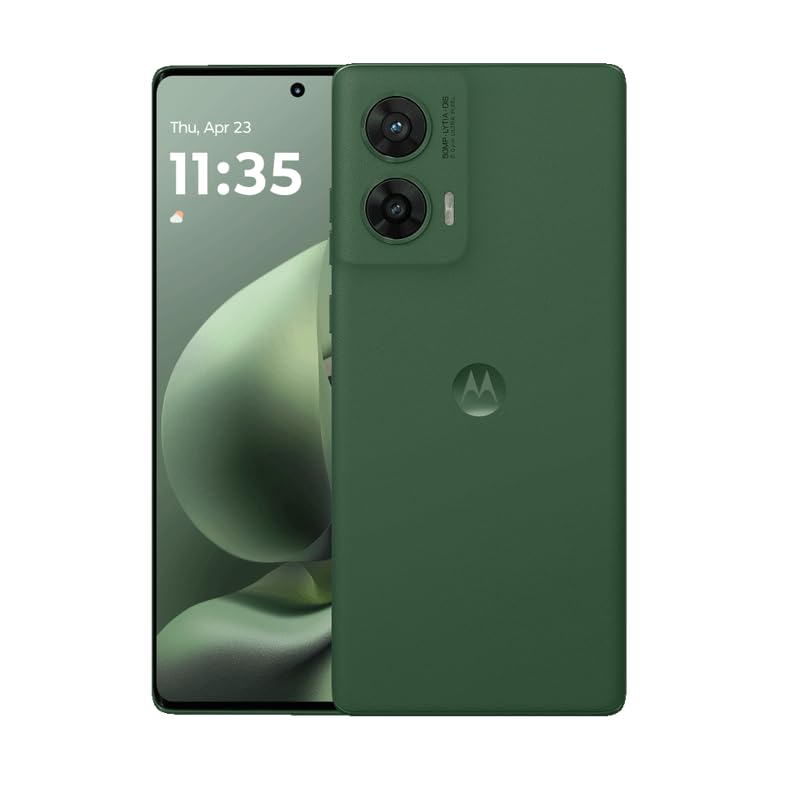
Слика: Предња и задња страна view of the Motorola G96 smartphone. This image illustrates the overall design and color of the device, which is Greener Pastures.
1.3. Укључивање и почетна конфигурација
- Притисните и држите дугме за напајање (налази се са стране) док се не појави лого компаније Motorola.
- Пратите упутства на екрану да бисте изабрали језик, повезали се са Wi-Fi мрежом и подесили свој Google налог.
- Configure security features such as Face Recognition and a screen lock (PIN, pattern, or password).
2. Управљање вашим уређајем
This section covers the primary functions and features of your Motorola G96 smartphone.
2.1. Приказ и навигација
The Motorola G96 features a 144Hz 3D Curved pOLED FHD+ display (16.67 cm) with 1600 nits brightness and 100% DCI-P3 color gamut. Navigate the interface using touch gestures: swipe, tap, pinch-to-zoom. The display is protected by Corning Gorilla Glass 5.
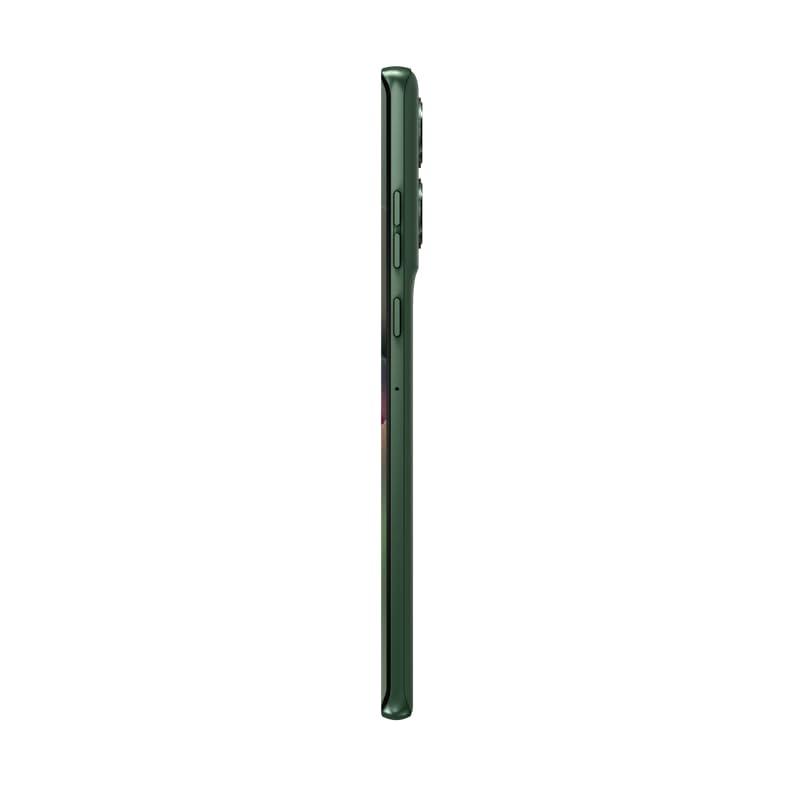
Слика: Сајд професионалацfile of the Motorola G96, highlighting its slim design and curved screen. This view helps in identifying the location of physical buttons and the SIM tray.
2.2. Функције камере
Your device is equipped with a 50MP OIS Sony-LYTIA 700C main camera, an 8MP ultra-wide/macro/depth sensor, and a 32MP front camera. All cameras support 4K video recording.
- Фотографисање: Open the Camera app, select your desired mode (Photo, Portrait, Night Vision), and tap the shutter button.
- Снимање видео записа: Switch to Video mode. Tap the record button to start and stop recording.
- АИ карактеристике: Utilize AI Photo Enhancement and Horizon Lock for improved image quality.
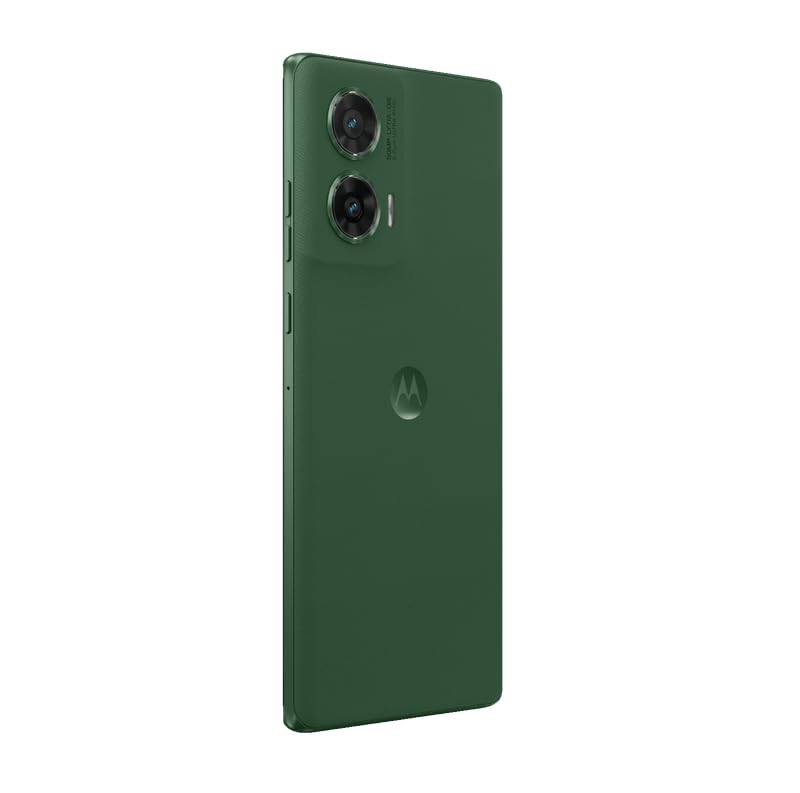
Слика: Позади view of the Motorola G96, showcasing the dual camera module and the Motorola logo. This image helps in identifying the camera setup.
2.3. Перформансе и складиштење
The Motorola G96 is powered by the Snapdragon 7s Gen 2 processor, offering efficient performance for multitasking and gaming. It comes with 8GB RAM (expandable up to 24GB with RAM Boost 2.0 Plus) and 128GB of internal storage, expandable via microSD card.
2.4. Аудио и повезивање
Experience immersive sound with Dolby Atmos Dual Stereo Speakers and Hi-Res Sound certification. The device supports 5G cellular technology, Bluetooth, USB, and Wi-Fi connectivity.
2.5. Управљање батеријом
The 5500 mAh battery provides up to 42 hours of usage. For quick charging, use the included 33W TurboPower charger. To optimize battery life, manage background app usage and screen brightness.
3. Одржавање и њега
Proper care ensures the longevity and optimal performance of your Motorola G96.
3.1. Отпорност на воду и прашину
The device features IP68 underwater protection, making it resistant to dust and submersion in water up to 1.5 meters for 30 minutes. However, it is not waterproof. Avoid intentional submersion and exposure to pressurized water or liquids other than fresh water. Water Touch 2.0 technology allows for use with wet hands.
3.2. Заштита екрана
The display is protected by Corning Gorilla Glass 5, offering superior scratch and impact resistance. For added protection, consider using a screen protector.
3.3. Чишћење уређаја
Use a soft, lint-free cloth to clean the screen and body. Avoid abrasive materials or harsh chemicals. For stubborn smudges, slightly dampу крпу са водом.
4. Решавање уобичајених проблема
This section addresses common problems you might encounter with your Motorola G96.
4.1. Уређај се не укључује
- Уверите се да је батерија напуњена. Прикључите уређај на пуњач и сачекајте неколико минута пре него што покушате да га укључите.
- Притисните и држите дугме за напајање најмање 10-15 секунди да бисте извршили присилно поновно покретање.
4.2. Лош век трајања батерије
- Проверите да ли постоје апликације које раде у позадини и затворите оне које вам нису потребне.
- Смањите осветљеност екрана и подесите краће време чекања екрана.
- Онемогућите Wi-Fi, Bluetooth или GPS када их не користите.
- Уверите се да је ваш софтвер ажуриран.
4.3. Проблеми са мрежном повезивањем
- Укључите и искључите режим рада у авиону.
- Поново покрените уређај.
- Проверите да ли је ваша СИМ картица правилно уметнута.
- Verify your network settings with your service provider.
4.4. Рушење или замрзавање апликација
- Clear the cache and data for the problematic app (Settings > Apps > [App Name] > Storage > Clear Cache/Clear Data).
- Деинсталирајте и поново инсталирајте апликацију.
- Ensure your device software and apps are updated.
5. Техничке спецификације
Detailed technical specifications for the Motorola G96 smartphone.
| Феатуре | Спецификација |
|---|---|
| Модел | Моторола Г96 |
| Оперативни систем | Андроид 14 |
| Процесор | Снапдрагон 7с Ген 2 |
| РАМ | 8 GB (прошириво до 24 GB) |
| Интерна меморија | 128 GB (прошириво до 256 GB путем microSD картице) |
| Дисплаи | 16.67 cm (6.56 inch) 3D Curved pOLED FHD+, 144Hz, 1600 nits, Gorilla Glass 5 |
| Задња камера | 50 MP OIS (main) + 8 MP (ultra-wide/macro/depth) |
| Предња камера | 32 МП |
| Видео Рецординг | 4K (all lenses) |
| Батерија | 5500 mAh, 33W TurboPower пуњење |
| Отпорност на воду | ИП68 (отпоран на прашину и воду) |
| Повезивање | 5G, Wi-Fi, Bluetooth, USB |
| Тип СИМ картице | Дуал Нано СИМ |
| Биометријска безбедност | Препознавање лица |
| Аудио | Dolby Atmos Dual Stereo Speakers, Hi-Res Sound |
| Боја | Greener Pastures |
| Произвођач | Padget Electronics Pvt Ltd |
| УПЦ | 840023295935 |
6. Гаранција и подршка
Информације о гаранцији вашег уређаја и начину добијања подршке.
6.1. Информације о гаранцији
Your Motorola G96 comes with a Domestic Warranty of 1 year for the handset и 6 months for accessories од датума куповине. Ова гаранција покрива производне недостатке при нормалној употреби. Молимо вас да сачувате доказ о куповини за потребе подношења захтева за гаранцију.
For detailed terms and conditions, please refer to the warranty card included in your product packaging or visit the official Motorola India webсајту.
6.2. Корисничка подршка
If you encounter issues not covered in the troubleshooting section or require further assistance, please contact Motorola customer support.
- Подршка на мрежи: Visit the official Motorola India support website for FAQs, troubleshooting guides, and service center locations.
- Контакт број: Refer to your product packaging or the Motorola website for the latest customer service contact numbers.
- Сервисни центри: Authorized Motorola service centers are available for repairs and technical assistance.
Manufacturer Contact Information: Motorola India Pvt Ltd, 12th floor, Tower-D DLF phase-3, Cyber Greens, Gurgaon-122001.