1. Увод
The boAt Aavante Prime 7.1.4 7050DA Soundbar system is designed to enhance your home entertainment audio experience. This system features a 7.1.4 channel configuration with Dolby Atmos technology, providing immersive surround sound. It includes a main soundbar unit, a wireless subwoofer, and two satellite speakers, offering multiple connectivity options for various devices.
2. Безбедносне информације
- Прочитајте сва упутства пре употребе производа.
- Не излажите уређај киши, влази или екстремним температурама.
- Осигурајте одговарајућу вентилацију око јединице како бисте спречили прегревање.
- Не отварајте цasinг; све сервисирање препустите квалификованом особљу.
- Држите уређај даље од јаких магнетних поља.
- Користите само струјни адаптер који је испоручен са јединицом.
3. Шта је у кутији
Проверите да ли су све компоненте присутне у паковању:
- Звучна трака
- Субвоофер
- Сателитски звучници (2 јединице)
- Даљински управљач (са 2 АА батерије)
- Аук Цабле
- Кабл(и) за напајање
- Кориснички приручник (овај документ)
Слика: Прекоview of the boAt Aavante Prime 7.1.4 7050DA Soundbar system, showing the soundbar, subwoofer, and two satellite speakers.
4. Подешавање
4.1 Постављање
- Соундбар: Place the soundbar centrally below your television. Ensure it is on a stable, flat surface or mounted securely to a wall.
- Субвоофер: Position the wireless subwoofer on the floor, preferably in the front corner of the room for optimal bass response.
- Сателитски звучници: Place the satellite speakers behind your listening position, one on the left and one on the right, for effective surround sound.

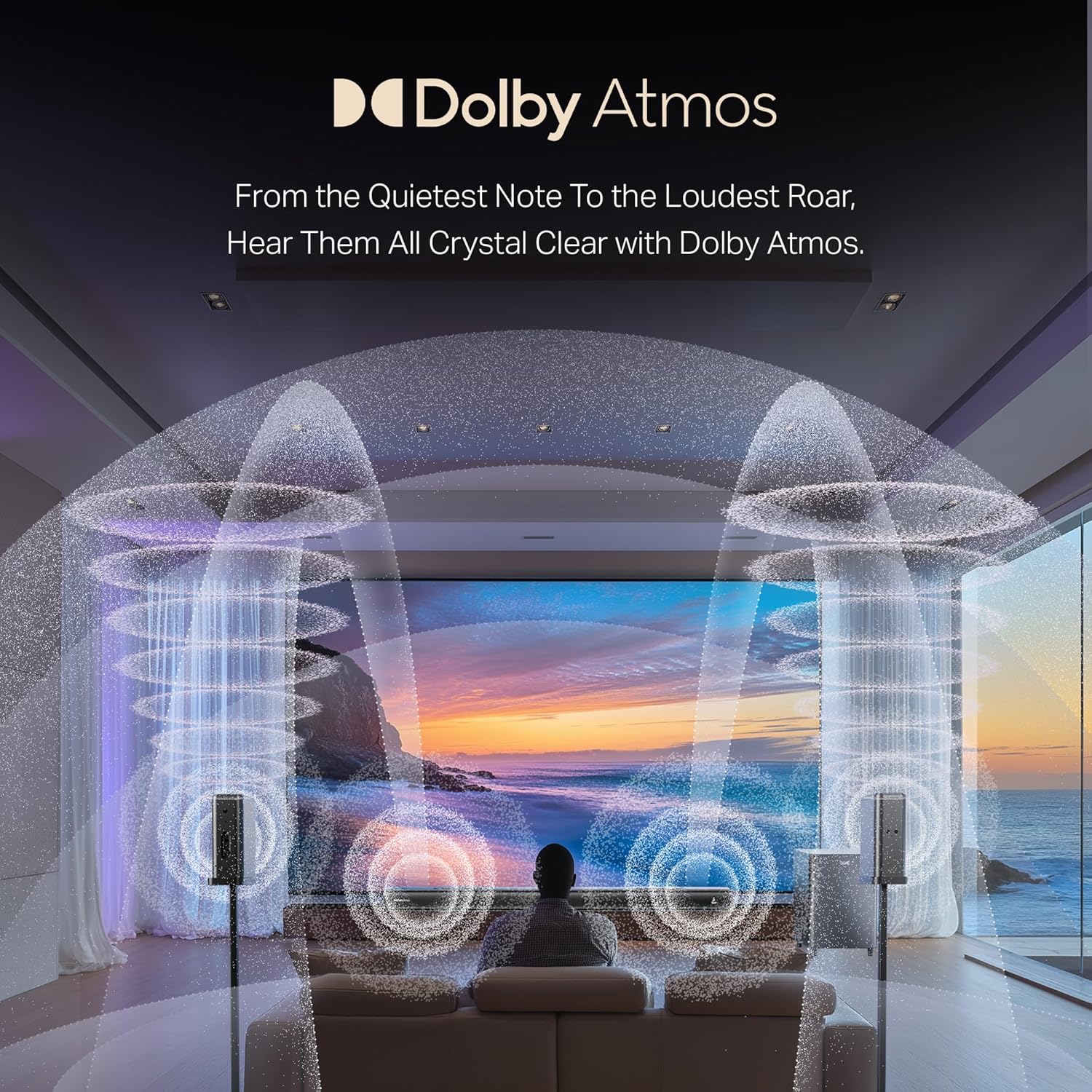
Image: A visual representation of a 7.1.4 channel sound setup, illustrating the placement of the soundbar, subwoofer, and satellite speakers in a room for an immersive audio experience.
4.2 Повезивање напајања
- Connect the power cable to the soundbar's power input.
- Повежите кабл за напајање сабвуфера са улазом за напајање.
- Connect the power cables to the satellite speakers' power inputs.
- Plug all power cables into a suitable AC power outlet.
4.3 Connecting to a TV/Source Device
Изаберите један од следећих метода повезивања:
- HDMI e-ARC (Recommended): Connect an HDMI cable from the soundbar's HDMI e-ARC port to your TV's HDMI e-ARC/ARC port. This allows for high-quality audio transmission and TV remote control integration.
- Оптички: Повежите оптички кабл са OPTICAL IN порта саундбара са оптичким дигиталним аудио излазом вашег телевизора.
- АУКС ИН: Use the provided AUX cable to connect the soundbar's AUX IN port to your TV's 3.5mm audio output or another audio source.
- Коаксијални: Повежите коаксијални кабл са COAXIAL IN порта саундбара са коаксијалним дигиталним аудио излазом вашег телевизора.
- УСБ: Уметните УСБ диск у УСБ порт саундбара да бисте репродуковали звук fileс директно.
4.4 Wireless Pairing (Subwoofer & Satellites)
The subwoofer and satellite speakers are designed to pair automatically with the soundbar upon power-up. If pairing does not occur automatically:
- Уверите се да су све јединице укључене.
- Refer to the specific pairing instructions in the full manual if a manual pairing button is present on the units.
5. Упутство за употребу
5.1 Укључивање/искључивање
Притисните тастер Повер дугме на саундбару или даљинском управљачу да бисте укључили или искључили систем.
5.2 Избор улаза
Притисните тастер Улаз/извор button on the soundbar or remote control to cycle through available input modes: HDMI e-ARC, Optical, AUX, USB, Coaxial, and Bluetooth.
5.3 Контрола јачине звука
Користите Јачина звука (+) и Смањивање јачине звука (-) дугмад на саундбару или даљинском управљачу да бисте подесили главну јачину звука.
5.4 Блуетоотх упаривање
- Select Bluetooth mode on the soundbar. The indicator will flash, indicating pairing mode.
- On your mobile device, enable Bluetooth and search for "boAt Aavante Prime 7050DA".
- Select the device to pair. Once connected, the indicator will stop flashing.
5.5 ЕК режима
The soundbar offers various Equalizer (EQ) modes to optimize audio for different content types. Press the EQ button on the remote control to switch between modes:
- филмови: Enhances dialogue and cinematic effects.
- музика: Optimized for musical playback.
- вести: Focuses on vocal clarity.
- спортови: Accentuates ambient sounds and commentary.

Image: The soundbar's remote control, displaying buttons for power, volume, input selection, and EQ modes. Below it, icons represent various connectivity options including Optical, Bluetooth v5.3, AUX IN, HDMI e-ARC, USB, and Coaxial.
6. Одржавање
- Чишћење: Use a soft, dry cloth to clean the surfaces of the soundbar, subwoofer, and satellite speakers. Do not use liquid cleaners or abrasive materials.
- Складиштење: Ако складиштите уређај дуже време, искључите га из струје и чувајте га на хладном и сувом месту.
- вентилација: Уверите се да отвори за вентилацију нису блокирани како бисте спречили прегревање.
КСНУМКС. Решавање проблема
| Проблем | Могући узрок | Решење |
|---|---|---|
| Нема струје | Кабл за напајање није повезан; Утичница није активна | Check power connections; Try a different outlet |
| Нема звука | Изабран погрешан улаз; Јачина звука је прениска; Каблови нису правилно повезани | Select correct input source; Increase volume; Check all audio cable connections |
| Subwoofer/Satellites not pairing | Units too far apart; Interference; Pairing issue | Ensure units are within range; Reduce interference; Power cycle all units |
| Даљински управљач не ради | Батерије су празне; Препрека између даљинског управљача и саундбара | Replace batteries (2 AA); Remove obstructions; Point remote directly at soundbar |
| Изобличен звук | Source audio quality is poor; Volume too high; Incorrect EQ mode | Check source audio; Reduce volume; Try a different EQ mode |
8. Спецификације
| Феатуре | Детаљ |
|---|---|
| Назив модела | Aavante Prime 7.1.4 7050DA |
| Број модела ставке | ХА0085 |
| Спеакер Типе | Соундбар |
| Конфигурација канала сурроунд звука | 7.1.4 |
| Технологија повезивања | Bluetooth v5.3, HDMI e-ARC, Optical, AUX, USB, Coaxial |
| Контролни метод | Додир, даљински управљач |
| Препоручена употреба | For Televisions, Home Theater, Home Entertainment Systems |
| Димензије производа | 111 Д x 12 Ш x 8 В центиметара |
| Тежина артикла | 16 кг |
| Батерије су потребне | 2 AA batteries (for remote, included) |
| Произвођач | Имаџин Маркетинг Лтд |
9. Гаранција и подршка
This boAt Aavante Prime 7.1.4 7050DA Soundbar comes with a 1-годишња гаранција from the date of purchase. For warranty claims, technical support, or service inquiries, please contact the manufacturer, Imagine Marketing Ltd, at info@imaginemarketingindia.com. Please retain your purchase receipt for warranty validation.


