1. Увод
This manual provides essential information for the safe and effective operation of your ZENTALITY Mini Projector A10 PLUS. Please read this manual thoroughly before using the product and retain it for future reference.
Производ је завршенview
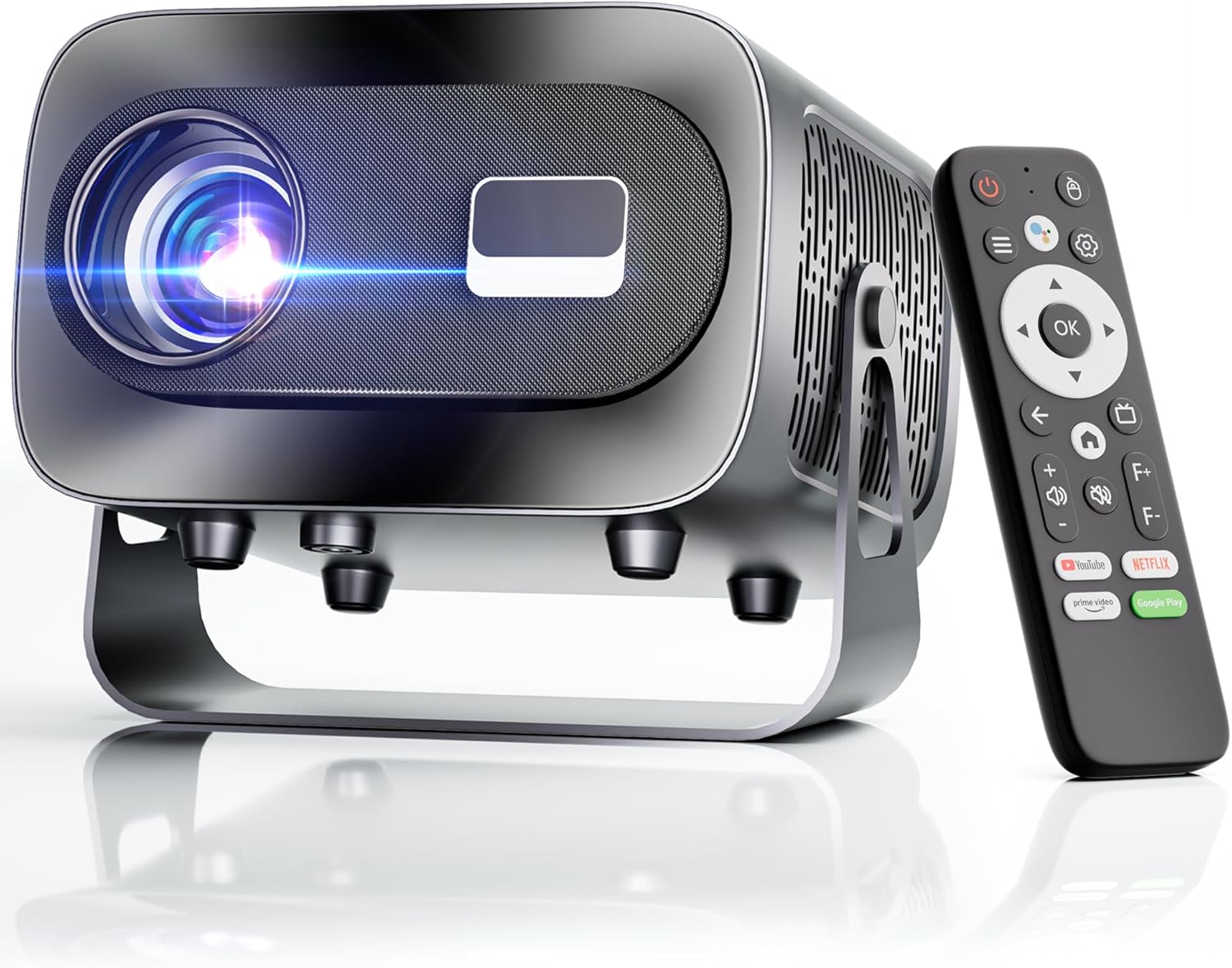
The ZENTALITY Mini Projector A10 PLUS is a smart projector featuring Android 13, designed for versatile home and outdoor entertainment. It supports 4K and 1080P HD content, offers electric focus, auto vertical keystone correction, and includes dual-band WiFi 6 and Bluetooth 5.1 connectivity. Its compact design and multiple input options make it suitable for various applications.
Шта је у кутији
- ZENTALITY Mini Projector A10 PLUS
- ХДМИ кабл
- Повер Адаптер
- Ремоте Цонтрол
- Кориснички приручник (овај документ)
2. Безбедносне информације
Please observe the following safety precautions to prevent damage to the projector and ensure user safety:
- Do not block the ventilation openings. Ensure adequate airflow around the projector to prevent overheating.
- Avoid direct exposure to the projector lens light. The bright light can cause eye strain or damage.
- Use only the provided power adapter. Using an incompatible adapter may cause fire, electric shock, or damage.
- Keep the projector away from water or other liquids. Do not operate in damp окружења.
- Не покушавајте сами да растављате или поправљате пројектор. Сва сервисирања препустите квалификованом особљу.
- Поставите пројектор на стабилну, равну површину како бисте спречили његов пад.
- Чувати ван домашаја деце.
3. Product Components and Ports
Familiarize yourself with the projector's physical features and connectivity options.

Доступни портови:
- УСБ (к2): For connecting USB drives, external storage, or other USB-compatible devices.
- ДВИ: For connecting devices such as laptops, gaming consoles, or TV sticks.
- Аудио излаз (3.5 мм прикључак): За повезивање екстерних звучника или слушалица.
- Улазна снага: За повезивање адаптера за напајање.
4. Почетно подешавање
4.1 Прикључак за напајање
- Прикључите адаптер за напајање на улазни порт за напајање пројектора.
- Укључите адаптер за напајање у зидну утичницу.
- Притисните дугме за напајање на пројектору или даљинском управљачу да бисте га укључили.
4.2 Упаривање даљинског управљача
Important: The remote control must be paired via Bluetooth before it can operate smoothly within 1-3 meters.
- Уверите се да је пројектор укључен.
- Navigate to the projector's Bluetooth settings (usually found in the 'Settings' menu).
- Select 'Pair new device' or similar option.
- On the remote control, press and hold the designated pairing button (refer to the remote's specific instructions if available, often a combination of 'OK' and 'Volume Down' or a dedicated Bluetooth button).
- Once the remote appears in the projector's Bluetooth device list, select it to complete pairing.

4.3 Placement and Screen Adjustment
The projector offers automatic and electric adjustments for optimal image clarity and alignment.
- Електрични фокус: The projector features electric focus for instant clarity. Use the 'F+' and 'F-' buttons on the remote control to fine-tune the image sharpness.
- Аутоматска вертикална корекција Кеистоне: The projector automatically corrects vertical image distortion up to ±15°. This ensures a rectangular image even if the projector is not perfectly perpendicular to the screen.
- Функција зумирања: Adjust the image size from 50% to 100% without moving the projector. This is useful for fitting the projection to your screen size.


5. Упутство за употребу
5.1 Android 13 Interface and App Access
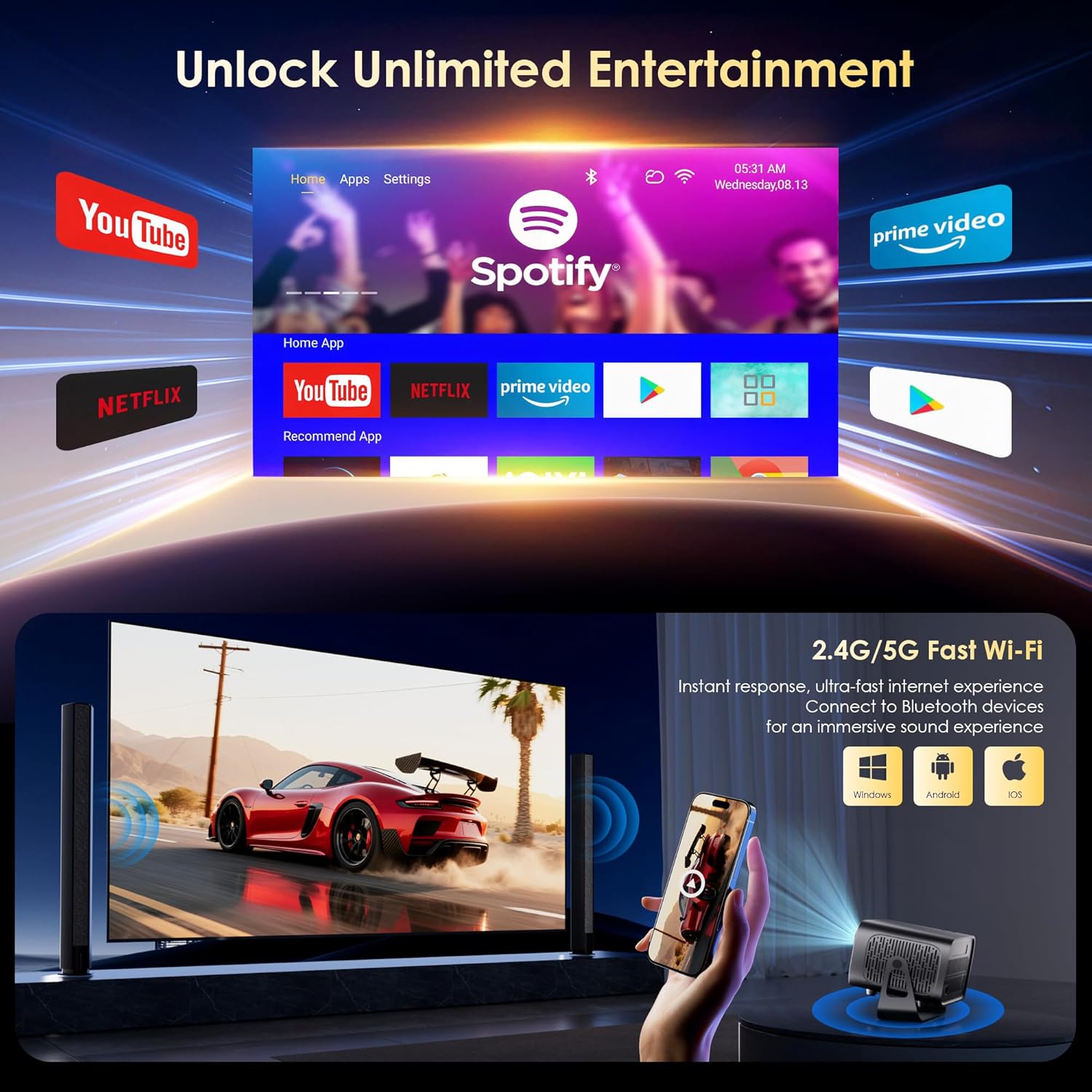
The projector runs on Android 13, providing access to a wide range of streaming applications.
- Upon startup, the home screen will display pre-installed applications like Netflix, Prime Video, and YouTube.
- Navigate using the remote control's directional pad and 'OK' button.
- Access the built-in app store (e.g., Google Play Store) to download additional applications.
- Use the voice assistant feature on the remote control for quick app launching or content search.

5.2 WiFi повезивање
The projector supports dual-band 5G/2.4G WiFi 6 for stable internet access and screen mirroring.
- Go to 'Settings' on the home screen.
- Изаберите „Мрежа и интернет“.
- Укључите Wi-Fi и изаберите жељену мрежу са листе.
- Унесите лозинку ако се то од вас затражи и повежите се.
Note: WiFi is required for the first setup or online apps. If you prefer not to connect to WiFi, you can use the projector offline by connecting external devices via the included HDMI cable or the USB port.

5.3 Bluetooth повезивање
The projector features Bluetooth 5.1 for audio streaming.
- Go to 'Settings' on the home screen.
- Select 'Connected Devices' or 'Bluetooth'.
- Укључите Блутут и потражите доступне уређаје.
- Select your Bluetooth speaker, headphones, or soundbar from the list to pair.
Note: Bluetooth supports audio output only, not video transmission.
5.4 Повезивање екстерних уређаја
The projector supports various external devices via its HDMI and USB ports.
- ДВИ: Connect your laptop, gaming console, or TV stick using an HDMI cable. The projector will automatically detect the input or you may need to select the HDMI source from the input menu.
- УСБ: Уметните УСБ диск да бисте репродуковали медије files directly. The projector's media player will typically launch automatically or can be accessed from the home screen.
5.5 Projection Modes
The projector can be used in various orientations:
- Desktop Projection: Place the projector on a flat surface in front of the screen.
- Пројекција плафона: Mount the projector upside down on the ceiling. Adjust the projection settings in the menu to flip the image.
- Монтажа статива: Use the 1/4'' screw hole at the bottom to mount the projector on a tripod for flexible positioning.

6. Одржавање
6.1 Чишћење
- Објектив: Користите меку крпу која не оставља влакна, посебно дизајнирану за оптичка сочива. Не користите абразивна средства за чишћење или крпе.
- Екстеријер: Wipe the projector's exterior with a soft, dry cloth. For stubborn dirt, a slightly damp Може се користити крпа, а затим суво брисање.
- Вентилациони отвори: Periodically check and gently clean the ventilation openings to ensure they are free from dust and debris. Use a soft brush or compressed air.
6.2 Систем хлађења
The projector features an advanced dual-fan cooling system designed for low noise and efficient heat dissipation. To ensure its longevity and stable performance:
- Always ensure the projector has adequate space around its ventilation openings.
- Avoid placing the projector on soft surfaces (e.g., blankets, carpets) that might block airflow.
- Operating the projector in extremely hot or humid environments may affect its performance and lifespan.
КСНУМКС. Решавање проблема
Ако наиђете на проблеме са пројектором, погледајте следеће уобичајене проблеме и решења:
| Проблем | Могући узрок | Решење |
|---|---|---|
| No power/Projector won't turn on | Кабл за напајање није повезан; утичница је неисправна | Проверите везу кабла за напајање; покушајте са другом утичницом |
| No image/Blank screen | Неисправан улазни извор; Уређај није правилно повезан | Select correct input source (HDMI, USB); Reconnect external device |
| Image blurry/Out of focus | Фокус није подешен | Use the 'F+' and 'F-' buttons on the remote for electric focus adjustment |
| Image distorted/Trapezoid shape | Keystone not corrected | The projector has auto vertical keystone correction. Ensure it's on or manually adjust if needed. |
| Даљински управљач не ради | Not paired via Bluetooth; Low battery | Pair the remote control via Bluetooth (Section 4.2); Replace remote batteries |
| Нема звука | Volume too low; Incorrect audio output; Bluetooth not connected | Increase volume; Check audio output settings; Ensure Bluetooth speaker is paired |
| Проблеми са WiFi везом | Incorrect password; Router issues; Out of range | Verify WiFi password; Restart router; Move projector closer to router |
8. Спецификације
Detailed technical specifications for the ZENTALITY Mini Projector A10 PLUS:
- Бренд: Зенталитет
- Број модела: А10 ПЛУС
- Тежина артикла: 3.1 фунти
- Димензије производа: 7.4 к 6.22 к 4.8 инча
- Оперативни систем: Андроид 13
- Резолуција екрана: 1920 x 1080 (Native 1080P Full HD)
- 4K подршка: Да
- Осветљеност: КСНУМКС АНСИ Луменс
- Однос контраста: 10,000:1
- Технологија повезивања: 3.5mm Jack, Bluetooth 5.1, HDMI, USB (x2), Wi-Fi 6 (2.4G/5G)
- Посебне карактеристике: Built-In Media Player, Built-In Speaker, Electric Focus, Portable, Wi-Fi Ready, Auto Vertical Keystone Correction
- Препоручена употреба: Пословање, образовање, игре, кућни биоскоп
- Lamp Животни век: До 100,000 сати

9. Гаранција и подршка
ZENTALITY is committed to providing quality products and customer satisfaction.
- Гаранција квалитета: 360-Day Quality Guarantee.
- враћа: Бесплатни повраћај у року од 180 дана.
- техничка подршка: Доживотна техничка подршка.
- Служба за кориснике: 24/7 Fast Customer Service.
For support inquiries, please refer to the contact information provided on the ZENTALITY official webсајт или вашу платформу за куповину.


