1. Увод
The KEF XIO Dolby Atmos 5.1.2 Soundbar is engineered to deliver a truly cinematic audio experience with its full 5.1.2 speaker configuration and 12 discreet amplifiers. This manual provides essential information for setting up, operating, and maintaining your KEF XIO Soundbar to ensure optimal performance and longevity.
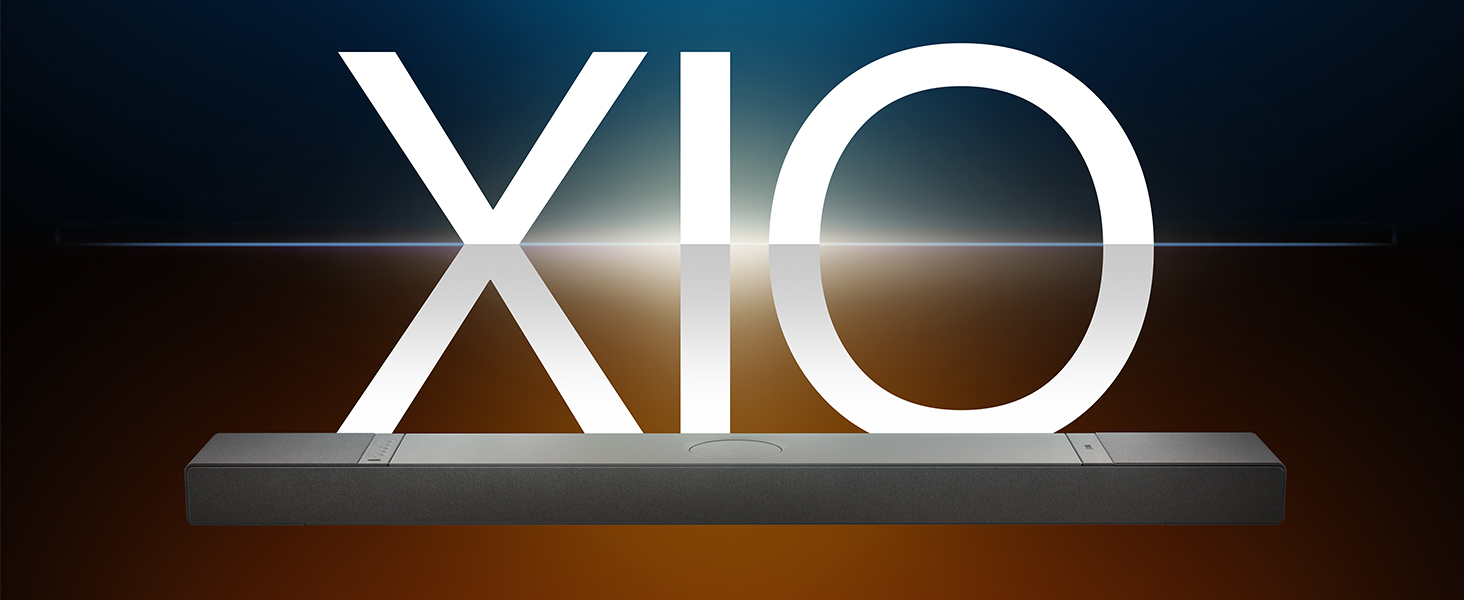
Image: The KEF XIO Soundbar, showcasing its sleek design and the XIO branding.
2. Безбедносне информације
Please read all safety instructions carefully before using the KEF XIO Soundbar. Retain this manual for future reference.
- Напајање: Use only the power cable provided. Ensure the voltagе одговара вашем локалном извору напајања.
- вентилација: Не блокирајте отворе за вентилацију. Инсталирајте у складу са упутствима произвођача.
- Вода и влага: Не излажите саундбар киши, влази, капању или прскању. Не стављајте предмете напуњене течношћу, као што су вазе, на уређај.
- топлота: Не постављајте у близини извора топлоте као што су радијатори, грејни регистри, пећи или други уређаји (укључујући ampлифиерс) који производе топлоту.
- Чишћење: Unplug the soundbar from the power outlet before cleaning. Clean only with a dry cloth.
- Сервисирање: Не покушавајте сами да сервисирате овај производ. Све сервисирање препустите квалификованом сервисном особљу.
3. Шта је у кутији
Проверите да ли су све компоненте присутне пре него што наставите са подешавањем.
- KEF XIO Dolby Atmos 5.1.2 Soundbar
- Повер Цабле
- Ремоте Цонтрол
- ХДМИ кабл
- Зидни носач
- Шаблон за монтажу на зид
- Водич за брзи почетак
4. Подешавање
4.1 Опције пласмана
The KEF XIO Soundbar offers flexible placement options to suit your home environment. It can be placed on a credenza or mounted to a wall using the included hardware. The soundbar automatically senses its position and adjusts its speakers accordingly for optimal audio performance.

Image: The KEF XIO Soundbar positioned on a credenza beneath a television in a modern living room setting.

Image: The KEF XIO Soundbar wall-mounted below a large screen in a dedicated gaming or entertainment area.

Слика: Детаљна view of the KEF XIO Soundbar resting on a credenza, highlighting its sleek profile.
4.2 Connecting Your Soundbar
The KEF XIO Soundbar offers a variety of connectivity options for seamless integration with your home entertainment system.

Image: The rear panel of the KEF XIO Soundbar, displaying the various input ports including HDMI eARC, Optical, and Ethernet.
- ХДМИ еАРЦ: Connect the included HDMI cable from the HDMI eARC port on your soundbar to the HDMI eARC/ARC port on your television for high-quality audio transmission and control.
- Оптички: For devices without HDMI eARC, use an optical cable to connect to the soundbar's optical input.
- Снага: Повежите кабл за напајање са звучном траком, а затим са зидном утичницом.
- Мрежа (опционо): За жичану мрежну везу, повежите Етернет кабл са ЛАН портом.
For wireless connectivity (Wi-Fi, Bluetooth), refer to the "Operating" section for initial pairing and setup.
5. Управљање саундбаром
5.1 Методе контроле
You can control your KEF XIO Soundbar using the included customizable remote, the KEF Connect App, or your smart remote.
- даљински управљач: Use the dedicated remote for power, volume, input selection, and sound mode adjustments.
- KEF Connect App: Download the KEF Connect App from your device's app store for advanced control, settings customization, and firmware updates.
- Паметни даљински: If your TV supports HDMI CEC (Consumer Electronics Control), you may be able to control basic functions like volume and power using your TV's remote.
5.2 Режими звука
Easily switch between optimized sound modes for different content types:
- Режим филма: Enhances cinematic audio with immersive surround sound.
- Режим дијалога: Clarifies spoken words, making conversations easier to understand.
- Ноћни режим: Смањује динамички опсег за тише слушање, идеално за касно увече viewинг.
5.3 Connectivity and Streaming
The KEF XIO is engineered for seamless connectivity and easy streaming, supporting a wide range of wireless technologies and services.

Image: The KEF XIO Soundbar displayed with icons representing its support for Google Cast, Amazon Music, Qobuz, Apple Music, Bluetooth, Spotify, and Tidal.
- Ви-Фи: Connect to your home Wi-Fi network via the KEF Connect App for access to online streaming services and multi-room audio.
- Епл ЕрПлеј: Stream audio directly from your Apple devices.
- Блуетоотх КСНУМКС: Pair your smartphone, tablet, or other Bluetooth-enabled devices for wireless audio playback.
- Услуге стримовања: Enjoy direct integration with Spotify Connect, Tidal Connect, Google Cast, Apple Music, Amazon Music, and Qobuz Connect.
5.4 Spatial Audio Support
The KEF XIO brings the world of spatial audio into your home, transforming your entertainment experience. It effortlessly plays Dolby Atmos, DTS:X, Sony 360 Reality Audio, and more by up-mixing mono/stereo content.

Image: An artistic representation of sound waves emanating from the KEF XIO Soundbar, illustrating immersive audio filling a living space.
6. Одржавање
Proper care will ensure the longevity and performance of your KEF XIO Soundbar.
- Чишћење:
- Always unplug the soundbar before cleaning.
- Користите меку, суву крпу која не оставља влакна да обришете површине.
- Do not use liquid cleaners, aerosol sprays, or abrasive chemicals, as they may damage the finish.
- прашина: Regularly dust the soundbar to prevent accumulation, especially around speaker grilles and ventilation openings.
- Складиштење: If storing the soundbar for an extended period, place it in its original packaging in a cool, dry place.
КСНУМКС. Решавање проблема
If you encounter issues with your KEF XIO Soundbar, refer to the following common problems and solutions.
| Проблем | Могући узрок | Решење |
|---|---|---|
| Нема струје | Кабл за напајање није повезан; утичница није активна. | Уверите се да је кабл за напајање безбедно повезан са звучном траком и исправном утичницом. |
| Нема звука | Incorrect input selected; volume too low; audio cable loose/damaged; TV audio output settings. | Select correct input; increase volume; check audio cable connections; adjust TV audio output to external speakers (e.g., PCM, Bitstream). |
| Проблеми са Блуетоотх упаривањем | Звучна табла није у режиму упаривања; уређај је предалеко; сметње. | Ensure soundbar is in Bluetooth pairing mode; move device closer; minimize interference from other wireless devices. |
| Даљински управљач не ради | Батерије празне; препрека; даљински управљач ван домета. | Replace batteries; remove obstructions between remote and soundbar; ensure remote is within range. |
| Лош квалитет звука | Incorrect sound mode; improper placement; source audio quality. | Try different sound modes; ensure soundbar is placed optimally (refer to placement section); check source audio quality. |
If the problem persists, please contact KEF customer support for assistance.
8. Спецификације
| Феатуре | Детаљ |
|---|---|
| Назив модела | КСИО |
| Број модела ставке | XIOSB |
| Спеакер Типе | Соундбар |
| Конфигурација канала сурроунд звука | 5.1.2 |
| Максимална излазна снага звучника | 820 Ваттс |
| Тип монтаже | Wall Mount, Credenza |
| Технологија повезивања | Bluetooth, Wi-Fi, Ethernet, HDMI (eARC), Optical, IR |
| Бежична комуникациона технологија | Airplay, Bluetooth, Wi-Fi |
| Режим аудио излаза | Сурроунд |
| Посебне карактеристике | Bass Boost, Hi Res Audio, Dolby Enabled, Built-in Microphone, Automatic Position Sensing |
| Димензије производа (Д x Ш x В) | 6.5"Д к 47.6"Ш к 2.8"В |
| Тежина артикла | 23.1 фунти |
| Боја | Black (Slate Black) |
| УПЦ | 637203051234 |

Image: An exploded diagram of the KEF XIO Soundbar, illustrating its internal components including speakers and circuitry.

Слика: Детаљна view of one of the internal speaker drivers, showcasinг његов дизајн и конструкција.
9. Гаранција и подршка
KEF products are designed and manufactured to the highest quality standards. For warranty information and customer support, please refer to the warranty card included with your product or visit the official KEF webсајту.
For technical assistance or service inquiries, please contact KEF customer support through their official channels. Keep your purchase receipt as proof of purchase for warranty claims.
Више информација и ресурса за подршку можете пронаћи на KEF Brand Store on Amazon.


