1. Увод
Thank you for choosing the ZEALOT ZE01 Portable Bluetooth Speaker. This manual provides essential information for setting up, operating, and maintaining your speaker to ensure optimal performance and longevity. Please read this manual thoroughly before use and retain it for future reference.
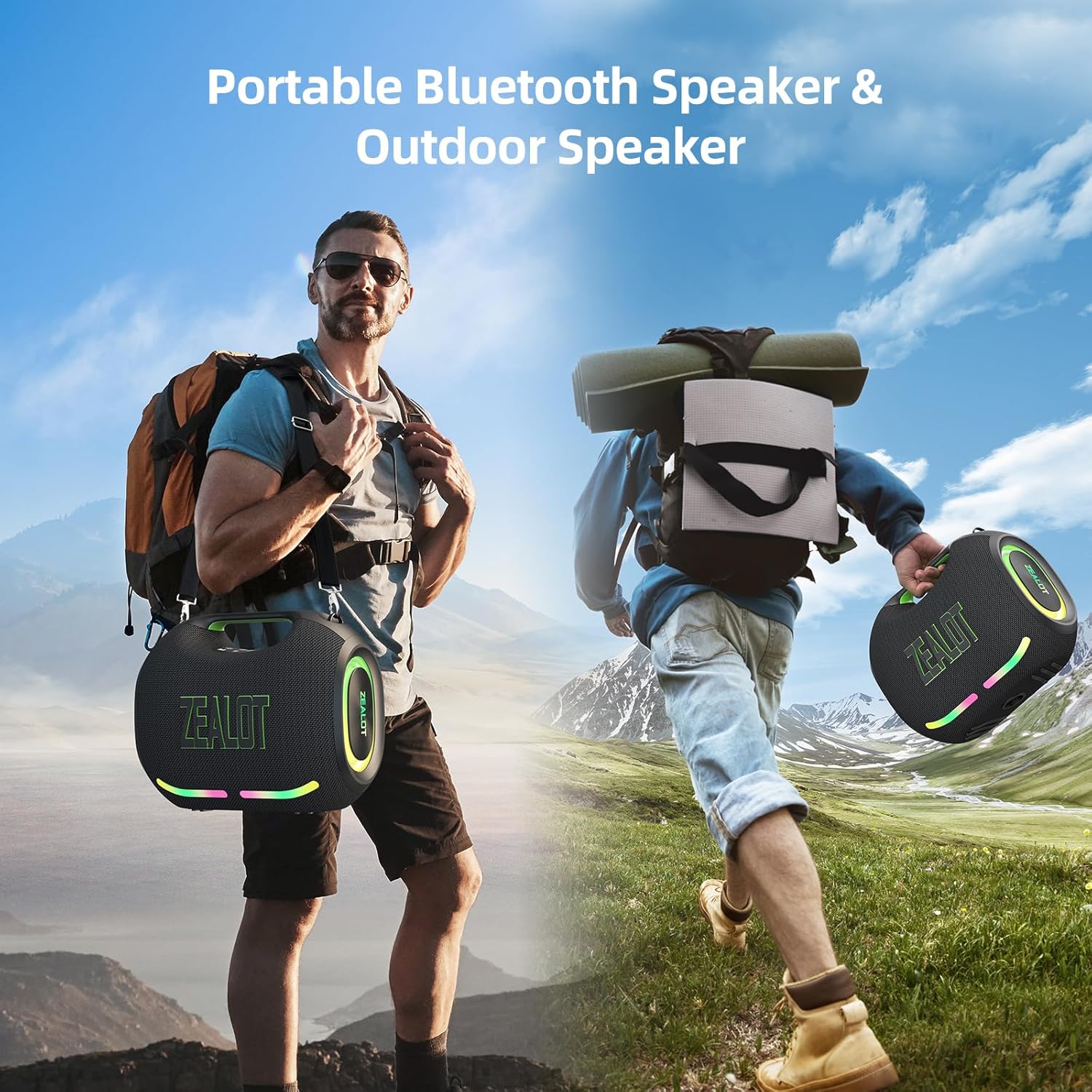
Figure 1: The ZEALOT ZE01 speaker is designed for portability, featuring a convenient shoulder strap for easy transport during outdoor activities.
2. Безбедносне информације
- Не излажите звучник екстремним температурама или директној сунчевој светлости током дужег периода.
- Избегавајте испуштање или излагање звучника јаким ударима.
- Keep the speaker away from water and liquids, despite its IPX6 rating, to prevent damage to internal components.
- Do not attempt to disassemble, repair, or modify the speaker yourself. Contact qualified service personnel for assistance.
- Use only the provided charging cable and a compatible power adapter (PD2.0 45W adapter recommended for optimal charging) to prevent damage.
- Чувати ван домашаја деце.
3. Садржај пакета
Проверите да ли су све ставке присутне у пакету:
- 1x ZE01 Bluetooth Speaker
- 1к АУКС кабл
- 1x Power Cable (Type-C)
- КСНУМКСк водич за брзи почетак
- 1x Removable Shoulder Strap
- 1к Гарантни лист

Figure 2: Included accessories with the ZEALOT ZE01 Portable Bluetooth Speaker.
4. Производ је готовview
4.1 Контроле

Figure 3: Top panel controls for the ZEALOT ZE01 speaker.
- Дугме за напајање (Укључено/Искључено): Притисните и држите 3 секунди да бисте укључили/искључили напајање.
- Дугме за репродукцију/паузу: Притисните једном да репродукујете или паузирате звук.
- Јачина звука (+): Press once to increase volume. Press and hold for 2 seconds for next track.
- Утишавање (-): Press once to decrease volume. Press and hold for 2 seconds for previous track.
- Дугме за режим (M): Press to switch between Wireless (Bluetooth), TF Card, AUX, and USB modes.
- ЕК тастер: Press to cycle through EQ modes (Bass, Vocal, Normal).
- Дугме за светло: Press to turn LED lights on/off or change light modes.
- Дугме за упаривање: Press to initiate Bluetooth pairing or TWS pairing.
4.2 Портови

Figure 4: Input and output ports on the ZEALOT ZE01 speaker.
- TYPE-C CHARGE IN: За пуњење звучника.
- АУКС ИН: За повезивање екстерних аудио уређаја путем 3.5 мм аудио кабла.
- УСБ ДИСК: For playing music directly from a USB flash drive.
- ТФ КАРТИЦА: За репродукцију музике директно са ТФ (МицроСД) картице.
- OUT-5V (USB): Functions as a power bank to charge other devices.
5. Подешавање
5.1 Пуњење звучника
- Connect the provided Type-C power cable to the 'TYPE-C CHARGE IN' port on the speaker.
- Connect the other end of the cable to a compatible USB power adapter (not included). A PD2.0 45W adapter is recommended for optimal charging speed.
- The battery indicator lights on the control panel will show charging status:
- Red light flashes: Charging
- Red light on: Battery below 30%
- Yellow light on: Battery 40%-70%
- Green light on: Battery 80%-100%
- A full charge typically takes 3-4 hours. The speaker offers up to 40 hours of playtime at 30% volume in standard EQ mode.

Figure 5: Battery status indicators and charging port.
5.2 Блуетоотх упаривање
- Power on the speaker by pressing and holding the Power button for 3 seconds. The speaker will enter Bluetooth pairing mode automatically, indicated by a flashing blue light.
- На свом уређају (паметном телефону, таблету итд.) омогућите Блутут и потражите доступне уређаје.
- Select "ZEALOT-ZE01" from the list of devices.
- Once connected, the blue light will stop flashing, and you will hear an audible confirmation.
5.3 Упаривање са правим бежичним стерео (TWS) системом
To achieve a 240W Max ultra stereo sound experience, you can pair two ZEALOT ZE01 speakers:
- Ensure both ZEALOT ZE01 speakers are powered on and in Bluetooth pairing mode (not connected to any device).
- On one of the speakers, press the 'Pairing' button (often indicated by a chain link icon). This speaker will become the primary unit.
- The two speakers will automatically connect to each other. Once connected, the primary speaker's Bluetooth indicator will flash, and the secondary speaker's indicator will be solid.
- Сада повежите свој уређај са примарним звучником путем Блутута као што је описано у одељку 5.2.

Figure 6: TWS pairing allows for a wider stereo soundstage.
5.4 Other Connection Methods
The ZEALOT ZE01 supports multiple playback modes:
- АУКС улаз: Connect an external audio device using a 3.5mm AUX cable to the 'AUX IN' port. Press the 'M' button to switch to AUX mode.
- УСБ диск: Insert a USB flash drive into the 'USB DRIVE' port. Press the 'M' button to switch to USB mode.
- ТФ картица: Insert a TF (MicroSD) card into the 'TF CARD' slot. Press the 'M' button to switch to TF Card mode.
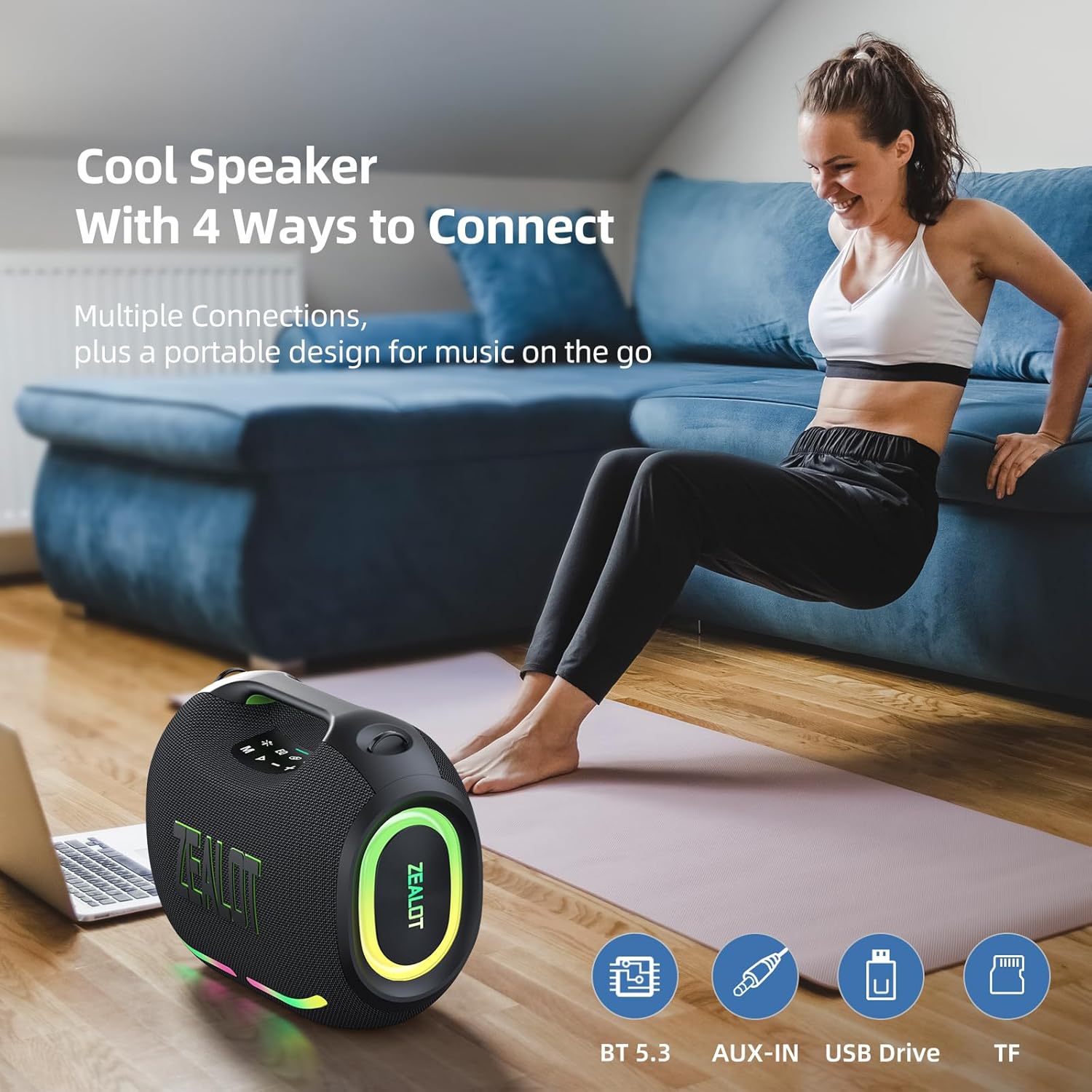
Figure 7: The speaker offers various connectivity options for versatile audio playback.
6. Упутство за употребу
6.1 Основна репродукција звука
- Пусти/паузирај: Притисните дугме Плаи/Паусе.
- Подешавање јачине звука: Притисните „+“ да бисте повећали јачину звука, „-“ да бисте смањили јачину звука.
- Следећа/претходна нумера: Press and hold '+' for the next track, press and hold '-' for the previous track.
6.2 ЕК режима
The ZEALOT ZE01 features three Equalizer (EQ) modes to customize your audio experience:
- Press the 'EQ' button to cycle through the modes.
- Бас режим: Green light on. Enhances low frequencies for a deeper bass sound.
- Вокални режим: Orange light on. Optimizes mid-range frequencies for clearer vocals.
- нормалан режим: White light on. Provides a balanced audio profile.

Figure 8: EQ mode indicators.
6.3 Контрола ЛЕД светла
The speaker is equipped with dynamic colorful LED lights that can be controlled:
- Press the 'Light' button (indicated by a sun/star icon) to turn the lights on/off or cycle through different light modes (e.g., Ritmo, Breathing, Rainbow).

Figure 9: Dynamic LED lights enhance the listening experience.
6.4 Функција преносног пуњача
The ZEALOT ZE01 can also serve as a portable power bank:
- Connect your external device (e.g., smartphone) to the 'OUT-5V' USB port on the speaker using a compatible charging cable.
- The speaker will begin charging your device.
7. Одржавање
- Чишћење: Користите меку, суву крпу за чишћење спољашњости звучника. Не користите абразивна средства за чишћење или раствараче.
- Складиштење: Чувајте звучник на хладном и сувом месту, даље од директне сунчеве светлости и екстремних температура када се не користи дуже време.
- Отпорност на воду: The speaker has an IPX6 water resistance rating, meaning it can withstand powerful water jets. However, it is not designed for submersion. Ensure all port covers are securely closed before exposure to water.

Figure 10: The IPX6 rating provides protection against water splashes and dust.
КСНУМКС. Решавање проблема
| Проблем | Могући узрок | Решење |
|---|---|---|
| Звучник се не укључује. | Ниска батерија. | Пуните звучник најмање 30 минута. |
| Није могуће упаривање преко Bluetooth-а. | Звучник није у режиму упаривања или је већ повезан са другим уређајем. | Ensure the speaker is in pairing mode (flashing blue light). Disconnect from other devices if necessary. Restart both speaker and device. |
| Нема звука. | Јачина звука је прениска; погрешан режим уноса; уређај не репродукује звук. | Increase speaker and device volume. Press 'M' to select correct input mode. Ensure audio is playing on your connected device. |
| Упаривање TWS-а не успева. | Звучници су превише удаљени или су већ повезани са другим уређајима. | Ensure both speakers are within close proximity and not connected to any other Bluetooth devices. Repeat TWS pairing steps. |
9. Спецификације
| Феатуре | Детаљ |
|---|---|
| Назив модела | ZEALOT ZE01 Bluetooth Speaker |
| Спеакер Типе | Преносиви звучник |
| Режим аудио излаза | Стерео |
| Максимална излазна снага звучника | 150 вати (врх) |
| Пречник сабвуфера | 120 Millimeters (2x 50W) |
| Пречник високотонца | 42 Millimeters (2x 10W) |
| Фреквенцијски одзив | 20 КХз |
| Однос сигнала и шума | 90 дБ |
| Импеданса | 4 Охмс |
| Технологија повезивања | Блуетоотх |
| Блуетоотх верзија | 5.3 |
| Блуетоотх домет | 10 метара (33 стопа) |
| Капацитет батерије | 24000 Милиamp Сати |
| Плаитиме | Up to 40 hours (at 30% volume, EQ-standard) |
| Време пуњења | 3-4 hours (with PD2.0 45W adapter) |
| Ниво отпорности на воду | ИПКС6 (отпоран на воду) |
| Димензије производа | 8.15"Д к 13.07"Ш к 11.18"В |
| Тежина артикла | 13.22 фунти |
| Материјал | Метал, Пластика |
| Посебне карактеристике | Bass Boost, Built-In Powerbank, LED Light, Portable, Stereo Pairing |

Figure 11: The internal speaker configuration for powerful audio.
10. Званични видео производа
Видео 1: Званична видео презентација производаasing the ZEALOT ZE01 120W Party Speaker's features and capabilities, including its sound quality and LED lights.
11. Гаранција и подршка
The ZEALOT ZE01 Portable Bluetooth Speaker comes with a limited warranty. Please refer to the included Warranty Card for detailed terms and conditions. For technical support, troubleshooting assistance, or warranty claims, please contact ZEALOT customer service through the official channels provided on the warranty card or the ZEALOT webсајту.


