1. Увод
Thank you for choosing the Parsonver G01 GPS Smart Watch. This manual provides essential information for the proper setup, operation, and maintenance of your device. Please read it carefully to ensure optimal performance and longevity of your smartwatch.

Image: The Parsonver G01 Smart Watch displayed with various outdoor activity scenes, highlighting its versatile use.
2. Садржај пакета
Након отварања пакета, проверите да ли су сви састојци присутни:
- 1x Parsonver G01 Smart Watch
- 1x магнетни кабл за пуњење
- 1к упутство за употребу

Image: An illustration detailing the package contents, including the smartwatch, charging cable, and user manual.
3. Водич за подешавање
3.1 Пуњење паметног сата
Before initial use, fully charge your Parsonver G01 Smart Watch. The device features a 520mAh battery, providing extended usage time.
- Повежите магнетни кабл за пуњење са контактима за пуњење на задњој страни сата.
- Plug the USB-A end of the cable into a standard USB power adapter (not included) or a computer's USB port.
- Екран сата ће приказивати статус пуњења. Потпуно пуњење обично траје око 2 сата.

Слика: Паметни сат повезан са магнетним каблом за пуњење, што илуструје процес пуњења и индикаторе трајања батерије.
3.2 Инсталација и упаривање апликације
To unlock the full functionality of your smartwatch, download and install the companion application on your smartphone.
- Scan the QR code provided in the quick start guide or search for "Glory Fit" in your smartphone's app store (compatible with iOS 9.0/Android 5.0 or above).
- Install the "Glory Fit" application.
- Отворите апликацију и пратите упутства на екрану да бисте креирали налог или се пријавили.
- Уверите се да је Блуетоотх омогућен на вашем паметном телефону.
- In the app, navigate to the device pairing section and select your Parsonver G01 Smart Watch from the list of available devices.
- Потврдите захтев за упаривање и на паметном телефону и на сату.
4. Упутство за употребу
4.1 Основна навигација
The Parsonver G01 features a 1.95-inch HD touchscreen for intuitive interaction.
- Превуците нагоре/надоле: Приступите брзим подешавањима или обавештењима.
- Превуците лево/десно: Navigate through widgets and main functions.
- Додирните: Изаберите ставку или потврдите радњу.
- Притисните бочно дугме: Вратите се на почетни екран или укључите/искључите уређај.
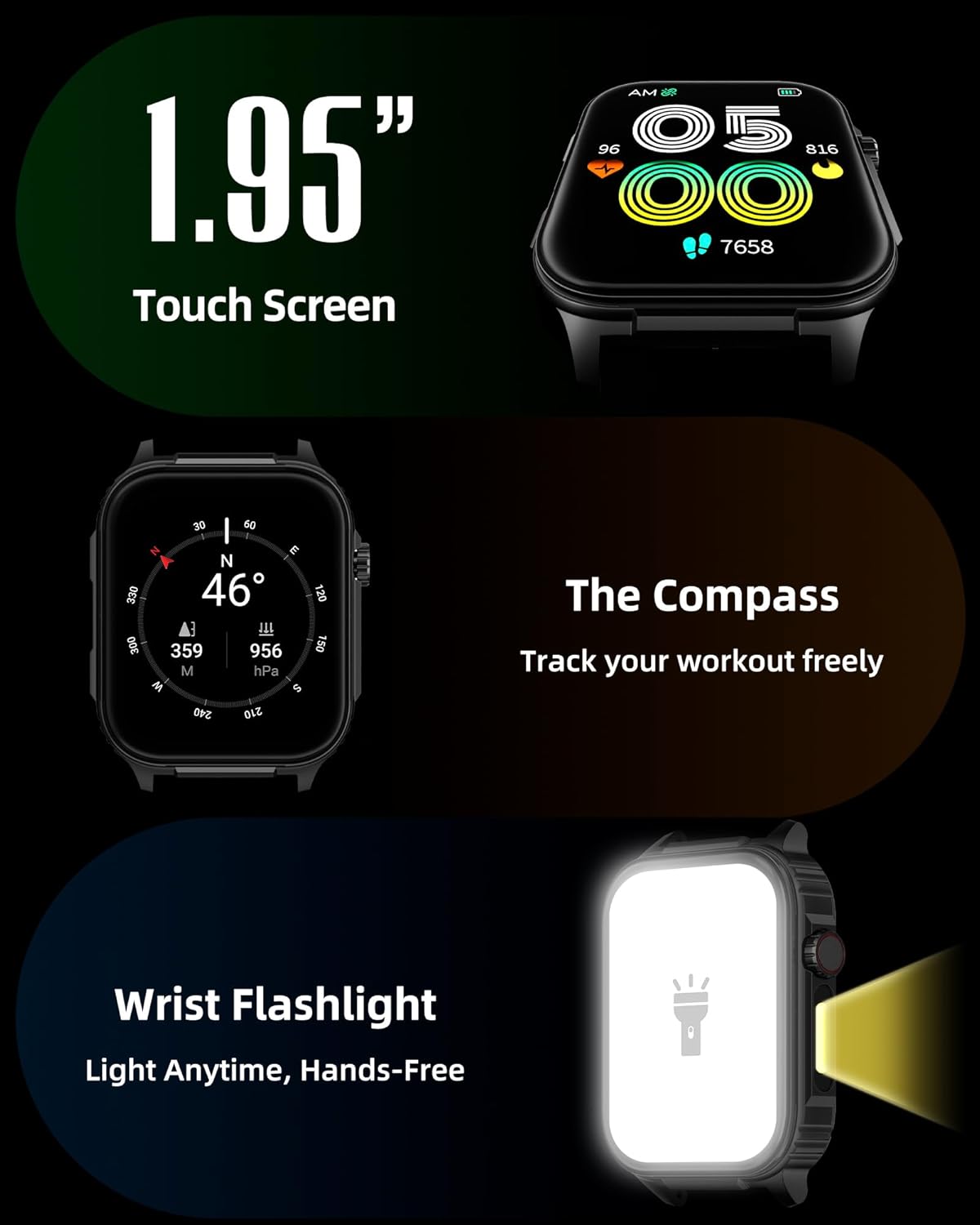
Слика: Детаљна view of the smartwatch screen, illustrating its 1.95-inch size, along with icons for compass and flashlight functions.
4.2 Bluetooth позиви и паметна обавештења
Stay connected by making and receiving calls directly from your wrist and receiving instant notifications.
- Упућивање позива: Once paired via Bluetooth 5.3, access the call function on your watch to dial numbers or select contacts.
- Примање позива: Incoming calls will display on the watch screen, allowing you to answer or reject them.
- Обавештења: The watch provides vibration alerts for SMS, WhatsApp, Facebook, and other app notifications. Note: Direct replies from the watch are not supported.

Image: A man on a mountain trail interacting with his Parsonver G01 Smart Watch to manage a Bluetooth call, with notification icons floating above.

Image: The smartwatch screen showing incoming messages and app notifications, demonstrating its smart notification feature.
4.3 Бројчаници
Personalize your watch with over 400 available watch faces or create your own custom designs.
- Access the watch face market through the "Glory Fit" app.
- Browse and download various styles, from classic to modern.
- Use the DIY function to upload custom photos and create unique watch faces.

Слика: Приказ екрана паметног сатаasing a variety of watch face designs, illustrating the customization options.
4.4 Built-in GPS and Compass
Track your outdoor activities and navigate with precision, even without your phone.
- ГПС праћење: The built-in GPS accurately records your route, distance, and pace during outdoor workouts like running, hiking, and cycling. Ensure you are in an open area for optimal GPS signal acquisition.
- компас: Utilize the integrated compass for navigation and orientation during your adventures.

Image: A cyclist wearing the Parsonver G01 Smart Watch, with the watch display showing GPS tracking data and a map.

Image: Hikers on a mountain trail, with the smartwatch displaying compass and GPS navigation features.
4.5 ЛЕД лампа
The integrated LED flashlight provides convenient illumination when needed.
- Access the flashlight function from the quick settings menu or a dedicated shortcut.
- The flashlight provides hands-free lighting for various situations.

Image: The smartwatch with its LED flashlight illuminated, demonstrating its utility in dark environments.
4.6 спортских режима
The watch supports over 100 built-in sports modes to track your physical activities.
- Select your desired sport from the activity menu.
- The watch will track metrics such as calories burned, steps, distance, and heart rate in real-time.
- Examples include running, cycling, yoga, hiking, football, and more.

Image: An athlete tying shoelaces, with the smartwatch displaying various sports tracking metrics like steps, calories, distance, and heart rate.

Image: A visual representation of the smartwatch's extensive range of over 100 built-in sports modes, including running, football, and cycling.
4.7 Мониторинг здравља
The Parsonver G01 provides comprehensive health monitoring features to help you maintain a healthy lifestyle.
- Мониторинг срчане фреквенције: Континуирано праћење откуцаја срца 24/7.
- Праћење кисеоника у крви (СпО2): Track your blood oxygen levels in real-time.
- Праћење сна: Анализира спавањеtages (deep, light, awake) to provide insights into your sleep quality.
- Stress and Mood Monitoring: Помаже вам да разумете и управљате нивоом стреса.
- Седентарни подсетници: Подстиче вас да се крећете након периода неактивности.
- Вежбе дисања: Guided breathing sessions to help reduce stress.
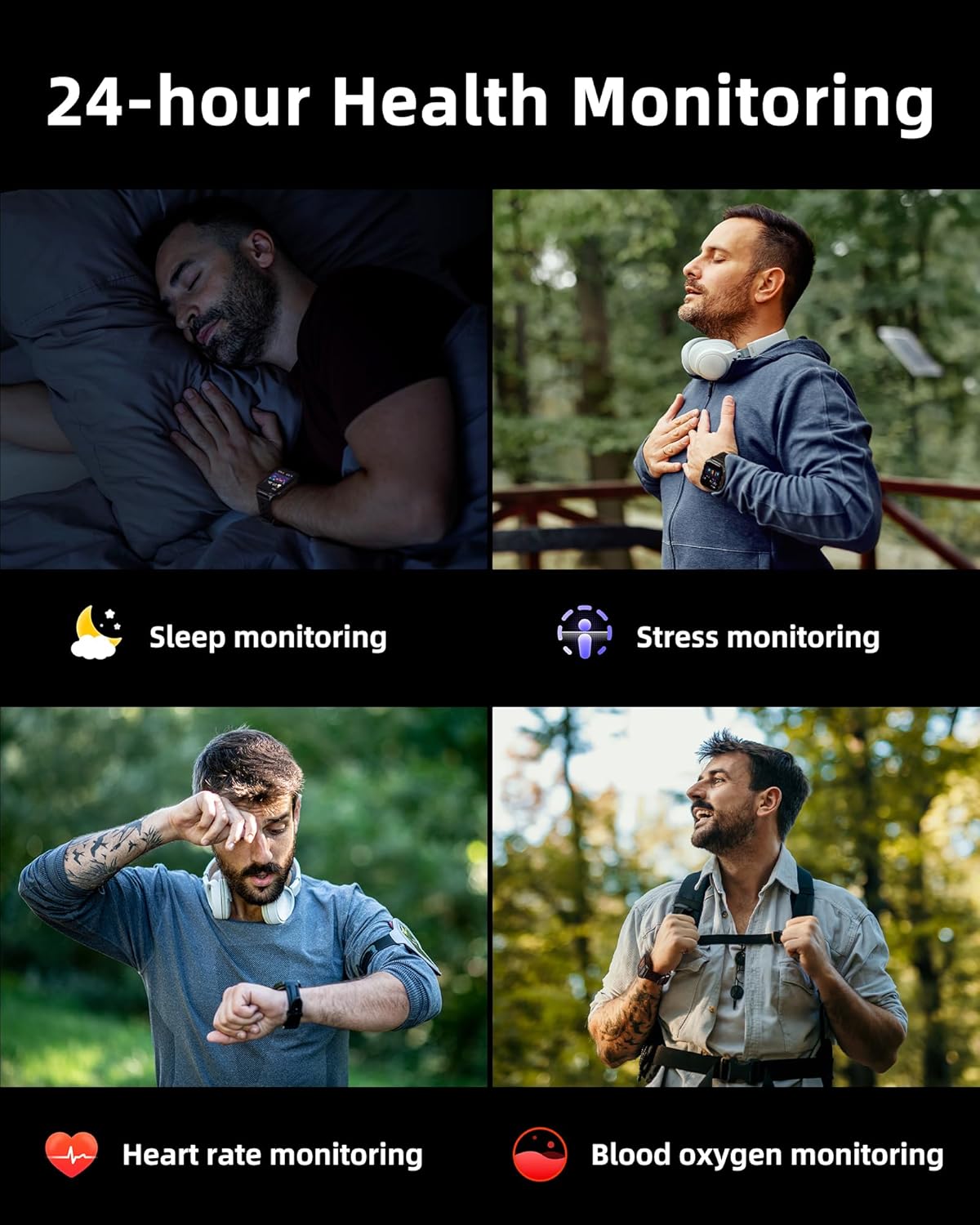
Image: A collage illustrating the smartwatch's 24-hour health monitoring capabilities, including sleep, stress, heart rate, and blood oxygen tracking.

Image: A man sleeping, with the smartwatch on his wrist, and a graphic showing detailed sleep analysis data.
4.8 Остале практичне функције
The Parsonver G01 includes a variety of additional features to assist with daily tasks:
- Будилник: Подесите више аларма.
- Тајмер и штоперица: For precise timing.
- Калкулатор: Основне аритметичке функције.
- Календар: View dates and schedule.
- Контрола музике: Play, pause, skip tracks on your connected phone.
- Временска прогноза: Добијајте ажурирања о времену у реалном времену.
- Гласовни асистент: Интеракција са гласовним асистентом вашег телефона.
- Даљинска контрола камере: Даљински активирајте камеру телефона.
- Пронађите телефон: Пронађите свој изгубљени паметни телефон.
- Подизање за буђење: Automatically activate the screen when you raise your wrist.

Image: A display of various practical functions on the smartwatch, including alarm, timer, stopwatch, calculator, calendar, music control, and weather.
5. Одржавање
5.1 Отпорност на воду
The Parsonver G01 Smart Watch has an IP68 waterproof rating, meaning it is resistant to dust and can withstand immersion in water up to 1.5 meters for 30 minutes. It is suitable for daily splashes, hand washing, and light rain.
Важна напомена:
- The IP68 rating does not make the watch suitable for swimming, showering, or sauna use. Exposure to hot water, steam, or high-pressure water jets may compromise the water resistance.
- Избегавајте притискање дугмади под водом.
- If the watch gets wet, dry it thoroughly before charging or using the touchscreen.

Image: A hand wearing the smartwatch under running water, illustrating its IP68 waterproof capabilities for everyday use.
5.2 Чишћење и нега
- Regularly clean the watch and strap with a soft, dry cloth.
- Ако је потребно, користите мало дamp крпу благим сапуном, затим исперите и темељно осушите.
- Избегавајте употребу јаких хемикалија, абразивних средстава за чишћење или растварача, јер они могу оштетити завршну обраду и компоненте сата.
- Одржавајте контакте за пуњење чистим и без прљавштине како бисте осигурали правилно пуњење.
КСНУМКС. Решавање проблема
If you encounter issues with your Parsonver G01 Smart Watch, refer to the following common solutions:
- Сат се не укључује: Уверите се да је сат потпуно напуњен. Повежите га са пуњачем најмање 30 минута.
- Не може се упарити са паметним телефоном:
- Уверите се да је Bluetooth омогућен на вашем телефону и сату.
- Уверите се да је сат у домету Bluetooth-а вашег телефона.
- Поново покрените и сат и телефон.
- Check if the "Glory Fit" app has necessary permissions on your phone.
- Нетачни GPS подаци:
- Уверите се да сте на отвореном простору са чистим view неба ради бољег сателитског пријема.
- Allow sufficient time for the watch to acquire a GPS signal before starting an activity.
- Screen lights up during sleep: This can be caused by wrist movements activating the raise-to-wake feature. You may be able to disable or adjust the sensitivity of the raise-to-wake feature in the watch settings or the companion app.
- Kratko trajanje baterije:
- Frequent use of GPS, Bluetooth calls, and continuous health monitoring can consume more battery.
- Смањите осветљеност екрана или скратите време када је екран укључен.
- Онемогућите непотребна обавештења.
- Compass inaccuracy: Calibrate the compass if available in the watch settings or app. Ensure no strong magnetic fields are nearby.
If the issue persists, consult the FAQ section within the "Glory Fit" app or contact customer support.
7. Спецификације
| Феатуре | Спецификација |
|---|---|
| Број модела | Г01 |
| Величина екрана | 1.95 инча |
| Дисплаи Типе | Full Touch Screen HD |
| Капацитет батерије | 520 мАх литијум полимер |
| Typical Use Battery Life | 7-10 дана |
| Време приправности | До 40 дана |
| Време пуњења | Approx. 2 Hours (Magnetic Fast Charging) |
| Повезивање | Блуетоотх 5.3 |
| Компатибилност оперативног система | iOS 9.0 / Android 5.0 or above |
| Оцена водоотпорности | ИП68 |
| Уграђене карактеристике | GPS, Compass, LED Flashlight |
| Мониторинг здравља | Heart Rate, Blood Oxygen, Sleep, Stress, Mood |
| Спортски режими | 100+ |
| Тежина артикла | 47 грама (1.66 унци) |
| Капацитет меморије | 256 МБ |
8. Гаранција и подршка
Parsonver is committed to providing reliable products and dedicated customer support. For any questions, technical assistance, or warranty inquiries, please refer to the contact information provided with your purchase or visit the official Parsonver webсајту.


