Увод
Welcome to the DOOGEE V Max Play 5G Rugged Smartphone user manual. This device is engineered for durability and high performance, featuring a built-in 100-lumen projector, a massive 20500mAh battery, and a powerful 200MP AI camera system. Designed to withstand challenging environments, the V Max Play is IP68/IP69K and MIL-STD-810H certified, ensuring reliability wherever your adventures take you. This manual will guide you through the setup, operation, and maintenance of your new smartphone.
Шта је у кутији
Upon unboxing your DOOGEE V Max Play, you should find the following items:
- 1x DOOGEE V Max Play робусни телефон
- 1к кабл за пуњење
- 1x Charger (45W Fast Charger)
- 1x Заштитна фолија за сито штампу (претходно нанесена)
- 1x заштита за екран од каљеног стакла
- 1к упутство за употребу
- 1к Гарантни лист
- Паковање кутије КСНУМКСк
- 1x Преносна кутија за складиштење
- 1x копча за телефон
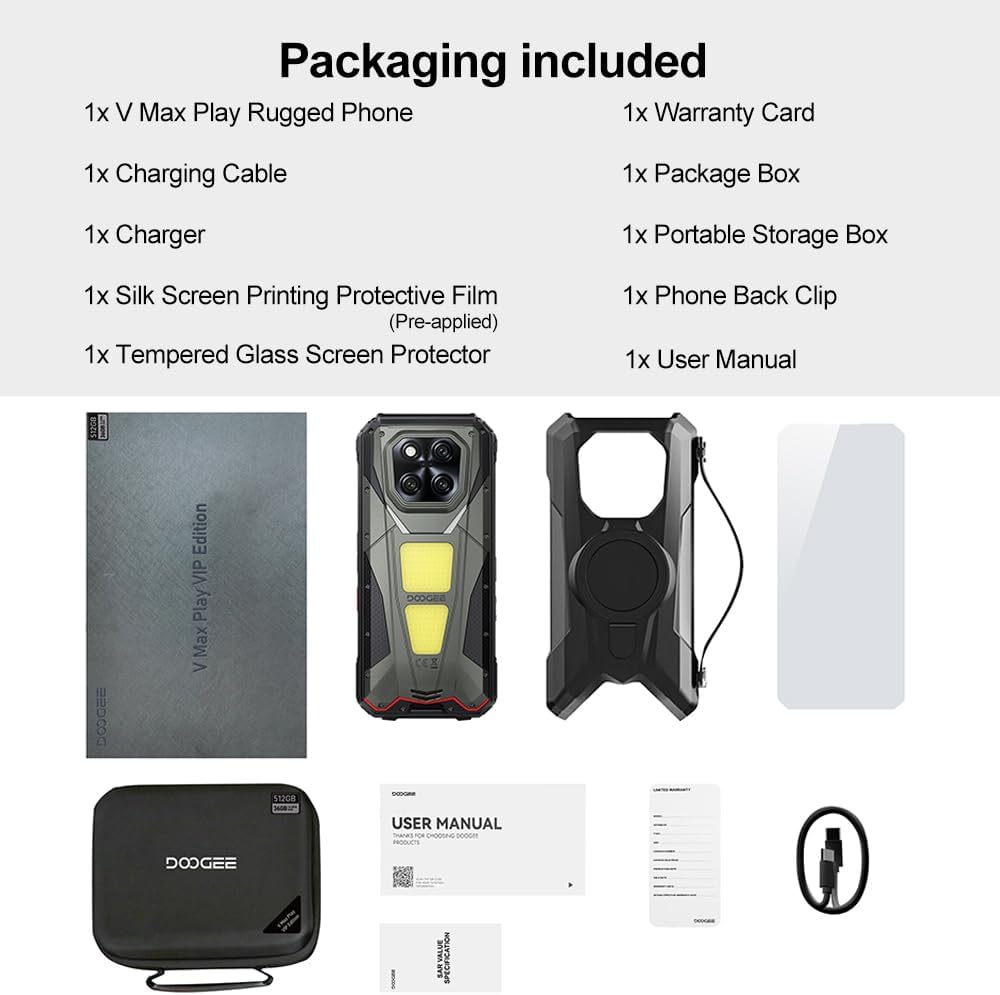
Image: Contents of the DOOGEE V Max Play retail box, including the phone, charger, cables, and documentation.
Девице Оверview
Familiarize yourself with the physical features and components of your DOOGEE V Max Play smartphone.

Слика: Прекоview of the DOOGEE V Max Play highlighting the projector, mega battery, main camera, dual camping lights, loud speaker, and waterdrop display.
Физичка дугмад и портови
- Дугме за напајање/сензор отиска прста: Located on the side, used to power on/off the device and for biometric authentication.
- Дугмад за јачину звука: Подесите јачину звука медија и позива.
- Прилагодљиво дугме за акцију: A programmable button for quick access to various functions (e.g., flashlight, camera, SOS).
- УСБ-Ц порт: For charging and data transfer, protected by a waterproof cover.
- Слот за SIM/SD картицу: Supports dual 5G Nano-SIM cards and expandable storage up to 2TB.
Секундарни екран

Image: Close-up of the customizable secondary display on the rear of the DOOGEE V Max Play.
The DOOGEE V Max Play features a 1.32-inch customizable secondary display on its rear. This display can show time, battery status, music controls, notifications, and more. It offers various clock styles and widgets for personalized quick-glance information.
Built-in Projector
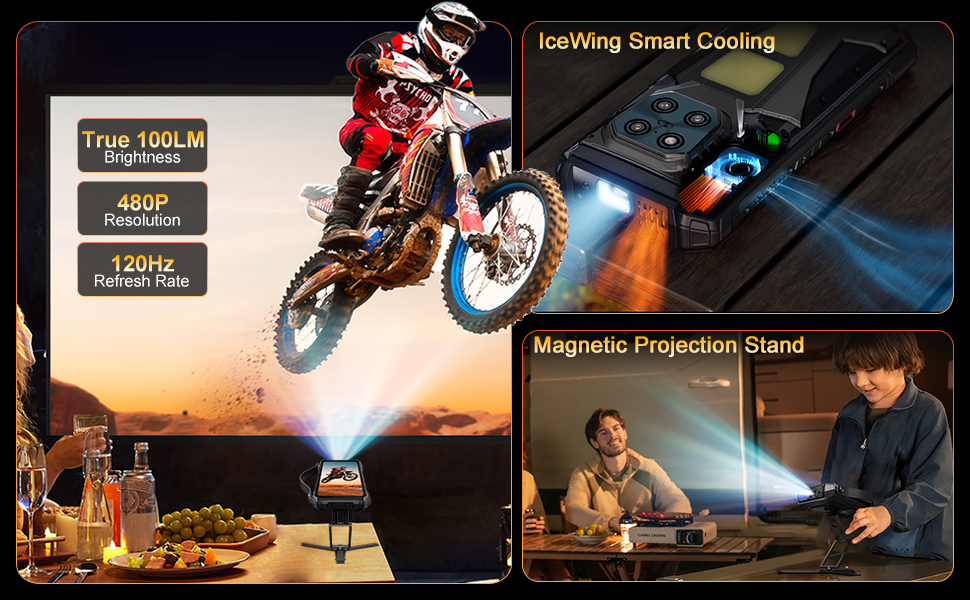
Image: The DOOGEE V Max Play's 100-lumen projector in action, showing projection features like autofocus and keystone correction.
Integrated into the device is a 100-lumen projector with a 60Hz refresh rate and 854x480 resolution. It supports autofocus and various projection adjustments for clear viewинг.
Дуал Цampинг Лигхтс

Image: The DOOGEE V Max Play's 1200LM dual camping lights illuminating a dark outdoor scene.
The phone features powerful 1200LM dual camping lights with multiple modes (Lighting, SOS, Flash) and brightness adjustments, capable of brightening up to 8 meters ahead.
Сетуп
1. Прво укључивање
- Press and hold the Power Button on the side of the device until the DOOGEE logo appears.
- Пратите упутства на екрану да бисте завршили почетно подешавање, укључујући избор језика, Wi-Fi везу и подешавање Google налога.
2. SIM Card & MicroSD Card Installation
- Locate the SIM/SD card slot on the side of the phone.
- Carefully open the protective cover.
- Insert your Nano-SIM card(s) and/or MicroSD card into the tray, ensuring correct orientation.
- Gently push the tray back into the slot and securely close the protective cover to maintain waterproof integrity.
3. Fingerprint & Face Unlock Setup
- Дођите до Settings > Security & privacy > Device unlock.
- Изаберите Отисак прста or Откључавање лицем and follow the on-screen instructions to register your fingerprint(s) or face data.
Упутство за употребу
1. Основне операције
- Укључивање/искључивање: Press and hold the Power Button. Select 'Power off' or 'Restart' from the menu.
- Закључавање/откључавање екрана: Briefly press the Power Button to lock or unlock the screen.
- Подешавање јачине звука: Use the Volume Up/Down buttons to control audio levels.
2. Secondary Display Usage
To interact with the secondary display, simply swipe across its surface. You can customize its functions via Settings > MiniScreen.
- Clock Plate: Choose from various clock styles.
- Додаци: Access music controls, camera shortcuts, calendar, and notifications.
- Обавештења: Incoming calls and messages will be displayed on the secondary screen.
3. Projector Function
Video: Demonstration of the DOOGEE V Max Play's 100-lumen projector in various usage scenarios, including outdoor entertainment and professional presentations.
The built-in projector allows you to share content on a larger screen. Access projector settings from the quick settings panel or a dedicated app.
- Активација: Open the projector app or toggle from the quick settings.
- Аутоматско фокусирање: The projector automatically adjusts focus for a clear image.
- Подешавања: Use on-screen controls for vertical flip, keystone correction, and aspect ratio.
- Играње: Connect a game controller for an enhanced gaming experience with projected content.
4. Цampинг Лигхтс
Видео: Шоуasing the DOOGEE V Max Play's camping lantern feature, demonstrating its brightness and utility in dark environments.
The 1200LM dual camping lights provide powerful illumination. Access controls from the quick settings panel or a dedicated app.
- Режими: Switch between Lighting, SOS, and Flash modes.
- Осветљеност: Adjust the brightness level from 20% to 100%.
5. Употреба камере

Слика: Детаљна view of the DOOGEE V Max Play's camera setup, including the 200MP AI main camera, 20MP night vision, 8MP ultra-wide/macro, and 32MP front camera.
The DOOGEE V Max Play features a versatile camera system:
- Главна камера са вештачком интелигенцијом од 200 МП: За фотографије високе резолуције са EIS стабилизацијом.
- Ноћна камера од 20 МП: Captures clear images in complete darkness.
- 8MP Ultra-Wide & Macro Camera: For expansive landscapes and detailed close-ups.
- Предња камера од 32 МП: For optimized selfies.
Open the Camera app and select your desired mode (Photo, Video, Night Vision, Macro, etc.).
6. Customizable Action Button
The customizable action button on the side of the device can be configured for various shortcuts. Go to Settings > Side Key Function to assign single-click, double-click, and long-press actions to functions like flashlight, screenshots, or opening specific applications.
Одржавање
Your DOOGEE V Max Play is built to be rugged, but proper maintenance ensures its longevity.
- Водоотпоран/отпоран на прашину: Ensure all port covers (USB-C, SIM/SD card slot) are securely closed before exposing the device to water or dust.
- Чишћење: Користите меку, дamp cloth to clean the device. Avoid harsh chemicals.
- Отпорност на пад: While designed to be drop-proof (MIL-STD-810H), extreme impacts can still cause damage. Handle with care.
- Одржавање батерије: Avoid extreme temperatures. Do not fully discharge the battery regularly. Use the provided 45W fast charger for optimal charging.
Решавање проблема
Ако наиђете на проблеме са уређајем, испробајте следећа решења:
- Уређај се не укључује: Уверите се да је батерија напуњена. Прикључите пуњач и покушајте поново.
- Екран не реагује: Restart the device by holding the Power Button.
- Проблеми са мрежом: Check SIM card installation. Ensure mobile data is enabled and you have network coverage.
- Пројектор не ради: Check projector settings. Ensure the lens is clean and there are no obstructions.
- Брзо пражњење батерије: Close unused apps. Reduce screen brightness. Check for background app activity.
Спецификације
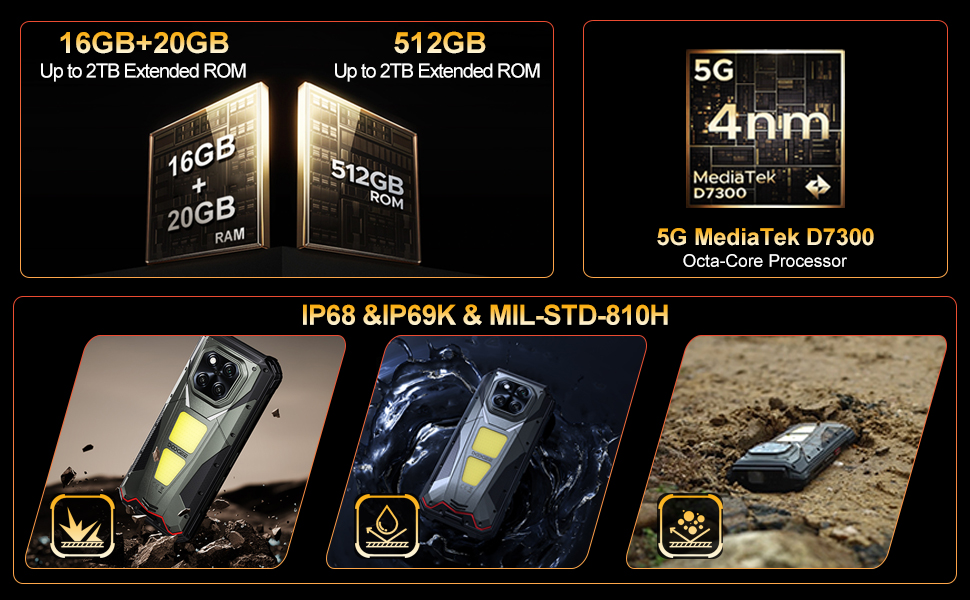
Image: The DOOGEE V Max Play running on Android 15 with Gemini AI integration.
| Феатуре | Спецификација |
|---|---|
| Назив модела | DOOGEE V Max Play |
| Оперативни систем | Андроид 15 |
| Процесор | МедиаТек Дименсити 7300 5Г (4нм осам језгара, 2.5 ГХз) |
| РАМ | 16GB Physical RAM + 20GB Virtual RAM (36GB Total) |
| Складиштење | 512 ГБ РОМ-а (прошириво до 2 ТБ) |
| Дисплаи | 6.78-inch FHD+ (1080x2460) 120Hz Refresh Rate, 500 nits brightness |
| Пројектор | 100 Lumens, 854x480 Resolution, 60Hz Refresh Rate |
| Задња камера | 200MP AI Main (EIS), 20MP Night Vision, 8MP Ultra-Wide/Macro |
| Предња камера | 32МП |
| Батерија | 20500mAh, 45W Fast Charging, 10W Reverse OTG |
| Трајност | IP68/IP69K, MIL-STD-810H |
| Повезивање | Dual 5G SIM, Bluetooth 5.2, Wi-Fi 6, NFC (Google Pay), GPS/Beidou/GLONASS/Galileo |
| Димензије | 7.07 к 3.25 к 0.75 инча |
| Тежина | 1.18 фунте (536 грама) |
Гаранција и подршка
Your DOOGEE V Max Play 5G Rugged Smartphone comes with a 24-month warranty. For any hardware or software issues, please contact our technical support team. We are committed to resolving your concerns promptly.
За додатну помоћ, посетите званичну DOOGEE веб страницу webсајт или контактирајте корисничку службу путем ваше платформе за куповину.


